

 FS2004 Civil Jet Aircraft
Continental Douglas DC-9-30 (OC)
This freeware repaint offers the classic Continental Airlines livery for the …
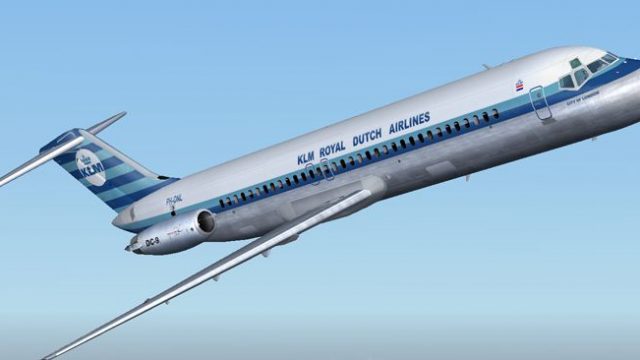
KLM’s classic old-colours livery for the Douglas DC-9-30 brings crisp blue-and-white markings and period-correct detailing to the SGA narrowbody, with careful shading around windows, doors, and engine inlets for added realism in Microsoft Flight Simulator 2004. Requires the SGA DC9-30 freeware base model package SGA930.zip.
 Rate
Rate
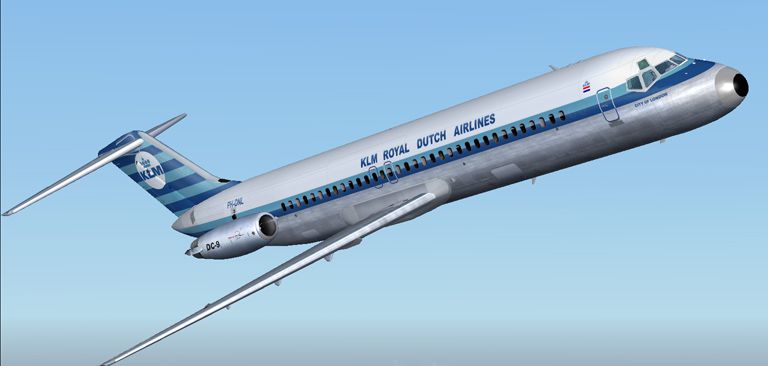
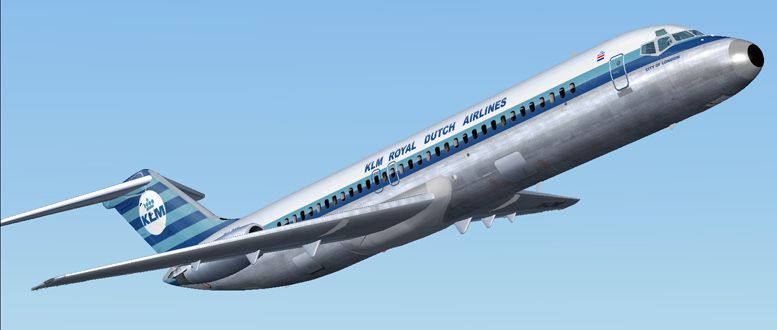

This repaint package brings the old KLM color scheme onto the Douglas DC-9-30, tailored explicitly for Microsoft Flight Simulator 2004. It includes classic blue-and-white exterior markings that reflect KLM's traditional branding, seamlessly adapted to the SGA DC9-30 freeware base model. The texture set, authored by Henry William, requires the SGA930.zip package, which can be found in the Fly Away Simulation file library. Once installed, this combination offers an authentic portrayal of the DC-9 in its distinctive KLM livery.
The KLM old color scheme captures a striking fuselage design common to the airline’s earlier operational years. These textures emphasize the slim body lines often associated with the DC-9, a narrowbody jet produced by McDonnell Douglas. The included paintwork covers subtle shading around windows, doors, and engine inlets, which collectively elevate the overall realism.
-fs9-1.jpg)
Preview image showcasing the historic KLM DC-9-30 during flight.
Before proceeding, ensure that the SGA DC9-30 base package (SGA930.zip) is fully placed in your simulator’s aircraft library. Without that package, these textures cannot be integrated properly. Follow the steps below to add the livery:
[fltsim.X] entries. Copy and paste the following segment, then adjust X to the next consecutive number:
[fltsim.X]
title=SGA DC-9-30 KLM Old colors
sim=SGA DC9_30
model=
panel=
sound=
texture=klmoc
checklists=
atc_id=N940N
atc_id_color=0xffffffff
atc_airline=klm
atc_flight_number=935
ui_manufacturer=Douglas
ui_type=DC-9-31
ui_variation=KLM O.C
description=Model: Erick Cantu
Flight Dynamics V9.1.0: Fraser W. Turner

visual_damage=0
atc_heavy=0
atc_id_font=Verdana,-11,1,600,0
atc_parking_codes=
atc_parking_types=
This texture set showcases the aerodynamic features of the DC-9, known for its rear-mounted twin Pratt & Whitney JT8D engines. The chosen color layout highlights the clean lines along the fuselage and underscores the aircraft’s short- to medium-haul capabilities, which were historically exploited by KLM for regional routes. Additionally, the subtle reflective elements around the nose and cabin windows ensure the timeless KLM design stands out even under varying lighting conditions.
All credit for this repaint goes to Henry William for crafting the authentic livery textures. Contributors like Erick Cantu and Fraser W. Turner deserve recognition as well, having developed the SGA model and flight dynamics upon which this repaint relies. Installing these textures complements the freeware DC-9 series package, making it an excellent addition for enthusiasts seeking to revisit KLM's long-standing heritage in Microsoft Flight Simulator 2004.
Free for all simmers · 2.76 MB · Scanned clean Oct 2026
Download speed: Free tier is capped at 0.5 Mbps. PRO members download at full line speed.
This file is a repaint — the package below is the base model it paints onto. Install it first, or the textures will have nothing to load onto.
FS9\Aircraft\, FS9\Addon Scenery\, FS9\Gauges\, or FS9\Effects\.readme.txt or README file. It tells you exactly where files go, what dependencies are needed, and any quirks specific to this add-on.The archive klocdc9h.zip has 25 files and directories contained within it.
This list displays the first 500 files in the package. If the package has more, you will need to download it to view them.
| Filename/Directory | File Date | File Size |
|---|---|---|
| texture.klmoc | 12.09.04 | 0 B |
| 30FUSE_L.BMP | 10.28.04 | 4.00 MB |
| CONE_L.BMP | 08.08.03 | 5.43 kB |
| CONE_T.BMP | 08.08.03 | 5.43 kB |
| DC9_B_L.BMP | 05.19.04 | 256.07 kB |
| DC9xINTERIOR_L.BMP | 05.19.04 | 256.07 kB |
| DC9xINTERIOR_T.BMP | 01.28.04 | 1.00 MB |
| ENGINES_L.BMP | 05.19.04 | 256.07 kB |
| INTAKE_L.bmp | 08.08.03 | 5.43 kB |
| INTAKE_t.BMP | 08.10.03 | 42.78 kB |
| WING_LEFT_L.BMP | 05.19.04 | 256.07 kB |
| WING_RIGHT_L.BMP | 05.19.04 | 256.07 kB |
| WING_RIGHT_T.BMP | 09.24.03 | 1.00 MB |
| engines_t.bmp | 10.27.04 | 4.00 MB |
| dc9_b_t.bmp | 11.04.04 | 4.00 MB |
| WING_LEFT_T.bmp | 11.29.04 | 4.00 MB |
| 30fuse_t.bmp | 12.09.04 | 4.00 MB |
| readme.txt | 12.09.04 | 1.55 kB |
| aa.jpg | 12.09.04 | 78.70 kB |
| bb.jpg | 12.09.04 | 82.76 kB |
| cc.jpg | 12.09.04 | 82.81 kB |
| small.gif | 12.09.04 | 3.61 kB |
| KLM O.C DC9-30 | 12.09.04 | 0 B |
| flyawaysimulation.txt | 10.29.13 | 959 B |
| Go to Fly Away Simulation.url | 01.22.16 | 52 B |
Only PRO members can place votes.
More FS2004 add-ons hand-picked based on this download.
FS2004 Civil Jet Aircraft
This freeware repaint offers the classic Continental Airlines livery for the …
 FS2004 Civil Jet Aircraft
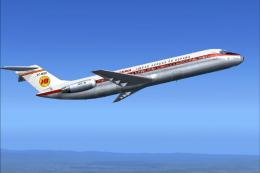
This repaint package applies the old-style Iberia livery to the Douglas DC-9-…
 FS2004 Civil Jet Aircraft
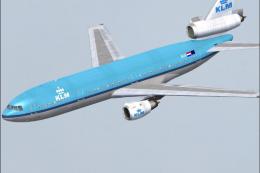
(New colors). Registration PH-BCN. Model by FFX/SGA. Repaint by Francisco Kan…
 FS2004 Civil Jet Aircraft
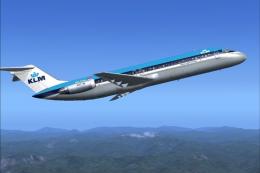
This freeware repaint for Microsoft Flight Simulator 2004 offers a customized…
 FS2004 Civil Jet Aircraft
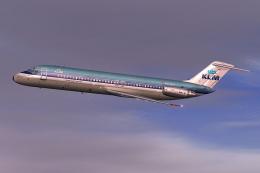
KLM Douglas DC-9-30. By Daniel Halpern and SGA. Screenshot of KLM Douglas DC-…
 FS2004 Civil Jet Aircraft
This freeware release brings fresh updates to a classic tri-engine wide-body …
 FS2004 Civil Jet Aircraft
Experience an updated KLM Royal Dutch Airlines DC-10-30 freeware package craf…
 FS2004 Civil Jet Aircraft
This freeware package offers a faithful simulation of the iconic wide-body tr…
Be the first to leave a comment on this download.
Be the first to share your thoughts on this download.