

 FS2004 Civil Jet Aircraft
Korean Air Boeing 737-800
Elevate the experience in Microsoft Flight Simulator 2004 with a meticulously…
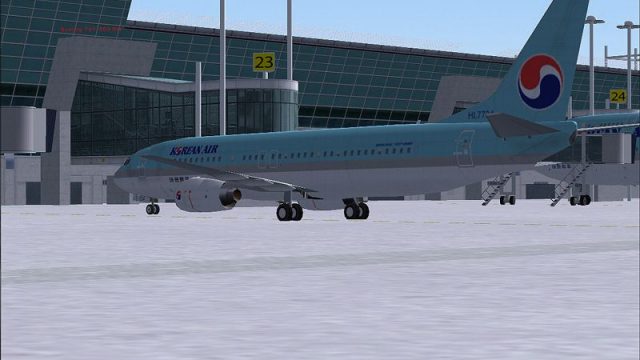
Korean Air’s light-blue Boeing 737-800 livery is recreated with crisp logos, accurate tail insignia, and clean alignment that complements the aircraft’s lines in Microsoft Flight Simulator 2004. The repaint supplies textures only and requires Tsutomu Urakawa’s freeware 737-800 base model, delivering a convincing fleet look for regional and medium-range routes.
 Rate
Rate
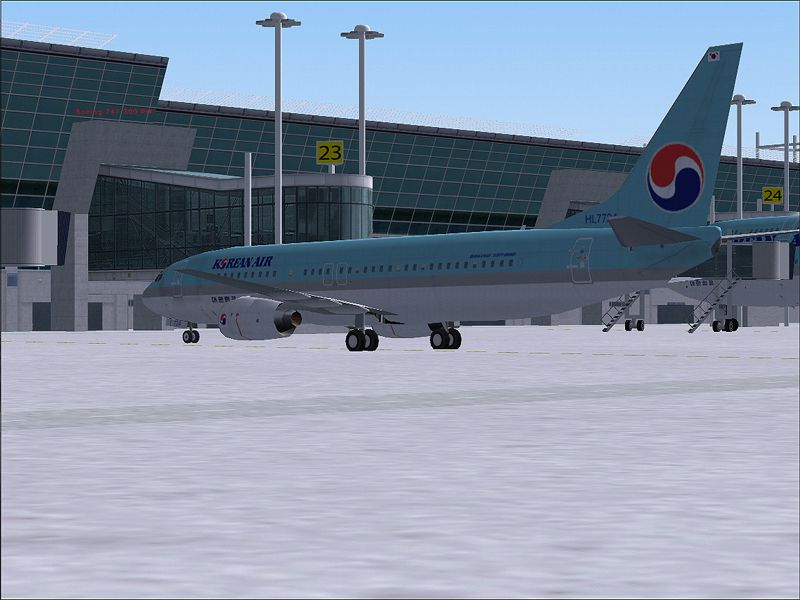
This freeware repaint brings the distinctive Korean Air finish to the Boeing 737-800, offering Microsoft Flight Simulator 2004 users an authentic visual experience aligned with the airline’s real-world fleet. The texture set integrates seamlessly with the existing freeware model but does not include the base package. This mod requires separate installation of the original 737-800 model by Tsutomu Urakawa, ensuring the most accurate representation of the aircraft’s flight dynamics and external geometry. The KAL repaint itself is meticulously produced by Arjen ter Avest.
Korean Air’s real-world Boeing 737-800s connect cities across Asia and beyond, and these short-to-medium range jets [single-aisle configuration commonly found in modern aviation fleets] feature advanced avionics for efficient performance. Incorporating their signature light-blue fuselage stripe, this repaint perfectly mirrors Korean Air’s recognizable color scheme, including the airline’s stylized tail insignia. It is designed to enhance both the visual fidelity and the immersion factor whenever sim pilots choose routes reflecting the airline’s real-world network.
Note: This package provides textures only. It stipulates the availability of 737ATN.ZIP or a comparable version of the same base model in order to function. Sim pilots must download the freeware Boeing 737-800 base kit from the Fly Away Simulation library first. Once the original model is installed, simply add these new Korean Air textures and update your aircraft configuration file to enjoy the refined visual appeal.
Screenshot of Korean Air Boeing 737-800 on the ground.
Because the Boeing 737 family remains a backbone of numerous airlines worldwide, this Korean Air repaint lets flight simulation enthusiasts operate a realistic schedule mirroring the company’s real operations. From charter flights to scheduled connections, the attention to detail on the fuselage and empennage complements the official paint layouts. Furthermore, the aerodynamic features of Tsutomu Urakawa’s model ensure proper wing flex and dynamic lighting, adding yet another layer of immersion for fans of the 737 series.
Textures by Arjen ter Avest capture the exact aesthetic of Korean Air, and the collaboration with Tsutomu Urakawa’s original model delivers accurate proportions, enhanced shading, and atmospheric reflection. By incorporating this add-on into your virtual hangar, you will achieve a faithful recreation of the airline’s iconic style in Microsoft Flight Simulator 2004.
Free for all simmers · 655.76 KB · Scanned clean Oct 2026
Download speed: Free tier is capped at 0.5 Mbps. PRO members download at full line speed.
This file is a repaint — the package below is the base model it paints onto. Install it first, or the textures will have nothing to load onto.
FS9\Aircraft\, FS9\Addon Scenery\, FS9\Gauges\, or FS9\Effects\.readme.txt or README file. It tells you exactly where files go, what dependencies are needed, and any quirks specific to this add-on.The archive tu738v2k.zip has 5 files and directories contained within it.
This list displays the first 500 files in the package. If the package has more, you will need to download it to view them.
| Filename/Directory | File Date | File Size |
|---|---|---|
| kal738tuv2.jpg | 11.16.04 | 515.31 kB |
| t_u_b738_l.bmp | 11.16.04 | 1.00 MB |
| t_u_b738_t.bmp | 11.16.04 | 1.00 MB |
| flyawaysimulation.txt | 10.29.13 | 959 B |
| Go to Fly Away Simulation.url | 01.22.16 | 52 B |
Only PRO members can place votes.
More FS2004 add-ons hand-picked based on this download.
FS2004 Civil Jet Aircraft
Elevate the experience in Microsoft Flight Simulator 2004 with a meticulously…
 FS2004 Civil Jet Aircraft
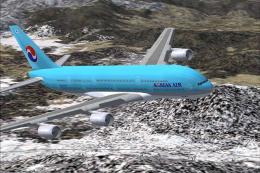
Model by Mike Stone. KAL repaint by Chong Yun Ho. Screenshot of Korean Airlin…
 FS2004 Civil Jet Aircraft
This freeware package introduces a faithful Korean Air Boeing 747-400 renditi…
 FS2004 Civil Jet Aircraft
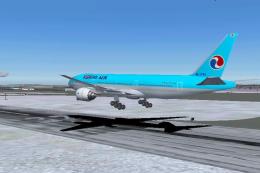
Korean Air Boeing 777-200 PW, registration HL7714. Model by FSPainter. Repain…
 FS2004 Civil Jet Aircraft
This complete freeware McDonnell Douglas MD-11 package showcases Korean Air’s…
 FS2004 Civil Jet Aircraft
Korean Air Cargo McDonnell Douglas MD-11F. Model by iFDG. Repainted by Michae…
 FS2004 Civil Jet Aircraft
The new addition to the SGA fleet, the Airbus A300B4-200 is loaded with featu…
 FS2004 Civil Jet Aircraft
Korean Air Fokker 100, registration HL7208. Textures only; requires F70100AI.…
Be the first to leave a comment on this download.
Be the first to share your thoughts on this download.