

 FS2004 Civil Jet Aircraft
Vistaliners United Airlines Boeing 727-222
This comprehensive freeware package features a meticulously rendered Boeing 7…
United Airlines’ Boeing 727-222 brings classic tri-jet character to Microsoft Flight Simulator 2004 with a detailed Vistaliners model, authentic period livery, and an immersive virtual cockpit plus passenger wing views. Expect dynamic reflections, flexible wing animation, openable doors and cockpit windows, and properly rendered night lighting for convincing ramp-to-cruise atmosphere.
 Rate
Rate
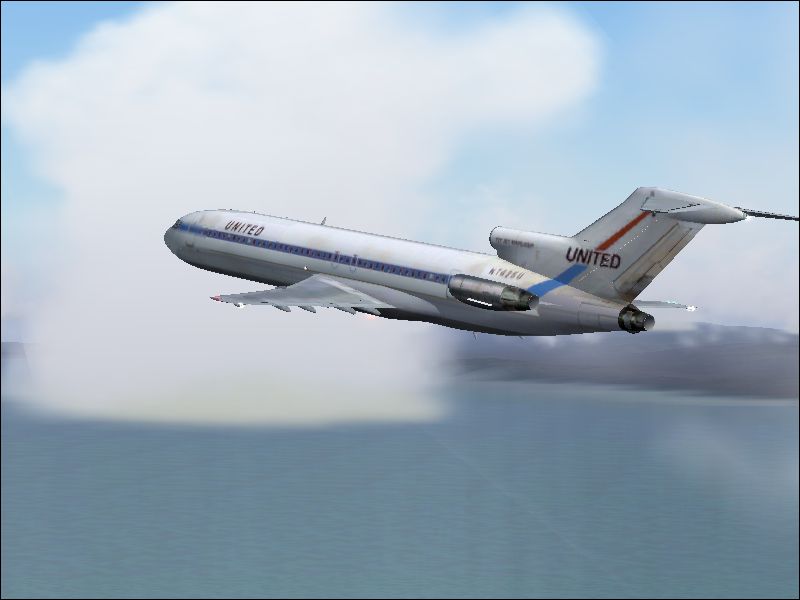
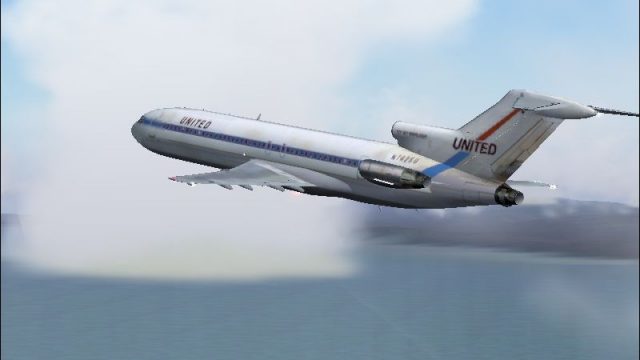
This freeware add-on for Microsoft Flight Simulator 2004 showcases a complete United Airlines Boeing 727-222 package featuring the unmistakable tri-engine layout and historically significant livery from Bill Baldwin and Erick Cantu (Vistaliners). The iconic T-tail design, combined with the carrier’s classic paint scheme, delivers a detailed flight deck experience and immersive passenger perspectives.
The Boeing 727-222 variant, introduced during the golden era of commercial aviation, capitalized on its three-engine configuration for better performance on shorter runways. United Airlines deployed numerous 727s on domestic routes and gained a reputation for dependable service. Aviation enthusiasts often appreciate this model for its distinctive T-tail and rear-mounted engines, which stand out among more contemporary airliners.
Screenshot of United Airlines Boeing 727-222 in flight.
To integrate this aircraft into your simulator, simply extract the contents into your “Aircraft” directory within your main FS2004 installation folder. Ensure any unzip utility you use maintains the original folder structure. Once installed, the aircraft should appear under the Boeing manufacturer list, designated as the 727-200 model. If you prefer custom configuration, you can manually place the textures into a specific folder and adjust your Aircraft.cfg file accordingly.
This release is fully self-contained, including Bill Baldwin’s livery and Erick Cantu’s complete Vistaliners model. Enjoy experiencing the classic Boeing 727-222 in Microsoft Flight Simulator 2004 with the visual fidelity and functional intricacies this freeware pack provides.
Free for all simmers · 3.3 MB · Scanned clean Oct 2026
Download speed: Free tier is capped at 0.5 Mbps. PRO members download at full line speed.
FS9\Aircraft\, FS9\Addon Scenery\, FS9\Gauges\, or FS9\Effects\.readme.txt or README file. It tells you exactly where files go, what dependencies are needed, and any quirks specific to this add-on.The archive 72ual_oc.zip has 26 files and directories contained within it.
This list displays the first 500 files in the package. If the package has more, you will need to download it to view them.
| Filename/Directory | File Date | File Size |
|---|---|---|
| b727-222 | 11.29.04 | 0 B |
| 727 readme.pdf | 11.17.04 | 223.69 kB |
| Aircraft.cfg | 11.29.04 | 11.52 kB |
| b727-200 Specifications.txt | 11.29.04 | 694 B |
| B727200_VL.air | 11.07.04 | 8.44 kB |
| ENGINE THRUST SETTINGS.txt | 11.15.04 | 714 B |
| model | 11.29.04 | 0 B |
| B727200.mdl | 11.16.04 | 2.31 MB |
| model.cfg | 10.18.04 | 24 B |
| panel | 11.29.04 | 0 B |
| panel.cfg | 10.27.04 | 30 B |
| Readme-727.txt | 11.29.04 | 2.58 kB |
| SOUND | 11.29.04 | 0 B |
| SOUND.CFG | 11.20.04 | 30 B |
| texture | 11.29.04 | 0 B |
| B727_A_L.bmp | 11.20.04 | 256.07 kB |
| B727_A_T.bmp | 11.29.04 | 682.75 kB |
| B727_B_L.bmp | 11.20.04 | 256.07 kB |
| B727_B_T.bmp | 11.29.04 | 682.75 kB |
| B727_C_L.bmp | 11.20.04 | 256.07 kB |
| B727_C_T.BMP | 11.29.04 | 682.75 kB |
| UAL b727-222 oc.PNG | 11.29.04 | 482.04 kB |
| b727-222 UAL_oc.bmp | 11.29.04 | 1.37 MB |
| FILE_ID.DIZ | 11.29.04 | 572 B |
| flyawaysimulation.txt | 10.29.13 | 959 B |
| Go to Fly Away Simulation.url | 01.22.16 | 52 B |
Only PRO members can place votes.
More FS2004 add-ons hand-picked based on this download.
FS2004 Civil Jet Aircraft
This comprehensive freeware package features a meticulously rendered Boeing 7…
 FS2004 Civil Jet Aircraft
United Airlines Boeing 757-222 registration N588UA, repainted in 32-bit chrom…
 FS2004 Civil Jet Aircraft
A repaint of Melvin Rafi's Gmax B777-200 in the brand new United livery The n…
 FS2004 Civil Jet Aircraft
Experience a classic piece of aviation history with this freeware United Airl…
 FS2004 Civil Jet Aircraft
Vistaliners B727-200 in United Nations circa 2004 livery. Default panel and s…
 FS2004 Civil Jet Aircraft
This freeware release features Erick Cantu’s Vistaliners Boeing 727-200 (N763…
 FS2004 Civil Jet Aircraft
Vistaliners SilverJet B727 United Airlines (1977) textures. Textures only for…
 FS2004 Civil Jet Aircraft
Vistaliners SilverJet B727 UPS textures. Textures only for Vistaliners latest…
Be the first to leave a comment on this download.
Be the first to share your thoughts on this download.