

 FSX Panels & Gauges
Boeing B-377/C-97 Military Cockpit
Military cockpit for the A2A B377/C97. Includes new cockpit textures, new Air…
Boeing B-377/C-97 military cockpit textures restore missing air conditioning and pressurization gauges while shifting floor surfaces to a darker grey for a more authentic transport look in FSX. Designed as a repaint-style cockpit refresh, it requires the payware A2A B-377 with the COTS update and applies to the chosen livery.
 Rate
Rate
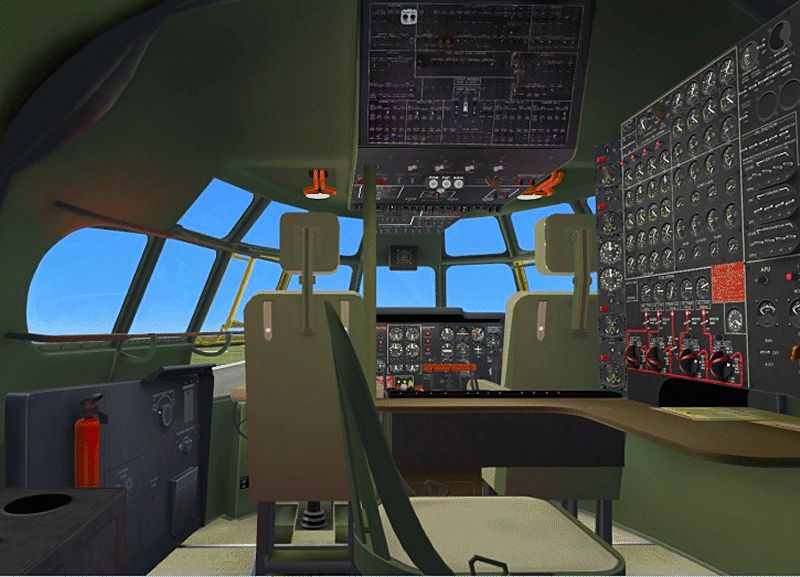
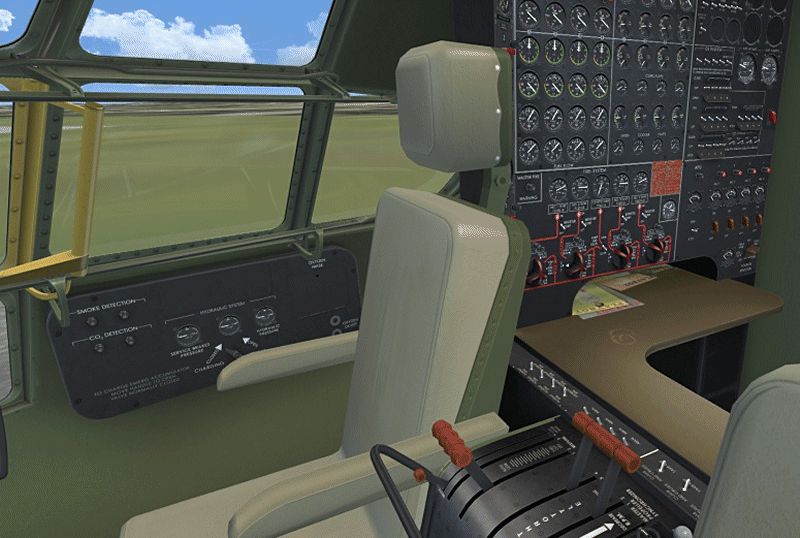
Military cockpit for the payware A2A B377/C97. This is an update to C97_GRN_COCKPIT.ZIP and it replaces the missing air conditioning and pressure gauges and changes floor textures to dark grey. Repaint only for use with the A2A B-377 with Cotts update. By Paul Grubich.
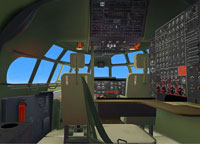
Screenshot of Boeing B-377/C-97 Military cockpit.
To Install: Open the unzipped file "grn cockpit fix" and copy all included textures to your livery of choice located in your WoS_B377 folder. Paste the files into your livery and let it overwrite if asked. Example; Paste my files directly into texture folder labelled "texture.paa" or in your WoS_B377_Pregnant_Guppy texture file "texture.as1" or any texture file of your choice. It might ask if you want to overwrite current textures, say yes. To remove just delete my files from your livery texture folders.
Thanks to A2A for a great plane and for the wonderful textures I based this version on.
Free for all simmers · 4.13 MB · Scanned clean Oct 2026
Download speed: Free tier is capped at 0.5 Mbps (this file takes approximately 1 min at the cap). PRO members download at full line speed.
This add-on may require the following files to function properly. If this is a repaint, the dependency below is likely the base aircraft package.
FSX\SimObjects\Airplanes\{aircraft}\panel\. Back up the existing panel folder first.readme.txt or README file. It tells you exactly where files go, what dependencies are needed, and any quirks specific to this add-on.The archive c97_grn_cockpit_fix.zip has 20 files and directories contained within it.
This list displays the first 500 files in the package. If the package has more, you will need to download it to view them.
| Filename/Directory | File Date | File Size |
|---|---|---|
| c97_grn_cockpit_fix | 07.15.12 | 0 B |
| c97 grn cockpit.gif | 07.13.12 | 265.32 kB |
| extra pic.gif | 07.13.12 | 283.12 kB |
| FILE_ID.DIZ | 07.15.12 | 319 B |
| grn cockpit fix | 07.15.12 | 0 B |
| glass_t.dds | 07.11.12 | 64.12 kB |
| map.dds | 07.12.12 | 256.12 kB |
| pilot.dds | 07.11.12 | 64.12 kB |
| vc0.dds | 07.15.12 | 4.00 MB |
| vc1.dds | 07.12.12 | 1.00 MB |
| vc2.dds | 07.12.12 | 1.00 MB |
| vc2_n.dds | 03.21.08 | 1.00 MB |
| vc3.dds | 07.12.12 | 4.00 MB |
| vc4.dds | 07.15.12 | 4.00 MB |
| vc5.dds | 07.12.12 | 1.00 MB |
| vc6.dds | 07.12.12 | 1.00 MB |
| watch.dds | 07.11.12 | 256.12 kB |
| Read First.txt | 07.15.12 | 919 B |
| flyawaysimulation.txt | 10.29.13 | 959 B |
| Go to Fly Away Simulation.url | 01.22.16 | 52 B |
Only PRO members can place votes.
More FSX & P3D add-ons hand-picked based on this download.
FSX Panels & Gauges
Military cockpit for the A2A B377/C97. Includes new cockpit textures, new Air…
 FSX Panels & Gauges
This package contains repaint textures that will make the default B737-800 co…
 FSX Panels & Gauges
POSKY Boeing 747-400 Virtual Cockpit. This files enables you to use the FSX d…
 FSX Panels & Gauges
Default FSX B737-800 VC for the Project Open Sky Boeing 737-800 only. By Paul…
 FSX Panels & Gauges
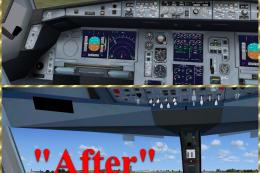
Virtual cockpit textures upgrade for Airbus A321, A330-200/300, A340-200/300/…
 FSX Panels & Gauges
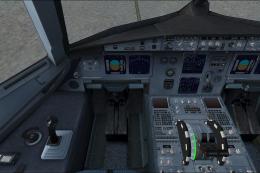
Default FSX Airbus A321 VC for the Project Airbus A320 and A321 series; may a…
 FSX Panels & Gauges
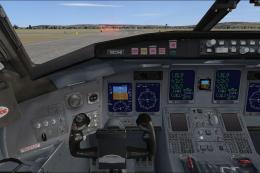
Default FSX Bombardier CRJ700 VC for the Project Open Sky Bombardier CRJ-700 …
 FSX Panels & Gauges
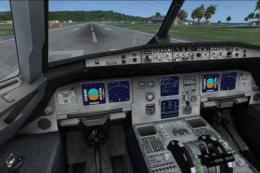
New virtual cockpit textures for the default A321. These textures make the A3…
Be the first to leave a comment on this download.
Be the first to share your thoughts on this download.