

 FSX Scenery
Palm Beach County Park Airport
Palm Beach County Park Airport (KLNA) in Lantana, Florida offers a distinctiv…
Avon Park Executive Airport (KAVO) brings central Florida to life in FSX with a custom terminal and office building modeled in SketchUp and finished with real window photos from the field. The scenery captures the airport’s role for local business aviation, maintenance visits, and overflow traffic during Sebring events and regional air shows.
 Rate
Rate
 United States of America
(KAVO), FL, is located in the center of the peninsula. It is within 80 miles of several major Florida cities and international airports. Although used primarily by local businesses, it has repair facilities for planes flown in for that purpose. In addition, it is used as a temporary base for people attending the 12 Hours of Sebring Gran Prix auto race as well as air shows held both at Sebring Regional and Lakeland Linder airports. The terminal/office building was created in Google Sketchup and contains nothing from any other source. The windows are actual photos taken of the building at the Avon Park Airport. You may use all or any part of this file for any purpose that is legal. By Frank Watson.
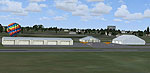
Screenshot of Avon Park Executive Airport.
Free for all simmers · 4.78 MB · Scanned clean Oct 2026
Download speed: Free tier is capped at 0.5 Mbps (this file takes approximately 1 min at the cap). PRO members download at full line speed.
FSX\Addon Scenery\ containing scenery and texture sub-folders.readme.txt or README file. It tells you exactly where files go, what dependencies are needed, and any quirks specific to this add-on.Use these coordinates to fly directly to this location once the mod is installed.
27.59120000,-81.52720000
Launch FSX or Prepar3D and use Flights → Load to open the downloaded .pln file. Your aircraft will be positioned at this location.
The archive avon_park_executive_airport.zip has 4 files and directories contained within it.
This list displays the first 500 files in the package. If the package has more, you will need to download it to view them.
| Filename/Directory | File Date | File Size |
|---|---|---|
| Avon Park Executive Airport.zip | 01.20.13 | 2.01 MB |
| Upload KAVO Pictures 1-20-13.zip | 01.20.13 | 2.77 MB |
| flyawaysimulation.txt | 10.29.13 | 959 B |
| Go to Fly Away Simulation.url | 01.22.16 | 52 B |
Only PRO members can place votes.
More FSX & P3D add-ons hand-picked based on this download.
FSX Scenery
Palm Beach County Park Airport (KLNA) in Lantana, Florida offers a distinctiv…
 FSX Scenery
Orlando Executive Airport (KORL) at Orlando, Florida (FL). A complete redo of…
 FSX Scenery
Sacramento Executive Airport (KSAC), California (CA), v2. Updates taxiways, p…
 FSX Scenery
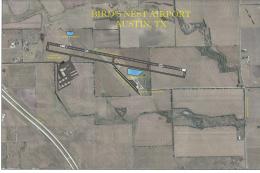
Austin Executive Airport (6R4), Texas (TX). Accurate layout of the new airpor…
 FSX Scenery
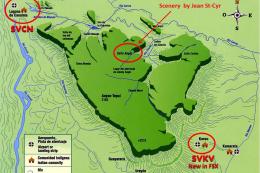
This package includes Canaima Airport-SVCN, Angel Falls (created by Jean St-C…
 FSX Scenery
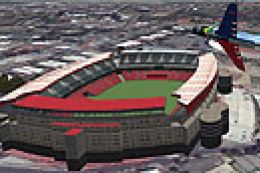
This is the Ellis Park Soccer/Rugby Stadium in Johannesburg. This stadium hos…
 FSX Scenery
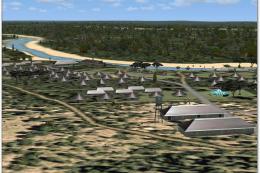
Kruger National Park, South Africa. To give true credit to the real greatness…
 FSX Scenery
Scenery Banff National Park Airstrip (CYBA), Canada. Runway moved to correct …
Be the first to leave a comment on this download.
Be the first to share your thoughts on this download.