

 FSX Scenery
Austin Executive
Austin Executive Airport (KEDC), Austin Texas (TX), formerly 6R4 Birds Nest (…
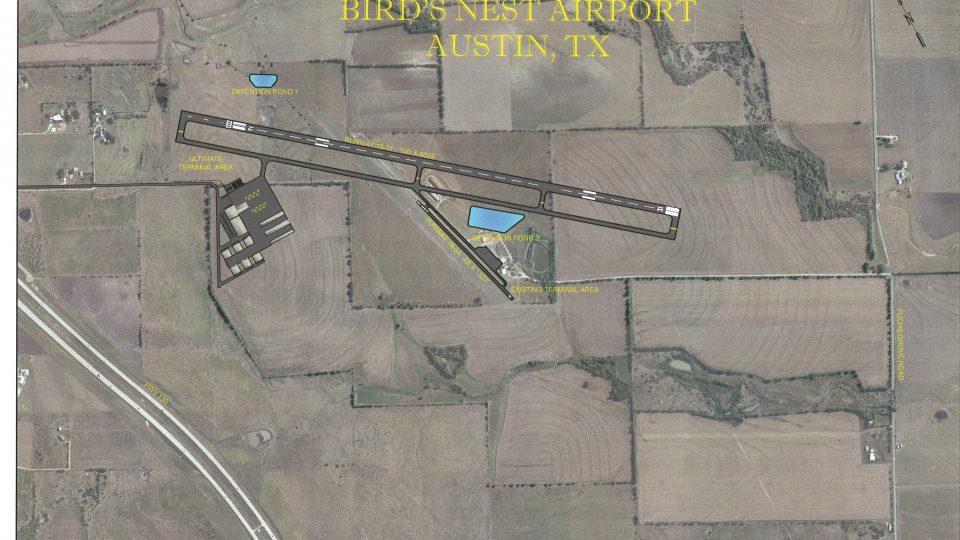
Austin Executive Airport scenery recreates KEDC in Texas with an updated field layout reflecting the post “Birds Nest” redevelopment, plus an added ILS to simplify approaches in low visibility. Built for FSX, it refreshes runway placement, taxiways, and airport footprint to better match the newer facility as construction progresses.
 Rate
Rate
 United States of America
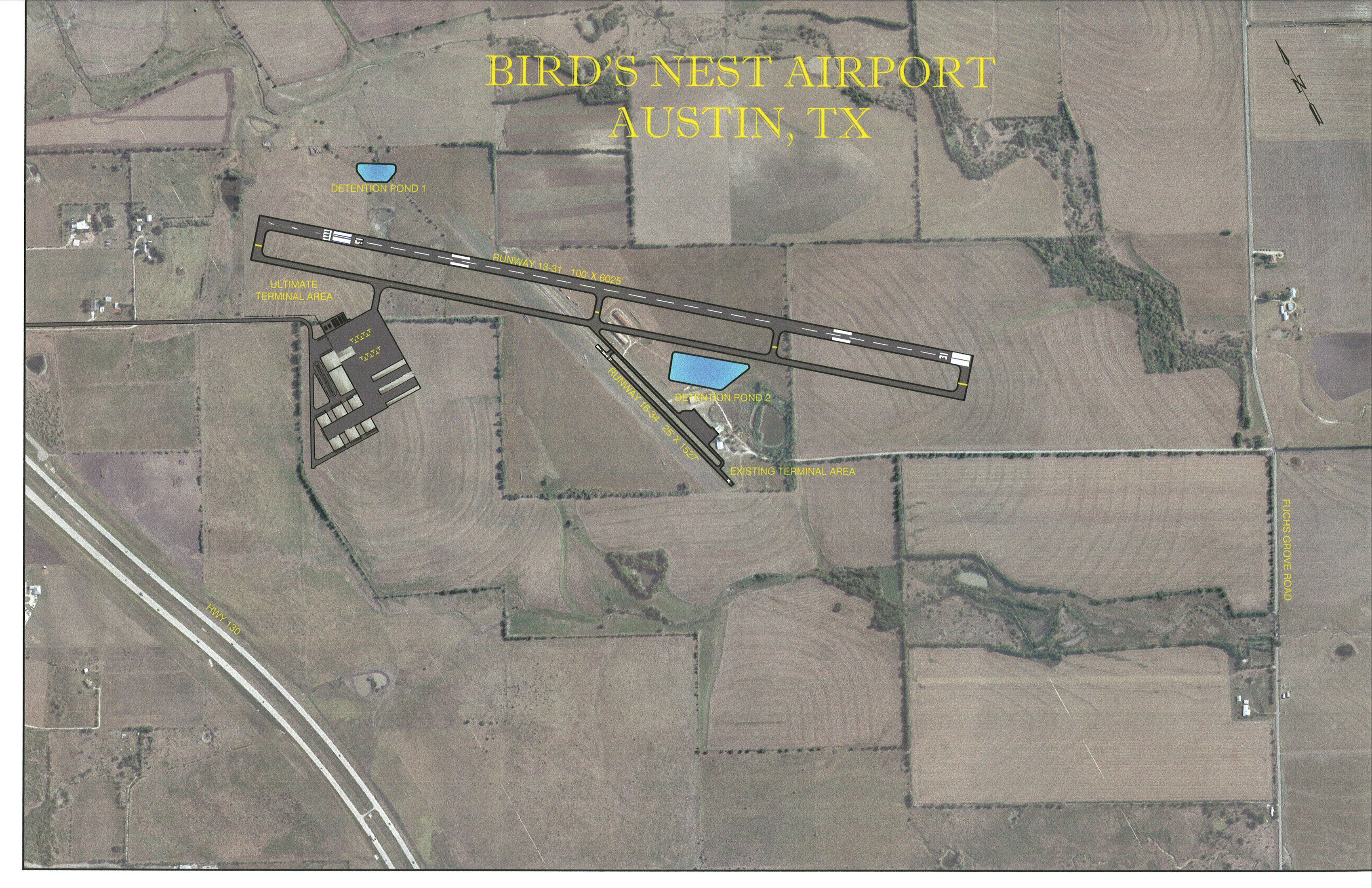
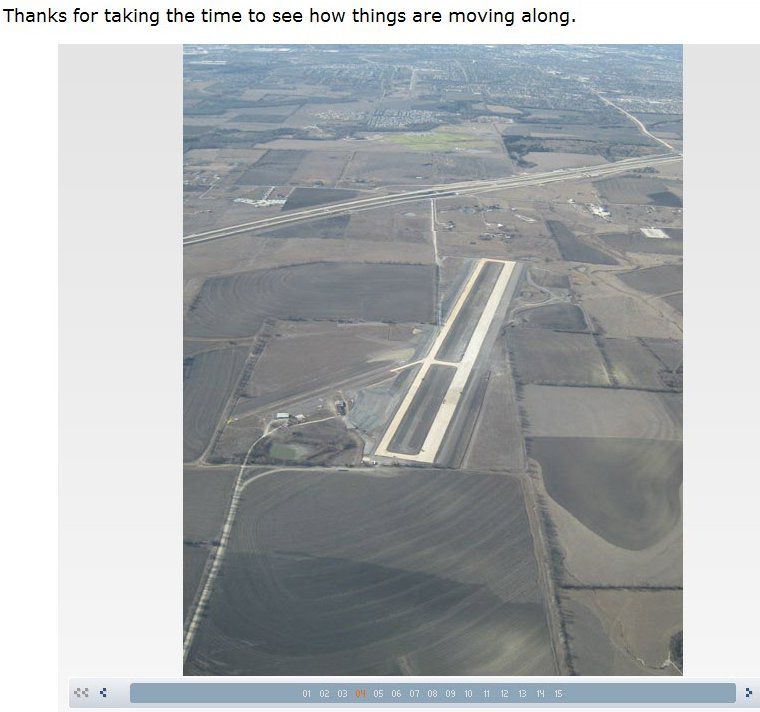
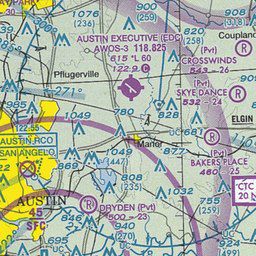
Austin Executive Airport (6R4), Texas (TX). Accurate layout of the new airport, formerly "Birds Nest". Will be updated as construction is completed. ILS added for ease of landing for FS pilots. By Jimmy R. Martin.
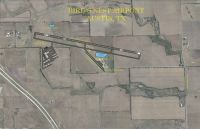
Austin Executive Airport Scenery.
Scenery KEDC Austin Executive Airport, Austin TX formerly (6R4) Birds Nest. The FSX Austin Executive airport no longer exists. The runway and the entire area are under industrial development.
INSTALLATION:
Install all the scenery files into your FSX/Addon Scenery/Scenery folder. The 6R4 files delete the old airport layout and must be installed with the new KEDC files.
This airport will be updated when construction is completed. Their aim is to relieve business jet and prop travel from the busy Austin Airport.
ILS will not be available, as of this date, however...I have added ILS for ease of FSX pilots.
Special thanks to the administration of the new KEDC airport!
Jimmy R Martin
Free for all simmers · 5.54 MB · Scanned clean Oct 2026
Download speed: Free tier is capped at 0.5 Mbps (this file takes approximately 2 mins at the cap). PRO members download at full line speed.
FSX\Addon Scenery\ containing scenery and texture sub-folders.readme.txt or README file. It tells you exactly where files go, what dependencies are needed, and any quirks specific to this add-on.Use these coordinates to fly directly to this location once the mod is installed.
30.39800000,-97.56100000
Launch FSX or Prepar3D and use Flights → Load to open the downloaded .pln file. Your aircraft will be positioned at this location.
The archive kedc_6r4.zip has 20 files and directories contained within it.
This list displays the first 500 files in the package. If the package has more, you will need to download it to view them.
| Filename/Directory | File Date | File Size |
|---|---|---|
| AirNav KEDC - Austin Executive Airport.url | 12.08.09 | 180 B |
| Birds_Nest_Airport_Layout.jpg | 12.07.09 | 2.77 MB |
| EDC - Airport Diagram 01-without closure notice_1.pdf | 12.07.09 | 76.80 kB |
| file_id.diz | 12.08.09 | 253 B |
| KEDC.txt | 12.08.09 | 931 B |
| PS0008.jpg | 12.08.09 | 72.50 kB |
| pspbrwse.jbf | 12.08.09 | 10.37 kB |
| readme.txt | 12.08.09 | 756 B |
| scenery | 12.08.09 | 0 B |
| 6R4_ADEX_JRM.ade | 12.08.09 | 558.25 kB |
| 6R4_ADEX_JRM.BGL | 12.08.09 | 778 B |
| KEDC_ADEX_JRM.ade | 12.08.09 | 1.67 MB |
| KEDC_ADEX_JRM.ade.bak | 12.08.09 | 1.65 MB |
| KEDC_ADEX_JRM.BGL | 12.08.09 | 13.04 kB |
| KEDC_ADEX_JRM_CVX.bgl | 12.08.09 | 434 B |
| Screenshots.zip | 12.08.09 | 1.79 MB |
| tile_55_32_3_18_6.jpg | 12.07.09 | 33.72 kB |
| KEDC_6R4 | 12.08.09 | 0 B |
| flyawaysimulation.txt | 10.29.13 | 959 B |
| Go to Fly Away Simulation.url | 01.22.16 | 52 B |
Only PRO members can place votes.
More FSX & P3D add-ons hand-picked based on this download.
FSX Scenery
Austin Executive Airport (KEDC), Austin Texas (TX), formerly 6R4 Birds Nest (…
 FSX Scenery
Austin Bergstrom International Airport (KAUS), Texas (TX). An update of the d…
 FSX Scenery
Austin-Bergstrom International Airport (KAUS), Austin, Texas (TX). This scene…
 FSX Scenery
This photoreal scenery is a complete rebuild for the default KAUS airport usi…
 FSX Scenery
(KAUS), Texas (TX), USA. AFCAD for default/stock airport only. Made with ADE …
 FSX Scenery
Green Bay Austin Straubel International Airport (KGRB), Wisconsin (WI). A com…
 FSX Scenery
Austin Bergstrom International (KAUS), Texas (TX). Scenery includes additiona…
 FSX Scenery
Orlando Executive Airport (KORL) at Orlando, Florida (FL). A complete redo of…
Be the first to leave a comment on this download.
Be the first to share your thoughts on this download.