

 FS2004 Civil Jet Aircraft
Jetsgo McDonnell Douglas MD-83 MasterCard Livery
Jetsgo McDonnell Douglas MD-83 in MasterCard livery. Includes 32 bit (no mip-…
Jetsgo Airlines’ MasterCard-themed repaint brings a bold, period-accurate look to the Fokker 100 V2 with Rolls-Royce Tay 650 engines, complete with crisp logos, refined registration markings, and balanced shading for a convincing exterior finish. Built for Microsoft Flight Simulator 2004, it requires the Project Fokker F100 V2 base model.
 Rate
Rate
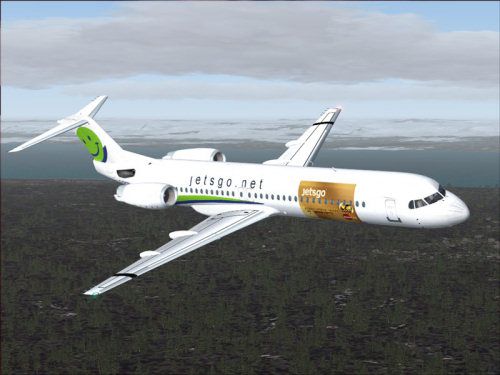
This updated package features a specialized texture set for the Fokker 100 V2 with Tay 650 engines, painted in the distinctive Jetsgo Airlines MasterCard scheme. It is intended exclusively for Microsoft Flight Simulator 2004 and requires a previously installed F100 V2 model. Created by Shane Strong and originally developed by Project Fokker, this repaint delivers a unique color application reflective of Jetsgo’s signature branding while maintaining accurate aircraft configurations.
Jetsgo Airlines was a Canadian low-cost carrier recognized for its bold liveries and efficient fleet. This particular Fokker 100 repaint showcases the airline’s custom MasterCard-themed exterior, integrating the correct corporate colors and logos. The Fokker 100 (introduced by Fokker in the late 1980s) is easily identified by its T-tail arrangement, dorsal fin extension, and twin rear-mounted Rolls-Royce Tay engines. Such features offer a stable performance envelope and improved cabin acoustics.
This download only includes the new textures. The freeware base package from Project Fokker must be installed beforehand to ensure full compatibility. That core model can typically be found in the Fly Away Simulation library. Once that is in place, these textures can be merged seamlessly, giving the aircraft an authentic Jetsgo facade.
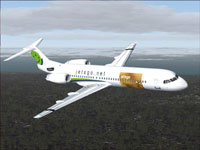
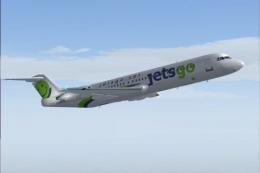
Screenshot of Jetsgo Fokker 100 V2 MasterCard in flight.
To integrate these textures:
[fltsim.xx]
title=Gmax V2 F-100 Jetsgo Mastercard Tay650-15
sim=fokker100-650
model=fpd
panel=
sound=
texture=jetsmc
checklists=F100
description=Fokker 100 Tay650-15 V2 model
based on official Fokker F100 spec's
PROJECT Fokker-100/70 FDE by Martin Purps Model by Erez Werber
true FS2004 Gmax aircraft (will not work with FS98/FS2000)
ui_manufacturer=Jetsgo
ui_type=F-100
ui_variation=jetsgo mastercard
atc_heavy=0
atc_id=C-GKZD
atc_airline=jetsgo
atc_flight_number=0001
editable=0
kb_checklists=fokker100-650_check
kb_reference=fokker100-650_ref
atc_parking_types=GATE
atc_parking_codes=JGO
After saving these changes, you will find the aircraft in your simulator’s selection menu. This repaint is optimized to reflect the authentic spirit of Jetsgo, preserving the real-world aesthetic of its short-lived but memorable Fleet of Fokker 100 aircraft.
Free for all simmers · 1.99 MB · Scanned clean Oct 2026
Download speed: Free tier is capped at 0.5 Mbps. PRO members download at full line speed.
FS9\Aircraft\, FS9\Addon Scenery\, FS9\Gauges\, or FS9\Effects\.readme.txt or README file. It tells you exactly where files go, what dependencies are needed, and any quirks specific to this add-on.The archive f100jetm.zip has 19 files and directories contained within it.
This list displays the first 500 files in the package. If the package has more, you will need to download it to view them.
| Filename/Directory | File Date | File Size |
|---|---|---|
| f100jetsgo-mastercard | 12.20.04 | 0 B |
| file_id.diz | 12.20.04 | 309 B |
| Mapleleaf Imaging Readme.doc | 12.26.03 | 26.00 kB |
| Readme.txt | 12.20.04 | 1.99 kB |
| ss.gif | 12.20.04 | 6.67 kB |
| ss.jpg | 12.20.04 | 36.75 kB |
| Texture.jetsmc | 12.20.04 | 0 B |
| FOKKER100FUSE_L.bmp | 12.18.04 | 1.00 MB |
| FOKKER100FUSE_T.bmp | 12.18.04 | 4.00 MB |
| FOKKER100LWING_L.bmp | 09.02.02 | 1.00 MB |
| FOKKER100LWING_T.BMP | 12.18.04 | 4.00 MB |
| FOKKER100RWING_L.bmp | 06.16.03 | 1.00 MB |
| FOKKER100RWING_T.BMP | 12.18.04 | 4.00 MB |
| FOKKER100_L.bmp | 09.02.02 | 1.00 MB |
| FOKKER100_T.BMP | 12.18.04 | 4.00 MB |
| Thumbs.db | 12.18.04 | 10.50 kB |
| f100jetsmc | 12.20.04 | 0 B |
| flyawaysimulation.txt | 10.29.13 | 959 B |
| Go to Fly Away Simulation.url | 01.22.16 | 52 B |
Only PRO members can place votes.
More FS2004 add-ons hand-picked based on this download.
FS2004 Civil Jet Aircraft
Jetsgo McDonnell Douglas MD-83 in MasterCard livery. Includes 32 bit (no mip-…
 FS2004 Civil Jet Aircraft
This repaint pack adds uniquely weathered exterior artwork for the Fokker 100…
 FS2004 Civil Jet Aircraft
This repaint offers a fresh Jetsgo Airlines livery for the Fokker 100 V2 with…
 FS2004 Civil Jet Aircraft
This repaint provides a fresh, “clean” Jetsgo Fokker 100 texture set, specifi…
 FS2004 Civil Jet Aircraft
This package provides a detailed Jetsgo livery for the Project Fokker F100 in…
 FS2004 Civil Jet Aircraft
For AI. Textures only; requires F70100AI.ZIP. Model by Fernando Martinez. Liv…
 FS2004 Civil Jet Aircraft
For AI use (low poly model). Features 8 LODs, dynamic shine, moving gear, fla…
 FS2004 Civil Jet Aircraft
This package offers a detailed set of external textures for the Fokker 100 eq…
Read what other simmers think, or add your own.

Hello.
Please, can I get the download for FS2004 or FSX of the Pilatus PC-24 and PC-12, as well as the Bombardier CS300. Thank you very much.
Greetings.
Hello.
Please, can I get the download for FS2004 or FSX of the Pilatus PC-24 and PC-12, as well as the Bombardier CS300.
Thank you very much.
Regards.