

 FS2004 Propeller Aircraft
Lufthansa Junkers Ju-52/3m D-ALYL
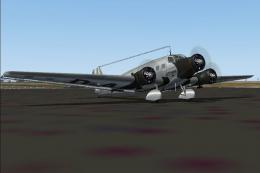
This highly detailed repaint showcases the iconic tri-motor aircraft operated…
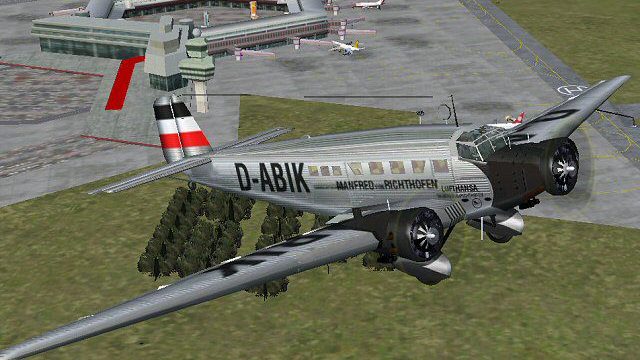
Lufthansa’s “Manfred von Richthofen” D-ABIK livery gives the Junkers Ju-52/3m an authentic period look, matching the corrugated trimotor’s classic European airliner heritage with carefully refined exterior textures. Built for Microsoft Flight Simulator 2004, it requires the JU52V0.ZIP or JU52BLNK.ZIP base model for accurate visual integration.
 Rate
Rate
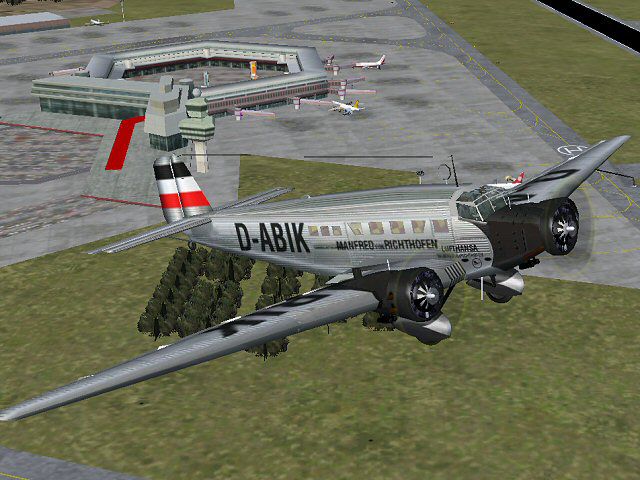
This high-fidelity repaint brings the classic Lufthansa “Manfred von Richthofen” markings to a Junkers Ju-52 for Microsoft Flight Simulator 2004, capturing one of the most recognizable trimotor designs in aviation history. Originally known as the humble “Tante Ju”, this aircraft soared across Europe in commercial service, showcasing Germany’s pioneering approach to passenger flight. In this repaint package, all external textures have been meticulously adjusted to reflect the historical appearance of Lufthansa’s D-ABIK model, which was named after the famed aviator Manfred von Richthofen.
The real-world Junkers Ju-52, powered by three radials (commonly BMW 132A-3 variants), stood out for its corrugated metal skin and sturdy airframe. Operators like Lufthansa relied on its dependable range during the early days of scheduled flights, moving passengers and cargo with remarkable efficiency. In this simulation add-on, Pierino Primavesi provided the base model, renowned for its accurate geometry and flight characteristics. The blank textures were crafted by Heather Sherman, allowing artists to apply custom liveries with precise detailing.
Developer: Carsten Pedersen
Airline & Registration: Lufthansa “Manfred von Richthofen” (D-ABIK)
Paint Type: High-resolution exterior textures only (no modifications to the interior)
Base Model Requirement: JU52V0.ZIP or JU52BLNK.ZIP package
Periodic climb showcasing Lufthansa’s historic tri-engine design.
To utilize this repaint, obtain and install either JU52V0.ZIP or JU52BLNK.ZIP from the Fly Away Simulation mod library. After completing that step, extract the new repaint files directly into the Ju52_V60 folder of your existing Junkers Ju-52 installation. Be sure to preserve the original folder structure during unzipping.
Within your aircraft.cfg file, include the following entry. Replace X with the next available sequential number in the [fltsim] list:
[fltsim.X]
title=Junkers Ju-52 Lufthansa Manfred von Richthofen
sim=Ju52_v60
model=
panel=
sound=
texture=Lufthansa D-ABIK
KB_checklists=Ju52_v60_check
kb_reference=Ju52_v60_ref
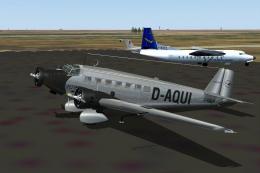
atc_id=D-AQUI
atc_id_color=0xffffffff
atc_airline=Lufthansa
atc_flight_number=1606
atc_parking_types=GATE,RAMP
ui_manufacturer=Junkers
ui_type="Ju-52/3m"
ui_variation="Lufthansa Manfred von Richthofen"
visual_damage=1
description="The Junkers Ju52/3m has modern radio equipment, and is powered by 3 x BMW 132A-3 radials, rated at 660 hp each. The internal fuel capacity of 2,440 liters makes a range radius of 1000 km possible at cruising speed at 4500 m."
When this step is complete, load Microsoft Flight Simulator 2004, pick the freshly added Lufthansa marquee in the aircraft selection menu, and enjoy a piece of continental aviation history during takeoff. If you seek additional authenticity, reference real-world operational notes for the Ju-52’s engine management and payload handling, as its tri-engine configuration offers unique performance nuances.
Finally, credit for this impressive visual upgrade goes to Carsten Pedersen for the repaint work, Pierino Primavesi for the original model, and Heather Sherman for her baseline blank textures. To replicate the spirit of early European air travel, take to the skies with this commemorative “Manfred von Richthofen” scheme.
Free for all simmers · 2.15 MB · Scanned clean Oct 2026
Download speed: Free tier is capped at 0.5 Mbps. PRO members download at full line speed.
This file is a repaint — the package below is the base model it paints onto. Install it first, or the textures will have nothing to load onto.
FS9\Aircraft\, FS9\Addon Scenery\, FS9\Gauges\, or FS9\Effects\.readme.txt or README file. It tells you exactly where files go, what dependencies are needed, and any quirks specific to this add-on.The archive j52abik.zip has 21 files and directories contained within it.
This list displays the first 500 files in the package. If the package has more, you will need to download it to view them.
| Filename/Directory | File Date | File Size |
|---|---|---|
| D-ABIK.jpg | 07.02.04 | 73.92 kB |
| FILE_ID.DIZ | 06.30.04 | 291 B |
| readme.txt | 07.02.04 | 2.28 kB |
| Texture.Lufthansa D-ABIK | 06.30.04 | 0 B |
| engine.bmp | 02.05.04 | 65.05 kB |
| Ju52Cabin_6.bmp | 02.05.04 | 257.05 kB |
| Ju52Cabin_s.bmp | 02.06.04 | 2.67 MB |
| Ju52Cockpit_6.bmp | 02.05.04 | 257.05 kB |
| Ju52Cockpit_c.bmp | 06.22.04 | 1.33 MB |
| Ju52damage_6.bmp | 06.30.03 | 42.75 kB |
| Ju52exterior_t.bmp | 06.23.04 | 1.00 MB |
| Ju52panel_6.bmp | 02.01.04 | 1.33 MB |
| Ju52propeller_6.bmp | 01.20.04 | 341.40 kB |
| Ju52window_6.bmp | 01.30.04 | 85.43 kB |
| Ju52winframes_b.bmp | 02.07.04 | 257.05 kB |
| Ju52winframes_f.bmp | 02.05.04 | 257.05 kB |
| pilot.bmp | 02.05.04 | 65.05 kB |
| tire.bmp | 02.05.04 | 17.05 kB |
| ju52abik | 07.02.04 | 0 B |
| flyawaysimulation.txt | 10.29.13 | 959 B |
| Go to Fly Away Simulation.url | 01.22.16 | 52 B |
Only PRO members can place votes.
More FS2004 add-ons hand-picked based on this download.
FS2004 Propeller Aircraft
This highly detailed repaint showcases the iconic tri-motor aircraft operated…
 FS2004 Propeller Aircraft
This repaint features the timeless Lufthansa markings for a Junkers Ju-52/3m …
 FS2004 Propeller Aircraft
Immerse yourself in a historically rich flight experience by integrating this…
 FS2004 Propeller Aircraft
This repaint for Microsoft Flight Simulator 2004 faithfully reproduces Luftha…
 FS2004 Propeller Aircraft
Eleven Romanian repaints for Pierino Primavesi's FS2004 Junkers Ju-52/3m pack…
 FS2004 Propeller Aircraft
Textures only; requires JU52RGV2.ZIP. Model by Pierino Primavesi. Livery by L…
 FS2004 Propeller Aircraft
Danish Air Lines (Det Danske Luftfartsselskab, DDL) owned and operated a sing…
 FS2004 Propeller Aircraft
Features Ju-52/3m 3ge 4ge models on wheels, full FS2004 animation and lights,…
Be the first to leave a comment on this download.
Be the first to share your thoughts on this download.