

 FS2004 Propeller Aircraft
Altair DH104 Dove Air File Correction
For VH-CJX (VHCJX.ZIP) and VH-CJY (VHCJY.ZIP). The Sim= line is showing the i…
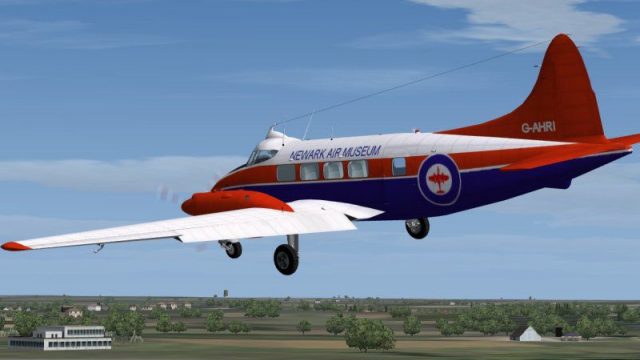
Newark Air Museum’s restored De Havilland DH104 Dove G-AHRI livery brings authentic U.K. heritage detailing to the classic twin in Microsoft Flight Simulator 2004, with updated textures that match the museum’s current paintwork. It preserves the Dove’s distinctive cockpit glazing and streamlined fuselage, and requires Derek Palmer’s DH104v2 base model.
 Rate
Rate

This repaint set enhances the De Havilland DH104 Dove, bringing the meticulously restored G-AHRI livery found at Newark Air Museum into Microsoft Flight Simulator 2004. Originally created by Derek Palmer and his team, then refined by Brian Withers, these updated textures honor the classic twin-engine design and preserve a significant piece of British aviation heritage.
Designed specifically for Derek Palmer’s updated DH104 Dove (file name: DH104v2.zip), this texture package accurately reflects the aircraft’s current scheme as maintained by Newark Air Museum in the U.K. The preview below showcases one of the most recognizable short-haul passenger planes from the mid-20th century, complete with the distinctive cockpit structure and streamlined fuselage that made the DH104 notable in its era.
Snapshot of the classic Dove carrying its Newark Air Museum markings.
Before finding its way to Newark, the aircraft was re-registered as G-AHRI and sold to Brooklands Aviation Ltd. Eventually, it was withdrawn from active service and placed in storage in January 1971, awaiting its next chapter. During its operational years, this Dove served as a dependable regional commuter—an essential role for many British operators looking to transport passengers efficiently.
In the early 1970s, G-AHRI was loaned to the Lincolnshire Aviation Society. Afterward, it spent some time with the Stratford Aviation Society before finally being acquired by Newark Air Museum, located near Winthorpe, in April 1989. Extensive restoration efforts followed, culminating in a repaint that reflects the museum’s own branding since the precise original factory color layout was not fully documented.
[fltsim.xx]

title=de Havilland DH104 NAM

sim=DH104_BW6_2

model=2

panel=

sound=

texture=NAM

kb_checklists=DH104_check

kb_reference=DH104_ref_2

ui_manufacturer=de Havilland

ui_type=DH-104 Dove

ui_variation=Newark Air Museum

atc_heavy=0

atc_id=G-AHRI

atc_airline=

atc_flight_number=

description=DH104 Dove Series 1 G-AHRI, currently preserved at Newark Air Museum, UK.
These revised textures—crafted by Brian Withers—are possible thanks to the outstanding work by Derek Palmer and his co-developers, who originally produced the DH104 addon. Utilize these files purely at your discretion; there is no guarantee, either explicit or implied, against any software or hardware concerns arising from their use. If you require the base model, it can be found in the Fly Away Simulation library. Enjoy exploring the classic Dove under Newark Air Museum colors.
Free for all simmers · 624.46 KB · Scanned clean Oct 2026
Download speed: Free tier is capped at 0.5 Mbps. PRO members download at full line speed.
This file is a repaint — the package below is the base model it paints onto. Install it first, or the textures will have nothing to load onto.
FS9\Aircraft\, FS9\Addon Scenery\, FS9\Gauges\, or FS9\Effects\.readme.txt or README file. It tells you exactly where files go, what dependencies are needed, and any quirks specific to this add-on.The archive nam104u.zip has 14 files and directories contained within it.
This list displays the first 500 files in the package. If the package has more, you will need to download it to view them.
| Filename/Directory | File Date | File Size |
|---|---|---|
| NAM_Dove_s.gif | 05.03.06 | 9.74 kB |
| Readme.txt | 05.04.06 | 2.28 kB |
| doveparts.bmp | 12.14.05 | 512.07 kB |
| Dove_fuse.bmp | 05.03.06 | 1.00 MB |
| Dove_wing_bottom.bmp | 12.01.05 | 1.00 MB |
| Dove_wing_top.bmp | 12.01.05 | 1.00 MB |
| Glass.bmp | 07.18.04 | 4.07 kB |
| pilot.bmp | 03.28.05 | 170.75 kB |
| prop.bmp | 11.10.05 | 64.07 kB |
| texture.NAM | 05.03.06 | 0 B |
| File_id.diz | 05.04.06 | 277 B |
| NAM_2.jpg | 05.03.06 | 53.96 kB |
| flyawaysimulation.txt | 10.29.13 | 959 B |
| Go to Fly Away Simulation.url | 01.22.16 | 52 B |
Only PRO members can place votes.
More FS2004 add-ons hand-picked based on this download.
FS2004 Propeller Aircraft
For VH-CJX (VHCJX.ZIP) and VH-CJY (VHCJY.ZIP). The Sim= line is showing the i…
 FS2004 Propeller Aircraft
A repaint of Derek Palmer's DH104 Dove in the colors of All Nippon Airways. A…
 FS2004 Propeller Aircraft
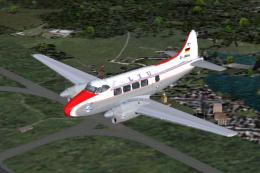
Textures only; requires DH104V2.ZIP. Model by Derek Palmer. Repaint by Hans-P…
 FS2004 Propeller Aircraft
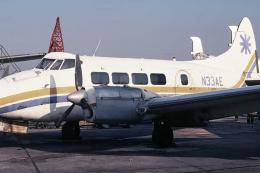
Textures only; requires DH104_V1.ZIP. Model by Derek Palmer. Repaint by Clive…
 FS2004 Propeller Aircraft
Textures only. Three Sabena liveries for the Derek Palmer de Havilland Dove (…
 FS2004 Propeller Aircraft
Textures only; requires DH104V1.ZIP. Repaint of Derek Palmer's de Havilland D…
 FS2004 Propeller Aircraft
Experience a finely detailed texture set that recreates the former Altair col…
 FS2004 Propeller Aircraft
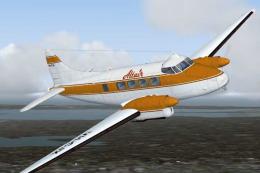
This repaint set brings the distinctive “Altair” livery to the de Havilland D…
Be the first to leave a comment on this download.
Be the first to share your thoughts on this download.