

 FS2004 Propeller Aircraft
Polish Green An2T
This specialized repaint set for Microsoft Flight Simulator 2004 introduces a…
Interflug DDR markings bring East German character to the Antonov An-2T, matching the rugged Soviet-era biplane with authentic registration details and period-correct airline branding for crisp exterior visuals. Built for Microsoft Flight Simulator 2004, this freeware repaint requires the Tim Conrad An-2T base model AN2TPPP.ZIP.
 Rate
Rate
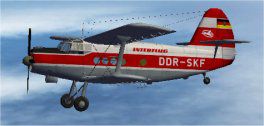
Enthusiasts of Microsoft Flight Simulator 2004 can enhance their virtual hangar by incorporating a detailed rendition of the iconic biplane from the Soviet era. Presented here is a unique, freeware repaint inspired by Interflug markings, meticulously crafted for the existing Antonov An-2T freeware base model. Originally designed by Tim Conrad, this repaint is attributed to Steve Baldwin and requires the underlying file (AN2TPPP.ZIP), which can be found in the Fly Away Simulation mod library. Those seeking a faithful representation of East Germany’s primary carrier from the latter half of the 20th century will enjoy adding these authentic markings, given Interflug’s historical significance in commercial aviation.
The Antonov An-2T, nicknamed “Annushka,” is a robust single-engine biplane. Despite its initial debut in 1947 and seemingly antiquated design, it served a broad range of roles—from cargo runs to aerial parachuting and agricultural work. Renowned for remarkable short takeoff and landing capabilities, its durable airframe and reliable powerplant have allowed it to remain operational in countless remote regions worldwide.
Interflug, the national airline of the former German Democratic Republic, employed various aircraft during its operations. This custom livery reflects the distinctive branding found on many real-world fleets under that airline’s banner. When seen in the sky, it showcases unique DDR registration details that capture an era of Eastern Bloc aviation technology and design preferences.
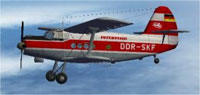
Visual preview of the Interflug DDR-themed biplane navigating vibrant virtual skies.
texture.interflug folder into the An2T directory housed in your simulator’s Aircraft folder.[fltsim.X] entry number.
[fltsim.XX]
title = AN-2T_ Interflug DDR-SKF
sim = AN-2T
model =
panel =
sound =
texture =interflug
panel_alias =
sound_alias =
kb_checklists =
kb_reference =
atc_id =
atc_id_color = 0xffffffff
atc_airline =
atc_flight_number = 1
ui_manufacturer = Antonov
ui_type = AN-2T
ui_variation =Interflug DDR-SKF
description = First appearing in 1947, the AN-2 was initially dismissed as obsolete due to its biplane layout. However, the “Annushka” excelled in multiple roles including passenger, cargo, parachuting, and crop dusting duties. Over 20,000 were produced, mostly in Poland, proving the greatness of this legendary design.
This repaint is strictly for the freeware model created by Tim Conrad and does not include the base aircraft itself. Obtain the necessary package by referencing AN2TPPP.ZIP from the Fly Away Simulation library. Afterwards, simply follow the steps listed above, and your virtual cockpit will be ready to replicate the historical charm of Interflug’s DDR fleet. Steve Baldwin has ensured all texture work aligns with the real aircraft’s configuration, guaranteeing an immersive experience once airborne.
Free for all simmers · 1.55 MB · Scanned clean Oct 2026
Download speed: Free tier is capped at 0.5 Mbps. PRO members download at full line speed.
FS9\Aircraft\, FS9\Addon Scenery\, FS9\Gauges\, or FS9\Effects\.readme.txt or README file. It tells you exactly where files go, what dependencies are needed, and any quirks specific to this add-on.The archive an2intf.zip has 14 files and directories contained within it.
This list displays the first 500 files in the package. If the package has more, you will need to download it to view them.
| Filename/Directory | File Date | File Size |
|---|---|---|
| Readme.txt | 11.15.06 | 1.39 kB |
| texture.interflug | 11.15.06 | 0 B |
| an2t_00.bmp | 12.13.03 | 256.07 kB |
| an2t_01.bmp | 11.15.06 | 1.00 MB |
| an2t_02.bmp | 12.11.03 | 4.00 MB |
| an2t_03.bmp | 11.12.06 | 512.07 kB |
| an2t_fan.bmp | 12.10.03 | 16.07 kB |
| an2t_glass.bmp | 12.11.03 | 256.07 kB |
| thumbnail.jpg | 11.09.06 | 9.11 kB |
| Thumbs.db | 11.15.06 | 17.00 kB |
| thumbnail.jpg | 11.09.06 | 9.11 kB |
| An2T Interflug | 11.15.06 | 0 B |
| flyawaysimulation.txt | 10.29.13 | 959 B |
| Go to Fly Away Simulation.url | 01.22.16 | 52 B |
Only PRO members can place votes.
More FS2004 add-ons hand-picked based on this download.
FS2004 Propeller Aircraft
This specialized repaint set for Microsoft Flight Simulator 2004 introduces a…
 FS2004 Propeller Aircraft
This fully freeware repaint showcases a striking “Big Panda” scheme for the A…
 FS2004 Propeller Aircraft
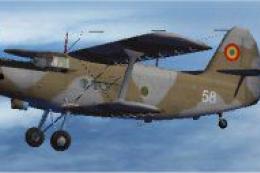
This freeware repaint enriches your copy of Microsoft Flight Simulator 2004 b…
 FS2004 Propeller Aircraft
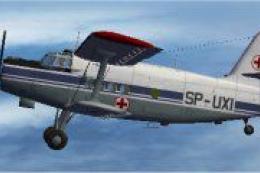
This specialized repaint introduces the distinctive Polish Air Ambulance live…
 FS2004 Propeller Aircraft
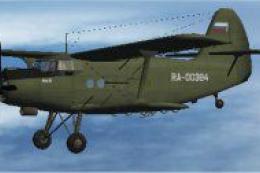
This repaint package features a Russian civil aviation theme for the Antonov …
 FS2004 Propeller Aircraft
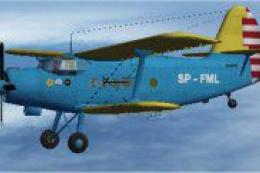
This freeware repaint showcases a specialized Polish Air Ambulance scheme for…
 FS2004 Propeller Aircraft
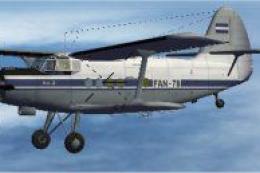
This freeware repaint immerses you in the unique livery of the Nicaraguan Air…
 FS2004 Propeller Aircraft
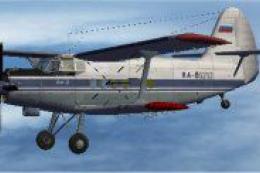
Experience a nuanced rendering of a classic Soviet-era biplane in Microsoft F…
Be the first to leave a comment on this download.
Be the first to share your thoughts on this download.