

 FS2004 Propeller Aircraft
Skyways Coach-Air Ltd. Douglas DC-3
Repaints by John Payne. Original DC-3 base textures courtesy of Mark Beaumont…
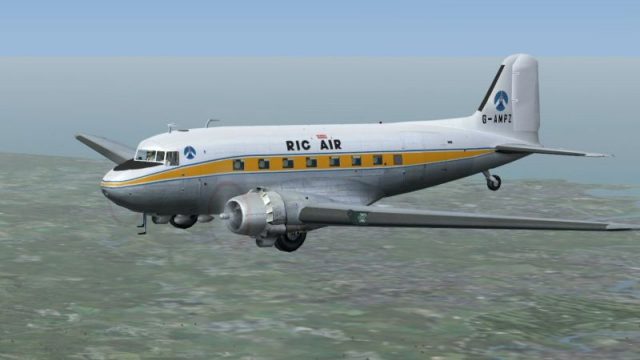
Rig-Air Ltd. Douglas DC-3 livery for FS2004 recreates G-AMPZ, the Norwich-based charter workhorse used during early North Sea oil support operations before the Air Anglia merger. Cleanly mapped textures bring period markings to the default airliner with authentic registration details and a cohesive classic finish; requires the default Douglas DC-3.
 Rate
Rate
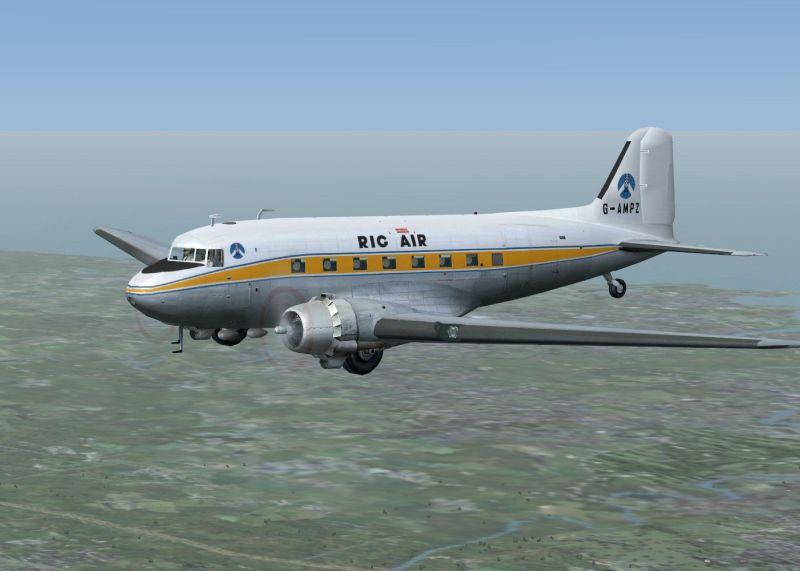
Repaint by John Payne. Original DC-3 base textures courtesy of Mark Beaumont. Requires the default Douglas DC3.
Screenshot of Rig-Air Ltd. Douglas DC-3 in flight.
Formed at Norwich Airport in 1969 by Anglian Air Charter and Norfolk Airways to provide air support flights for oil companies looking prospecting in the North Sea. In November 1969 they took delivery of a DC-3 which was used on ad-hoc charter flights from Norwich. In August 1970 Rig-Air became a part of Air Anglia Ltd. The formation of this airline had been announced in July merging Anglian Air Charter, Norfolk Airways and Rig-Air together.
Installation :
[fltsim.xxx]

title=Douglas DC-3 Rig Air G-AMPZ

sim=Douglas_DC3

model=

panel=

sound=

texture=Rig_Air_PZ

kb_checklists=Douglas_DC3_check

kb_reference=Douglas_DC3_ref

atc_id_color=

ui_manufacturer=Douglas

ui_type=DC-3

ui_variation=Rig Air G-AMPZ

description=Rig Air G-AMPZ. Repaint by John Payne.

atc_heavy=0

atc_airline=

atc_flight_number=PZ
Free for all simmers · 1.88 MB · Scanned clean Oct 2026
Download speed: Free tier is capped at 0.5 Mbps. PRO members download at full line speed.
FS9\Aircraft\, FS9\Addon Scenery\, FS9\Gauges\, or FS9\Effects\.readme.txt or README file. It tells you exactly where files go, what dependencies are needed, and any quirks specific to this add-on.The archive rig_dc3s.zip has 17 files and directories contained within it.
This list displays the first 500 files in the package. If the package has more, you will need to download it to view them.
| Filename/Directory | File Date | File Size |
|---|---|---|
| Rig Air | 10.24.07 | 0 B |
| readme.txt | 10.24.07 | 1.94 kB |
| Rig Air G-AMPZ.gif | 10.23.07 | 9.59 kB |
| Rig Air G-AMPZ.jpg | 10.22.07 | 204.12 kB |
| texture.Rig_Air_PZ | 10.23.07 | 0 B |
| Douglas_DC3_1_C.bmp | 04.29.03 | 682.74 kB |
| Douglas_DC3_1_D.bmp | 03.19.03 | 682.74 kB |
| Douglas_DC3_1_T.bmp | 10.22.07 | 1.00 MB |
| Douglas_DC3_2_C.bmp | 04.29.03 | 170.74 kB |
| Douglas_DC3_2_T.bmp | 04.28.03 | 341.40 kB |
| Douglas_DC3_3_C.bmp | 04.29.03 | 42.74 kB |
| Prop_DC3.bmp | 11.27.02 | 341.40 kB |
| Thumbs.db | 10.23.07 | 19.00 kB |
| Thumbs.db | 10.24.07 | 7.00 kB |
| Thumbs.db | 10.24.07 | 5.00 kB |
| flyawaysimulation.txt | 10.29.13 | 959 B |
| Go to Fly Away Simulation.url | 01.22.16 | 52 B |
Only PRO members can place votes.
More FS2004 add-ons hand-picked based on this download.
FS2004 Propeller Aircraft
Repaints by John Payne. Original DC-3 base textures courtesy of Mark Beaumont…
 FS2004 Propeller Aircraft
A repaint of the default Douglas DC3; textures only. Repaint by Owen Davies. …
 FS2004 Propeller Aircraft
Repaint by John Payne. Original DC-3 base textures courtesy of Mark Beaumont.…
 FS2004 Propeller Aircraft
A repaint of the default Douglas DC3 that represents DC-3D ZK-AMS operated to…
 FS2004 Propeller Aircraft
These textures depict N6354C (c/n 45111) originally delivered to BOAC as G-AO…
 FS2004 Propeller Aircraft
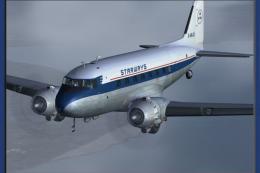
Repaints by John Payne. Original DC3 base textures courtesy of Mark Beaumont.…
 FS2004 Propeller Aircraft
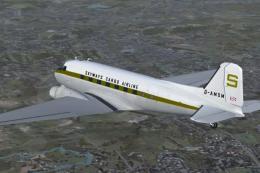
Air Freight Ltd/Skyways Air Cargo Ltd. Douglas DC-3. Repaints by John Payne. …
 FS2004 Propeller Aircraft
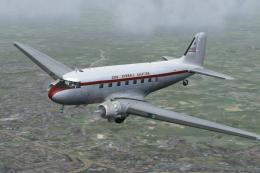
Repaint by John Payne. Original DC3 base textures courtesy of Mark Beaumont. …
Be the first to leave a comment on this download.
Be the first to share your thoughts on this download.