

 FS2004 Propeller Aircraft
Trans-Canada Air Lines L-1049C
This add-on offers a faithful recreation of Trans-Canada Air Lines’ historic …
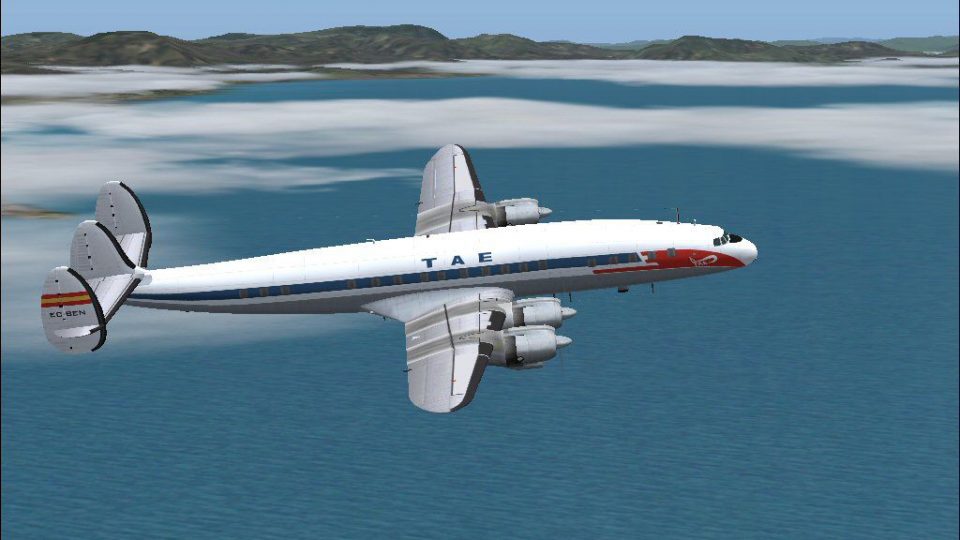
TAE’s 1967-era Lockheed L-1049C Constellation repaint recreates registration EC-BEN with authentic Spanish markings, period typography, and carefully rendered panel lines, rivets, and subtle weathering for convincing vintage realism. Built for Microsoft Flight Simulator 2004, it requires Manfred Jahn’s freeware L1049G base package and complements the classic virtual cockpit atmosphere.
 Rate
Rate
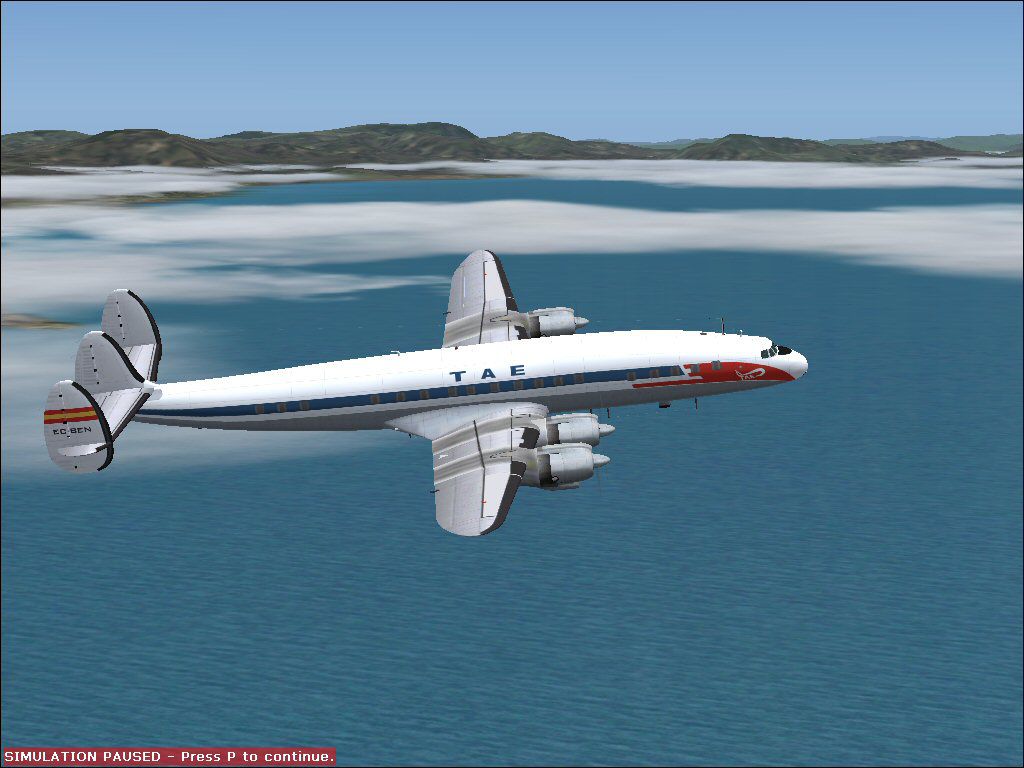
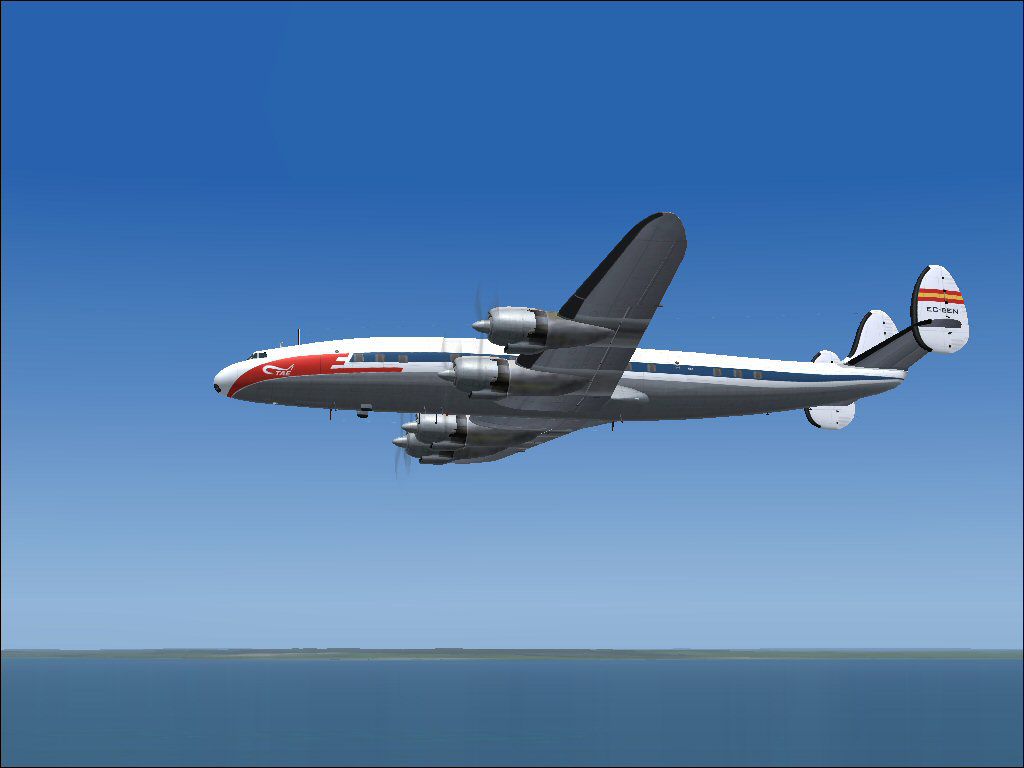
This repaint adds authentic Trabajos Aereos y Enlaces (TAE) markings to the Lockheed L-1049C Constellation, representing registration EC-BEN as it appeared around 1967. It is intended for Microsoft Flight Simulator 2004 and requires the freeware L1049G base package created by Manfred Jahn. Gary Harper designed these textures, which faithfully capture the airline’s color scheme and period-appropriate details.
Lockheed’s L-1049C variant hailed from the Super Constellation family, featuring pressurized cabins and extended-range capabilities. This aircraft series incorporated radial engines (large piston engines with multiple cylinders arranged in a radial configuration) and boasted a distinctive cockpit layout. Its elongated fuselage offered enhanced passenger capacity and improved aerodynamic efficiency. TAE, a Spanish operator also known as Trabajos Aereos y Enlaces, utilized this platform for regional routes, turning heads with its iconic tail design and smooth handling characteristics.
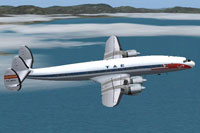
Screenshot of TAE Lockheed L-1049C Constellation in flight.
Prior to installation, download and install the designated L1049G freeware model (located in the Fly Away Simulation mod library). Then proceed with these steps:
[fltsim.xx]

title=Lockheed L-1049C Trabajos Aereos y Enlaces

sim=L1049G

model=1049vc_s

panel=

sound=

texture=tae

kb_checklists=L1049_check

kb_reference=L1049G_ref

atc_id=514

atc_id_enable=1

ui_manufacturer=Lockheed

ui_type=L-1049G Super Constellation

ui_variation= TAE L1049C EC-BEN

description=New FS2k4 FD for L1049G Connie. Beta v1.47 26-04/2009

atc_flight_number=312

atc_heavy=0

atc_airline=

atc_parking_codes=

atc_parking_types=CARGO

prop_anim_ratio=0.99

atc_id_color=0x00000000

atc_id_font=Verdana,-11,1,600,0
Manfred Jahn designed the original L-1049G model, bringing historical accuracy and advanced flight dynamics to Microsoft Flight Simulator 2004. Gary Harper produced the TAE repaint to ensure the classic Spanish livery remains true to the actual aircraft’s appearance. Their work delivers an immersive experience for anyone enthusiastic about vintage airliners.
Once everything is set, take this impressive radial-engine classic for a spin in your simulator, enjoy the carefully replicated TAE color scheme, and immerse yourself in the golden age of propeller-driven aviation.
Free for all simmers · 2.79 MB · Scanned clean Oct 2026
Download speed: Free tier is capped at 0.5 Mbps. PRO members download at full line speed.
This file is a repaint — the package below is the base model it paints onto. Install it first, or the textures will have nothing to load onto.
FS9\Aircraft\, FS9\Addon Scenery\, FS9\Gauges\, or FS9\Effects\.readme.txt or README file. It tells you exactly where files go, what dependencies are needed, and any quirks specific to this add-on.The archive tae1049.zip has 32 files and directories contained within it.
This list displays the first 500 files in the package. If the package has more, you will need to download it to view them.
| Filename/Directory | File Date | File Size |
|---|---|---|
| File_ID.DIZ.diz | 05.12.09 | 174 B |
| Readme.txt | 05.12.09 | 1.03 kB |
| TAE-1.jpg | 05.12.09 | 102.47 kB |
| TAE-2.jpg | 05.12.09 | 54.47 kB |
| texture.tae | 05.12.09 | 0 B |
| fins_l.bmp | 03.20.07 | 1.07 kB |
| fins_t.bmp | 05.12.09 | 1.00 MB |
| floor_2.bmp | 10.08.08 | 65.05 kB |
| fuse_l.bmp | 04.21.09 | 1.00 MB |
| fuse_t.bmp | 05.12.09 | 1.00 MB |
| propdisk.bmp | 05.12.09 | 256.07 kB |
| shade_01.bmp | 08.14.08 | 64.07 kB |
| Thumbs.db | 05.12.09 | 33.00 kB |
| vc01.bmp | 04.22.09 | 1.00 MB |
| vc01_l.bmp | 10.24.08 | 64.07 kB |
| vc01a_l.bmp | 02.08.09 | 64.07 kB |
| vc02.bmp | 04.22.09 | 1.00 MB |
| vc02_l.bmp | 10.24.08 | 64.07 kB |
| vc03.bmp | 04.22.09 | 1.00 MB |
| vc03_l.bmp | 10.23.08 | 64.07 kB |
| vc04.bmp | 04.22.09 | 1.00 MB |
| vc04_l.bmp | 10.24.08 | 64.07 kB |
| vc05.bmp | 04.22.09 | 1.00 MB |
| vc05_l.bmp | 10.24.08 | 64.07 kB |
| vc06.bmp | 04.22.09 | 1.00 MB |
| vc06_l.bmp | 10.24.08 | 64.07 kB |
| wings_l.bmp | 03.20.07 | 1.07 kB |
| wings_t.bmp | 05.01.09 | 1.00 MB |
| xx1cal.bmp | 10.14.08 | 16.07 kB |
| xxcal_121.bmp | 03.19.09 | 8.07 kB |
| flyawaysimulation.txt | 10.29.13 | 959 B |
| Go to Fly Away Simulation.url | 01.22.16 | 52 B |
Only PRO members can place votes.
More FS2004 add-ons hand-picked based on this download.
FS2004 Propeller Aircraft
This add-on offers a faithful recreation of Trans-Canada Air Lines’ historic …
 FS2004 Propeller Aircraft
Included in this sim package are seven models and five textures. Panel textur…
 FS2004 Propeller Aircraft
The L1049H was a convertible passenger/cargo version of the Super Constellati…
 FS2004 Propeller Aircraft
Pre-Release Paint Kit (Flying). This paintkit contains Photoshop (.psd) maste…
 FS2004 Propeller Aircraft
Alphasim Constellation Set. Alpha Simulations is releasing some of their clas…
 FS2004 Propeller Aircraft
Registration F-ZVMV. Note: This is the second paint for this plane but in "fa…
 FS2004 Propeller Aircraft
Super Constellation Columbine III, President Eisenhower's personal aircraft 1…
 FS2004 Propeller Aircraft
This paintkit is a supplement for the FS2004 Lockheed Super Constellation ser…
Be the first to leave a comment on this download.
Be the first to share your thoughts on this download.