

 FS2004 Propeller Aircraft
Mohawk Airlines Convair CV-240 VBF CA-18
This freeware add-on offers a historically accurate black-and-gold repaint of…
Mohawk Airlines Convair CV-240 livery brings a classic postwar twin to life with authentic period textures, crisp markings, and a matching model variant that captures the airliner’s distinctive lines for regional U.S. routes in Microsoft Flight Simulator 2004. Requires the Virtual Birds Factory freeware CV-240 base pack for full aircraft files and proper configuration.
 Rate
Rate
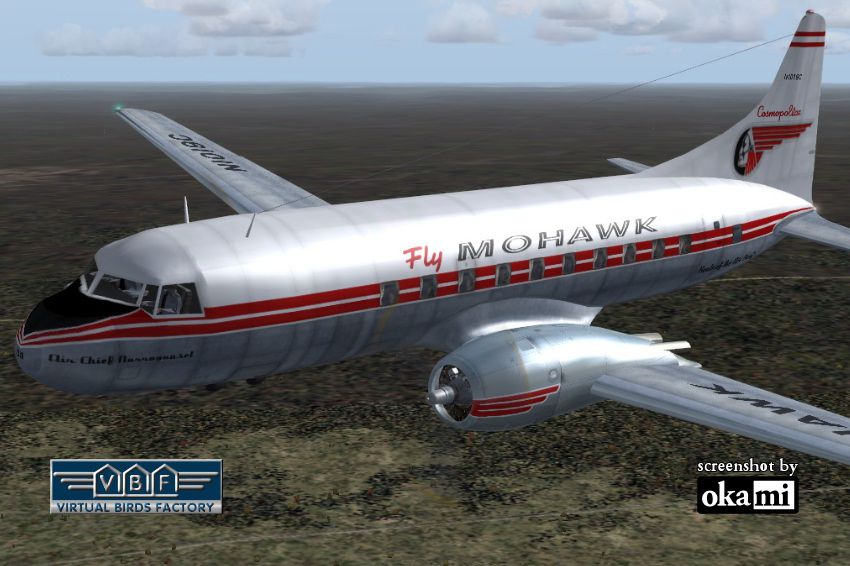
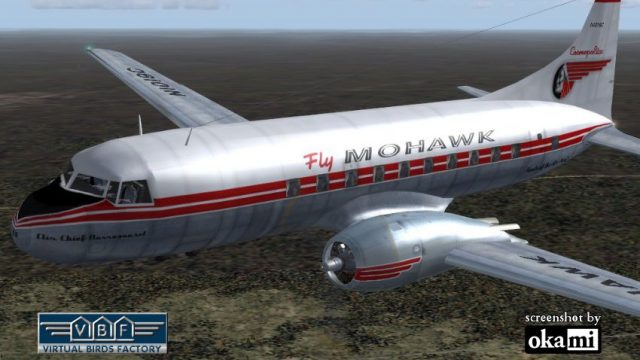
Experience a finely detailed Mohawk Airlines Convair CV-240 repaint designed for Microsoft Flight Simulator 2004 enthusiasts eager to revisit a pivotal era in commercial aviation. Built upon the freeware base model originally developed by Greg Pepper and Tom Gibson, with subsequent refinements by Georg Hauzenberger and Hans Hermann at the Virtual Birds Factory, this add-on immerses you in the historical legacy of an aircraft that once connected bustling regional routes across the United States.
The Convair CV-240 series emerged in the late 1940s as a pressurized, twin-engine airliner catering to short and medium-range journeys. This particular airframe was first delivered to Swissair in 1949 under registration HB-IRS, carrying the moniker “Nuenburg.” By 1956, it transferred to Mohawk Airlines, receiving U.S. registration N1019C and adopting the name “Air Chief Narrangansett.” In later years, it moved through Fairchild Hiller Corporation before its final withdrawal from service in 1968. Ultimately, it was stored and eventually dismantled in Houston during the mid-1970s.
Screenshot capturing the Mohawk Airlines Convair CV-240 in mid-flight.
This repaint package provides authentic Mohawk Airlines textures and a specialized model file integral to reproducing the aircraft’s classic lines and details. Please note that it does not include the base Convair CV-240 model. You will need to obtain the corresponding freeware base pack (CV240VBFCA18_BASEPACK_010.ZIP), which is typically available in the Fly Away Simulation library. Ensure that you have the correct base folder structure (cv240VBFca18, cv240VBFcb16, or cv240VBFmilitary) to support the livery installation.
Before applying this livery, confirm that you have the correct base pack installed. The necessary folders—CV240VBFca18, cv240VBFcb16, and CV240VBFmilitary—must exist in your Microsoft Flight Simulator 2004 aircraft directory. Consult the user manual’s Chapter 3.2 for detailed base pack installation steps. If these folders are not present, download and install the respective base pack prior to adding any liveries.
cv240VBFca18_aal_N94200_01_setup.exe) within the temporary folder and run it. The installer will place texture files and any related model data into the correct cv240VBFca18, cv240VBFcb16, or cv240VBFmilitary folder automatically. Note which folder is used for future reference.Microsoft Games\Flight Simulator 9\Aircraft\cv240VBFca18 or your chosen variant. Look for a text file named (livery name)_add_to_aircraft_cfg.txt, where livery name matches the texture you just installed.[fltsim.xx] section. Then open your aircraft.cfg in the same directory. Paste the copied code after the final [fltsim.yy] entry, ensuring you increment the entry number correctly (e.g., change xx to the next available value). Save and close aircraft.cfg.Launch Microsoft Flight Simulator 2004 and verify that the Mohawk Airlines Convair CV-240 repaint is displayed in your aircraft selection menu. If not, review the following:
[fltsim.xx] entry into the correct aircraft.cfg file within the relevant cv240VBFca18/cv240VBFcb16/cv240VBFmilitary folder.Once all items are set up properly, you can enjoy flying this timeless airliner in FS2004, immersing yourself in the era of post-war regional aviation. Sincere acknowledgments to the creators—Greg Pepper, Tom Gibson, Georg Hauzenberger, Hans Hermann, and the Virtual Birds Factory—for bringing this historic aircraft to life. Have a smooth flight with Mohawk Airlines.
Free for all simmers · 4.7 MB · Scanned clean Oct 2026
Download speed: Free tier is capped at 0.5 Mbps (this file takes approximately 1 min at the cap). PRO members download at full line speed.
This file is a repaint — the package below is the base model it paints onto. Install it first, or the textures will have nothing to load onto.
FS9\Aircraft\, FS9\Addon Scenery\, FS9\Gauges\, or FS9\Effects\.readme.txt or README file. It tells you exactly where files go, what dependencies are needed, and any quirks specific to this add-on.The archive cv240vbfca18_moh_n1019c_01.zip has 9 files and directories contained within it.
This list displays the first 500 files in the package. If the package has more, you will need to download it to view them.
| Filename/Directory | File Date | File Size |
|---|---|---|
| cv240VBFca18_moh_N1019C_01 | 10.16.10 | 0 B |
| cv240VBFca18_moh_N1019C_01.jpg | 10.14.10 | 184.30 kB |
| cv240VBFca18_moh_N1019C_01150.gif | 10.14.10 | 10.63 kB |
| cv240VBFca18_moh_N1019C_01_setup.exe | 10.14.10 | 4.37 MB |
| cv240VBFreloaded_User Manual_010.pdf | 10.14.10 | 234.01 kB |
| cv240VBF_readme_add-on-livery.txt | 10.14.10 | 5.43 kB |
| file_id.diz | 10.14.10 | 632 B |
| flyawaysimulation.txt | 10.29.13 | 959 B |
| Go to Fly Away Simulation.url | 01.22.16 | 52 B |
Only PRO members can place votes.
More FS2004 add-ons hand-picked based on this download.
FS2004 Propeller Aircraft
This freeware add-on offers a historically accurate black-and-gold repaint of…
 FS2004 Propeller Aircraft
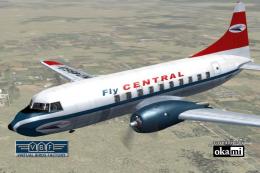
This freeware repaint showcases the Central Airlines Convair CV-240 (VBF CA-1…
 FS2004 Propeller Aircraft
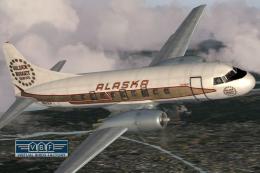
This repaint showcases the Convair CV-240 VBF (registration N51331) sporting …
 FS2004 Propeller Aircraft
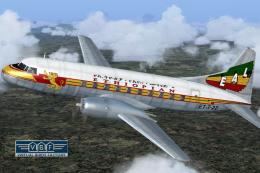
Convair CV-240 VBF CA-18, cn 38, bought by Ethiopian Airlines from Sabena in …
 FS2004 Propeller Aircraft
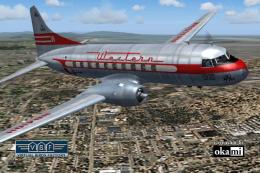
This freeware add-on offers a historically accurate Western Airlines repaint …
 FS2004 Propeller Aircraft
This enhanced repaint for the classic Convair CV-240 brings American Airlines…
 FS2004 Propeller Aircraft
This detailed repaint package features the classic Trans-Australia Airlines (…
 FS2004 Propeller Aircraft
This free package features a meticulously re-created early twin-prop airliner…
Be the first to leave a comment on this download.
Be the first to share your thoughts on this download.