

 FS2004 Propeller Aircraft
Central Airlines Convair CV-240 VBF CA-18
This freeware repaint showcases the Central Airlines Convair CV-240 (VBF CA-1…
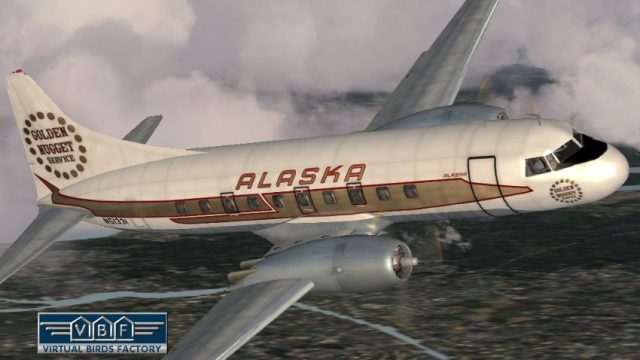
Alaska Airlines’ 1973-era Convair CV-240 VBF repaint brings registration N51331 to life with period-accurate colors and refined Virtual Birds Factory visuals, reflecting the airframe’s postwar airline history. Designed for Microsoft Flight Simulator 2004, it requires the CV240VBFCA18 base pack and includes textures plus the associated model.
 Rate
Rate
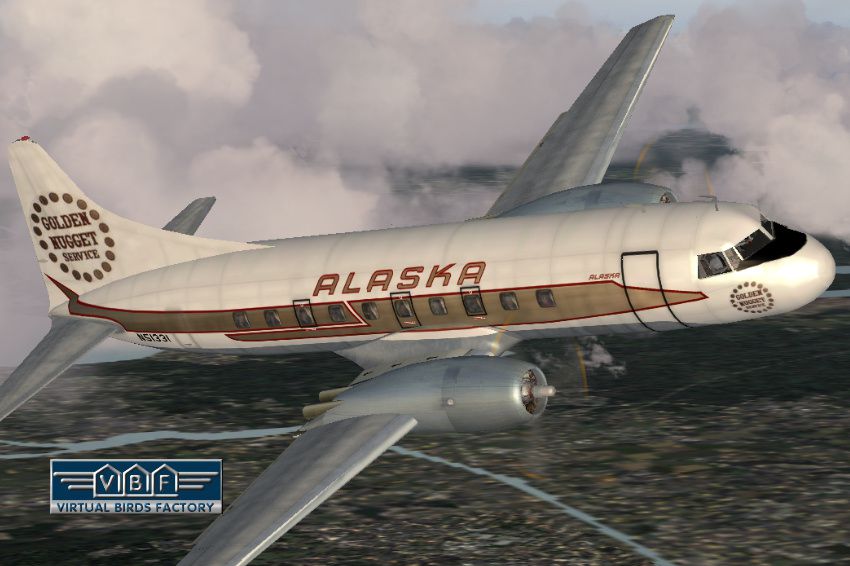
This repaint showcases the Convair CV-240 VBF (registration N51331) sporting an Alaska Airlines scheme circa 1973. This particular airframe, originally manufactured in 1948 for American Airlines, carried the designations “Flagship Little Rock” and “Flagship Erie” before serving several other carriers, such as Cordova Airlines—eventually absorbed by Alaska Airlines in 1968—and later Pacific Nevada Airlines. The aircraft later returned to Alaska’s fleet for a brief time before changing hands multiple times and ultimately being retired and broken up. Created by Greg Pepper and Tom Gibson, and upgraded by the talents of Georg Hauzenberger (model) and Hans Hermann (textures) from Virtual Birds Factory, this package includes only the textures and associated model. Make sure to install the freeware base pack (CV240VBFCA18_BASEPACK_010.ZIP) from the Fly Away Simulation library prior to adding this enhancement to your Microsoft Flight Simulator 2004 setup.
Alaska Airlines Convair CV-240 VBF in flight.
The Convair CV-240 series was developed to modernize regional air travel in the post-war era. It introduced pressurized cabins and twin radial engines engineered for efficient performance. Many major airlines, including American Airlines, operated these aircraft under various “Flagship” designations, while smaller operators like Cordova (absorbed by Alaska Airlines) also found them to be highly versatile on routes across rugged terrain.
This add-on requires an existing CV-240 VBF installation in your simulator. The original base pack folders include “CV240VBFca18,” “cv240VBFcb16,” or “CV240VBFmilitary,” depending on the variation.
Double-check folder names if the livery fails to appear. The folder should align with the name used in your original base pack installation (for example, “cv240VBFca18”). Ensure you have not unintentionally altered those names since the initial base pack install. Also confirm you have chosen the correct root directory for Microsoft Flight Simulator 2004, typically where FS9.EXE resides.
Once you have updated the aircraft.cfg file and ensured that the new [fltsim.xx] entry is in sequence, the Alaska Airlines Convair CV-240 VBF repaint should appear within the aircraft selection menu. If you still do not see it, it is advisable to revisit each installation step to ensure correct folder paths and naming conventions.
Free for all simmers · 4.41 MB · Scanned clean Oct 2026
Download speed: Free tier is capped at 0.5 Mbps (this file takes approximately 1 min at the cap). PRO members download at full line speed.
This file is a repaint — the package below is the base model it paints onto. Install it first, or the textures will have nothing to load onto.
FS9\Aircraft\, FS9\Addon Scenery\, FS9\Gauges\, or FS9\Effects\.readme.txt or README file. It tells you exactly where files go, what dependencies are needed, and any quirks specific to this add-on.The archive cv240vbfca18_asa_n51331_01.zip has 9 files and directories contained within it.
This list displays the first 500 files in the package. If the package has more, you will need to download it to view them.
| Filename/Directory | File Date | File Size |
|---|---|---|
| cv240VBFca18_asa_N51331_01 | 09.08.10 | 0 B |
| cv240VBFca18_asa_N51331_01.jpg | 09.08.10 | 193.26 kB |
| cv240VBFca18_asa_N51331_01150.gif | 09.08.10 | 11.01 kB |
| cv240VBFca18_asa_N51331_01_setup.exe | 09.08.10 | 4.07 MB |
| cv240VBFreloaded_User Manual_010.pdf | 09.08.10 | 234.01 kB |
| cv240VBF_readme_add-on-livery.txt | 09.08.10 | 5.43 kB |
| file_id.diz | 09.08.10 | 956 B |
| flyawaysimulation.txt | 10.29.13 | 959 B |
| Go to Fly Away Simulation.url | 01.22.16 | 52 B |
Only PRO members can place votes.
More FS2004 add-ons hand-picked based on this download.
FS2004 Propeller Aircraft
This freeware repaint showcases the Central Airlines Convair CV-240 (VBF CA-1…
 FS2004 Propeller Aircraft
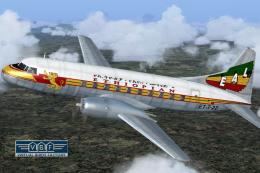
Convair CV-240 VBF CA-18, cn 38, bought by Ethiopian Airlines from Sabena in …
 FS2004 Propeller Aircraft
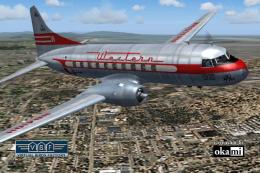
This freeware add-on offers a historically accurate Western Airlines repaint …
 FS2004 Propeller Aircraft
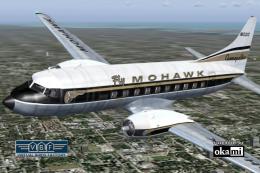
This freeware add-on offers a historically accurate black-and-gold repaint of…
 FS2004 Propeller Aircraft
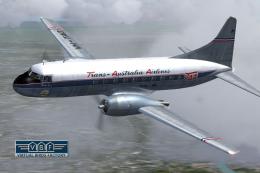
This detailed repaint package features the classic Trans-Australia Airlines (…
 FS2004 Propeller Aircraft
This free package features a meticulously re-created early twin-prop airliner…
 FS2004 Propeller Aircraft
Immerse yourself in the realm of classic aviation with this freeware package …
 FS2004 Propeller Aircraft
This repaint package offers a historically significant VARIG Convair CV-240 f…
Be the first to leave a comment on this download.
Be the first to share your thoughts on this download.