

 FS2004 Propeller Aircraft
Europe Aero Service Vanguard F-BXOG
EAS Vanguards were kept in the basic Air Canada livery whereas Invicta kept m…
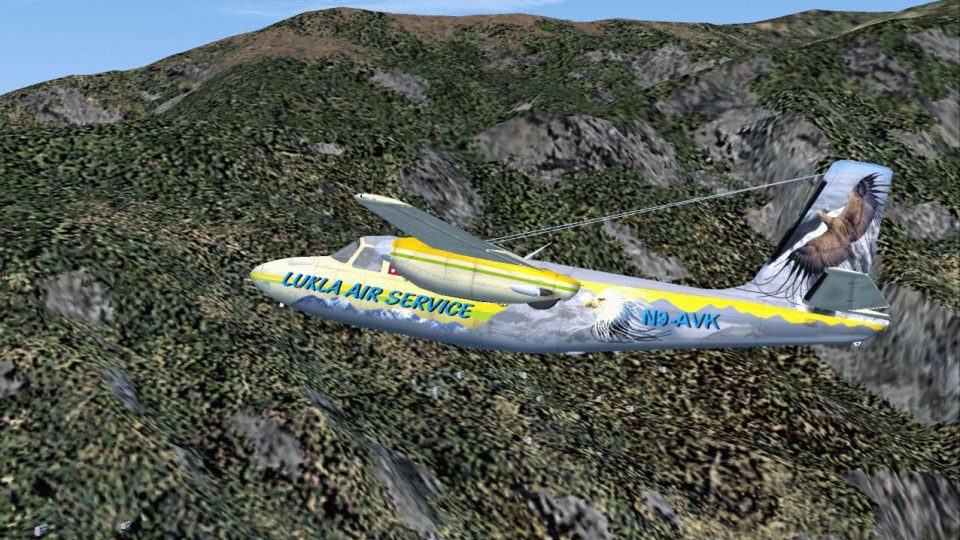
Lukla Air Service’s Aero Commander AC560 brings a polished twin to FS2004 with a full 2D panel and virtual cockpit, plus realistic STOL handling shaped with input from real pilots and Commander owners. Expect GMAX modeling, animated doors, lights, suspension and rolling gear, de-icers, runway-illuminating landing lights, night textures, and glossy reflective windows.
 Rate
Rate
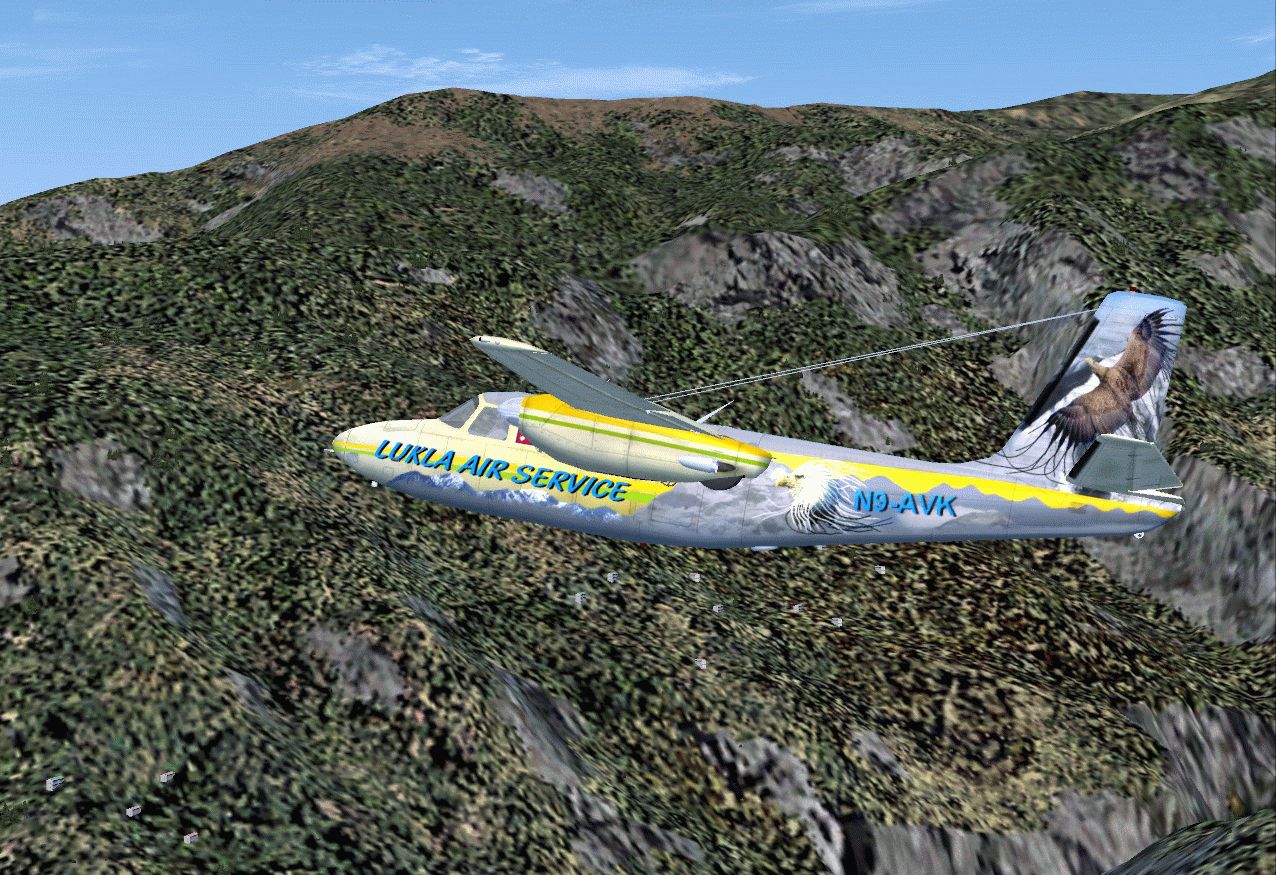
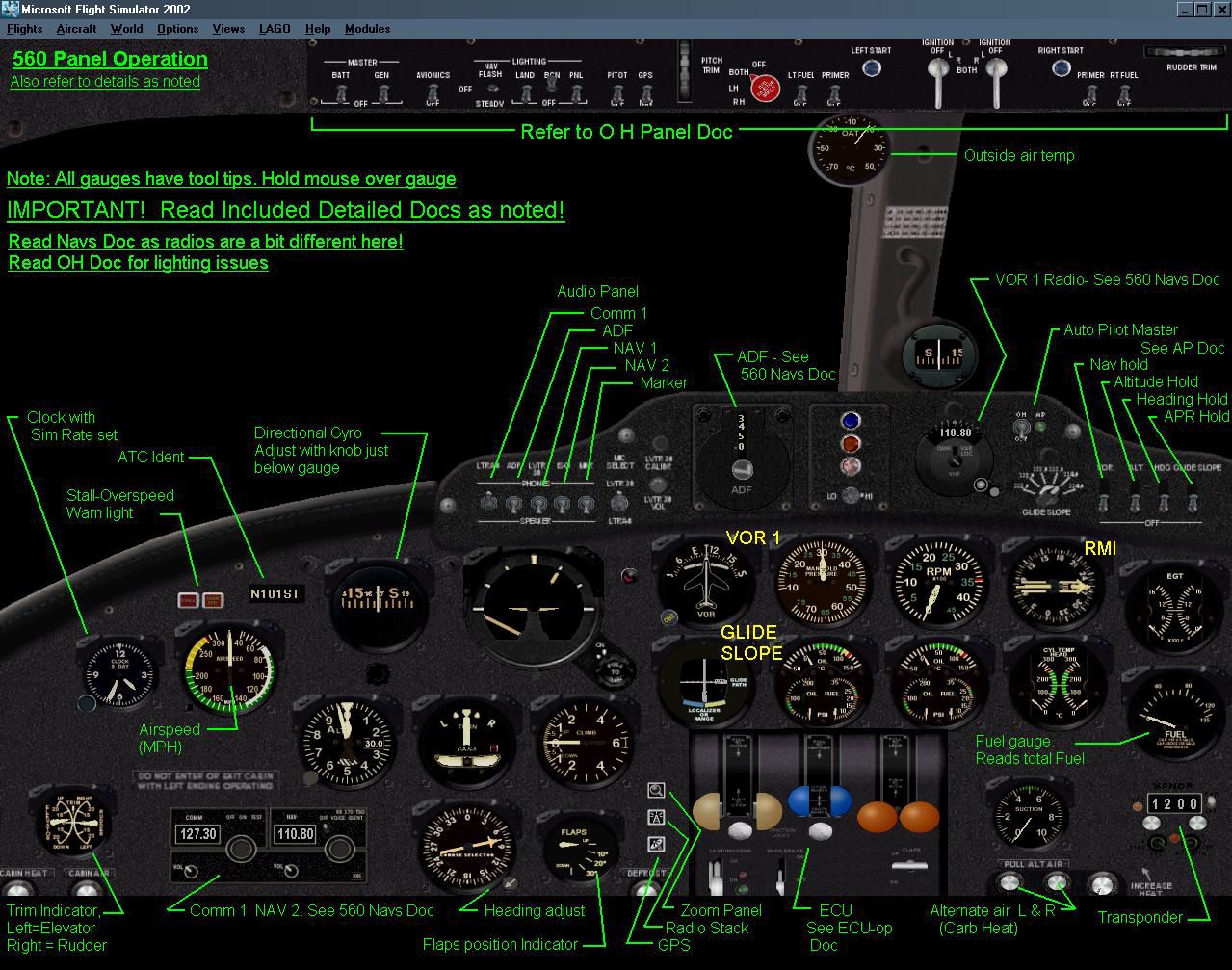
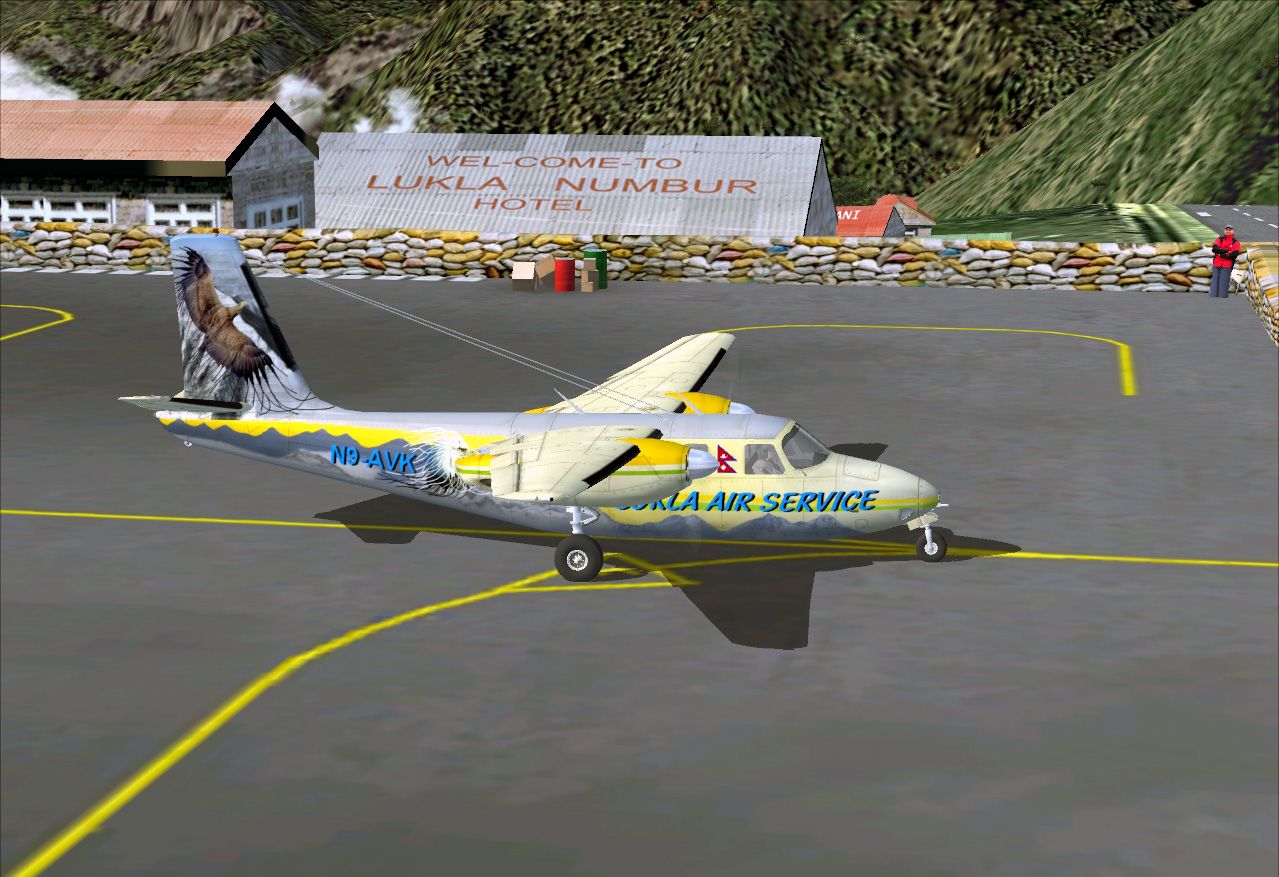
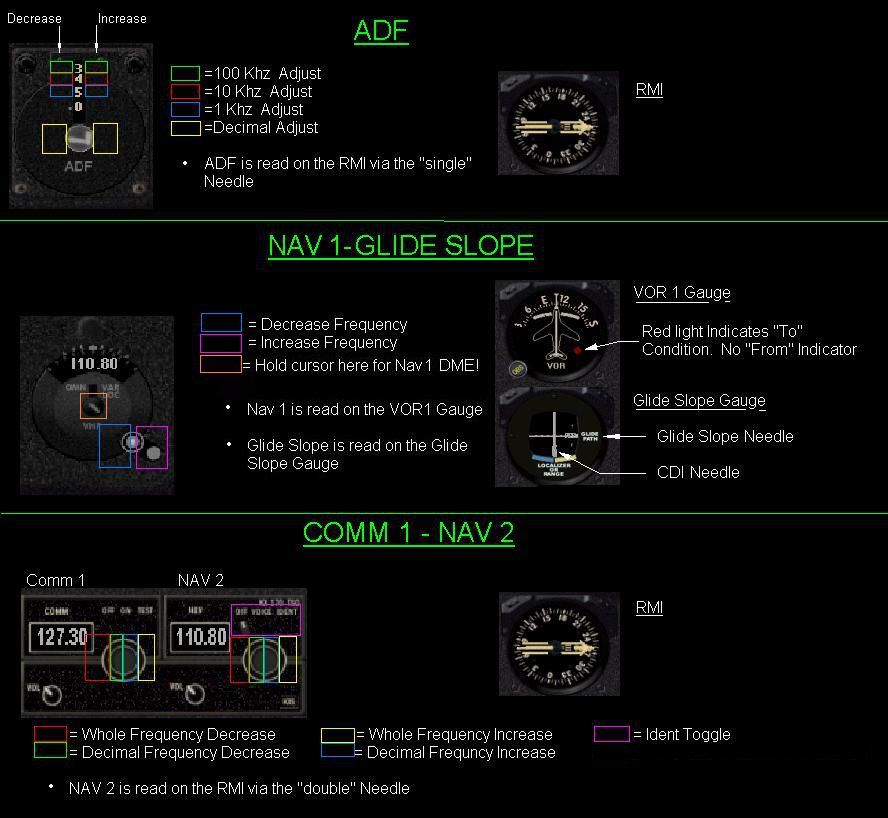


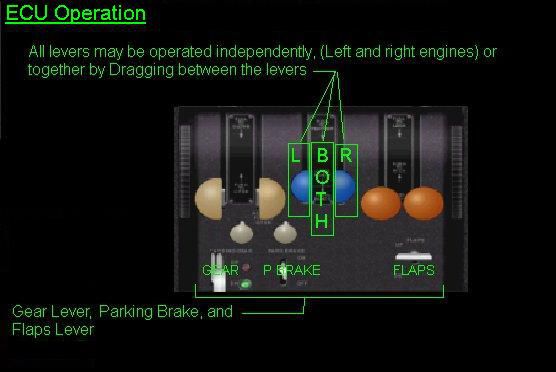

This is a complete aircraft with 2D and virtual cockpit (VC). Original by Milton Shupe, repaint by Ingo Schwan.
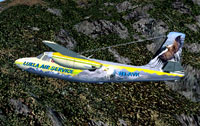
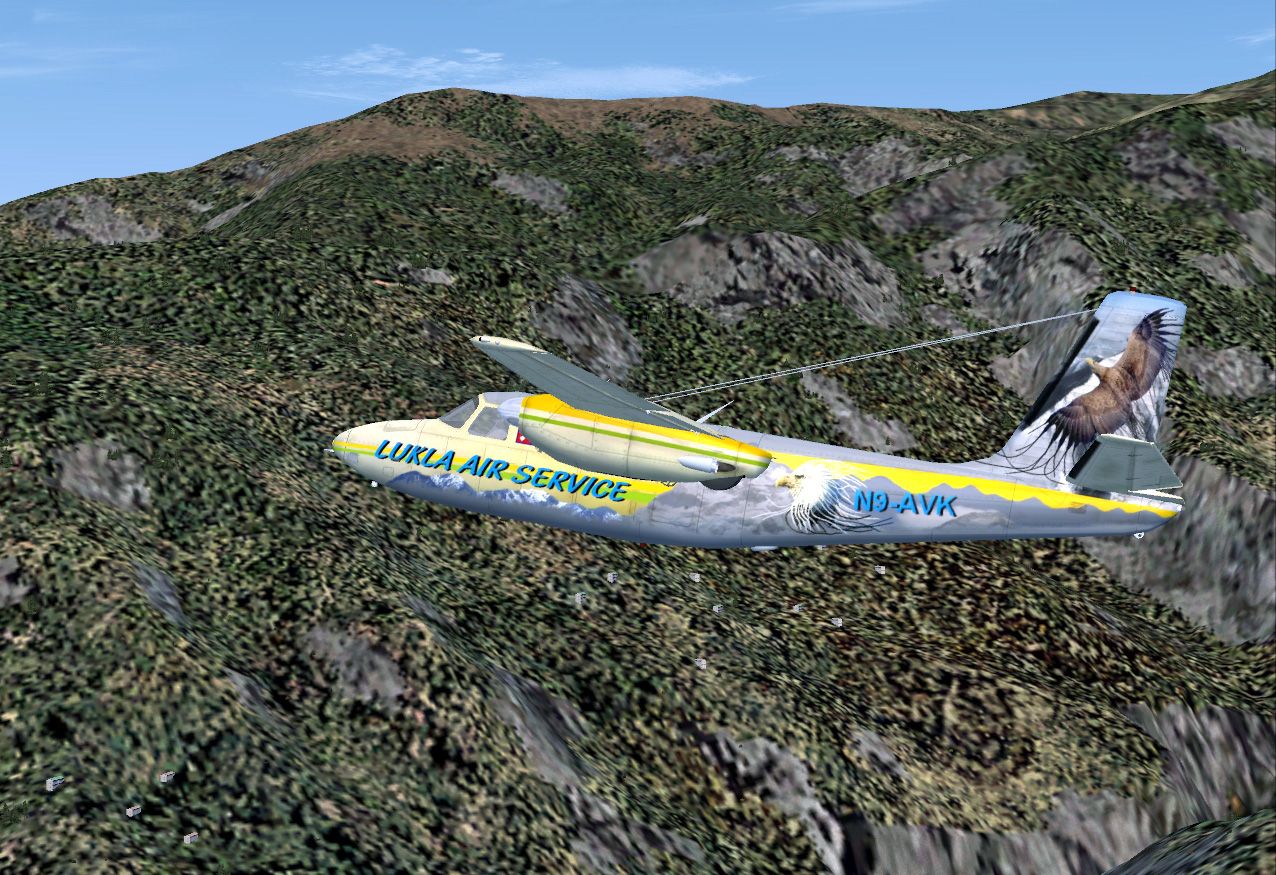
Lukla Air Service Aero Commander AC560 in flight.
Features:
Installation:
Free for all simmers · 15.23 MB · Scanned clean Oct 2026
Download speed: Free tier is capped at 0.5 Mbps (this file takes approximately 4 mins at the cap). PRO members download at full line speed.
FS9\Aircraft\, FS9\Addon Scenery\, FS9\Gauges\, or FS9\Effects\.readme.txt or README file. It tells you exactly where files go, what dependencies are needed, and any quirks specific to this add-on.The archive is_ac560_las.zip has 154 files and directories contained within it.
This list displays the first 500 files in the package. If the package has more, you will need to download it to view them.
| Filename/Directory | File Date | File Size |
|---|---|---|
| AC560A.air | 08.12.03 | 9.53 kB |
| AC560_1.jpg | 12.03.10 | 387.24 kB |
| AC560_2.jpg | 12.03.10 | 585.45 kB |
| Aircraft.cfg | 12.03.10 | 10.48 kB |
| Documentation | 12.04.10 | 0 B |
| FPDA_Gear_Wind_Readme.txt | 03.04.03 | 4.91 kB |
| FSNavigator.txt | 04.12.03 | 546 B |
| PanelDocumentation | 12.04.10 | 0 B |
| 560 Navs Doc.jpg | 04.01.03 | 97.67 kB |
| 560 Panel Doc.jpg | 03.31.03 | 240.56 kB |
| AP Doc.jpg | 04.03.03 | 57.53 kB |
| ECU_op.jpg | 03.08.03 | 26.65 kB |
| Fuel _Select Op.jpg | 01.01.03 | 8.60 kB |
| Mag_op.jpg | 01.01.03 | 16.25 kB |
| OH Panel Doc.jpg | 03.31.03 | 66.20 kB |
| ProblemsQuestions.txt | 08.13.03 | 717 B |
| Readme.txt | 08.13.03 | 4.50 kB |
| RealismSettings | 12.04.10 | 0 B |
| Realism Settings and more.txt | 08.12.03 | 1.25 kB |
| Thanks.txt | 04.12.03 | 3.19 kB |
| file_id.diz | 12.04.10 | 157 B |
| Gauges | 12.04.10 | 0 B |
| fpda_gear_wind.gau | 03.02.99 | 9.00 kB |
| ST_560.CAB | 08.12.03 | 492.68 kB |
| Installation.txt | 12.03.10 | 471 B |
| is_AC560_LAS.gif | 12.04.10 | 666.27 kB |
| model | 12.04.10 | 0 B |
| AC560A.mdl | 08.10.03 | 2.62 MB |
| model.cfg | 03.12.03 | 23 B |
| panel.560A | 12.04.10 | 0 B |
| 1VC560Main.bmp | 03.23.03 | 1.00 MB |
| 560AMain1.1.bmp | 04.01.03 | 989.97 kB |
| 560Zoom.bmp | 03.15.03 | 220.35 kB |
| panel.CFG | 10.16.10 | 10.00 kB |
| sound | 12.04.10 | 0 B |
| baron_apdisconnect.wav | 08.15.01 | 176.62 kB |
| baron_falsestart_left.wav | 08.15.01 | 167.62 kB |
| baron_falsestart_right.wav | 08.15.01 | 170.12 kB |
| baron_flaps.wav | 08.15.01 | 175.61 kB |
| baron_geardn.wav | 08.15.01 | 288.12 kB |
| baron_gearup.wav | 08.15.01 | 312.37 kB |
| baron_gearwarning.wav | 08.15.01 | 239.59 kB |
| baron_gyro.wav | 08.15.01 | 1.88 MB |
| baron_noncombustion_left01.wav | 08.15.01 | 43.14 kB |
| baron_noncombustion_left02.wav | 08.15.01 | 96.35 kB |
| baron_noncombustion_right01.wav | 08.15.01 | 34.27 kB |
| baron_noncombustion_right02.wav | 08.15.01 | 101.41 kB |
| baron_prop1a_left.wav | 08.15.01 | 60.75 kB |
| baron_prop1a_right.wav | 08.15.01 | 65.25 kB |
| baron_prop1b_left.wav | 08.15.01 | 68.25 kB |
| baron_prop1b_right.wav | 08.15.01 | 65.25 kB |
| baron_prop2a_left.wav | 08.15.01 | 62.75 kB |
| baron_prop2a_right.wav | 08.15.01 | 60.75 kB |
| baron_prop2b_left.wav | 08.15.01 | 73.25 kB |
| baron_prop2b_right.wav | 08.15.01 | 73.75 kB |
| baron_rpm1_left.wav | 08.15.01 | 236.92 kB |
| baron_rpm1_right.wav | 08.15.01 | 195.55 kB |
| baron_rpm2_left.wav | 08.15.01 | 248.18 kB |
| baron_rpm2_right.wav | 08.15.01 | 223.52 kB |
| baron_rpm3_left.wav | 08.15.01 | 213.25 kB |
| baron_rpm3_right.wav | 08.15.01 | 267.71 kB |
| baron_rpm4_left.wav | 08.15.01 | 171.65 kB |
| baron_rpm4_right.wav | 08.15.01 | 214.63 kB |
| baron_shutdown_left.wav | 08.15.01 | 144.57 kB |
| baron_shutdown_right.wav | 08.15.01 | 146.12 kB |
| baron_stallhorn.wav | 08.15.01 | 86.69 kB |
| baron_starter_left.wav | 08.15.01 | 34.87 kB |
| baron_starter_right.wav | 08.15.01 | 42.87 kB |
| baron_startup_left.wav | 08.15.01 | 317.69 kB |
| baron_startup_right.wav | 08.15.01 | 352.43 kB |
| baron_switch01.wav | 08.15.01 | 3.05 kB |
| baron_switch02.wav | 08.15.01 | 2.36 kB |
| baron_switch03.wav | 08.15.01 | 2.31 kB |
| baron_switch04.wav | 08.15.01 | 3.07 kB |
| door_small_close.wav | 04.09.03 | 55.99 kB |
| door_small_open.wav | 04.09.03 | 59.98 kB |
| OBIO's READ ME.TXT | 11.11.09 | 1.18 kB |
| SOUND.CFG | 04.09.03 | 11.48 kB |
| xbaron_falsestart_left.wav | 11.11.09 | 167.54 kB |
| xbaron_falsestart_right.wav | 11.11.09 | 170.04 kB |
| xbaron_noncombustion_left01.wav | 11.11.09 | 43.02 kB |
| xbaron_noncombustion_left02.wav | 11.11.09 | 96.23 kB |
| xbaron_noncombustion_right01.wav | 11.11.09 | 34.15 kB |
| xbaron_noncombustion_right02.wav | 11.11.09 | 101.29 kB |
| xbaron_prop1a_left.wav | 08.15.01 | 60.75 kB |
| xbaron_prop1a_right.wav | 08.15.01 | 65.25 kB |
| xbaron_prop1b_left.wav | 08.15.01 | 68.25 kB |
| xbaron_prop1b_right.wav | 08.15.01 | 65.25 kB |
| xbaron_prop2a_left.wav | 08.15.01 | 62.75 kB |
| xbaron_prop2a_right.wav | 08.15.01 | 60.75 kB |
| xbaron_prop2b_left.wav | 08.15.01 | 73.25 kB |
| xbaron_prop2b_right.wav | 08.15.01 | 73.75 kB |
| xbaron_rpm1_left.wav | 11.11.09 | 236.80 kB |
| xbaron_rpm1_right.wav | 11.11.09 | 195.43 kB |
| xbaron_rpm2_left.wav | 11.11.09 | 248.06 kB |
| xbaron_rpm2_right.wav | 11.11.09 | 223.40 kB |
| xbaron_rpm3_left.wav | 11.11.09 | 213.13 kB |
| xbaron_rpm3_right.wav | 11.11.09 | 267.59 kB |
| xbaron_rpm4_left.wav | 11.11.09 | 171.53 kB |
| xbaron_rpm4_right.wav | 11.11.09 | 214.51 kB |
| xbaron_shutdown_left.wav | 11.11.09 | 144.49 kB |
| xbaron_shutdown_right.wav | 11.11.09 | 146.04 kB |
| xbaron_starter_left.wav | 11.11.09 | 34.79 kB |
| xbaron_starter_right.wav | 11.11.09 | 42.79 kB |
| xbaron_startup_left.wav | 11.11.09 | 317.61 kB |
| xbaron_startup_right.wav | 11.11.09 | 352.35 kB |
| texture.LAS | 12.04.10 | 0 B |
| 2dpanel_L.bmp | 06.18.10 | 64.07 kB |
| acpropmesh.bmp | 06.18.10 | 64.07 kB |
| backpanel.bmp | 06.18.10 | 64.07 kB |
| benchseatgray.bmp | 06.18.10 | 256.07 kB |
| black.bmp | 06.18.10 | 64.07 kB |
| cargoblue.bmp | 06.18.10 | 16.07 kB |
| cargodoor.bmp | 06.18.10 | 64.07 kB |
| ceiling.bmp | 06.18.10 | 16.07 kB |
| Centerpost.bmp | 06.18.10 | 64.07 kB |
| chromespinner_L.bmp | 06.18.10 | 4.07 kB |
| chromespinner_t.bmp | 06.18.10 | 64.07 kB |
| curtains.bmp | 06.18.10 | 256.07 kB |
| doorframe.bmp | 06.18.10 | 64.07 kB |
| doorpanelgray.bmp | 06.18.10 | 64.07 kB |
| doorpaneltop.bmp | 06.18.10 | 16.07 kB |
| engine.bmp | 06.18.10 | 64.07 kB |
| face.bmp | 06.18.10 | 64.07 kB |
| floorcarpet14.bmp | 06.18.10 | 16.07 kB |
| floorcarpet14dark.bmp | 06.18.10 | 16.07 kB |
| footpad.bmp | 06.18.10 | 16.07 kB |
| fuse560_L.bmp | 06.18.10 | 4.07 kB |
| fuse560_t.bmp | 09.26.10 | 1.00 MB |
| landlite.bmp | 06.18.10 | 64.07 kB |
| mercedes.bmp | 06.18.10 | 16.07 kB |
| nacellesboth_L.bmp | 06.18.10 | 4.07 kB |
| nacellesboth_t.bmp | 09.25.10 | 256.07 kB |
| oat560.bmp | 06.18.10 | 16.07 kB |
| oat560_L.bmp | 06.18.10 | 64.07 kB |
| panel560.bmp | 06.18.10 | 1.00 MB |
| pedals.bmp | 06.18.10 | 16.07 kB |
| pic1957-6.bmp | 06.18.10 | 64.07 kB |
| pilotfacel.bmp | 06.18.10 | 128.07 kB |
| propbladeike.bmp | 06.18.10 | 64.07 kB |
| spinner_L.bmp | 06.18.10 | 4.07 kB |
| spinner_t.bmp | 06.18.10 | 64.07 kB |
| Thumbs.db | 09.24.10 | 7.00 kB |
| VCOverhead.bmp | 06.18.10 | 1.00 MB |
| VCOverhead_L.bmp | 06.18.10 | 64.07 kB |
| vcpanel_L.bmp | 06.18.10 | 64.07 kB |
| wheelfront.bmp | 06.18.10 | 64.07 kB |
| wheelmain.bmp | 06.18.10 | 64.07 kB |
| windowledges.bmp | 06.18.10 | 16.07 kB |
| yoke.bmp | 06.18.10 | 64.07 kB |
| yokelower.bmp | 06.18.10 | 16.07 kB |
| Aero Commander AC560 Lukla Air Service | 12.04.10 | 0 B |
| flyawaysimulation.txt | 10.29.13 | 959 B |
| Go to Fly Away Simulation.url | 01.22.16 | 52 B |
Only PRO members can place votes.
More FS2004 add-ons hand-picked based on this download.
FS2004 Propeller Aircraft
EAS Vanguards were kept in the basic Air Canada livery whereas Invicta kept m…
 FS2004 Propeller Aircraft
Although the heyday of the EAS Vanguard had passed, F-BVRZ was one of at leas…
 FS2004 Propeller Aircraft
N44693, circa 1981. It flew scheduled services in the Hawaiian Islands. FS200…
 FS2004 Propeller Aircraft
Textures only for the default Beech Baron. Repaint by Thierry Pujol. Screensh…
 FS2004 Propeller Aircraft
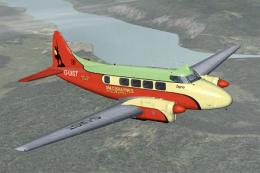
DH104 Dove, registration G-UIST. A repaint of Derek Palmer's DH104 Dove in th…
 FS2004 Propeller Aircraft
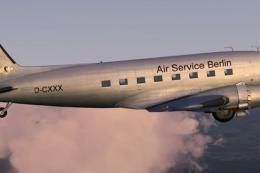
This repaint brings the Air Service Berlin color scheme to the default Dougla…
 FS2004 Propeller Aircraft
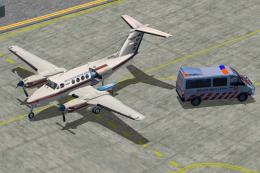
Immerse yourself in a detailed rendition of the Royal Flying Doctor Service o…
 FS2004 Propeller Aircraft
This self-installing patch corrects several issues found after release of the…
Read what other simmers think, or add your own.

Hello,
The autopilot needs some fine tuning.
COM 1/2 and NAV 1/2 do not adjust well.
The worm is still in there.
