

 FSX Civil Aircraft
Lufthansa Regional CRJ 700
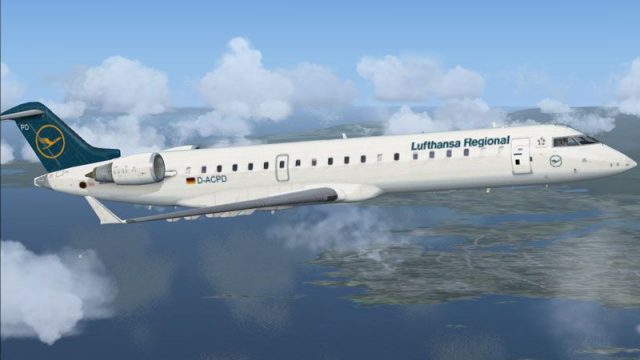
FSX Lufthansa Regional CRJ 700. Textures only for the default Bombardier CRJ7…
Lufthansa Regional livery for the default Bombardier CRJ700 brings crisp color matching, accurate titles, and finely placed markings for believable short-haul ops in Microsoft Flight Simulator X. The repaint highlights the CRJ700’s regional-jet character and requires the freeware base model, delivering an authentic airline look across the virtual cockpit and exterior.
 Rate
Rate
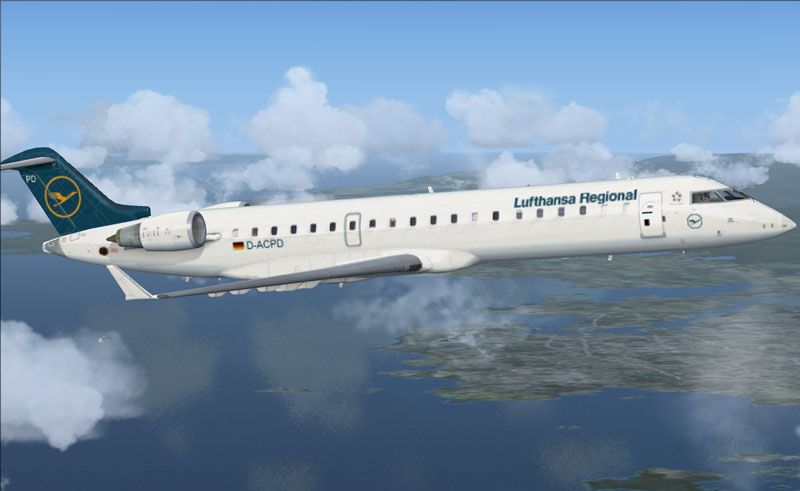
Immerse yourself in a custom Lufthansa Regional texture for the default Bombardier CRJ 700 in Microsoft Flight Simulator X. Created by Ed Knapp, this freeware repaint adopts the airline’s authentic scheme while showcasing regional jet nuances. The project focuses on precise color fidelity, detailed markings, and an accurate reflection of Lufthansa’s recognizable branding, all without including the base model. You can find the required freeware model in the Fly Away Simulation library.
The Bombardier CRJ 700 (Canadair Regional Jet 700) features a lengthened fuselage that accommodates up to 70 passengers. This variant includes extended wingspan modifications and leading-edge slats, which enhance aerodynamic efficiency on short to medium routes. Lufthansa Regional employs such aircraft to link regional hubs efficiently under the broader Lufthansa network. CRJ airframes incorporate an electronic flight instrument system (EFIS) along with a glass cockpit for modern navigation and flight monitoring.
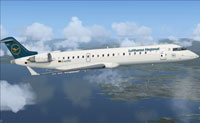
Screenshot of Lufthansa CRJ 700 in flight.
In certain FSX beta environments, some users may occasionally encounter texture-related anomalies. If this repaint appears invisible upon loading, switch briefly to another aircraft and then return to this Lufthansa edition to restore visibility.
Bombardier_CRJ_700 directory. Depending on your simulator version, the path might resemble one of the following:
[fltsim.x] entry into your existing aircraft.cfg (and remember to adjust “x” to the subsequent numerical value):[fltsim.x]
title=Bombardier CRJ 700 Lufthansa
sim=Bombardier_CRJ_700
model=
panel=
sound=
texture=lufthansa
kb_checklists=BombardierCRJ700_check
kb_reference=BombardierCRJ700_ref
atc_id=
atc_parking_types=GATE,RAMP
ui_manufacturer="Bombardier"
ui_type="CRJ700"
ui_variation="Lufthansa"
ui_typerole="Regional Jet"
ui_createdby="Microsoft Corporation"
description="The CRJ (Canadair Regional Jet) family of aircraft was derived from the Canadair Challenger business jet, which began its operational life as the LearStar 600. The Bombardier Canadair CRJ700, which entered service in 2001, is a stretched version of the CRJ100/200 regional jet, with increased seating capacity from 50 to 70. With increased length and upgraded landing gear, the CRJ700 features a longer wing span and leading edge slats. Like other members of the CRJ family, the CRJ700 features an electronic flight instrument system (EFIS) avionics suite and 'glass cockpit' instrumentation."instrumentation."
aircraft.cfg, and your repaint is ready.This repaint was developed by Ed Knapp to enrich Lufthansa’s representation within MSFSX’s regional jet segment. Remember that it is textures only, so you need the freeware Bombardier CRJ 700 from the Fly Away Simulation library for proper operation. Once installed, pilots can enjoy realistic short-haul missions in the colors of one of Europe’s leading carriers.
Free for all simmers · 1.14 MB · Scanned clean Oct 2026
Download speed: Free tier is capped at 0.5 Mbps. PRO members download at full line speed.
texture.{airline}) inside FSX\SimObjects\Airplanes\{base-aircraft}\.aircraft.cfg in Notepad. Add a new [fltsim.X] section per the readme.readme.txt or README file. It tells you exactly where files go, what dependencies are needed, and any quirks specific to this add-on.The archive luft_fsx.zip has 11 files and directories contained within it.
This list displays the first 500 files in the package. If the package has more, you will need to download it to view them.
| Filename/Directory | File Date | File Size |
|---|---|---|
| luft_fsx.jpg | 09.01.06 | 48.14 kB |
| CRJ_700_1_T.dds | 08.13.06 | 1.33 MB |
| CRJ_700_2_T.dds | 08.07.06 | 1.33 MB |
| texture.cfg | 07.20.06 | 37 B |
| thumbnail.jpg | 09.01.06 | 52.27 kB |
| texture.lufthansa | 09.01.06 | 0 B |
| File_id.diz | 09.01.06 | 167 B |
| lufth.gif | 09.01.06 | 9.47 kB |
| read me.txt | 09.01.06 | 2.44 kB |
| flyawaysimulation.txt | 10.29.13 | 959 B |
| Go to Fly Away Simulation.url | 01.22.16 | 52 B |
Only PRO members can place votes.
More FSX & P3D add-ons hand-picked based on this download.
FSX Civil Aircraft
FSX Lufthansa Regional CRJ 700. Textures only for the default Bombardier CRJ7…
 FSX Civil Aircraft
Lufthansa Flight Training Bombardier CRJ 700, registration D-LUHF. By Tim Kae…
 FSX Civil Aircraft
This specialized repaint showcases a distinctive homage to Microsoft Flight S…
 FSX Civil Aircraft
A repaint for the default Bombardier CRJ700 based on actual Comair Delta Con…
 FSX Civil Aircraft
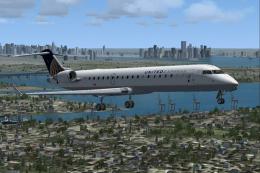
United Express CRJ-700. Textures only for the default Bombardier CRJ700 in th…
 FSX Civil Aircraft
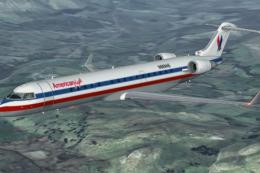
American Eagle, Continental Express (Chatauqua Airlines), Delta Connection (A…
 FSX Civil Aircraft
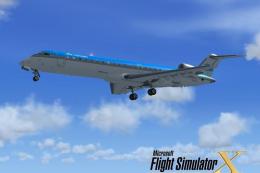
Experience a fictional KLM Cityhopper repaint for the Bombardier CRJ-700 in M…
 FSX Civil Aircraft
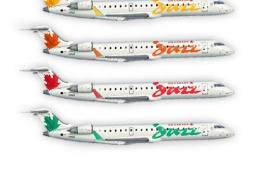
FSX Air Canada Bombardier CRJ-700. Textures only for the default CRJ700 inclu…
Be the first to leave a comment on this download.
Be the first to share your thoughts on this download.