

 FSX General Aviation Aircraft
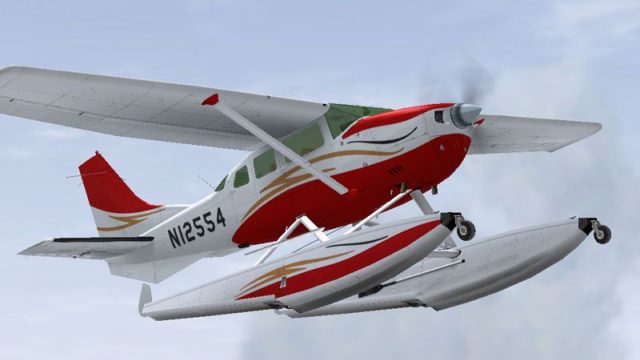
USCG Cessna U206G Stationair Float
This repaint offers a US Coast Guard-themed livery for the payware Carenado C…
Cessna U206G Stationair 6 II floatplane repaint N12554 brings a crisp, real-world look to Carenado’s amphibious hauler, with tailored textures that suit water operations and bush flying. Designed for Microsoft Flight Simulator X, it requires the payware Carenado Cessna 206 Float package and integrates cleanly as an additional livery option.
 Rate
Rate

A repaint of the payware Carenado Cessna U206G Stationair 6 II on floats. By Sean Doran.
Screenshot of Cessna U206G Stationair Float in flight.
[fltsim.x]

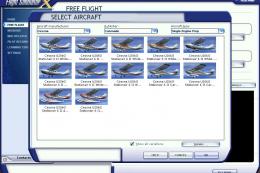
title=Cessna 206 Amphibian N12554

sim=Caren206AMPH

model=Bush

panel=

sound=

texture=N12554

kb_checklists=Carenado Cessna 206 Amphibian_check

kb_reference=Carenado Cessna 206 Amphibian_ref

atc_id=N366DL

ui_manufacturer="Cessna"

ui_type=Cessna U206G Stationair 6 II Float

ui_typerole="Single Engine Prop"

ui_createdby="Carenado"

ui_variation=N12554

description=

atc_heavy=0

atc_airline=

atc_flight_number=

atc_id_color=0000000000

visual_damage=1
These repaints are Freeware and are to be used as such.
Free for all simmers · 2.88 MB · Scanned clean Oct 2026
Download speed: Free tier is capped at 0.5 Mbps. PRO members download at full line speed.
texture.{airline}) inside FSX\SimObjects\Airplanes\{base-aircraft}\.aircraft.cfg in Notepad. Add a new [fltsim.X] section per the readme.readme.txt or README file. It tells you exactly where files go, what dependencies are needed, and any quirks specific to this add-on.The archive 20612554.zip has 10 files and directories contained within it.
This list displays the first 500 files in the package. If the package has more, you will need to download it to view them.
| Filename/Directory | File Date | File Size |
|---|---|---|
| C206 Amphib.txt | 06.04.08 | 2.12 kB |
| n12554.gif | 06.04.08 | 9.37 kB |
| n12554.jpg | 06.04.08 | 57.85 kB |
| Texture.N12554 | 06.04.08 | 0 B |
| Carenado 206 Fuse.bmp | 12.15.07 | 4.00 MB |
| Carenado 206 Fuse2.bmp | 12.15.07 | 4.00 MB |
| Carenado 206 Fuse3.bmp | 12.15.07 | 4.00 MB |
| c206_n12554 | 06.04.08 | 0 B |
| flyawaysimulation.txt | 10.29.13 | 959 B |
| Go to Fly Away Simulation.url | 01.22.16 | 52 B |
Only PRO members can place votes.
More FSX & P3D add-ons hand-picked based on this download.
FSX General Aviation Aircraft
This repaint offers a US Coast Guard-themed livery for the payware Carenado C…
 FSX General Aviation Aircraft
This repaint offers a specialized float livery for the payware Carenado Cessn…
 FSX General Aviation Aircraft
This repaint enriches the Carenado payware Cessna U206G Stationair float vari…
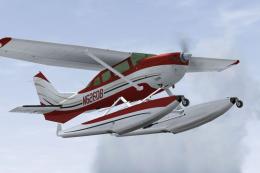 FSX General Aviation Aircraft
This free repaint enhances the Carenado payware rendition of the Cessna U206G…
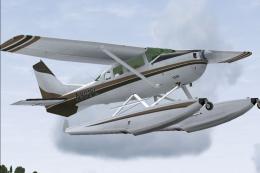 FSX General Aviation Aircraft
This repaint offers a specialized float-equipped livery for the payware Caren…
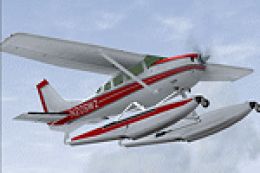 FSX General Aviation Aircraft
This repaint provides the N206WZ livery for the payware Carenado Cessna U206G…
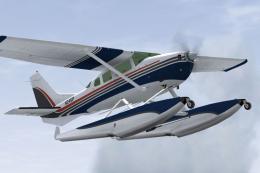 FSX General Aviation Aircraft
This repaint adds a crisp N245IP livery to the amphibious variant of the payw…
 FSX General Aviation Aircraft
Patch For Carenado Cessna U206G. Carenado Cessna U206G Stationair 6 II patch …
Be the first to leave a comment on this download.
Be the first to share your thoughts on this download.