

 FSX General Aviation Aircraft
Cessna U206G Stationair Float N910FL
This repaint offers a specialized float livery for the payware Carenado Cessn…
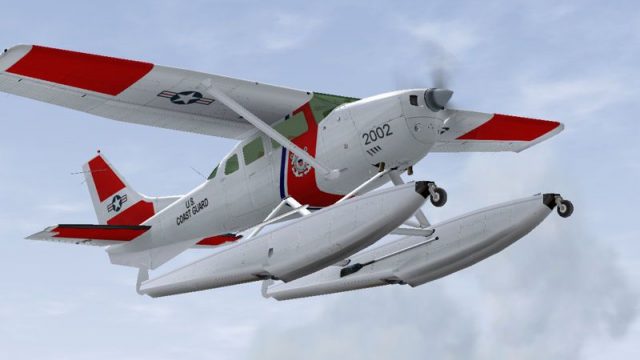
US Coast Guard markings bring maritime patrol character to the Carenado Cessna U206G Stationair 6 II on floats, with crisp insignia that suits amphibious operations and bush-style utility. Designed for FSX, the repaint preserves the aircraft’s rugged, short-field personality for water landings and coastal flying, and requires the Carenado base model.
 Rate
Rate
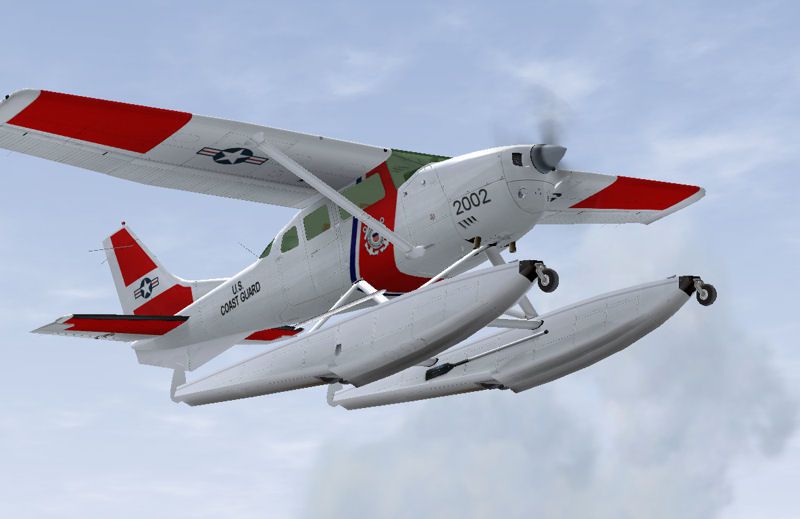
This repaint offers a US Coast Guard-themed livery for the payware Carenado Cessna U206G Stationair 6 II, configured on floats. Created by Sean Doran, it enhances maritime patrol realism in FSX while preserving the aircraft’s utility and amphibious functionality.
The Cessna U206G Stationair 6 II, known for its sturdy design and short takeoff capabilities, has proven popular in bush operations. This float-equipped variant carries over those traits, allowing water-based activity and robust flight performance. You must possess the Carenado base model to benefit from this freeware repaint. Sean Doran has carefully replicated USCG markings to ensure authenticity.
Screenshot of USCG Cessna U206G Stationair Float.
Follow these steps to install the repaint:
[fltsim.x]

title=Cessna 206 Amphibian uscg

sim=Caren206AMPH

model=Bush

panel=

sound=

texture=uscg

kb_checklists=Carenado Cessna 206 Amphibian_check

kb_reference=Carenado Cessna 206 Amphibian_ref

atc_id=N366DL

ui_manufacturer="Cessna"

ui_type=Cessna U206G Stationair 6 II Float

ui_typerole="Single Engine Prop"

ui_createdby="Carenado"

ui_variation=USCG

description=

atc_heavy=0

atc_airline=

atc_flight_number=

atc_id_color=0000000000

visual_damage=1
This repaint remains freeware and may be used accordingly. All credit goes to Sean Doran for creating this USCG-themed texture, and to Carenado for the original aircraft model.
Free for all simmers · 815.38 KB · Scanned clean Oct 2026
Download speed: Free tier is capped at 0.5 Mbps. PRO members download at full line speed.
texture.{airline}) inside FSX\SimObjects\Airplanes\{base-aircraft}\.aircraft.cfg in Notepad. Add a new [fltsim.X] section per the readme.readme.txt or README file. It tells you exactly where files go, what dependencies are needed, and any quirks specific to this add-on.The archive 206uscg.zip has 10 files and directories contained within it.
This list displays the first 500 files in the package. If the package has more, you will need to download it to view them.
| Filename/Directory | File Date | File Size |
|---|---|---|
| C206 Amphib.txt | 06.04.08 | 2.12 kB |
| Texture.uscg | 06.04.08 | 0 B |
| Carenado 206 Fuse.bmp | 10.24.07 | 1.00 MB |
| Carenado 206 Fuse2.bmp | 10.24.07 | 1.00 MB |
| Carenado 206 Fuse3.bmp | 10.24.07 | 1.00 MB |
| uscg.gif | 06.04.08 | 9.85 kB |
| uscg.jpg | 06.04.08 | 46.37 kB |
| c206_uscg | 06.04.08 | 0 B |
| flyawaysimulation.txt | 10.29.13 | 959 B |
| Go to Fly Away Simulation.url | 01.22.16 | 52 B |
Only PRO members can place votes.
More FSX & P3D add-ons hand-picked based on this download.
FSX General Aviation Aircraft
This repaint offers a specialized float livery for the payware Carenado Cessn…
 FSX General Aviation Aircraft
A repaint of the payware Carenado Cessna U206G Stationair 6 II on floats. By …
 FSX General Aviation Aircraft
This repaint enriches the Carenado payware Cessna U206G Stationair float vari…
 FSX General Aviation Aircraft
This free repaint enhances the Carenado payware rendition of the Cessna U206G…
 FSX General Aviation Aircraft
This repaint offers a specialized float-equipped livery for the payware Caren…
 FSX General Aviation Aircraft
This repaint provides the N206WZ livery for the payware Carenado Cessna U206G…
 FSX General Aviation Aircraft
This repaint adds a crisp N245IP livery to the amphibious variant of the payw…
 FSX General Aviation Aircraft
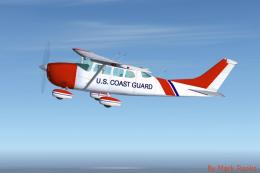
USCG Cessna TU206. This is a Brian C. Selb's Cessna 206 painted in United Sta…
Be the first to leave a comment on this download.
Be the first to share your thoughts on this download.