

 FSX General Aviation Aircraft
Piper J-3 Cub CF-PCW (Fictional)
This fictional repaint brings a refreshing look to the classic Piper J-3 Cub …
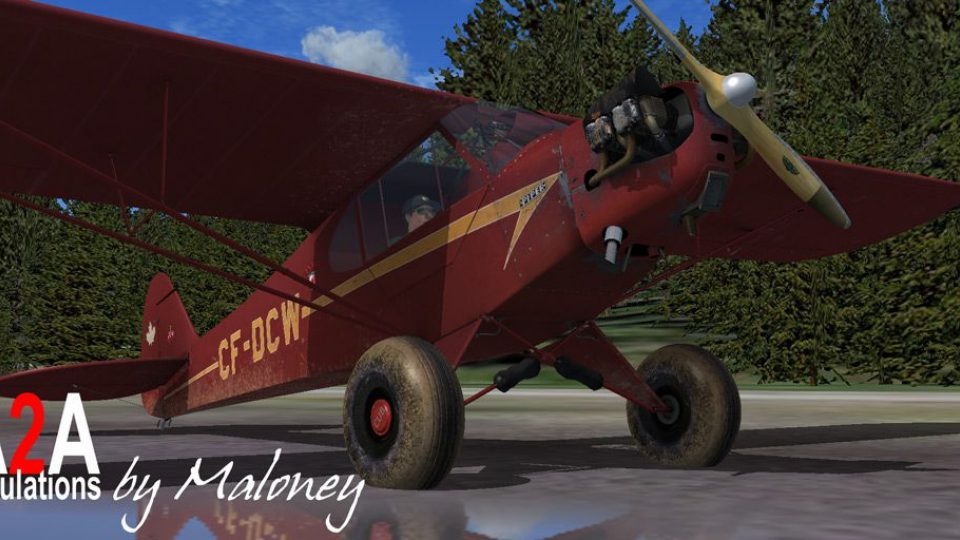
Piper J-3 Cub CF-DCW “Bushwhacker” brings a distinctive fictional repaint to the A2A Simulations Cub, with crisp, detail-focused textures across wheel, tundra, float, and ski variants for classic backcountry character. Built for Microsoft Flight Simulator X, it requires the payware A2A Piper J-3 Cub.
 Rate
Rate
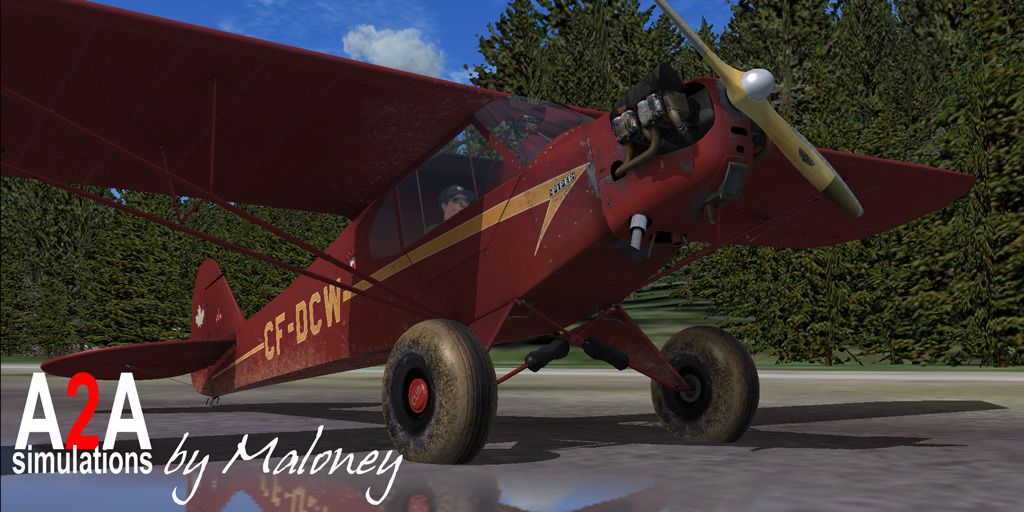
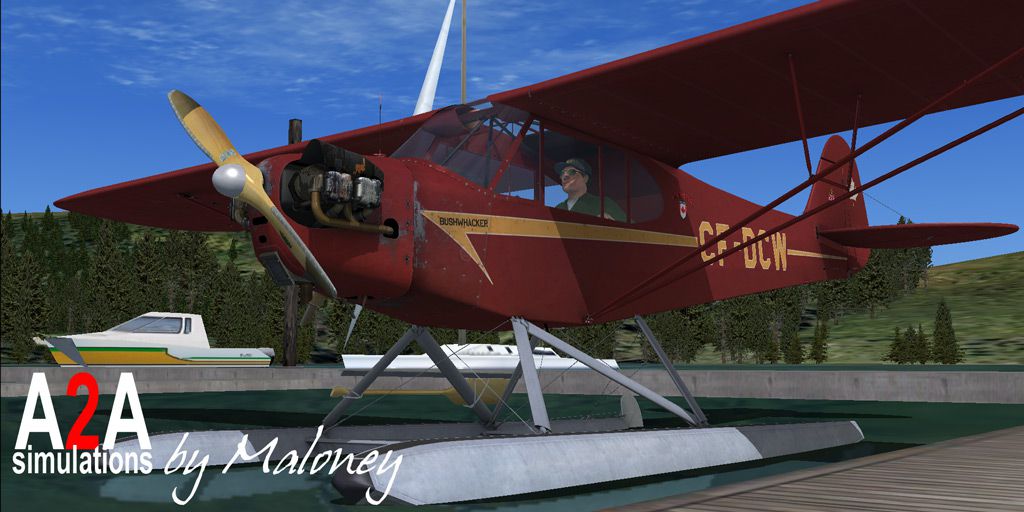
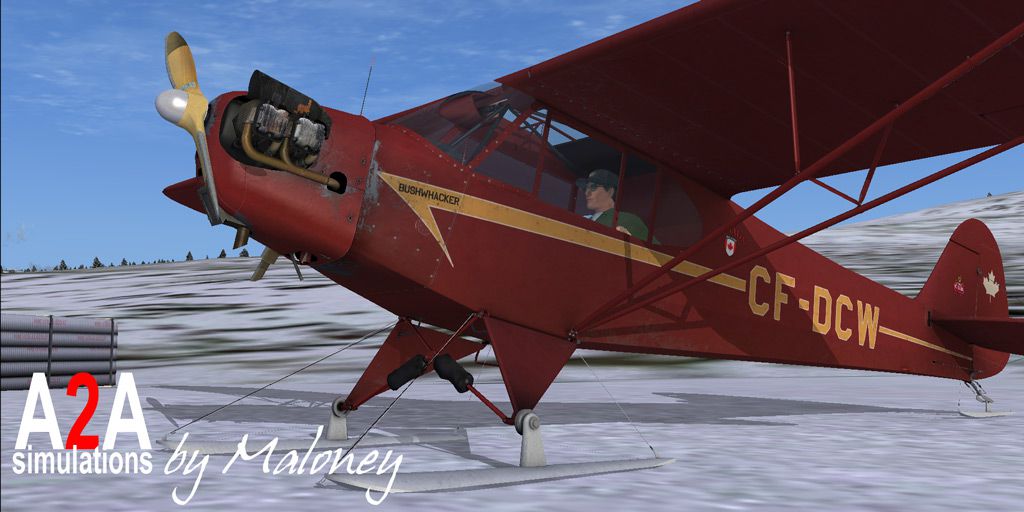
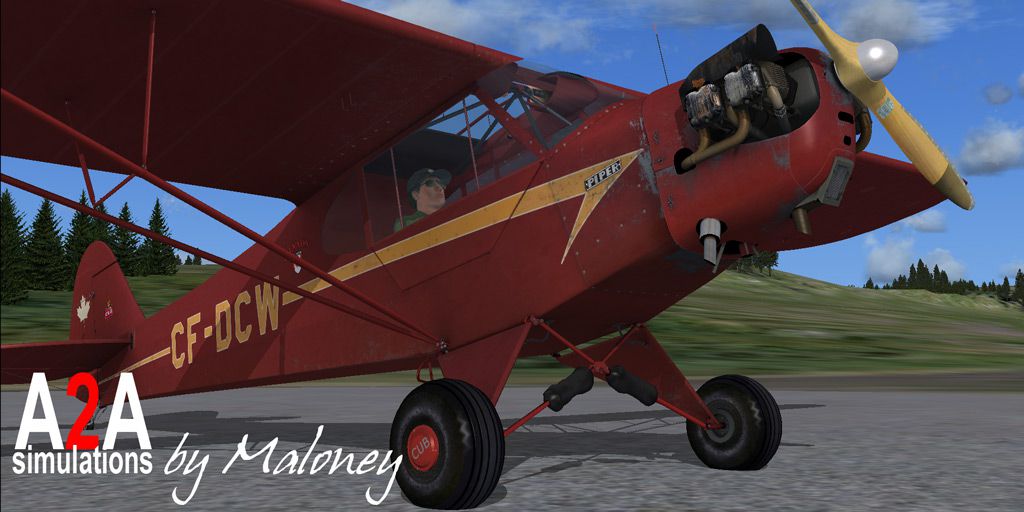
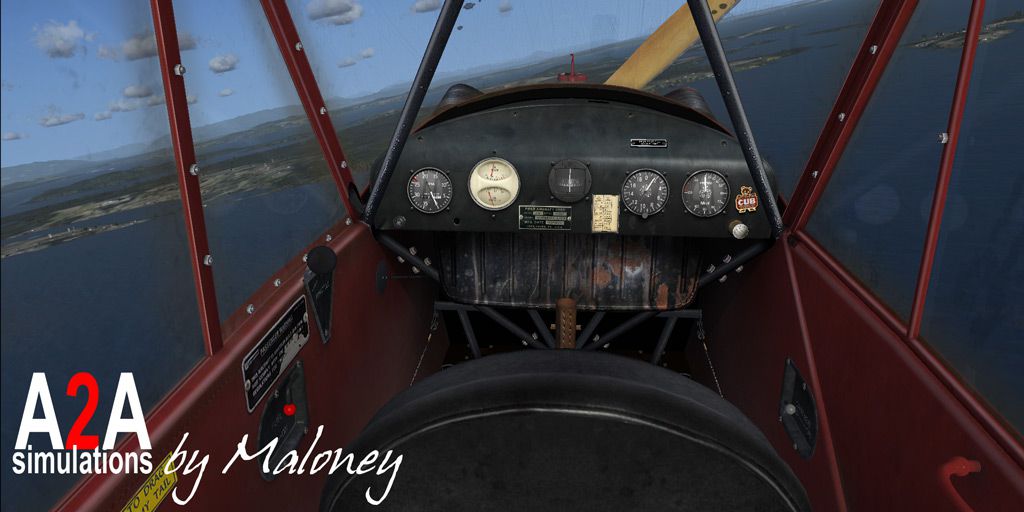
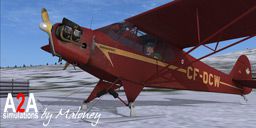
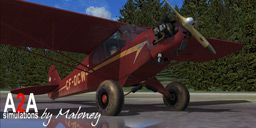

This repaint set offers a unique fictional livery termed CF-DCW "Bushwhacker" for the payware A2A Simulations Piper J-3 Cub. Enthusiasts can explore multiple variations—wheel, tundra, float, and ski—each reflecting the enduring charm of this classic light aircraft. Created by Urs Burkhardt, this add-on integrates seamlessly with Microsoft Flight Simulator X thanks to its user-friendly installation procedure and high-quality, detail-oriented textures.
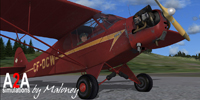
Screenshot of the Bushwhacker variant parked and ready for a short-hop adventure.
This repaint package requires the Piper J-3 Cub by A2A Simulations, which is offered as payware. The textures within this download do not include the full aircraft, so users will need to have the underlying commercial product. Once the main payware model is installed, these custom liveries may be added for a refreshed look and feel in your simulator environment.
Access the directory \FSX-path\SimObjects\Airplanes\A2A_PiperJ3\ and open aircraft.cfg using a text editor. Append the following code after the last [fltsim.XX] block, taking care to replace “XX” with the next available number in sequence:
[fltsim.XX]

title=A2A Piper Cub CF-DCW

sim=PiperJ3

model=

panel=

sound=

texture=CF-DCW

kb_checklists=

kb_reference=

atc_id=CF-DCW

atc_id_color=

ui_manufacturer="A2A Piper"

ui_type="J-3 Cub"

ui_variation="CF-DCW Bushwhacker"

ui_typerole="Single Engine Prop"

ui_createdby="A2A Simulations Inc."

description="The Piper Cub embodies the very essence of the romance and gypsy-lure of flying. Its design is one of the most fundamental expressions of the basic, primal relationship between pilot and airplane; and few airplanes define 'stick and rudder' more faithfully and distinctly than does the Cub."
In order to install an adaptation suited for off-airport operations, venture to \FSX-path\SimObjects\Airplanes\A2A_PiperJ3_t\ and open its aircraft.cfg. Append this block under the final [fltsim.XX] section, paying attention to the numerical order:
[fltsim.XX]

title=A2A Piper Cub Tundra CF-DCW

sim=PiperJ3t

model=

panel=

sound=

texture=CF-DCW

kb_checklists=

kb_reference=

atc_id=CF-DCW

atc_id_color=

ui_manufacturer="A2A Piper"

ui_type="J-3 Cub w/tundras"

ui_variation="CF-DCW Bushwhacker"

ui_typerole="Single Engine Prop"

ui_createdby="A2A Simulations Inc."

description="The Piper Cub embodies the very essence of the romance and gypsy-lure of flying. Its design is one of the most fundamental expressions of the basic, primal relationship between pilot and airplane; and few airplanes define 'stick and rudder' more faithfully and distinctly than does the Cub."
For those who wish to experience waterborne operations, proceed to \FSX-path\SimObjects\Airplanes\A2A_PiperJ3_f\ and modify the aircraft.cfg similarly. Make sure “X” in “[fltsim.X]” is replaced with the correct numerical increment:
[fltsim.X]

title=A2A Piper Cub floats CF-DCW

sim=PiperJ3f

model=

panel=

sound=

texture=CF-DCW

kb_checklists=

kb_reference=

atc_id=CF-DCW

atc_id_color=

ui_manufacturer="A2A Piper"

ui_type="J-3 Cub w/floats"

ui_variation="CF-DCW Bushwhacker"

ui_typerole="Single Engine Prop"

ui_createdby="A2A Simulations Inc."

description="The Piper Cub embodies the very essence of the romance and gypsy-lure of flying. Its design is one of the most fundamental expressions of the basic, primal relationship between pilot and airplane; and few airplanes define 'stick and rudder' more faithfully and distinctly than does the Cub."
For wintry airports and snow-covered wilderness areas, head to \FSX-path\SimObjects\Airplanes\A2A_PiperJ3_s\. Open its aircraft.cfg, find the final [fltsim.XX] section, and insert this code, once again ensuring the “XX” index follows your current numbering:
[fltsim.XX]

title=A2A Piper Cub Ski CF-DCW

sim=PiperJ3s

model=

panel=

sound=

texture=CF-DCW

kb_checklists=

kb_reference=

atc_id=CF-DCW

atc_id_color=

ui_manufacturer="A2A Piper"

ui_type="J-3 Cub w/skis"

ui_variation="CF-DCW Bushwhacker"

ui_typerole="Single Engine Prop"

ui_createdby="A2A Simulations Inc."

description="The Piper Cub embodies the very essence of the romance and gypsy-lure of flying. Its design is one of the most fundamental expressions of the basic, primal relationship between pilot and airplane; and few airplanes define 'stick and rudder' more faithfully and distinctly than does the Cub."
The venerable Piper J-3 Cub is celebrated for its straightforward handling and grassroots flying heritage, making it ideal for tight airstrips or remote lakes. This updated CF-DCW repaint provides diverse operational styles, matching the Cub’s versatility across rugged tundra, water, snow, or standard runways. By integrating these textures, simmers can enjoy new visuals that pay tribute to classic aviation’s spirit and adaptability. This entire set is freeware, but remember that it requires the payware A2A Simulations model to function properly.
Free for all simmers · 24.07 MB · Scanned clean Oct 2026
Download speed: Free tier is capped at 0.5 Mbps (this file takes approximately 7 mins at the cap). PRO members download at full line speed.
texture.{airline}) inside FSX\SimObjects\Airplanes\{base-aircraft}\.aircraft.cfg in Notepad. Add a new [fltsim.X] section per the readme.readme.txt or README file. It tells you exactly where files go, what dependencies are needed, and any quirks specific to this add-on.The archive piper_j3_cf-dcw.zip has 38 files and directories contained within it.
This list displays the first 500 files in the package. If the package has more, you will need to download it to view them.
| Filename/Directory | File Date | File Size |
|---|---|---|
| 1.jpg | 11.08.09 | 148.02 kB |
| 2.jpg | 11.08.09 | 182.12 kB |
| 3.jpg | 11.08.09 | 144.26 kB |
| 4.jpg | 11.08.09 | 161.62 kB |
| 5.jpg | 11.08.09 | 131.74 kB |
| A2A_PiperJ3 | 11.08.09 | 0 B |
| texture.CF-DCW | 11.08.09 | 0 B |
| engine.dds | 11.07.09 | 4.00 MB |
| engine_spec.dds | 11.06.09 | 4.00 MB |
| pilot_us.dds | 10.09.09 | 1.00 MB |
| PiperJ3_t.dds | 11.07.09 | 16.00 MB |
| piperj3_t_spec.dds | 11.07.09 | 4.00 MB |
| Pit1.dds | 11.07.09 | 4.00 MB |
| Pit2.dds | 11.07.09 | 4.00 MB |
| Pit3.dds | 11.07.09 | 4.00 MB |
| Pit4.dds | 11.08.09 | 1.00 MB |
| texture.cfg | 07.15.09 | 152 B |
| Thumbnail.jpg | 11.08.09 | 15.64 kB |
| A2A_PiperJ3_f | 11.08.09 | 0 B |
| texture.CF-DCW | 11.08.09 | 0 B |
| floats_t.dds | 11.08.09 | 4.00 MB |
| floats_t_spec.dds | 08.25.09 | 4.00 MB |
| PiperJ3_t.dds | 11.07.09 | 16.00 MB |
| texture.cfg | 11.07.09 | 197 B |
| Thumbnail.jpg | 11.08.09 | 16.13 kB |
| A2A_PiperJ3_s | 11.08.09 | 0 B |
| texture.CF-DCW | 11.08.09 | 0 B |
| texture.cfg | 11.07.09 | 197 B |
| Thumbnail.jpg | 11.08.09 | 15.20 kB |
| A2A_PiperJ3_t | 11.08.09 | 0 B |
| texture.CF-DCW | 11.08.09 | 0 B |
| PiperJ3_t.dds | 11.07.09 | 16.00 MB |
| Pit4.dds | 11.05.09 | 1.00 MB |
| texture.cfg | 11.07.09 | 197 B |
| Thumbnail.jpg | 11.08.09 | 15.36 kB |
| README.txt | 11.08.09 | 5.15 kB |
| flyawaysimulation.txt | 10.29.13 | 959 B |
| Go to Fly Away Simulation.url | 01.22.16 | 52 B |
Only PRO members can place votes.
More FSX & P3D add-ons hand-picked based on this download.
FSX General Aviation Aircraft
This fictional repaint brings a refreshing look to the classic Piper J-3 Cub …
 FSX General Aviation Aircraft
Features new animated 2D panel flight controls as well as in VC. Includes twe…
 FSX General Aviation Aircraft
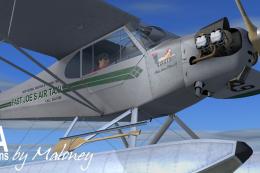
This fictional repaint, created by Urs Burkhardt for the payware A2A Simulati…
 FSX General Aviation Aircraft
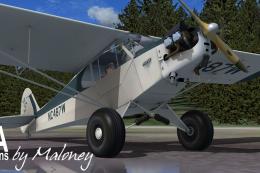
This detailed repaint introduces a unique taxi-themed exterior for the paywar…
 FSX General Aviation Aircraft
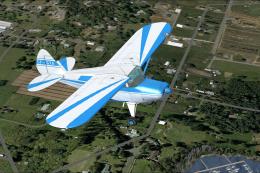
Canadian repaint for the payware Lionheart Creations Piper Pacer. CF-GYA c/n …
 FSX General Aviation Aircraft
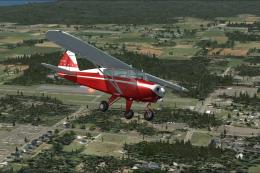
Canadian repaint for the payware Lionheart Creations Piper Tri-Pacer. CF-MDT …
 FSX General Aviation Aircraft
Piper J-3 Cub. This file contains the default FS2004 Piper J3 Cub that has be…
 FSX General Aviation Aircraft
A repaint of the Flight Replica PA-18 Super Cub. Screenshot of yellow Piper S…
Be the first to leave a comment on this download.
Be the first to share your thoughts on this download.