

 FSX Civil Aircraft
United Airlines Retro Jet Series Boeing 787-8 V5
This updated freeware release depicts the classic United Airlines Retro Jet l…
Qantas Boeing 747-400 80’s Retro-Jet livery brings a faithful 1980s heritage look to the default “Queen of the Skies,” with era-correct logos, striping, panel lines, rivet detail, and accurate maintenance stencils. Built for Microsoft Flight Simulator X, it requires the default FSX 747-400 and keeps original flight dynamics and virtual cockpit systems.
 Rate
Rate
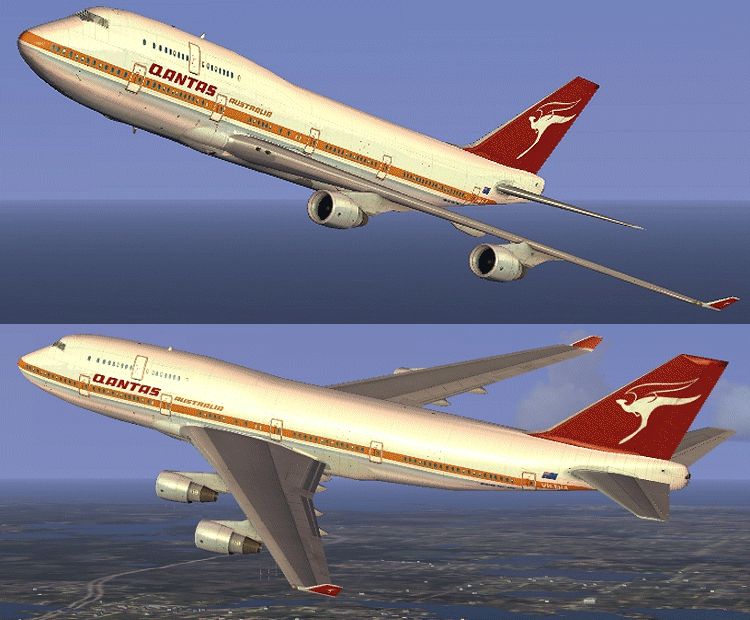

This freeware add-on introduces a striking throwback skin depicting the iconic Qantas Boeing 747-400 “80’s Retro-Jet” scheme. Designed for Microsoft Flight Simulator X, it provides realistic textures for the default 747-400, recapturing a vintage look without compromising modern performance. Below, you will find detailed information on its classic significance, key technical elements, and how to incorporate it into your simulator setup.
When Qantas introduced special heritage liveries, it showcased the airline’s strong ties to Australian aviation history. The 747, often referred to as the “Queen of the Skies,” served as a centerpiece of long-haul travel during the 1980s. These particular textures capture the nostalgic feel of that time by carefully recreating the airline’s retro markings. The fuselage retains that unmistakable stripe, and the tail art evokes the more traditional stylings that people from earlier decades might remember.
This repaint focuses solely on refreshing the look of the default Boeing 747-400 in FSX. The base model is part of the simulator’s standard aircraft set, or you can acquire it separately from the Fly Away Simulation library if needed. To add these textures, simply locate the appropriate folder in your Aircraft directory and follow the enclosed installation instructions included with the download.
Because this package modifies only external textures, flight dynamics and cockpit systems remain consistent with the original. As a result, there should be no impact on frame rates beyond what you normally encounter when operating default airliners in FSX.
All credit for this high-grade repaint belongs to Jon Murchison. He painstakingly crafted these visuals to honor the golden days of the 747 while ensuring compatibility with modern simulator technology. Users can integrate this throwback skin quickly and then immerse themselves in classic aviation style.

Free for all simmers · 1.62 MB · Scanned clean Oct 2026
Download speed: Free tier is capped at 0.5 Mbps. PRO members download at full line speed.
texture.{airline}) inside FSX\SimObjects\Airplanes\{base-aircraft}\.aircraft.cfg in Notepad. Add a new [fltsim.X] section per the readme.readme.txt or README file. It tells you exactly where files go, what dependencies are needed, and any quirks specific to this add-on.The archive qancl744.zip has 12 files and directories contained within it.
This list displays the first 500 files in the package. If the package has more, you will need to download it to view them.
| Filename/Directory | File Date | File Size |
|---|---|---|
| README _INSTALL.txt | 09.07.07 | 1.75 kB |
| B747_1_T.dds | 08.16.07 | 1.00 MB |
| B747_1_T_Specular.dds | 09.04.06 | 1.33 MB |
| Fresnel_Ramp.dds | 09.04.06 | 640 B |
| fresnel_ramp_1.dds | 09.04.06 | 640 B |
| texture.cfg | 08.14.06 | 137 B |
| thumbnail.jpg | 08.25.07 | 23.80 kB |
| Texture.QANCLASS | 09.06.07 | 0 B |
| QANTASOLD_744.gif | 09.06.07 | 197.96 kB |
| FILE_ID.DIZ | 09.18.07 | 114 B |
| flyawaysimulation.txt | 10.29.13 | 959 B |
| Go to Fly Away Simulation.url | 01.22.16 | 52 B |
Only PRO members can place votes.
More FSX & P3D add-ons hand-picked based on this download.
FSX Civil Aircraft
This updated freeware release depicts the classic United Airlines Retro Jet l…
 FSX Civil Aircraft
Experience a refined Boeing 787-8 in a classic BOAC Retro Jet Series finish. …
 FSX Civil Aircraft
This repaint set introduces a custom Jet Hops livery to the Boeing 747-400 in…
 FSX Civil Aircraft
This repaint showcases the classic Qantas Retrojet V-Jet livery for a Boeing …
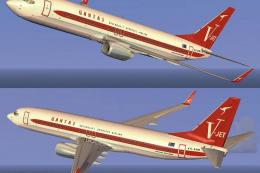 FSX Civil Aircraft
This freeware repaint delivers a striking Qantas Boeing 737-800 “Retrojet V-J…
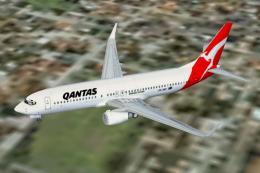 FSX Civil Aircraft
Qantas Jet Connect Boeing 737-800, registration ZK-JDN. This is the New Zeala…
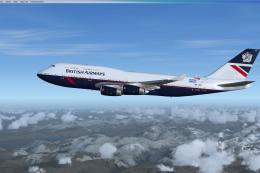 FSX Civil Aircraft
FSX British Airways Boeing 747-436, registration G-CIVB. This year marks Brit…
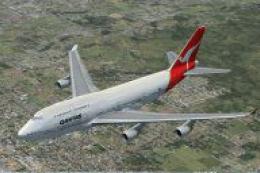 FSX Civil Aircraft
This is a repaint of the default 747-400 in Qantas Colour, registration VH-OJ…
Read what other simmers think, or add your own.
