

 FSX Civil Aircraft
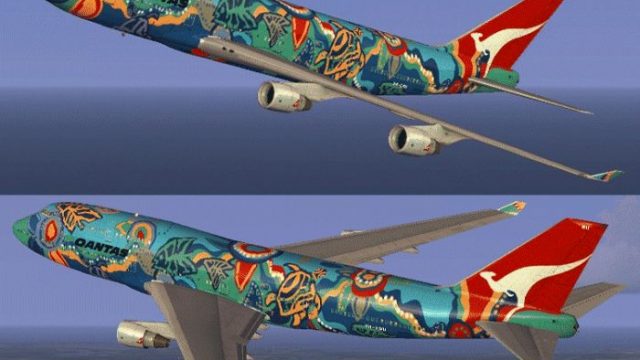
Qantas Boeing 747-400 Wunala Dreaming Livery
FSX Qantas Boeing 747-400, registration VH-OEJ, "Wunala Dreaming". Textures o…
Qantas Boeing 747-400 “Nalanji Dreaming” brings the airline’s celebrated Indigenous-inspired artwork to the default jumbo, with vivid color transitions, crisply aligned logos, and detailed fuselage and tail markings that respond well to changing light. Built for Microsoft Flight Simulator X, it requires the stock 747-400 base aircraft and adds textures only.
 Rate
Rate
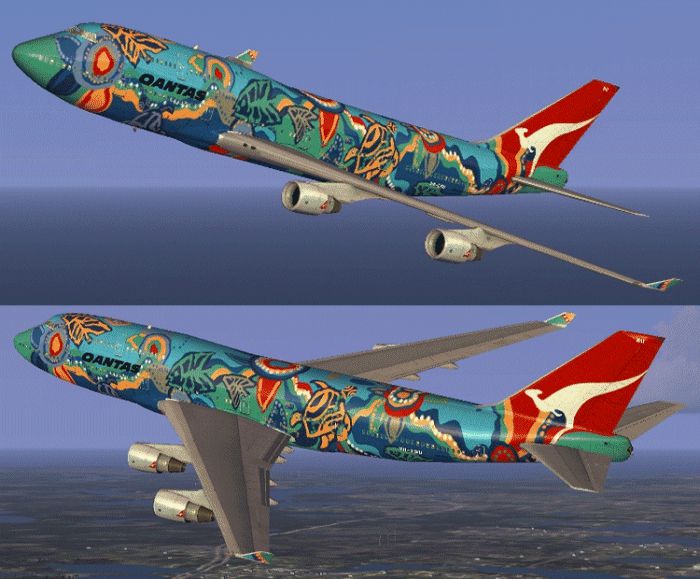

Experience a vibrant addition to your simulator with this textured rendition of the Qantas Boeing 747-400, presenting the distinctive Nalanji Dreaming artwork. This package includes authentic color schemes specifically crafted to fit the default FSX Boeing 747-400, and it pays homage to a memorable chapter in Qantas history. Developed by Jon Murchison, this repaint is provided without the base model, so please ensure you have the necessary freeware files from the Fly Away Simulation mod library before proceeding with installation.
Qantas introduced various cultural designs to celebrate vibrant Australian motives, and the Nalanji Dreaming scheme is among the most iconic. It was inspired by rich Indigenous heritage and represented a lively fusion of colors along the wide fuselage panels. Many aviation fans remember how it stood out on the classic Queen of the Skies (a phrase often used to describe the Boeing 747 series [a long-haul, wide-body airliner]). In this FSX repaint, you will find carefully placed symbols and flowing color transitions that reflect the spirit of the real-world livery.
While the original Boeing 747-400 model is already beloved, these textures bring renewed vibrancy to the virtual cabin exterior. The intricate paint scheme carefully blends warm and cool tones, paired with detailed markings around the aircraft’s main deck and tail section. Additionally, advanced layering techniques help define certain hull segments, leading to a more realistic finish under different lighting conditions within the simulator.
This repaint works exclusively with the default FSX Boeing 747-400. Because it is textures only, you will need the base model (freely available in the Fly Away Simulation mod library). Ensure the aircraft files are intact on your system, then proceed with merging these new graphics into the appropriate folder, following the readme guidelines generally included with repaints.
Credit goes to Jon Murchison, who mastered the careful recreation of this classic Qantas style. He has ensured that the repaint enhances the simulator’s native textures while preserving performance and functionality.

All in all, you will gain a colorful glimpse into a historically significant livery that pays tribute to the vibrant heritage of Australia. The detailed textures also reinforce the iconic status of the Boeing 747-400 as a truly timeless aircraft in Flight Simulator X.
Free for all simmers · 1.65 MB · Scanned clean Oct 2026
Download speed: Free tier is capped at 0.5 Mbps. PRO members download at full line speed.
texture.{airline}) inside FSX\SimObjects\Airplanes\{base-aircraft}\.aircraft.cfg in Notepad. Add a new [fltsim.X] section per the readme.readme.txt or README file. It tells you exactly where files go, what dependencies are needed, and any quirks specific to this add-on.The archive nalan744.zip has 12 files and directories contained within it.
This list displays the first 500 files in the package. If the package has more, you will need to download it to view them.
| Filename/Directory | File Date | File Size |
|---|---|---|
| README _INSTALL.txt | 09.07.07 | 1.75 kB |
| B747_1_T.dds | 09.05.07 | 1.00 MB |
| B747_1_T_Specular.dds | 09.04.06 | 1.33 MB |
| Fresnel_Ramp.dds | 09.04.06 | 640 B |
| fresnel_ramp_1.dds | 09.04.06 | 640 B |
| texture.cfg | 08.14.06 | 137 B |
| thumbnail.jpg | 09.05.07 | 26.07 kB |
| Texture.NALANJI | 09.06.07 | 0 B |
| NALANJI_744.gif | 09.06.07 | 193.51 kB |
| FILE_ID.DIZ | 09.17.07 | 126 B |
| flyawaysimulation.txt | 10.29.13 | 959 B |
| Go to Fly Away Simulation.url | 01.22.16 | 52 B |
Only PRO members can place votes.
More FSX & P3D add-ons hand-picked based on this download.
FSX Civil Aircraft
FSX Qantas Boeing 747-400, registration VH-OEJ, "Wunala Dreaming". Textures o…
 FSX Civil Aircraft
FSX Qantas Boeing 737-800 in Yananji Dreaming livery. Textures only for the d…
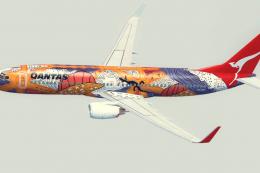 FSX Civil Aircraft
A Qantas B737-800 repaint in the 'Yananyi Dreaming' VH-VXD Aboriginal scheme.…
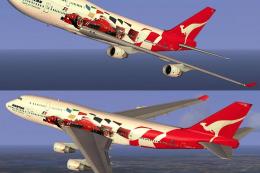 FSX Civil Aircraft
FSX Qantas Boeing 747-400 in "Formula 1" livery. Textures only for the defaul…
 FSX Civil Aircraft
This repaint showcases Qantas’ updated Boeing 747-400 exterior design and is …
 FSX Civil Aircraft
This carefully crafted repaint for the default Boeing 747-400 in Microsoft Fl…
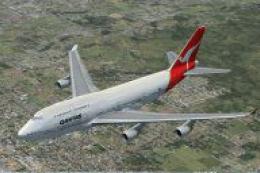 FSX Civil Aircraft
This is a repaint of the default 747-400 in Qantas Colour, registration VH-OJ…
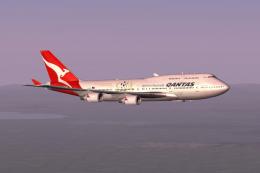 FSX Civil Aircraft
This freeware expansion offers an updated rendition of the Qantas Boeing 747-…
Read what other simmers think, or add your own.
