

 FS2004 AFCAD Files
AFCAD2 File For KEWR V2
KEWR AFCAD file, only for SimFlyers version of Newark Int'l Airport, New Jers…
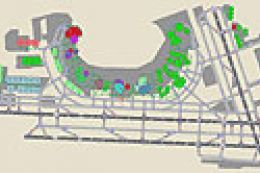
Newark Liberty International Airport (KEWR) gets sharper airline gate assignments, more accurate terminal parking, and smoother ground flow for busy AI schedules in Microsoft Flight Simulator 2004. Refined taxiway paths and coordinated runway operations keep arrivals and departures moving efficiently, helping traffic use multiple runways while matching real-world carrier placement across the field.
 Rate
Rate
This AFCAD2 enhancement for Newark Liberty International Airport (KEWR) introduces precise airline gate assignments, expanded parking allocations, and refined runway operations inside Microsoft Flight Simulator 2004. It was meticulously developed by Richard Mohammed and offers an immersive airport experience with extensive attention to airline designations and terminal-specific parking.
With this file installed, the airport layout features strategically placed parking spots that mirror real-world allocations. Furthermore, the terminal areas have been adjusted to match relevant airline hubs, which helps with realistic aircraft placement. You will notice that the gates align with carriers commonly seen at Newark Liberty, offering an authentic flow of traffic on the ground.
Newark Liberty International Airport in New Jersey (often identified by the ICAO code KEWR) uses multiple runways to manage high volumes of daily traffic. This AFCAD2 mod ensures that these runways are activated concurrently, which improves inbound and outbound efficiency in dense traffic scenarios. Additionally, the file supports seamless integration with most AI traffic packages, so you can expect orderly arrivals and departures throughout the day.
To integrate this enhancement into Microsoft Flight Simulator 2004, simply move the provided AFCAD2 file into your Addon Scenery/Scenery folder. The simulator will automatically incorporate the new layout upon launch. No additional configuration should be required, which makes it effortless to upgrade your default scenery.
Created by Richard Mohammed, this freeware mod is a practical way to enjoy more authenticity at one of the busiest gateways on the East Coast. Have a great flight!
Free for all simmers · 14.21 KB · Scanned clean Oct 2026
Download speed: Free tier is capped at 0.5 Mbps. PRO members download at full line speed.
FS9\Aircraft\, FS9\Addon Scenery\, FS9\Gauges\, or FS9\Effects\.readme.txt or README file. It tells you exactly where files go, what dependencies are needed, and any quirks specific to this add-on.The archive ewr_af2.zip has 4 files and directories contained within it.
This list displays the first 500 files in the package. If the package has more, you will need to download it to view them.
| Filename/Directory | File Date | File Size |
|---|---|---|
| AF2_KEWR.bgl | 11.11.03 | 28.72 kB |
| afcad readme.txt | 11.11.03 | 96 B |
| flyawaysimulation.txt | 10.29.13 | 959 B |
| Go to Fly Away Simulation.url | 01.22.16 | 52 B |
Only PRO members can place votes.
More FS2004 add-ons hand-picked based on this download.
FS2004 AFCAD Files
KEWR AFCAD file, only for SimFlyers version of Newark Int'l Airport, New Jers…
 FS2004 AFCAD Files
SimFlyers KEWR Newark Int'l Airport, New Jersey (NJ). Maximum parking version…
 FS2004 AFCAD Files
Frankfurt/Main Airport, Germany, for use with AMEDDF11.ZIP. Should solve most…
FS2004 AFCAD Files
FS2004 AFCAD2 File For RCKH and RCSS, Taipei Sungshan Airport and Kaohsiung A…
 FS2004 AFCAD Files
Tokyo Narita Airport (RJAA), Japan (not for the default FS2004 airport; detai…
 FS2004 AFCAD Files
Updated gates and taxiways for Amsterdam Schiphol Int'l Airport, The Netherla…
 FS2004 AFCAD Files
WSSS for Samsoft's Singapore Changi scenery (not for the default FS2004 airpo…
 FS2004 AFCAD Files
An AFCAD2 file for Soekarno-Hatta Airport, Jakarta, Indonesia (WIII) for use …
Be the first to leave a comment on this download.
Be the first to share your thoughts on this download.