

 FSX Civil Aircraft
Air Berlin Boeing 737-800 Project Opensky Model
FSX Air Berlin Boeing 737-800. Model by Project Open Sky. Repaint by Misha Gr…
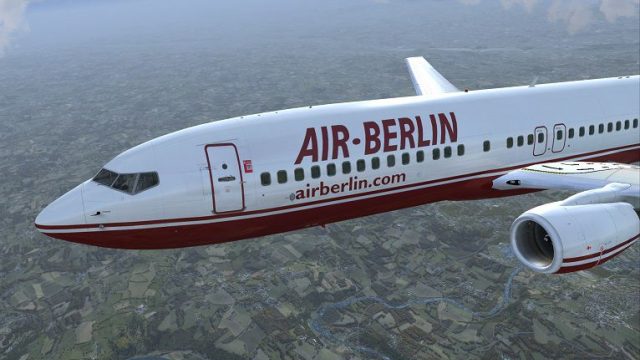
Air Berlin’s 2008-era Boeing 737-800 repaint for Microsoft Flight Simulator X brings registration D-ABKA to life with accurate red-and-white branding, subtle sheen, and convincing in-service wear across the fuselage and wings. Textures-only release requires the PMDG 737-800 and complements the aircraft’s detailed virtual cockpit with period-correct airline identity.
 Rate
Rate
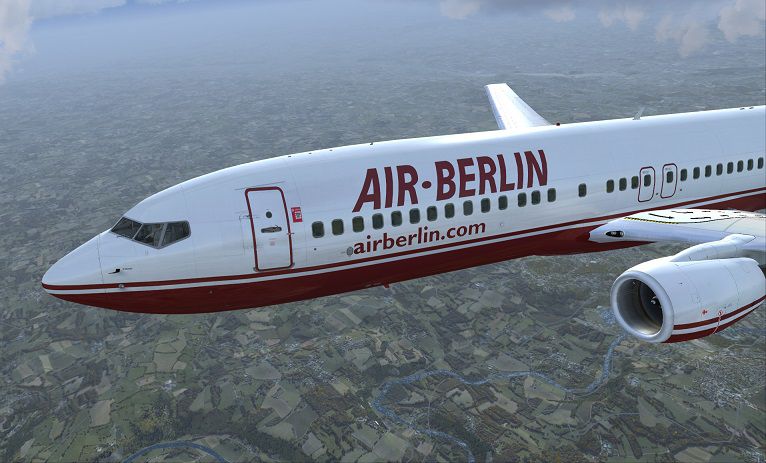

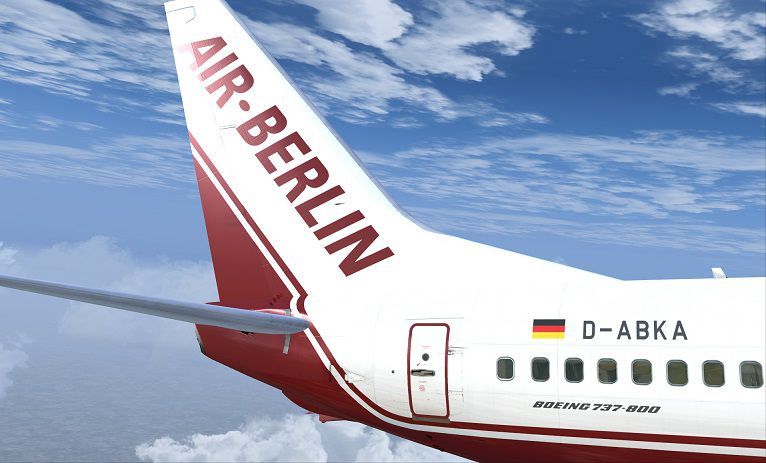
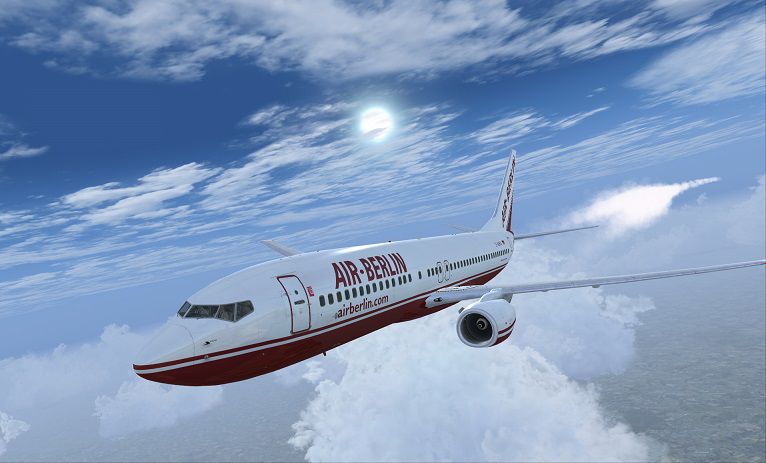
Enhance Microsoft Flight Simulator X with a detailed Air Berlin Boeing 737-800 (registration D-ABKA) repaint highlighting the 2008-era color scheme. Created by developer Corina Meyer, this add-on meticulously recreates the airline’s older branding and subtle shine effects to introduce an authentic, used-livery aesthetic. Note that this release includes textures only and requires the payware PMDG 737-800 package, which can be acquired separately through sources such as SimShack.
This livery captures the distinct visual identity Air Berlin employed during its earlier operational period and blends it with polished reflectivity to evoke a realistic, gently worn finish. Air Berlin, established in the late 1970s, was a major German carrier providing short- and medium-haul services across Europe. The distinctive red-and-white tones used at that time appear carefully layered onto the fuselage, bringing a nostalgic flair to virtual flights.
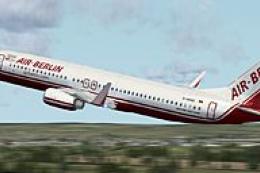
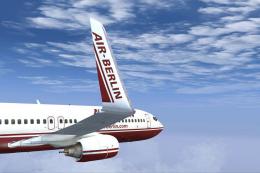
Close up of Air Berlin Boeing 737-800 in flight.
The Boeing 737-800 belongs to the Next Generation series introduced in the late 1990s. It features updated avionics, wing design improvements, and enhanced fuel efficiency. These features provide reliable performance for both real-world airlines and simulation enthusiasts. With seating typically ranging from 162 to 189 passengers, the 737-800 is well-regarded for its operational flexibility, making it a favorite among commercial carriers worldwide—Air Berlin included.
Corina Meyer’s repaint emphasizes realistic wear on the fuselage, subtle reflections on the wings, and correctly placed logos for accurate airline branding. Whether viewed from airport gates or at cruising altitude, these textures bring an immersive experience to the PMDG 737-800 flight deck environment—mirroring the crisp details and balanced shading that advanced sim pilots appreciate.
Once the payware PMDG 737-800 is available, adding this Air Berlin package takes only a few simple steps. Use the PMDG Livery Manager for a smooth installation:
That completes the setup. Feel free to explore European routes for a dose of nostalgia aboard this classic Air Berlin repaint, or try various flight scenarios suitable to the Boeing 737-800’s versatile capabilities.
Free for all simmers · 31.98 MB · Scanned clean Oct 2026
Download speed: Free tier is capped at 0.5 Mbps (this file takes approximately 9 mins at the cap). PRO members download at full line speed.
texture.{airline}) inside FSX\SimObjects\Airplanes\{base-aircraft}\.aircraft.cfg in Notepad. Add a new [fltsim.X] section per the readme.readme.txt or README file. It tells you exactly where files go, what dependencies are needed, and any quirks specific to this add-on.The archive pmdg737-800_airberlin_d-abka.zip has 9 files and directories contained within it.
This list displays the first 500 files in the package. If the package has more, you will need to download it to view them.
| Filename/Directory | File Date | File Size |
|---|---|---|
| 1.gif | 10.31.13 | 8.98 kB |
| FS-47459.jpg | 10.31.13 | 105.82 kB |
| FS-47461.jpg | 10.31.13 | 130.09 kB |
| FS-47466.jpg | 10.31.13 | 102.99 kB |
| FS-47467.jpg | 10.31.13 | 95.88 kB |
| ReadMe_Install.txt | 10.31.13 | 1.06 kB |
| PMDG737-800 AirBerlin D-ABKA.ptp | 10.31.13 | 31.56 MB |
| flyawaysimulation.txt | 10.29.13 | 959 B |
| Go to Fly Away Simulation.url | 01.22.16 | 52 B |
Only PRO members can place votes.
More FSX & P3D add-ons hand-picked based on this download.
FSX Civil Aircraft
FSX Air Berlin Boeing 737-800. Model by Project Open Sky. Repaint by Misha Gr…
 FSX Civil Aircraft
An Air Berlin B737-800WL with 'BVB Borussia Dortmund' sticker. Highly detaile…
 FSX Civil Aircraft
Immerse yourself in a true representation of Air Berlin’s Boeing 737-800, reg…
 FSX Civil Aircraft
FSX Air Berlin Boeing 737-800, registration D-ABAG. Textures only for the def…
 FSX Civil Aircraft
This repaint set offers a faithful rendition of Air Berlin’s recognizable the…
 FSX Civil Aircraft
This is a B737-800 of AirBerlin in Flying Home For Christmas 2012 colors, reg…
 FSX Civil Aircraft
This repaint brings the Air Berlin Boeing 737-800WL (registration D-ABMP) int…
 FSX Civil Aircraft
This repaint presents Air Berlin’s Boeing 737-800 (registration D-ABBC) in th…
Be the first to leave a comment on this download.
Be the first to share your thoughts on this download.