

 FSX Civil Aircraft
Malindo Air Boeing 737-8GP (WL) 9M-LNM
Malindo Air Boeing 737-8GP (WL), registration 9M-LNM. Livery only for the pay…
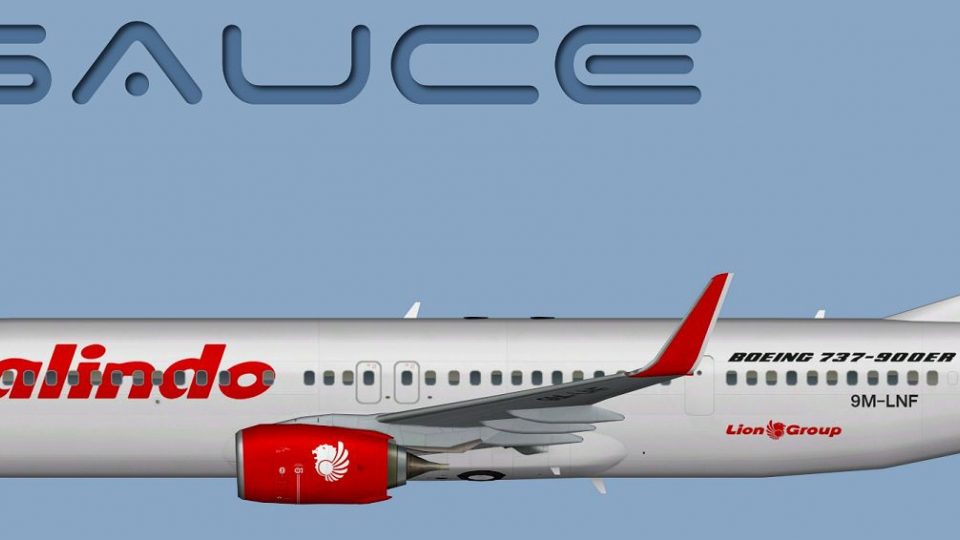
Malindo Air’s Boeing 737-900W in registration 9M-LNF comes to life with crisp, airline-accurate textures for the FAIB freeware AI model, including detailed winglets and clean markings for realistic traffic and close-up viewing. Compatible with Microsoft Flight Simulator X and FS2004, it requires the matching FAIB 737-900 base package.
 Rate
Rate

This repaint showcases a Malindo Air Boeing 737-900W (registration 9M-LNF) designed for the freeware FAIB model. It was created by Mariano Bonaccorso and originally developed for use with the FSX AI Bureau base package. Enthusiasts seeking to operate this add-on will need the corresponding freeware model, which can be obtained from the Fly Away Simulation library. This comprehensive texture set ensures that sim pilots can integrate an accurate livery into their virtual hangars with minimal effort.
The Boeing 737-900W represents one of the stretched fuselage variants in the renowned 737 Next Generation family. Malindo Air’s signature tail design is rendered meticulously here to replicate the real-world operator’s fleet appearance. In particular:
This repaint package accommodates varying user needs across platforms. Within the included textures folder, you will find:
When you add this repaint to your aircraft list, make sure the texture folder is copied into the correct FAIB 737-900 directory. Afterwards, introduce this repaint by editing the aircraft.cfg (in your chosen simulator folder) according to the following sample entry:
[fltsim.X]
title=AI B739W MXD_9M-LNF
sim=FAIB_7379
model=winglets_SN
texture=MXD_9M-LNF
atc_airline=MALINDO
atc_parking_codes=MXD,LNI
atc_parking_types=GATE
ui_manufacturer=Boeing
ui_type=B737-900W
ui_variation=Malindo Air
description=AI Aircraft from FAIB
Note: Replace the “X” in the bracketed title with the appropriate incremental number for your repaint list. If you require more information on editing these configurations, consult the documentation provided with your base FAIB model and the relevant SDK references.

Accurate side profile of the Malindo Air Boeing 737-900W livery.
This detailed repaint was orchestrated by Mariano Bonaccorso, utilizing the FAIB 737-900 base model engineered by the FSX AI Bureau. Their collective craftsmanship ensures a realistic depiction of Malindo Air’s Boeing 737-900W while celebrating the airline’s unique identity.
Free for all simmers · 7.12 MB · Scanned clean Oct 2026
Download speed: Free tier is capped at 0.5 Mbps (this file takes approximately 2 mins at the cap). PRO members download at full line speed.
texture.{airline}) inside FSX\SimObjects\Airplanes\{base-aircraft}\.aircraft.cfg in Notepad. Add a new [fltsim.X] section per the readme.readme.txt or README file. It tells you exactly where files go, what dependencies are needed, and any quirks specific to this add-on.The archive malindo_air__9m-lnf__boeing_b737-900w.zip has 13 files and directories contained within it.
This list displays the first 500 files in the package. If the package has more, you will need to download it to view them.
| Filename/Directory | File Date | File Size |
|---|---|---|
| FAIB_737_900_L.dds | 01.26.13 | 2.67 MB |
| FAIB_737_900_T.dds | 05.22.13 | 5.33 MB |
| FS9 | 05.22.13 | 0 B |
| FAIB_737_900_L.bmp | 04.27.13 | 1.33 MB |
| FAIB_737_900_T.bmp | 05.22.13 | 1.33 MB |
| Targas | 05.22.13 | 0 B |
| FS9_MXD_9M-LNF_T.tga | 05.22.13 | 4.00 MB |
| FSX_MXD_9M-LNF_T.tga | 05.22.13 | 16.00 MB |
| Installation.txt | 05.22.13 | 1.84 kB |
| Preview 9M-LNF.jpg | 05.22.13 | 107.95 kB |
| Thumbnail 9M-LNF.png | 05.22.13 | 5.59 kB |
| flyawaysimulation.txt | 10.29.13 | 959 B |
| Go to Fly Away Simulation.url | 01.22.16 | 52 B |
Only PRO members can place votes.
More FSX & P3D add-ons hand-picked based on this download.
FSX Civil Aircraft
Malindo Air Boeing 737-8GP (WL), registration 9M-LNM. Livery only for the pay…
 FSX Civil Aircraft
Model by YeoDesign. Repaint by Muhd Khairul Fathi Bin Mohammad. Screenshot of…
 FSX Civil Aircraft
Textures for the Project Open Sky B747-400 with PW engines in Malaysia Airlin…
 FSX Civil Aircraft
This livery is only for PMDG 747-400X. EagleXpress is a new charter service i…
 FSX Civil Aircraft
This livery is only for Project Airbus A320. The registration of this aircraf…
 FSX Civil Aircraft
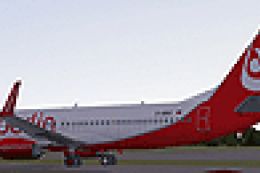
FSX Air Berlin Boeing 737-800. Model by Project Open Sky. Repaint by Misha Gr…
 FSX Civil Aircraft
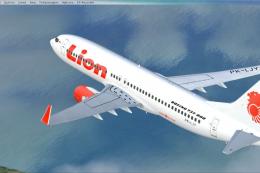
This repaint offers a current Lion Air scheme for the PMDG Boeing 737-800 Nex…
 FSX Civil Aircraft
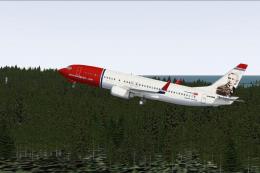
FSX Norwegian Air Shuttle Boeing 737-800, registration LN-NOB. Textures only …
Be the first to leave a comment on this download.
Be the first to share your thoughts on this download.