

 FSX Civil Aircraft
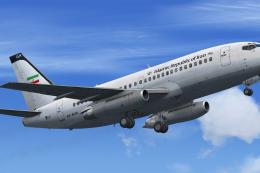
Government of Iran Boeing 737-200 ADV EP-AGA
A repaint of the payware Captain Sim B737-200ADV in Government of Iran regist…
Egyptian Government livery brings a VIP look to the Aerosim Boeing 787-8, featuring crisp national markings and a tailored finish that stands out on the ramp and in the virtual cockpit. Designed for Microsoft Flight Simulator X, it requires the payware Aerosim 787-8 package and includes textures only.
 Rate
Rate

Textures only for the payware Aerosim Boeing 787-8 in Egyptian Government livery. Currently Egypt doesn't have any 787s. Repaint by Hossam El-Sherif.
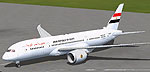
Screenshot of Egypt Government Boeing 787-8 on the ground.
Installation:
[fltsim.xx]

title=AS_B7878_FSX_GE(VIP)

sim=AS_B7878_GE_FSX

model=

panel=

sound=

texture=GEP

kb_checklists=AS_B7878_GE_FSX_Check

kb_reference=AS_B7878_GE_FSX_Ref

atc_id=SU-GEP

atc_airline=Air Force

atc_flight_number=EG001

ui_manufacturer="BOEING"

ui_type="787-8 GE"

ui_variation="VIP"

ui_typerole="Commercial Airliner"

ui_createdby="AeroSim Corporation"

description="The AeroSim Boeing 787-8 (B787 for FSX)
Free for all simmers · 1.83 MB · Scanned clean Oct 2026
Download speed: Free tier is capped at 0.5 Mbps. PRO members download at full line speed.
texture.{airline}) inside FSX\SimObjects\Airplanes\{base-aircraft}\.aircraft.cfg in Notepad. Add a new [fltsim.X] section per the readme.readme.txt or README file. It tells you exactly where files go, what dependencies are needed, and any quirks specific to this add-on.The archive as_egypt_govt_787.zip has 16 files and directories contained within it.
This list displays the first 500 files in the package. If the package has more, you will need to download it to view them.
| Filename/Directory | File Date | File Size |
|---|---|---|
| Egyptian Presidential 787.BMP | 05.09.13 | 3.00 MB |
| AS_B7878_ENG_LEFT_T.dds | 12.09.12 | 1.00 MB |
| AS_B7878_ENG_LEFT_T_night.dds | 12.09.12 | 1.00 MB |
| AS_B7878_ENG_RIGHT_T.dds | 12.09.12 | 1.00 MB |
| AS_B7878_ENG_RIGHT_T_night.dds | 12.09.12 | 1.00 MB |
| AS_B7878_FUSE_LEFT_T.dds | 12.09.12 | 1.00 MB |
| AS_B7878_FUSE_LEFT_T_LM.dds | 12.09.12 | 1.00 MB |
| AS_B7878_FUSE_LEFT_T_night.dds | 12.09.12 | 1.00 MB |
| AS_B7878_FUSE_RIGHT_T.dds | 12.09.12 | 1.00 MB |
| AS_B7878_FUSE_RIGHT_T_LM.dds | 12.09.12 | 1.00 MB |
| AS_B7878_FUSE_RIGHT_T_night.dds | 12.09.12 | 1.00 MB |
| texture.cfg | 08.09.09 | 135 B |
| thumbnail.jpg | 07.30.10 | 10.55 kB |
| Readme.txt | 05.09.13 | 767 B |
| flyawaysimulation.txt | 10.29.13 | 959 B |
| Go to Fly Away Simulation.url | 01.22.16 | 52 B |
Only PRO members can place votes.
More FSX & P3D add-ons hand-picked based on this download.
FSX Civil Aircraft
A repaint of the payware Captain Sim B737-200ADV in Government of Iran regist…
 FSX Civil Aircraft
The Cayman Islands is a British Overseas Territory located in the western Car…
 FSX Civil Aircraft
Germany Government Airbus A310-304 "Konrad Adenauer". This is a repaint of th…
 FSX Civil Aircraft
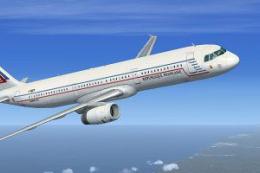
A fictional repaint of an A321 in French Government colors. Operated by ETEC …
 FSX Civil Aircraft
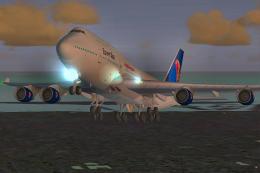
This freeware add-on features a detailed Boeing 747-400 in Egypt Air livery, …
 FSX Civil Aircraft
This freeware repaint set provides an authentic Egypt Air livery for the Comm…
 FSX Civil Aircraft
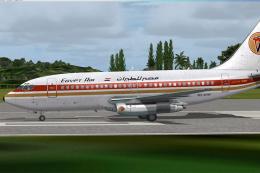
This is the repaint of the payware Captain Sim B737-200Adv model in Egypt Air…
 FSX Civil Aircraft
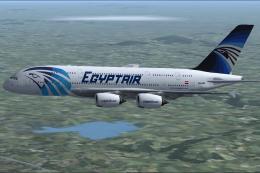
This freeware repaint brings a fictional Egypt Air livery to the Airbus A380-…
Be the first to leave a comment on this download.
Be the first to share your thoughts on this download.