

 FSX Civil Aircraft
Air Madagascar Boeing 737-200 5R-MFB
A repaint of the payware Captain Sim B737-200 model in Air Madagascar livery,…
Air Madagascar’s Boeing 737-300 livery brings the airline’s distinctive tail art, logos, and color tones to your 737 fleet, sharpening realism for regional schedules and AI traffic. Designed for Microsoft Flight Simulator X, it requires the FAIB_B7373 base model by Erez Werber to display correctly in the virtual cockpit and external views.
 Rate
Rate
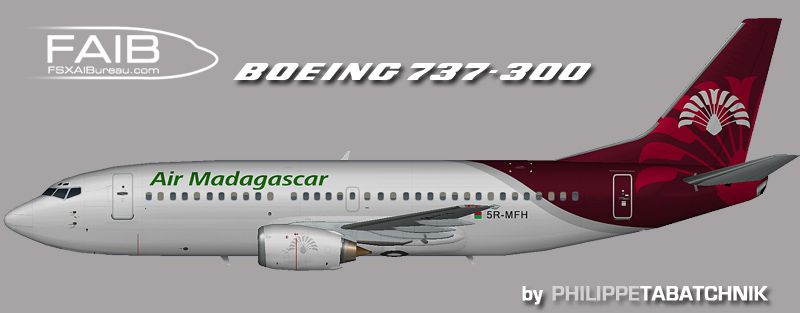
Upgrade your Flight Simulator X environment by including a meticulously crafted Air Madagascar Boeing 737-300 repaint. This set of textures is intended to refine the visual appeal of your existing aircraft library, offering an accurate color scheme for those seeking an authentic regional carrier aesthetic.
The Boeing 737-300 (a short to medium-range, narrow-body jet) has long served as a versatile workhorse for airlines around the globe. Air Madagascar, the national airline of Madagascar, operates an extensive network of domestic and international flights. This repaint adds distinctive corporate branding to the fuselage and tail, illustrating the airline’s identity and bringing a realistic touch to your simulated operations.
The creator of this livery, Philippe Tabatchnik, has closely replicated the characteristic scheme used by Air Madagascar for the 737-300 fleet. The base model and foundational textures, which come courtesy of Erez Werber, are required to display the aircraft correctly. This specific rendition focuses on accurate representation of logos, colors, and markings that aircraft enthusiasts will recognize at a glance.
Side profile highlighting the Air Madagascar fuselage and tail branding.
No modifications to the flight model or performance parameters are included; this release consists of textures only. For optimal results, ensure you have installed the latest version of the freeware FAIB 737-300 base model from the Fly Away Simulation library. If you intend to integrate this livery into AI traffic, it will enhance the realism of regional routes in and around Madagascar’s airspace.
Both Erez Werber and Philippe Tabatchnik deserve recognition for their contributions to this project. This repaint blends advanced modeling work with high-quality textures, resulting in a faithful representation of Air Madagascar’s Boeing 737-300 for enthusiasts who enjoy flying or AI-traffic management in FSX.
Free for all simmers · 976.46 KB · Scanned clean Oct 2026
Download speed: Free tier is capped at 0.5 Mbps. PRO members download at full line speed.
texture.{airline}) inside FSX\SimObjects\Airplanes\{base-aircraft}\.aircraft.cfg in Notepad. Add a new [fltsim.X] section per the readme.readme.txt or README file. It tells you exactly where files go, what dependencies are needed, and any quirks specific to this add-on.The archive faib_733_mdg_fsx.zip has 8 files and directories contained within it.
This list displays the first 500 files in the package. If the package has more, you will need to download it to view them.
| Filename/Directory | File Date | File Size |
|---|---|---|
| ReadMe.txt | 07.29.12 | 3.31 kB |
| FAIB_737_300_L.bmp | 07.29.12 | 4.00 MB |
| FAIB_737_300_T.bmp | 07.29.12 | 4.00 MB |
| faib_733_mdg.gif | 07.29.12 | 4.85 kB |
| faib_733_mdg.jpg | 07.29.12 | 98.92 kB |
| fltsim.txt | 07.29.12 | 427 B |
| flyawaysimulation.txt | 10.29.13 | 959 B |
| Go to Fly Away Simulation.url | 01.22.16 | 52 B |
Only PRO members can place votes.
More FSX & P3D add-ons hand-picked based on this download.
FSX Civil Aircraft
A repaint of the payware Captain Sim B737-200 model in Air Madagascar livery,…
 FSX Civil Aircraft
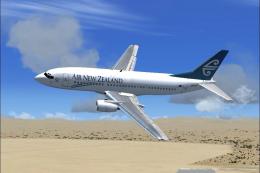
FSX Air New Zealand Boeing 737-300. Model by Erick Cantu. Repaint by Michael …
 FSX Civil Aircraft
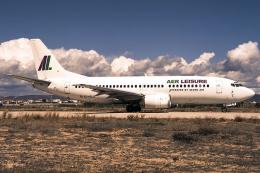
Seven Air Company was Aerea Canaria Air Transport SA; it lasted just over a y…
 FSX Civil Aircraft
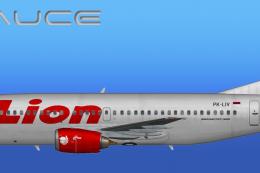
This freeware repaint provides a meticulously detailed Lion Air Boeing 737-30…
 FSX Civil Aircraft
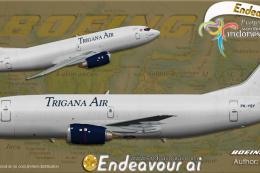
This freeware repaint depicts the Trigana Air Boeing 737-300/F registered as …
 FSX Civil Aircraft
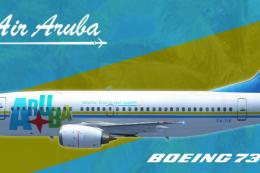
The FAIB B737-300 logo light version painted in Tiara Air Aruba livery (P4-TI…
 FSX Civil Aircraft
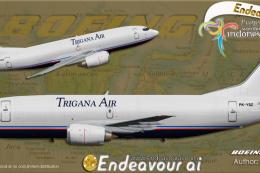
This release offers a dedicated repaint of the Boeing 737-300/F operated by T…
 FSX Civil Aircraft
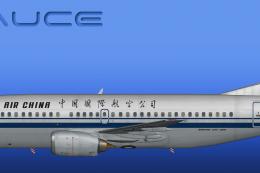
This freeware release offers a detailed repaint of an Air China Boeing 737-30…
Be the first to leave a comment on this download.
Be the first to share your thoughts on this download.