

 FSX Civil Aircraft
Boeing 747-400 Lights For Default Fuselage Cabin
This essential upgrade refines the night lighting for the default Boeing 747-…
Boeing 737-800 cabin night lighting gains sharper, cleaner illumination with upgraded fuselage interior textures, boosting clarity around windows and doors for more convincing after-dark flying. The patch raises texture resolution to 1024, improves 24-bit color depth, and uses DXT3 compression to stay smooth in Microsoft Flight Simulator X.
 Rate
Rate
This freeware patch introduces a refined upgrade to the default Boeing 737-800 cabin night lighting by enhancing texture resolution and color depth, ensuring a more authentic simulation experience. It modifies the existing textures to achieve clearer illumination in low-light conditions. This release was developed by Juan Villamor, who focused on optimizing every pixel for improved realism while preserving performance.
The Boeing 737-800, part of the Next Generation series, is a widely recognized narrow-body jetliner. In this update, higher-resolution textures have been created to replace the original cabin lighting textures. Originally set at 512 pixels, these have been elevated to 1024 pixels, making nighttime flights more visually appealing. Along with the resolution change, the textures are compressed using DXT3 encoding, ensuring a balanced combination of visual fidelity and efficient processing.
This patch is designed to preserve frame rates while adding visual refinements. The DXT3 compression format helps maintain manageable texture file sizes so that users can enjoy enhanced illumination without a noticeable drop in simulator performance.
Since this add-on adjusts the existing default cabin lighting files, it is recommended to back up your original textures before installing this patch. Overwriting default textures enhances the interior environment, improving night visibility around passenger windows and doors. Created by Juan Villamor, this package brings added depth to the well-known Boeing 737-800 cockpit-to-cabin experience for those who enjoy night operations.
Free for all simmers · 34.31 KB · Scanned clean Oct 2026
Download speed: Free tier is capped at 0.5 Mbps. PRO members download at full line speed.
FSX\SimObjects\Airplanes\. The folder must contain an aircraft.cfg file. Effects go into FSX\Effects\; gauges go into FSX\Gauges\.readme.txt or README file. It tells you exactly where files go, what dependencies are needed, and any quirks specific to this add-on.The archive b737_800_1_lm.zip has 3 files and directories contained within it.
This list displays the first 500 files in the package. If the package has more, you will need to download it to view them.
| Filename/Directory | File Date | File Size |
|---|---|---|
| b737_800_1_LM.dds | 12.26.14 | 1.00 MB |
| flyawaysimulation.txt | 10.29.13 | 959 B |
| Go to Fly Away Simulation.url | 01.22.16 | 52 B |
Only PRO members can place votes.
More FSX & P3D add-ons hand-picked based on this download.
FSX Civil Aircraft
This essential upgrade refines the night lighting for the default Boeing 747-…
 FSX Civil Aircraft
FSX Boeing 747-400 Freighter Cabin Lights Fix. A fix for the default Global F…
 FSX Civil Aircraft
The orange, red and green was such an odd choice, so now you have a faded blu…
 FSX Civil Aircraft
This complete freeware release of the China Airlines Boeing 747-400 integrate…
 FSX Civil Aircraft
Airbus A321 Landing Lights or taxi lights for use with Shockwave Redux; a wor…
 FSX Civil Aircraft
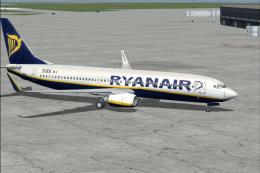
registration EI-DCK. Revised textures for the default B737-800 with better bl…
 FSX Civil Aircraft
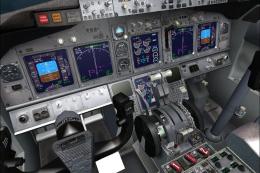
Boeing 737-800 Texture Fix. These files will fix default FSX textures for thi…
 FSX Civil Aircraft
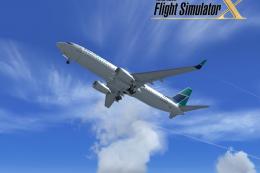
FSX WestJet Boeing 737-800. A repaint for the default B737. The first 737-800…
Be the first to leave a comment on this download.
Be the first to share your thoughts on this download.