

 FSX Civil Aircraft
Captain Sim Boeing 707-300 Lighting Fix
This is my second file for the Captain Sim 707-300 for FSX. This file fixes t…
Boeing 707-300 cabin texture replacement refreshes Captain Sim’s classic airliner interior with a faded blue-and-orange palette that feels more authentic and comfortable in the virtual cockpit and passenger area. Built for FSX, it sharpens the look of panels, sidewalls, and cabin surfaces, and requires the Captain Sim 707-300.
 Rate
Rate
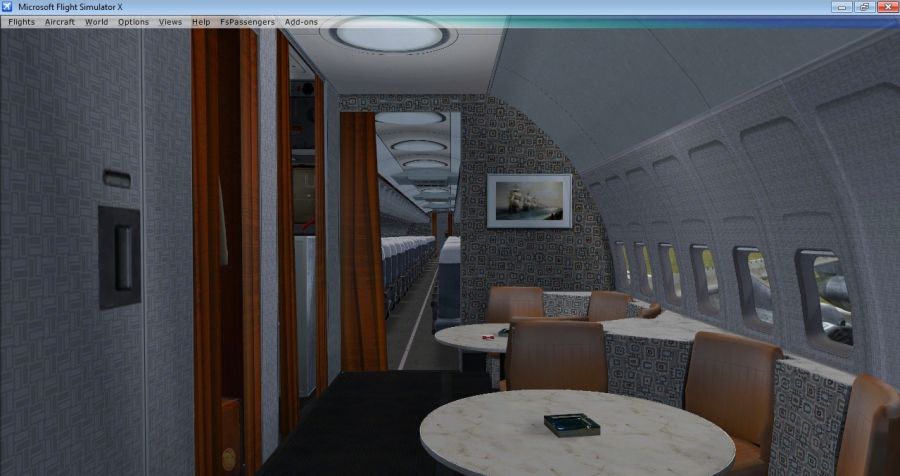
The orange, red and green was such an odd choice, so now you have a faded blue and orange cabin. By Gene Ferrier.
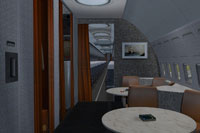
Screenshot of Boeing 707-300 improved cabin.
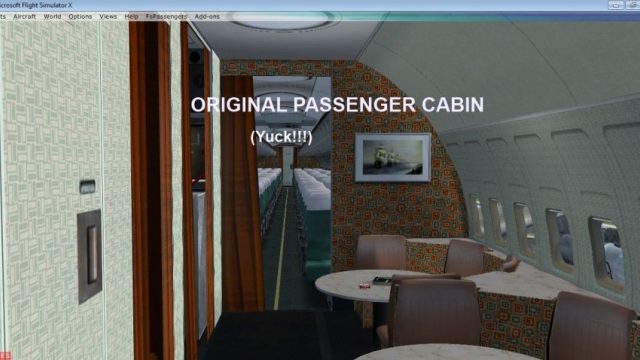
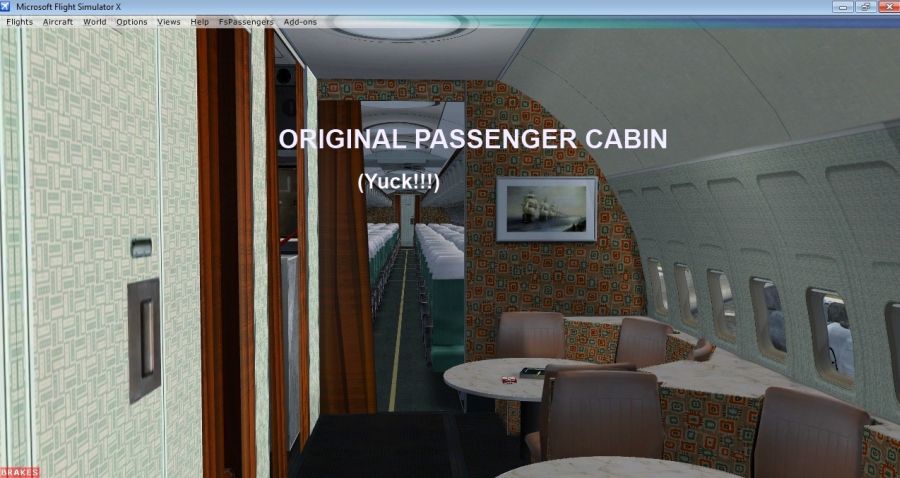
This is a replacement cabin for my favorite plane of all time, the Captain Sim 707-300 for FSX! The original virtual cabin made me want to throw up. The orange, red and green was such an odd choice, so now you have a faded blue and orange cabin that I think (or at least hope) is more pleasing to the eye.
Simply replace the texture files with the ones included into the main Captain Sim 707-300 Texture folder. Make sure to back up your original files so you wont be mad at me if you don't like them which I hope you will. It took me a really long time to recolor them too.
Have fun and happy flying.
Free for all simmers · 5.78 MB · Scanned clean Oct 2026
Download speed: Free tier is capped at 0.5 Mbps (this file takes approximately 2 mins at the cap). PRO members download at full line speed.
FSX\SimObjects\Airplanes\. The folder must contain an aircraft.cfg file. Effects go into FSX\Effects\; gauges go into FSX\Gauges\.readme.txt or README file. It tells you exactly where files go, what dependencies are needed, and any quirks specific to this add-on.The archive cscabin707.zip has 16 files and directories contained within it.
This list displays the first 500 files in the package. If the package has more, you will need to download it to view them.
| Filename/Directory | File Date | File Size |
|---|---|---|
| cs707_S_01_T.dds | 10.20.12 | 512.12 kB |
| cs707_S_02_T.dds | 10.20.12 | 512.12 kB |
| cs707_S_04_T.dds | 10.20.12 | 2.00 MB |
| cs707_S_06_T.dds | 10.20.12 | 512.12 kB |
| cs707_S_08_T.dds | 10.20.12 | 2.00 MB |
| cs707_S_09_T.dds | 10.20.12 | 2.00 MB |
| cs707_S_10_T.dds | 10.20.12 | 512.12 kB |
| cs707_S_11_T.dds | 10.20.12 | 512.12 kB |
| cs707_S_13_T.dds | 10.20.12 | 512.12 kB |
| cs707_S_14_T.dds | 10.20.12 | 2.00 MB |
| Install Instructions.txt | 10.20.12 | 919 B |
| Screenshots VC 707 | 10.20.12 | 0 B |
| CSCabin707.1.jpg | 10.20.12 | 303.61 kB |
| CSCabin707.2.jpg | 10.20.12 | 277.36 kB |
| flyawaysimulation.txt | 10.29.13 | 959 B |
| Go to Fly Away Simulation.url | 01.22.16 | 52 B |
Only PRO members can place votes.
More FSX & P3D add-ons hand-picked based on this download.
FSX Civil Aircraft
This is my second file for the Captain Sim 707-300 for FSX. This file fixes t…
 FSX Civil Aircraft
FSX 757 Captain 4.1 Free Demo. Free demo for 'Captain Sim' Boeing 757 Captain…
 FSX Civil Aircraft
FSX Boeing 747-400 Freighter Cabin Lights Fix. A fix for the default Global F…
 FSX Civil Aircraft
This freeware patch introduces a refined upgrade to the default Boeing 737-80…
FSX Civil Aircraft
This essential upgrade refines the night lighting for the default Boeing 747-…
 FSX Civil Aircraft
Textures only for the payware B727-200 Freighter Expansion Model from Captain…
 FSX Civil Aircraft
These is a repaints (textures only) package for the payware Captain Sim B707-…
 FSX Civil Aircraft
High quality polished reflective DDS textures BB707-329. Passenger cabin colo…
Be the first to leave a comment on this download.
Be the first to share your thoughts on this download.