
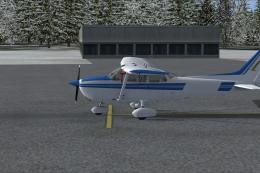
 FSX General Aviation Aircraft
Cessna C172R Skyhawk N7274H
This freeware repaint adds a striking two-tone blue finish with no default re…
Cessna C172R Skyhawk N5255R brings a crisp, high-accuracy repaint to the A2A Simulations 172R, matching the real-world registration with clean exterior texture work and faithful mapping for consistent lighting. Built for Microsoft Flight Simulator X, it requires the payware A2A C172R and includes textures only.
 Rate
Rate
This repaint package offers a highly accurate livery for the payware A2A Simulations Cessna 172R Skyhawk, featuring registration number N5255R. It is developed by Kevin Michael, and it provides a fresh look designed for Microsoft Flight Simulator X. This download contains only the texture files, so you will need the original payware model to utilize them. The Cessna 172 itself is recognized globally for its stability, four-seat configuration, and reliable performance, making it a favored choice among general aviation pilots and flight schools.
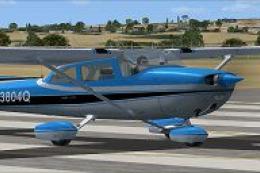
Screenshot of Cessna C172R Skyhawk N5255R on runway.
Before proceeding with any replacements, be absolutely certain you have a secure backup of your A2A_C172 folder. The precise file path will vary by setup, but it may look similar to the following:
C:\Program Files (x86)\Microsoft Games\Microsoft Flight Simulator X\SimObjects\Airplanes\A2A_C172
Locate the folder named texture.N7274H (or whichever texture folder you intend to replace). Within it, you should find files including c172_spec, c172_t, texture, and thumbnail. Overwrite the existing c172_t with the one provided in this repaint package. Once completed, close the directory to finalize the update.
With the textures installed, launch your simulator and select the A2A C172R aircraft. Prior to takeoff, access the aircraft customization menu to input the new registration number. This identifier will be visible on the instrument panel to match the exterior paint.
Enjoy this fresh look in your virtual hangar and experience the iconic Cessna 172R Skyhawk in a new way!
Free for all simmers · 14.33 MB · Scanned clean Oct 2026
Download speed: Free tier is capped at 0.5 Mbps (this file takes approximately 4 mins at the cap). PRO members download at full line speed.
texture.{airline}) inside FSX\SimObjects\Airplanes\{base-aircraft}\.aircraft.cfg in Notepad. Add a new [fltsim.X] section per the readme.readme.txt or README file. It tells you exactly where files go, what dependencies are needed, and any quirks specific to this add-on.The archive n5255r.zip has 5 files and directories contained within it.
This list displays the first 500 files in the package. If the package has more, you will need to download it to view them.
| Filename/Directory | File Date | File Size |
|---|---|---|
| A2A - Ream Me.txt | 09.04.13 | 1.02 kB |
| c172_t.dds | 09.09.13 | 16.00 MB |
| N5255R.bmp | 09.09.13 | 5.93 MB |
| flyawaysimulation.txt | 10.29.13 | 959 B |
| Go to Fly Away Simulation.url | 01.22.16 | 52 B |
Only PRO members can place votes.
More FSX & P3D add-ons hand-picked based on this download.
FSX General Aviation Aircraft
This freeware repaint adds a striking two-tone blue finish with no default re…
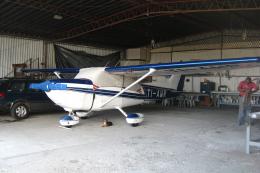 FSX General Aviation Aircraft
Textures for the payware A2A Accusim C172R. By Luis Jimenez Trejos. Screensho…
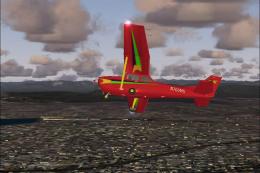 FSX General Aviation Aircraft
Experience a refined rendition of this popular four-seat light aircraft with …
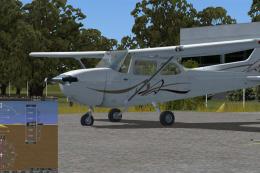 FSX General Aviation Aircraft
Cessna 172SP Skyhawk HD. The default C172 repainted in high definition 2008 e…
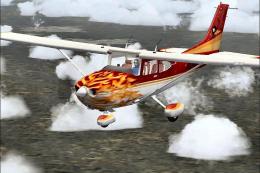 FSX General Aviation Aircraft
This complete freeware release brings the default Microsoft Flight Simulator …
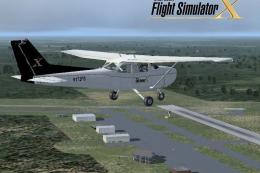 FSX General Aviation Aircraft
Cessna 172 Skyhawk. This livery is from the tribute for Microsoft Flight Simu…
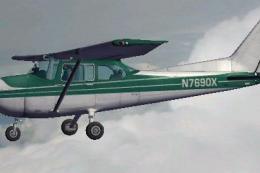 FSX General Aviation Aircraft
FSX Cessna 172 SP Skyhawk registration N7690X. Textures only for the default …
 FSX General Aviation Aircraft
Immerse yourself in a vintage aviation atmosphere with this repaint of the Ca…
Be the first to leave a comment on this download.
Be the first to share your thoughts on this download.