

 FSX Civil Aircraft
TDS Boeing 727-200 Passenger Base Pack
Installation: FS2004 – Place the included “TDS_B727-200” or “TDS_B727-200F” f…
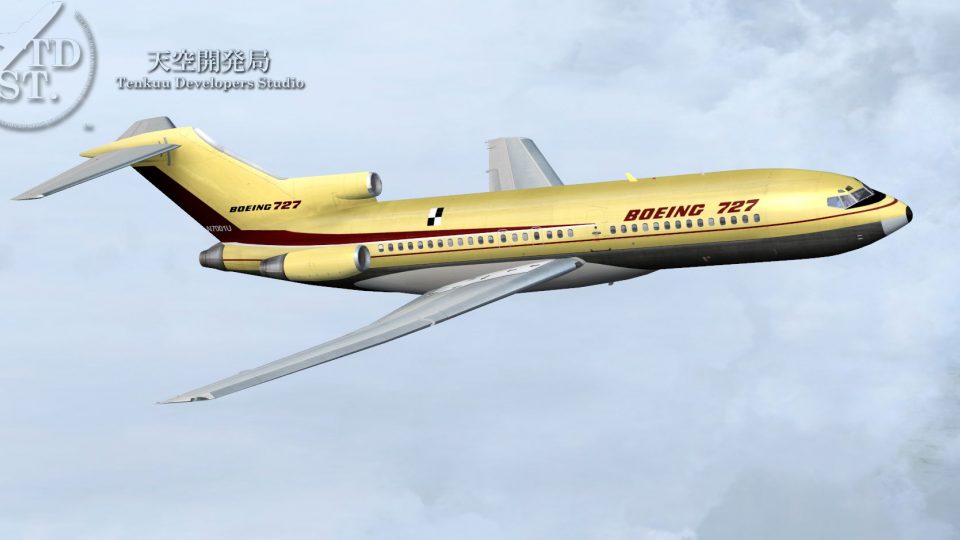
Boeing 727-100 passenger base package brings classic tri-jet handling to FSX and Prepar3D v4/v5 with high-resolution textures, dynamic wing flex, nosewheel steering, rudder lock, ground spoilers, animated thrust reversers, opening passenger doors, detailed night lighting, and ground service animations. The complete model includes effects and flight dynamics for immediate flying.
 Rate
Rate
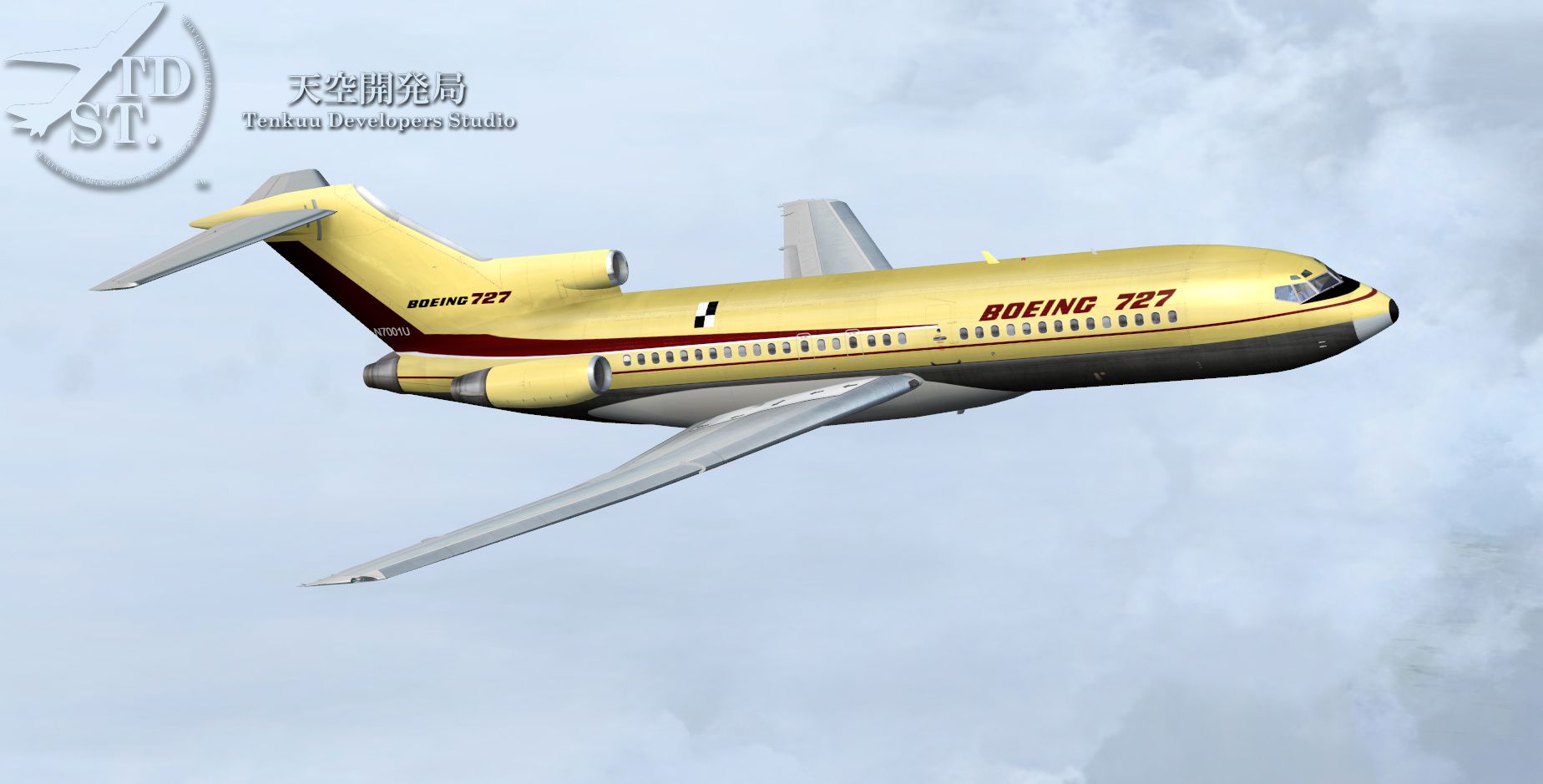

FSX/P3D TDS Boeing 727-100 Passenger Base Package. Developed by Tenkuu Developers Studio (TDS).
 Model features high resolution textures, dynamic flexing wings, nose gear steering, rudder lock, ground spoilers, low speed aileron locks at high speed, fully animated control surfaces, fully independent suspension, trim animation, opening passenger doors, rolling wheels, animated thrust reversers with reverser block doors, detailed textures, full night lighting, ground service vehicles and more.
Package contains model and all files necessary for immediate flight.
Model design by Hiroshi Igami. Flight dynamics design by Nick Wilkinson. Effects by David Biggar. House Livery by Carlos Eduardo Salas. Master textures by Kyle Schurb. By Stian Svensen.
Effects
Place Contents of "Effects" folder (except for this Effects_readme file) into your main Flight Simulator/Effects folder. Make sure the enclosed "tds_smoke" file is in the Flight Simulator/Effects/texture folder.
Smoke effects and associated XML gauge created by David Biggar.
Free for all simmers · 24.32 MB · Scanned clean Oct 2026
Download speed: Free tier is capped at 0.5 Mbps (this file takes approximately 7 mins at the cap). PRO members download at full line speed.
FSX\SimObjects\Airplanes\. The folder must contain an aircraft.cfg file. Effects go into FSX\Effects\; gauges go into FSX\Gauges\.readme.txt or README file. It tells you exactly where files go, what dependencies are needed, and any quirks specific to this add-on.The archive tds_727-100fsx.zip has 152 files and directories contained within it.
This list displays the first 500 files in the package. If the package has more, you will need to download it to view them.
| Filename/Directory | File Date | File Size |
|---|---|---|
| TDSX_727-100 | 01.18.16 | 0 B |
| aircraft.cfg | 01.16.16 | 14.57 kB |
| boe721.jpg | 01.08.16 | 579.22 kB |
| Effects | 01.17.16 | 0 B |
| db72smoke.fx | 05.16.14 | 2.34 kB |
| Effects_readme.txt | 07.31.15 | 278 B |
| tdsb8_wing_light.fx | 02.28.13 | 1.30 kB |
| tdsnose_gearwell.fx | 02.28.13 | 1.31 kB |
| Texture | 01.17.16 | 0 B |
| tds_smoke.bmp | 05.12.14 | 32.08 kB |
| Thumbs.db | 12.20.15 | 3.00 kB |
| Flight Dynamics | 01.17.16 | 0 B |
| JT8D-217 EW | 01.17.16 | 0 B |
| aircraft.cfg | 01.03.16 | 24.56 kB |
| JT8D-217 W | 01.17.16 | 0 B |
| aircraft.cfg | 01.03.16 | 24.56 kB |
| JT8D-9 | 01.17.16 | 0 B |
| aircraft.cfg | 01.03.16 | 12.11 kB |
| TAY651 W | 01.17.16 | 0 B |
| aircraft.cfg | 01.03.16 | 24.55 kB |
| TdsB721-JT8D-217.air | 08.29.15 | 9.17 kB |
| TdsB721-JT8D-9.air | 08.29.15 | 9.17 kB |
| TdsB721-TAY651.air | 08.29.15 | 9.17 kB |
| Logo.jpg | 08.29.15 | 64.38 kB |
| model.JT8D | 01.18.16 | 0 B |
| model.cfg | 07.14.15 | 35 B |
| TDSX721_JT8D.mdl | 01.18.16 | 3.28 MB |
| model.JT8D--C | 01.18.16 | 0 B |
| model.cfg | 07.15.15 | 38 B |
| TDSX721_JT8D--C.mdl | 01.18.16 | 3.74 MB |
| model.JT8D--CA | 01.18.16 | 0 B |
| model.cfg | 07.15.15 | 39 B |
| TDSX721_JT8D--CA.mdl | 01.18.16 | 3.74 MB |
| model.JT8D--W | 01.18.16 | 0 B |
| model.cfg | 01.18.16 | 38 B |
| TDSX721_JT8D--W.mdl | 01.18.16 | 3.28 MB |
| model.JT8D-217--EW | 01.18.16 | 0 B |
| model.cfg | 07.15.15 | 43 B |
| TDSX721_JT8D-217--EW.mdl | 01.18.16 | 3.23 MB |
| model.JT8D-217--W | 01.18.16 | 0 B |
| model.cfg | 07.15.15 | 42 B |
| TDSX721_JT8D-217--W.mdl | 01.18.16 | 3.24 MB |
| model.TAY651 | 01.18.16 | 0 B |
| model.cfg | 07.16.15 | 40 B |
| TDSX721_TAY651--W.mdl | 01.18.16 | 3.26 MB |
| panel | 01.17.16 | 0 B |
| 737_compass.BMP | 04.18.01 | 95.51 kB |
| 737_Panel_Decals_2.bmp | 02.16.03 | 257.05 kB |
| EXT_TEXTURE_ANIM | 01.17.16 | 0 B |
| EXTANIMBASE.BMP | 03.10.13 | 192.05 kB |
| EXTTEST.xml | 03.13.13 | 1.63 kB |
| TEST_BELT.bmp | 03.13.13 | 76.05 kB |
| Thumbs.db | 01.10.16 | 33.50 kB |
| main_1024.bmp | 07.07.01 | 502.05 kB |
| main_640.bmp | 04.18.01 | 196.68 kB |
| panel.cfg | 01.15.16 | 5.03 kB |
| Tds721ADVCONTROL | 01.17.16 | 0 B |
| TdsAUX.XML | 07.18.15 | 4.03 kB |
| Tdsdebug.xml | 06.08.15 | 1.77 kB |
| Tdsdebug2.xml | 07.12.14 | 348 B |
| Tdsdebug3.xml | 07.12.14 | 352 B |
| TdsEngRev.xml | 05.26.14 | 915 B |
| Tdsflasher.xml | 07.26.15 | 5.00 kB |
| TdsNosegearsteerling.xml | 07.27.15 | 2.28 kB |
| TdsRudder_Elev.xml | 07.27.15 | 1.58 kB |
| TdsSEA.xml | 06.29.13 | 2.02 kB |
| TdsWingflex.xml | 06.08.15 | 4.32 kB |
| Tds_AdvInit.xml | 07.17.14 | 811 B |
| TDS_Smoke.xml | 07.19.15 | 542 B |
| Tds_Spoiler.xml | 02.02.13 | 2.65 kB |
| Tds721_util | 01.17.16 | 0 B |
| IN_OUT_IN.bmp | 05.25.12 | 2.30 kB |
| IN_OUT_OUT.BMP | 05.25.12 | 2.30 kB |
| ON-OFF_OFF.BMP | 05.25.12 | 2.30 kB |
| ON-OFF_ON.BMP | 05.25.12 | 2.30 kB |
| OPEN-CLOSE-CLOSE.BMP | 05.25.12 | 2.30 kB |
| OPEN-CLOSE-OPEN.BMP | 05.25.12 | 2.30 kB |
| SET_WAIT_SET.bmp | 05.25.12 | 2.30 kB |
| SET_WAIT_WAIT.BMP | 05.25.12 | 2.30 kB |
| Tds_Init.xml | 07.17.14 | 756 B |
| Tds_Timer.xml | 08.12.14 | 3.46 kB |
| TDS_Util.xml | 08.01.15 | 27.23 kB |
| Tds_utilbase.bmp | 03.10.13 | 91.05 kB |
| Thumbs.db | 01.10.16 | 43.50 kB |
| UTILMENU_SEL0.bmp | 08.01.15 | 91.05 kB |
| UTILMENU_SEL1.bmp | 07.18.14 | 91.05 kB |
| UTILMENU_SEL2.bmp | 07.18.14 | 91.05 kB |
| Tds_727_diag | 01.17.16 | 0 B |
| DIAGMENU_SEL0.bmp | 07.28.15 | 91.05 kB |
| DIAGMENU_SEL1.bmp | 07.28.15 | 91.05 kB |
| DIAGMENU_SEL2.bmp | 07.28.15 | 91.05 kB |
| ON-OFF_OFF.BMP | 07.28.15 | 1.74 kB |
| ON-OFF_ON.BMP | 07.28.15 | 1.74 kB |
| TDS_DIAG.xml | 07.28.15 | 23.06 kB |
| Tds_DIAGbase.bmp | 07.27.15 | 91.05 kB |
| Thumbs.db | 01.10.16 | 65.50 kB |
| Thumbs.db | 01.17.16 | 35.00 kB |
| upper_640.bmp | 04.18.01 | 18.99 kB |
| sound | 01.17.16 | 0 B |
| sound.cfg | 04.18.01 | 32 B |
| TdsB721.air | 08.29.15 | 9.17 kB |
| TDS_727_Option.pdf | 08.29.15 | 1.12 MB |
| Texture | 01.17.16 | 0 B |
| DECAL_TDS727_COCKPIT_BTMDECAL.bmp | 07.31.14 | 64.07 kB |
| DECAL_TDS727_COCKPIT_TOPDECAL.BMP | 07.31.14 | 64.07 kB |
| TDS721_FUSEL_FRONT_L.BMP | 06.27.13 | 4.07 kB |
| TDS721_FUSEL_FRONT_T.bmp | 12.12.15 | 4.00 MB |
| TDS721_FUSEL_LIGHTSPLASH.bmp | 01.16.16 | 4.00 MB |
| TDS721_FUSEL_REAR_L.BMP | 06.27.13 | 4.07 kB |
| TDS721_FUSEL_REAR_T.bmp | 01.16.16 | 4.00 MB |
| TDS721_FUSER_FRONT_L.BMP | 06.27.13 | 4.07 kB |
| TDS721_FUSER_FRONT_T.bmp | 12.12.15 | 4.00 MB |
| TDS721_FUSER_LIGHTSPLASH.bmp | 01.16.16 | 4.00 MB |
| TDS721_FUSER_REAR_L.BMP | 06.27.13 | 4.07 kB |
| TDS721_FUSER_REAR_T.bmp | 01.16.16 | 4.00 MB |
| Tds721_inside_t.bmp | 06.06.15 | 4.00 MB |
| Tds721_selfillumination.bmp | 12.12.15 | 4.00 MB |
| Tds722_parts1_t.bmp | 07.19.15 | 4.00 MB |
| Tds722_parts2_t.bmp | 07.31.15 | 4.00 MB |
| TDS722_PARTS3_t.bmp | 11.08.15 | 4.00 MB |
| TDS722_TWING_T.bmp | 08.02.15 | 4.00 MB |
| Tds722_wing2_t.bmp | 10.07.14 | 1.00 MB |
| TDS722_WINGL_T.bmp | 08.18.15 | 4.00 MB |
| TDS722_WINGPARTS_T.bmp | 07.31.15 | 4.00 MB |
| TDS722_WINGR_T.bmp | 01.08.16 | 4.00 MB |
| TDS727FWD_AIRSTAIR_T.bmp | 07.31.14 | 1.00 MB |
| TDS727SHAFT_T.BMP | 10.07.14 | 16.07 kB |
| Tds727_cockpit_t.bmp | 07.29.15 | 4.00 MB |
| TDS727_GSU2_T.bmp | 02.22.13 | 4.00 MB |
| TDS727_GSU3_T.bmp | 02.22.13 | 4.00 MB |
| TDS727_GSU4_T.bmp | 07.18.14 | 4.00 MB |
| TDS727_GSU_T.bmp | 02.21.13 | 4.00 MB |
| Tds727_inside_t.bmp | 10.07.14 | 4.00 MB |
| TDS727_JT8D-217PYLON_T.bmp | 11.09.15 | 1.00 MB |
| TDS727_JT8D-217_BLADE.bmp | 05.09.14 | 1.33 MB |
| TDS727_JT8D-217_T.bmp | 01.16.16 | 4.00 MB |
| TDS727_JT8D-9--C_T.bmp | 01.16.16 | 4.00 MB |
| TDS727_JT8D-9SER_PARTS_T.bmp | 08.02.15 | 1.00 MB |
| TDS727_JT8D-9_BLADE.bmp | 10.07.14 | 1.00 MB |
| TDS727_JT8D-9_T.bmp | 01.16.16 | 4.00 MB |
| TDS727_TAY651_BLADE.bmp | 12.12.15 | 1.00 MB |
| TDS727_TAY651_PYLON_T.bmp | 12.12.15 | 1.00 MB |
| TDS727_TAY651_T.bmp | 01.08.16 | 4.00 MB |
| TDS727_TIRE.BMP | 10.07.14 | 1.00 MB |
| Tds727_TRANSPARENT.bmp | 05.22.15 | 256.07 kB |
| Tds727_Wire.bmp | 10.07.14 | 16.07 kB |
| TDS737ngstair_t.bmp | 10.07.14 | 1.00 MB |
| TDS_WT250E2_T.BMP | 02.16.13 | 1.00 MB |
| Thumbs.db | 01.18.16 | 1.01 MB |
| Thumbs.db | 01.18.16 | 80.00 kB |
| flyawaysimulation.txt | 10.29.13 | 959 B |
| Go to Fly Away Simulation.url | 01.22.16 | 52 B |
Only PRO members can place votes.
More FSX & P3D add-ons hand-picked based on this download.
FSX Civil Aircraft
Installation: FS2004 – Place the included “TDS_B727-200” or “TDS_B727-200F” f…
 FSX Civil Aircraft
Boeing 737-700 base package - white. A B737-700 base package, white livery, d…
 FSX Civil Aircraft
Experience a meticulously crafted simulation of the well-known Boeing 737-800…
 FSX Civil Aircraft
The TDS B737-900 and 737-900/ER base package. Developed by Tenkuu Developers …
 FSX Civil Aircraft
This is the set of FSX model files for TDS (Tenkuu Developers Studio) B787-8.…
 FSX Civil Aircraft
Tenkuu Developers Studio - Boeing 787-9 Dreamliner Air France Boeing 787-9 "F…
 FSX Civil Aircraft
T01 Passenger And Cargo Jet from flight sim aircraft manufacturer HE. Model i…
 FSX Civil Aircraft
A complete package featuring three different Boeing 727 models along with a h…
Read what other simmers think, or add your own.

At first, I had no sound because your pack references a 737-400 but FSX SE has a 737-800 so had to make a change to fix that ....I also only get question marks in the plane selection window, slight annoyance that you did not include any thumbnail.jpg file for us - also the horizon indicator is always tilted and not working even when flying level ... maybe that also has to do with the panel.cfg file referencing 737-400 instead of 800 ... will check.


Have installed as instructed into FSX, get livery but no cockpit, VC or otherwise.

I did as the instructions say for some reason I'm getting a question mark in the airplane selection. I click on it plane looks good but I am not getting any sound at all.

