

 FSX Civil Aircraft
Air Philippines Boeing 737-200ADV
This is the repaint of the payware Captain Sim B737-200 Adv model in Air Phil…
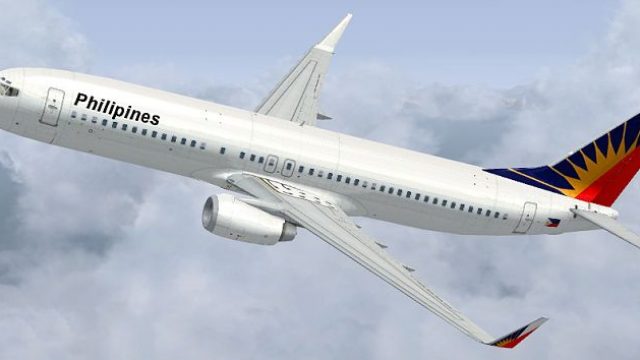
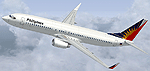
Air Philippines’ Boeing 737-800 livery brings the carrier’s warm, recognizable markings to the default jet in Microsoft Flight Simulator X, with crisp logos, gradients, and refined alignment across the fuselage, tail, and engines. The repaint updates textures only and requires the stock FSX 737-800 base model.
 Rate
Rate
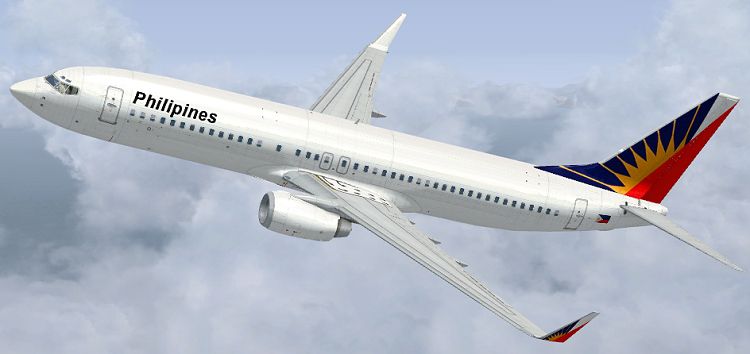
This freeware repaint delivers Air Philippines’ distinctive Boeing 737-800 livery tailored for the default jet in Microsoft Flight Simulator X. Created by Jon Murchison, the textures introduce vivid airline markings without altering any core flight or system files.
The repaint showcases the recognizable color scheme of Air Philippines, a local carrier that has long served various routes across the Philippine archipelago. By applying these high-resolution textures, the aircraft’s fuselage accurately reflects the brand’s visual identity, which is traditionally characterized by its warm color palette and regional flair.
Every line, logo, and color gradient has been carefully adjusted to maintain crisp geometry on the fuselage, tail fin, and interface points around the cockpit windows. The updated markings provide a more authentic paint job, ensuring the Boeing 737-800’s exterior captures Air Philippines’ real-world design styles down to minor details near the engine nacelles and wing strakes.
Since these are textures only, the default Microsoft Flight Simulator X Boeing 737-800 base model must already be installed. Pilots simply install these files and then select the Air Philippines livery in the aircraft menu. For convenience, the necessary freeware base model can be acquired in the Fly Away Simulation file library.
Airlines like Air Philippines frequently rely on the 737-800 for short and medium-haul flights, making it ideal for traveling between islands and near-regional airports. The 737-800 series (part of Boeing’s Next Generation category) features improved aerodynamics and efficient CFM engines, which enhance operational performance. The airline’s decision to incorporate such jets demonstrates a commitment to balancing passenger comfort with distance coverage.
These textures are straightforward to install. By following the included instructions, any flight enthusiast can seamlessly add this livery to their roster. The entire package is offered without cost, and all credits go to Jon Murchison for his meticulous work on the repaint.
Free for all simmers · 748.98 KB · Scanned clean Oct 2026
Download speed: Free tier is capped at 0.5 Mbps. PRO members download at full line speed.
texture.{airline}) inside FSX\SimObjects\Airplanes\{base-aircraft}\.aircraft.cfg in Notepad. Add a new [fltsim.X] section per the readme.readme.txt or README file. It tells you exactly where files go, what dependencies are needed, and any quirks specific to this add-on.The archive phil738.zip has 9 files and directories contained within it.
This list displays the first 500 files in the package. If the package has more, you will need to download it to view them.
| Filename/Directory | File Date | File Size |
|---|---|---|
| PHIL738.jpg | 09.05.08 | 130.85 kB |
| README _INSTALL.txt | 09.05.08 | 1.95 kB |
| b737_800_1_T.dds | 09.07.08 | 1.00 MB |
| Fresnel_Ramp.dds | 09.04.06 | 640 B |
| texture.cfg | 08.14.06 | 137 B |
| thumbnail.jpg | 09.05.08 | 22.28 kB |
| FILE_ID.DIZ | 09.16.08 | 105 B |
| flyawaysimulation.txt | 10.29.13 | 959 B |
| Go to Fly Away Simulation.url | 01.22.16 | 52 B |
Only PRO members can place votes.
More FSX & P3D add-ons hand-picked based on this download.
FSX Civil Aircraft
This is the repaint of the payware Captain Sim B737-200 Adv model in Air Phil…
 FSX Civil Aircraft
FSX Air Philippines Boeing 747-400. Textures only for the default B747-400. R…
 FSX Civil Aircraft
FSX Air Philippines Airbus A321. Textures only for the default A321. Repaint …
 FSX Civil Aircraft
Model by iFDG. Repaint by Chris Bajrak. Copy and paste the aircraft into the …
 FSX Civil Aircraft
Airbus A333/A343 Philippines Repaint Pack. Textures for the Thomas Ruth A330-…
 FSX Civil Aircraft
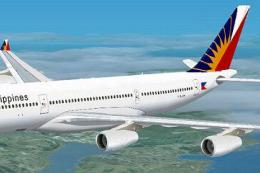
Philippines Airbus A340-200. Textures only; requires TOM340.ZIP. Model by Tho…
 FSX Civil Aircraft
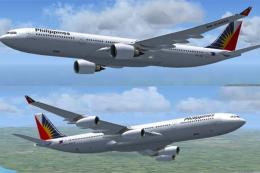
Philippines Airbus A333/A343 v2. Textures for the Thomas Ruth A330-300 and A3…
 FSX Civil Aircraft
Continental Boeing 737-800. Fictional textures for the default B737-800. Repa…
Be the first to leave a comment on this download.
Be the first to share your thoughts on this download.