Skip to content

Startup Manager - Companion App Launch Automation

MSFSutility

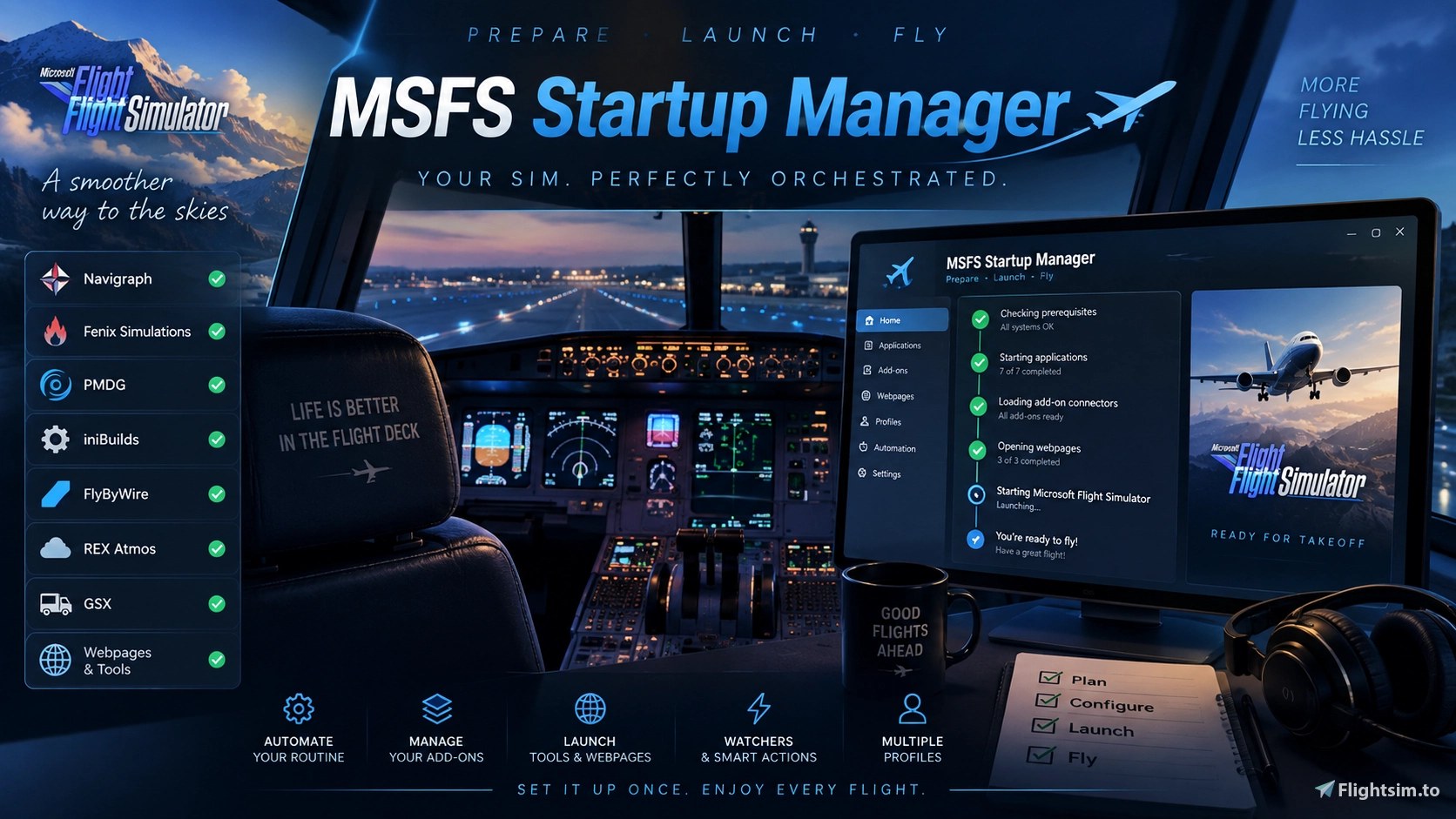
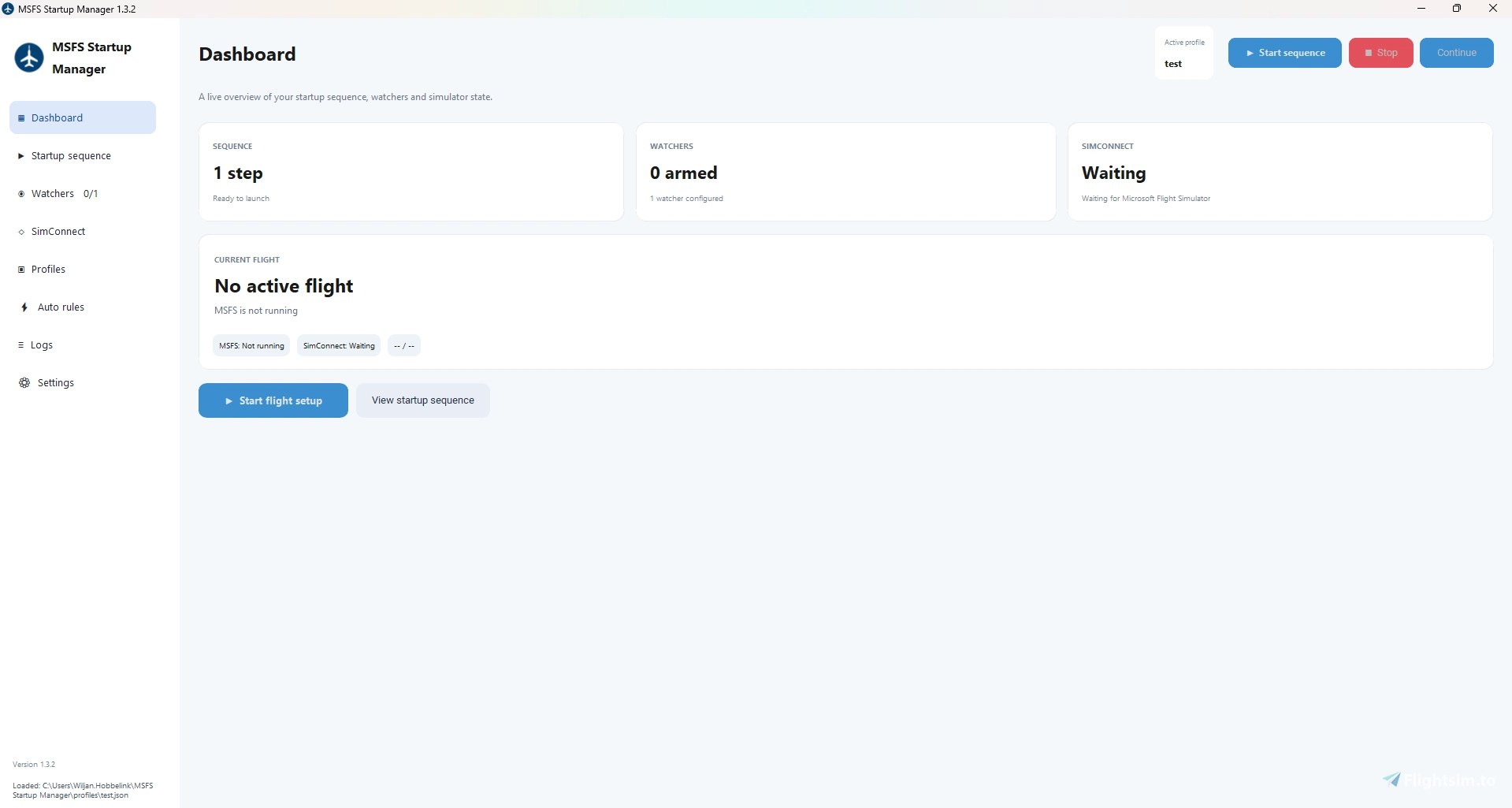
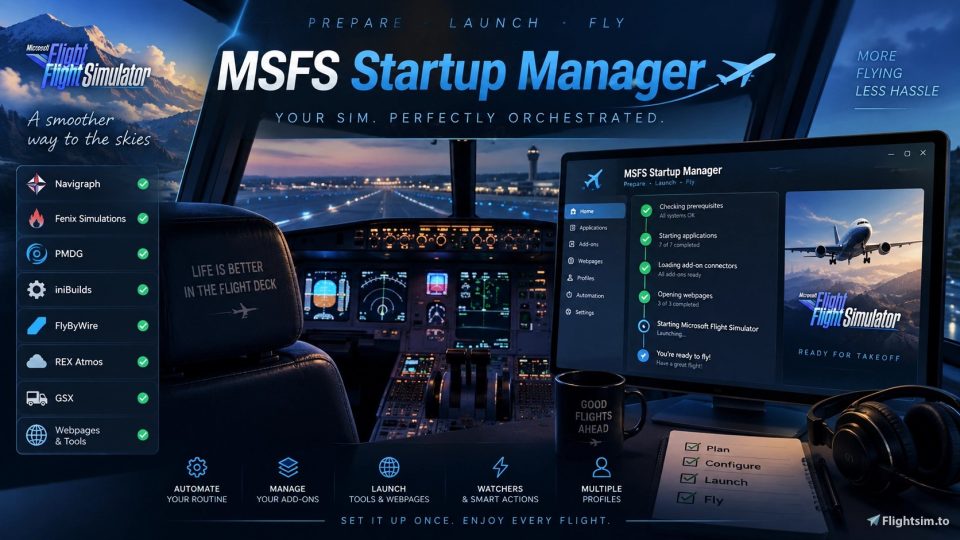
Startup Manager automates companion workflows for Microsoft Flight Simulator 2020 and 2024 through SimConnect, using reusable profiles to sequence applications, webpages, scripts and commands. The Windows utility combines readiness checks, launch permissions, window layouts, application monitoring and interactive prompts with delayed actions, interface automation and remote PC control, keeping supporting tools coordinated throughout each flight session.

No ratings yet Rate 73.44 MB Scanned clean · Nov 2026 Added By MSFS-Startup-Manager
Flight Simulator 2020 Flight Simulator 2024
Adam McEnroe
Editor reviewed · Tested in-sim

Expert Overview

With the aircraft parked, I answered No to a Windows toast question and let Startup Manager skip a step in my sequence. That's the part I value most: automation that still lets me make a decision during the session. I don't want every optional companion tool launched just because it belongs to a saved setup. A question at the right point makes those profiles much more useful to me.

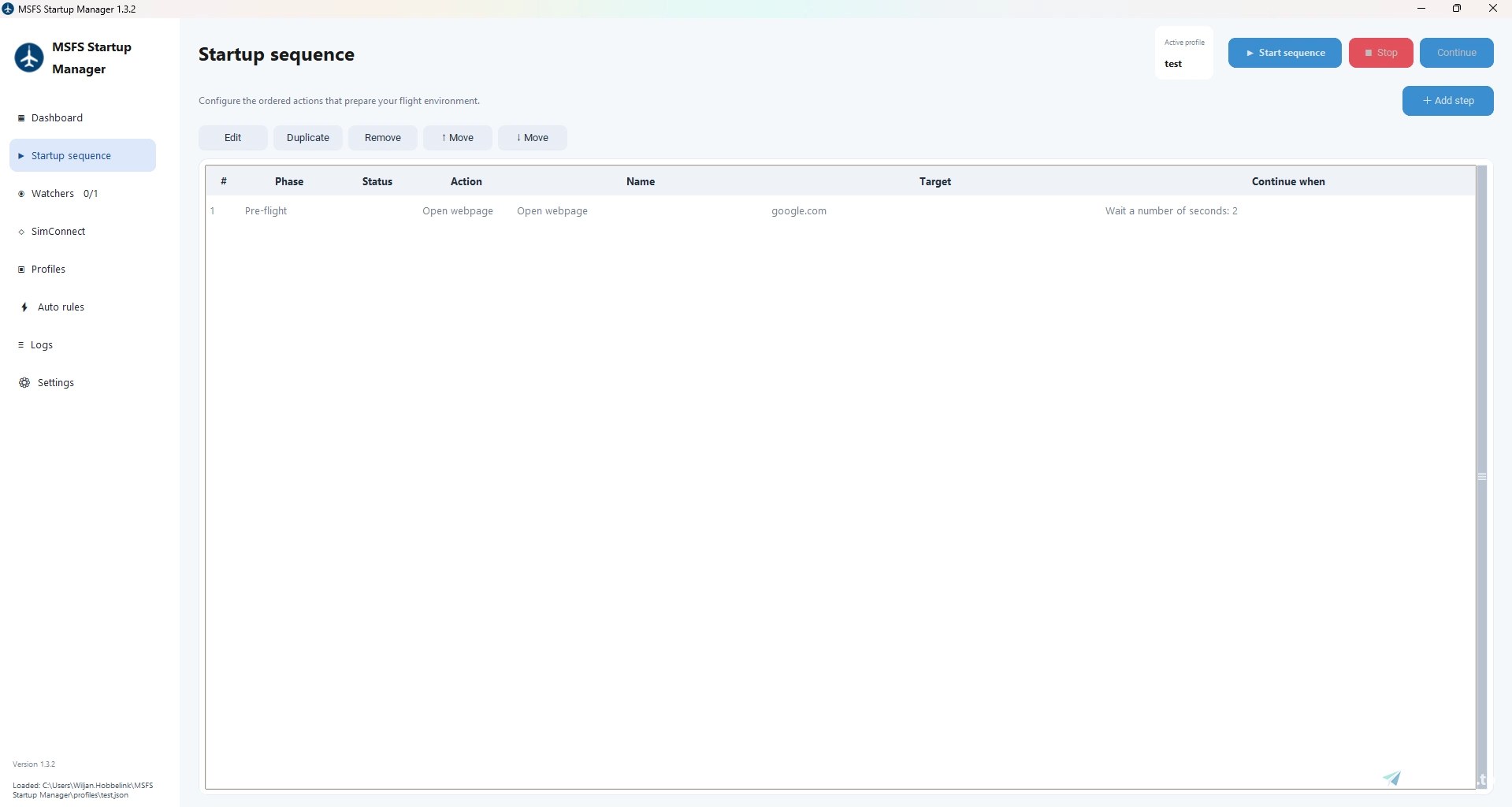
The startup sequence table puts the action, target and continuation condition on the same row. Plain, but easy to follow when checking what will happen next. Skipping applications that are already running is another sensible choice; I often have part of my supporting setup open before I decide what to fly. Quick Run suits that routine without requiring a separate profile for every starting situation.

This mod was installed, tested and reviewed by Adam McEnroe for Fly Away Simulation. Adam is an FS mod expert. Read his bio →

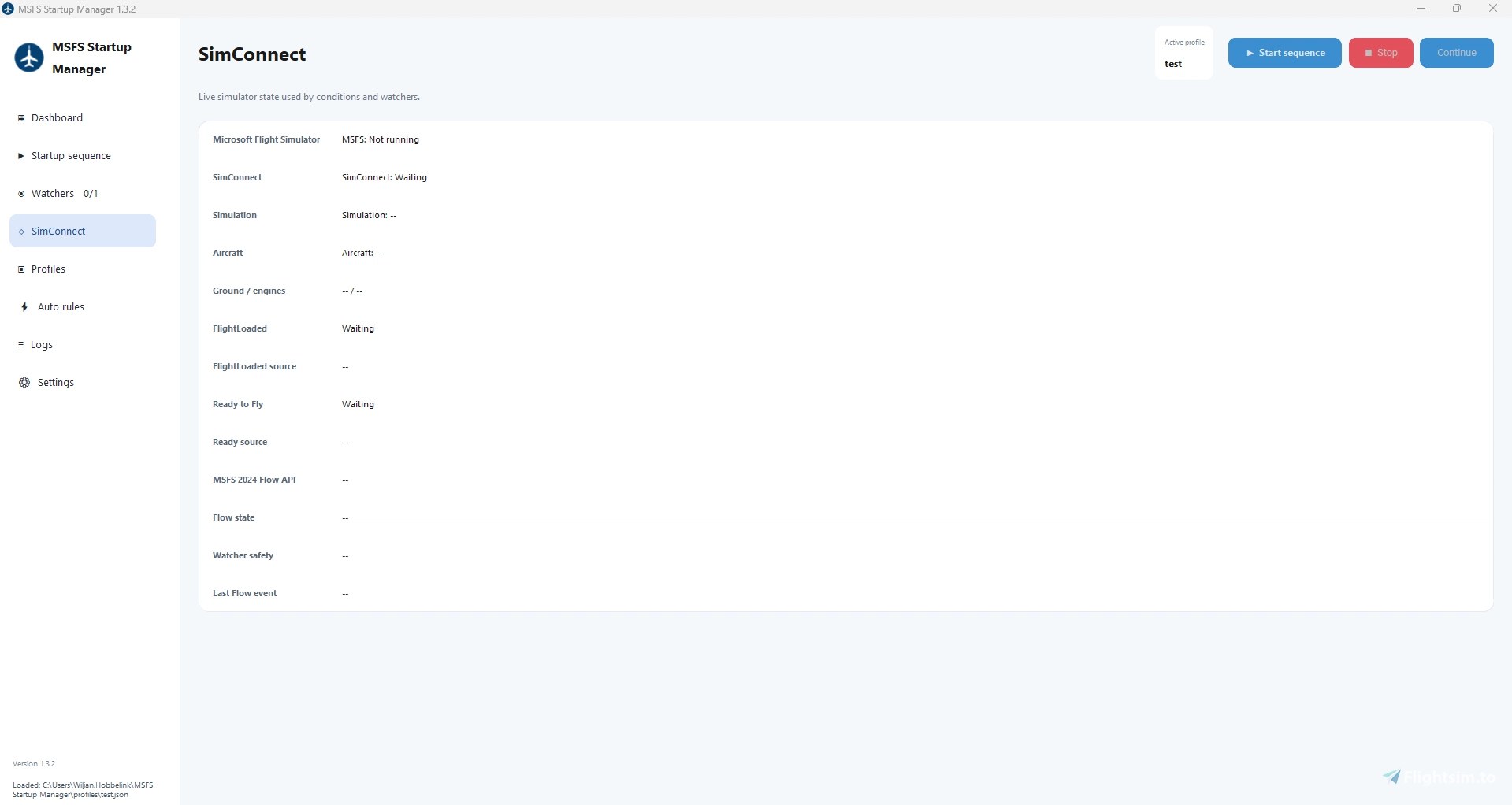
MSFS Startup Manager automates companion-app startup for Microsoft Flight Simulator 2020 and Microsoft Flight Simulator 2024. Developed by MSFS-Startup-Manager, this Windows utility uses SimConnect to respond to simulator states and conditions, so your supporting tools can follow the flight session without every action needing a manual launch.

Profiles for different flight setups

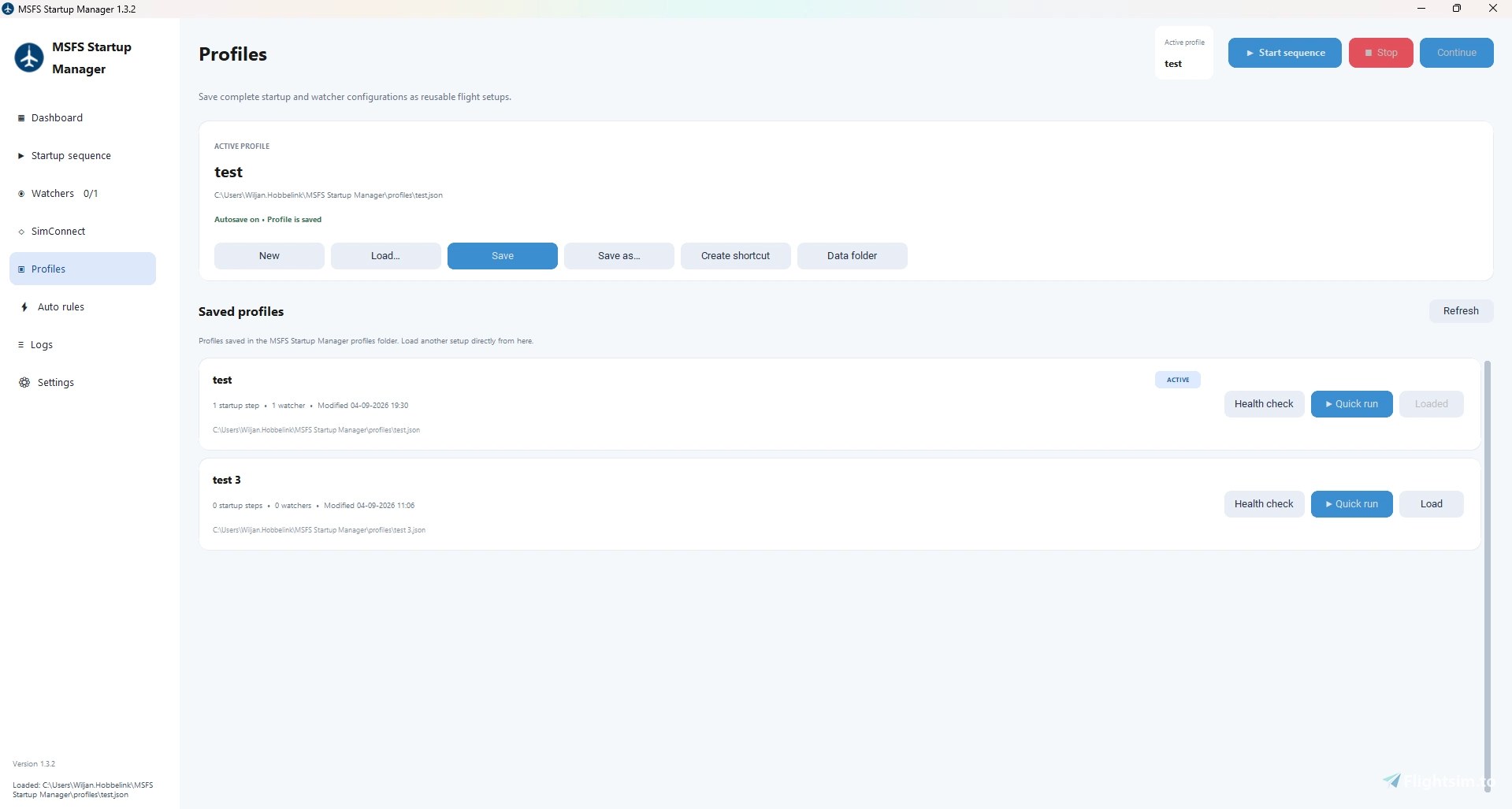
You can build reusable profiles for different aircraft and flight setups, then put applications, webpages, scripts and commands into a defined launch order. An automatic pre-flight readiness check runs before the sequence starts, and the manager skips applications that are already running.

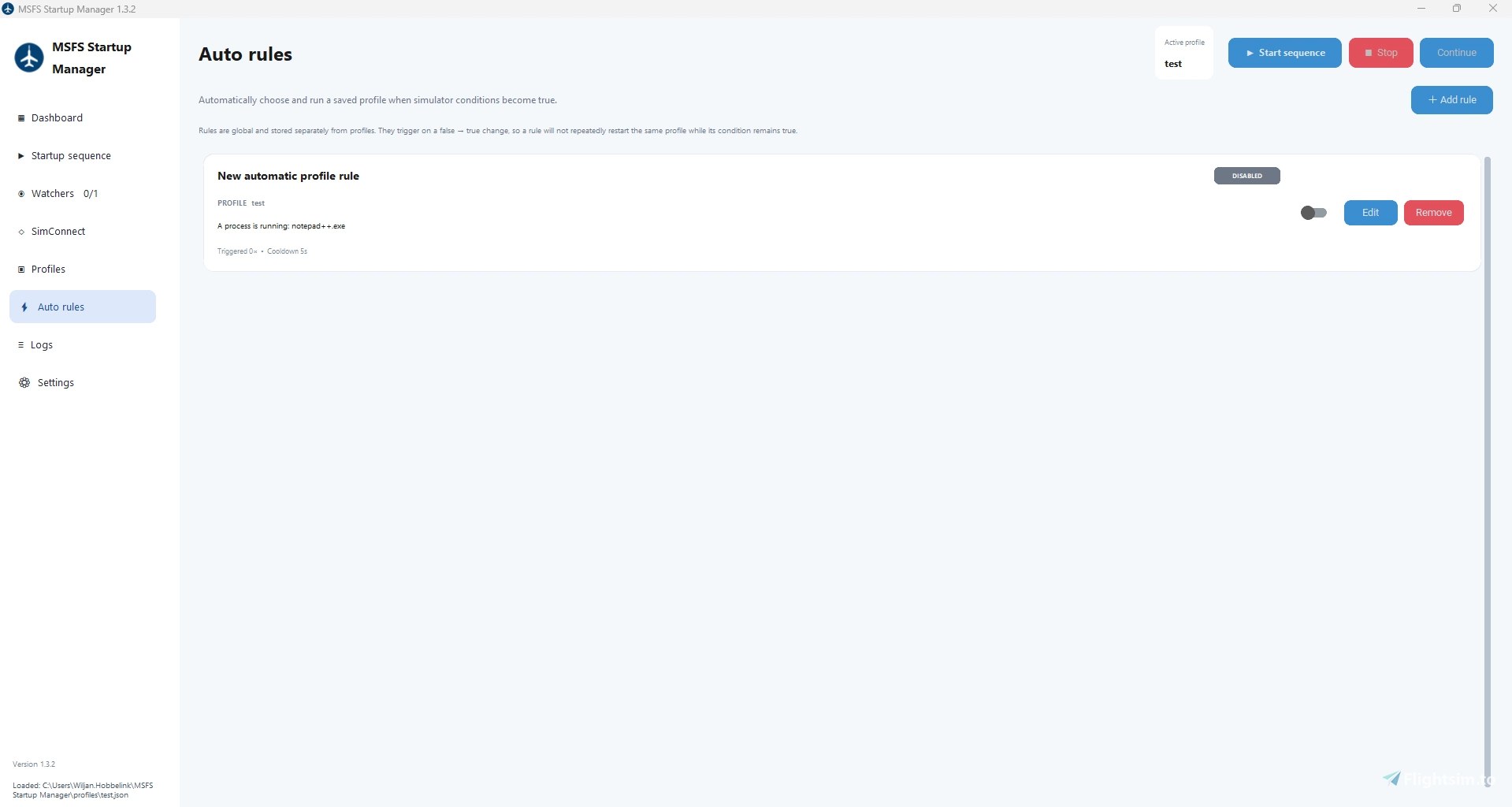
Profile changes save automatically. Quick Run launches saved profiles, while configurable conditions can select and run a profile automatically.

  • Launch permissions: Start applications normally, with UAC, or through pre-authorized administrator tasks that avoid repeated UAC prompts.
  • Window layout: Automatically minimize applications after launch, or capture and restore their window positions and sizes across multiple monitors.
  • Application monitoring: Restart managed applications if they unexpectedly close while MSFS is running, and close managed applications when the simulator exits.

Watchers and interactive decisions

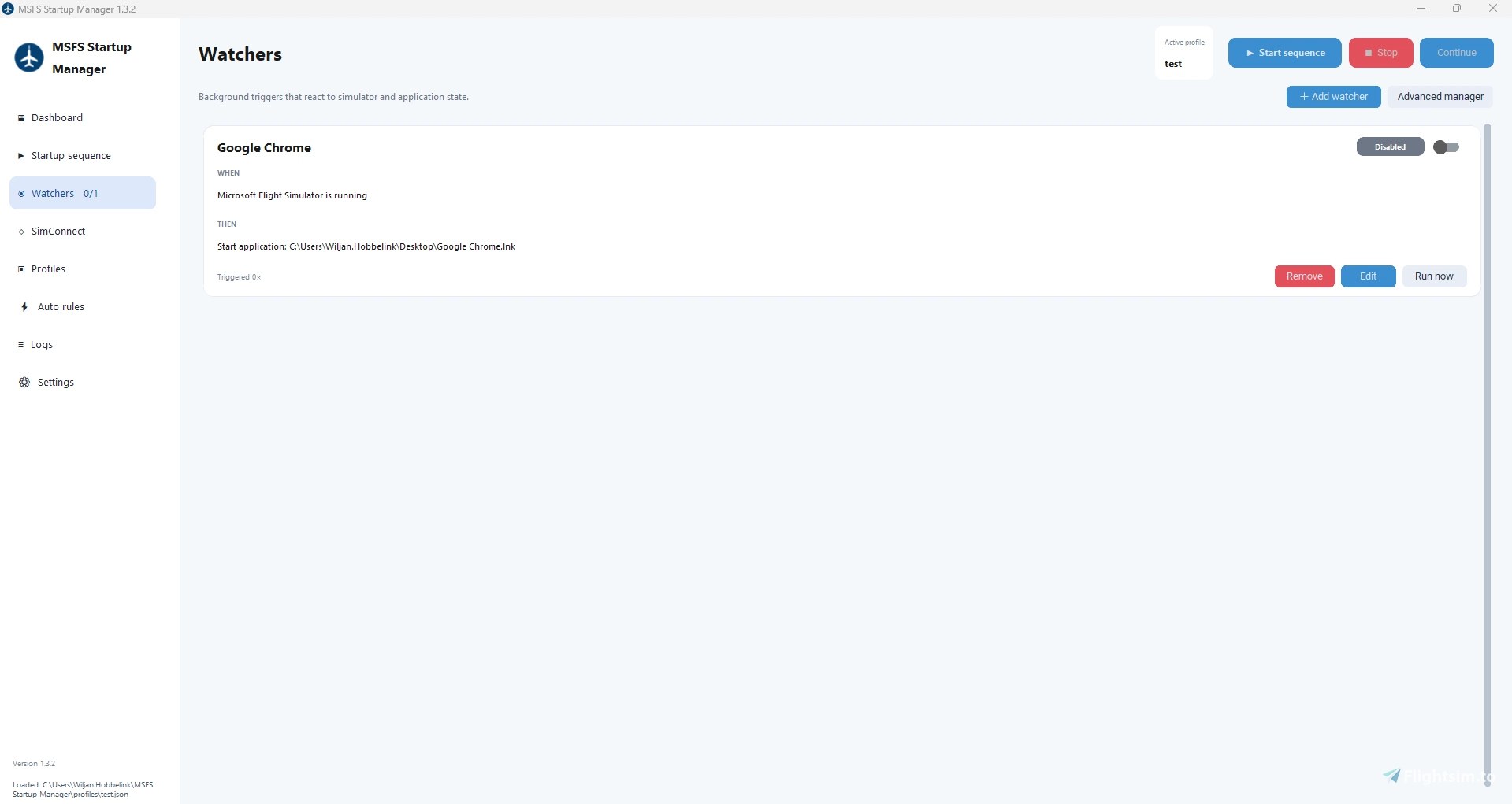
Watchers support multiple actions, each with its own execution delay. Windows UI Automation adds control over application interfaces, extending the workflow beyond starting a program.

Sequences and Watchers can also pause for interactive Yes/No questions. You can answer directly from clickable Windows toast notifications; the answer can continue or stop the sequence, skip steps, or launch another profile. Optional Windows notifications report application restarts and Watcher triggers.

Automation across PCs

The Remote Agent handles applications and automation tasks on other PCs. Cross-PC Watchers can monitor one computer and execute actions on another, which is useful when your companion tools live on a separate machine. Remote applications, commands and UI interactions can run with administrator privileges.

Background operation and troubleshooting

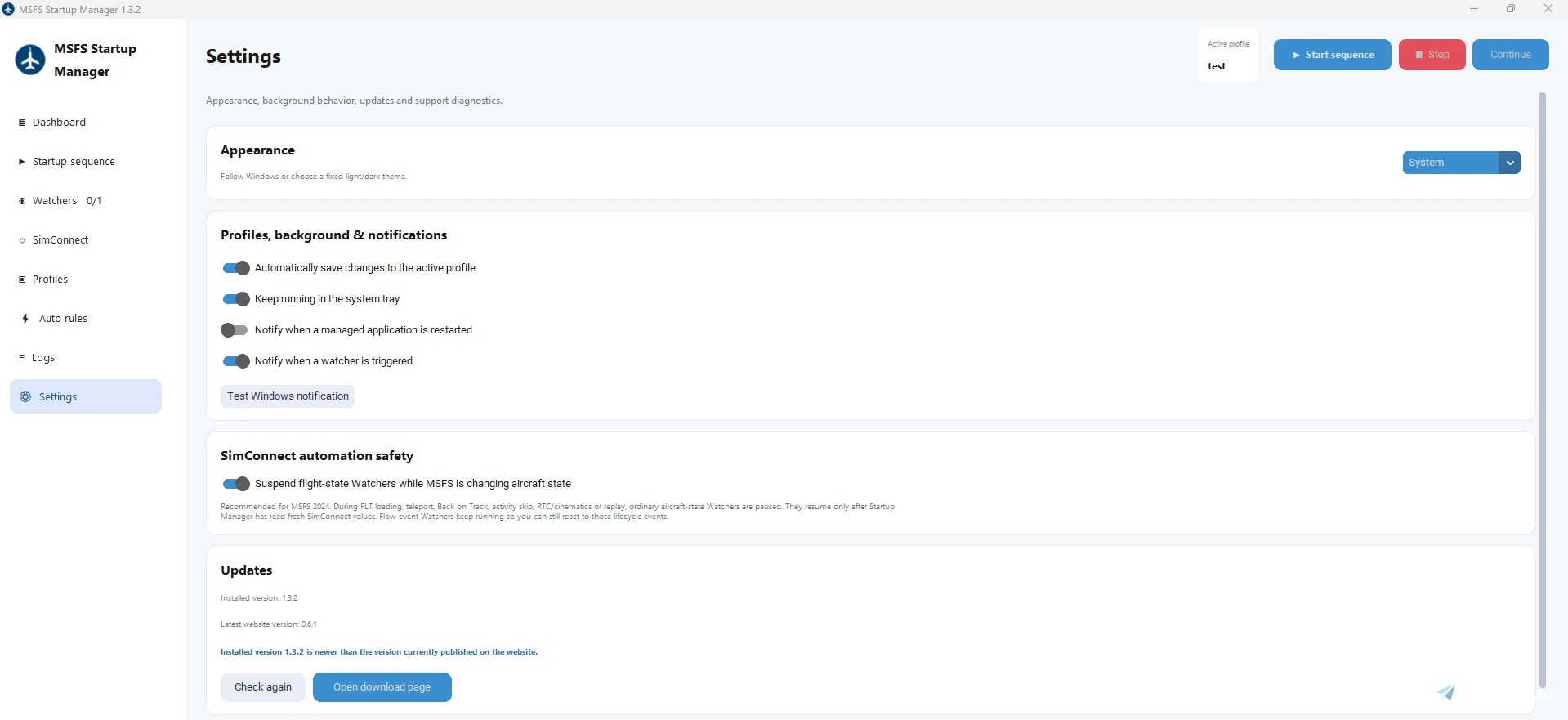
The manager can start automatically when you sign in to Windows and keep monitoring from the system tray. It also checks for updates and exports diagnostic packages for troubleshooting.

Ready to download Startup Manager - Companion App Launch Automation?

Free for all simmers · 73.44 MB · Scanned clean Nov 2026

File information

Filename
MSFS-Startup-Manager.zip
File size
73.44 MB
Version
2.1.11
Added
Virus scan
Clean ClamAV · Nov 2026
Access
Freeware
Content rating
Everyone

Download speed: Free tier is capped at 2 Mbps (this file takes approximately 5 mins at the cap). PRO members download at full line speed.

Version history

1 release
  1. v2.1.11 Current 73.44 MB
    • ## Release notes - v2.1.6
    • Fixed argument handling for application launches, including quoted paths and values containing spaces.
    • Added argument forwarding for the built-in MSFS 2024 and MSFS 2020 launchers.
    • Steam installations now receive launch arguments through steam.exe -applaunch.
    • Microsoft Store/Xbox installations now receive arguments through Windows application activation.
    • Switching to automatic MSFS detection no longer clears previously entered arguments.
    • Improved quoted-argument handling for remote application launches.
    • Additional arguments for .lnk shortcuts now produce a clear error instead of being silently ignored. Select the underlying executable or configure the arguments in the shortcut itself.
    • Existing profile formats remain compatible.
    • Updated Remote Agent to v1.3.2.
    • ## Release notes - v2.1.7
    • Fixed normal desktop application launches incorrectly requesting a hidden window.
    • Normal applications now launch visibly; hidden background helper commands are unaffected.
    • When no working directory is specified, application launches now use the executable's folder by default.
    • Improved compatibility with applications that depend on supporting files in their installation folder.
    • Applied the default working-directory improvement to remote application launches.
    • Updated Remote Agent to v1.3.3.
    • ## Release notes - v2.1.8
    • Changed clickable Windows toast responses to use a quiet local relay to the running Manager.
    • Answering Yes or No no longer launches a second copy of MSFS Startup Manager.exe.
    • Prevented the additional PyInstaller splash screen when answering a Windows notification.
    • Clicking the notification itself can still open the confirmation popup.
    • Preserved Yes/No confirmation handling for startup sequences and Watchers.
    • No Remote Agent update required. Remote Agent remains v1.3.3.
    • ## Release notes - v2.1.9
    • Added Remote Agent version information and update controls to the **Computers** page.
    • The Manager now compares connected Agents with the Agent version bundled inside its EXE. (BETA)
    • Added an **Update** button for Agents that support receiving remote updates. (BETA)
    • Remote updates transfer the Agent EXE over the authenticated encrypted connection and verify its SHA-256 checksum before replacement. (BETA)
    • The updated Agent restarts while preserving its settings and pairing.
    • Added a Pre-flight update notice when an enabled step or Watcher uses an outdated online Agent.
    • Update notices appear once per affected computer rather than once per step.
    • Users can stop, go to Computers or continue with a compatible older Agent. Missing required capabilities remain Pre-flight errors.
    • Added bundled Agent version metadata and build/preparation scripts for the update feature.
    • Updated Remote Agent to v1.3.4. Agents v1.3.3 and earlier require a one-time manual upgrade using **Computers > Get Remote Agent** before future remote updates are supported.
    • ## Release notes - v2.1.10
    • Fixed a toast-response relay regression introduced in v2.1.8 that could prevent Yes/No answers from reaching the Manager.
    • The relay now accepts callback addresses both with and without a slash before the query string.
    • Preserved splash-free notification responses without launching another Manager EXE.
    • Added a response-path self-test before the first toast notification in a session.
    • The Manager falls back to the normal confirmation popup if the callback test fails.
    • Added relay status logs to diagnostic packages without recording confirmation tokens.
    • Fixed outdated Remote Agents not being flagged when bundled version metadata is missing, unreadable, invalid or stale.
    • Separated the recommended Agent version from the version declared by the bundled update package.
    • Unknown bundled Agent versions are now shown as **UNKNOWN** and cannot be transferred as an update; outdated-Agent warnings remain available.
    • Improved build preparation a

How to install this mod

MSFS utility
  1. Extract the downloaded archive

    Use 7-Zip (free) or WinRAR to extract the ZIP to a temporary folder. Don't install while still zipped — the simulator can't read inside ZIP files.
  2. Locate your MSFS Community folder

    All MSFS add-ons live in the Community folder. Microsoft Store / Game Pass version: %LOCALAPPDATA%\Packages\Microsoft.FlightSimulator_8wekyb3d8bbwe\LocalCache\Packages\Community\. Steam version: %APPDATA%\Microsoft Flight Simulator\Packages\Community\. Tip: enable Developer Mode in MSFS to see your exact Community folder path.
  3. Run the utility installer

    Tools usually run OUTSIDE MSFS. Run the .exe installer if provided, or follow the readme. Some utilities use SimConnect — ensure MSFS is running before launching.
  4. Restart MSFS

    Close MSFS completely and relaunch. The new content appears in the Content Manager, on the World Map, or in the aircraft/livery selector.
  5. Always read the included readme

    Every mod ships with a readme.txt or README file. It tells you exactly where files go, what dependencies are needed, and any quirks specific to this add-on.
About MSFS-Startup-Manager

Hi! I’m Wiljan, the creator of MSFS Startup Manager.I built MSFS Startup Manager to make starting a flight in Microsoft Flight Simulator easier and more automated.

Read full bio
Enjoyed this add-on? MSFS-Startup-Manager released it as freeware. A small donation says thanks and keeps future releases coming.
More ways to support →

Are you MSFS-Startup-Manager? Sign in to Fly Away Creators for download stats, comment replies and updates. Make add-ons? Publish them here.

Rate this add-on

PRO perk

Only PRO members can place votes.

0 comments

Be the first to leave a comment on this download.

Leave a comment

No comments yet

Be the first to share your thoughts on this download.

Leave a comment

Replying to

Used only for your Gravatar avatar — never shown publicly or shared.

Minimum 30 characters 0
Your comment is reviewed by a moderator before publication. Spam, abuse and self-promotion are removed.