

 FSX Civil Aircraft
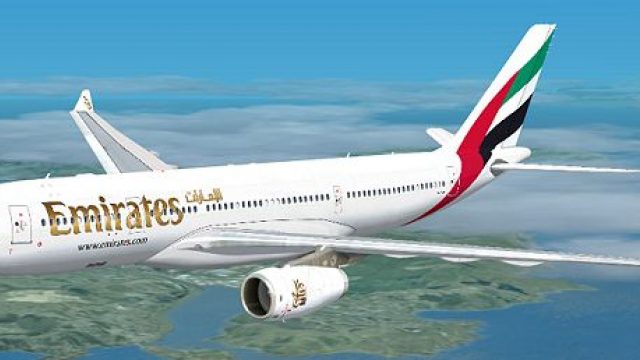
Emirates Airbus A330-200 Dubai Summer Surprises 2008 Livery
Emirates Airbus A330-200 "Dubai Summer Surprises 2008". Textures only for Tho…
Emirates Airbus A330-200 livery brings crisp, high-resolution airline branding to the wide-body twinjet, matching real-world fuselage markings and the signature tail artwork for immersive long-haul operations. Built for Microsoft Flight Simulator X, it requires Thomas Ruth’s freeware A330-200 base model and enhances exterior visuals across common lighting conditions.
 Rate
Rate

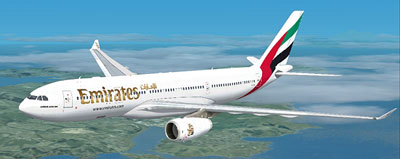
Immerse yourself in a detailed Emirates-themed aircraft repaint designed for Microsoft Flight Simulator X flyers seeking an authentic tribute to the renowned carrier’s Airbus A330-200. Created by Jon Murchison, this package provides high-resolution textures that integrate seamlessly with the freeware A330-200 base model developed by Thomas Ruth. Once installed, it delivers a convincing Emirates livery that captures the real-world aesthetic of the airline’s medium- to long-haul operations.
The Airbus A330-200 remains a popular choice across many carriers, and Emirates has employed this wide-body twinjet for an array of intercontinental routes. In this repaint, every logo and fuselage detail is rendered to enhance immersion. Such meticulous replication ensures that virtual captains can appreciate the airline’s color scheme—particularly the striking tail design and the iconic fuselage graphics.
[fltsim.X]
title=EMIRATES A330-200
sim=TomA332
model=RR
panel=
sound=
texture=EM
kb_checklists=
kb_reference=
atc_id=
atc_airline=Emirates
atc_flight_number=1123
atc_heavy=1
ui_manufacturer=Airbus
ui_type="A330-200"
ui_variation="Emirates"
description=
The Airbus A330-200 boasts an efficient airframe suitable for reaching distant airports, making it a versatile addition to anyone’s fleet. Emirates has utilized this particular variant extensively, capitalizing on its reliability and passenger comfort. By incorporating these high-quality textures, enthusiasts can simulate actual commercial routes reflecting the spirit of the airline, all within the familiar environment of Thomas Ruth’s aircraft model.
Though the livery itself is offered as a freeware repaint, you will need the base model from the Fly Away Simulation library to complete the package. Once both components are merged, the result is a cohesive and visually refined aircraft that stands out on domestic and international routes alike.
Free for all simmers · 2.12 MB · Scanned clean Oct 2026
Download speed: Free tier is capped at 0.5 Mbps. PRO members download at full line speed.
texture.{airline}) inside FSX\SimObjects\Airplanes\{base-aircraft}\.aircraft.cfg in Notepad. Add a new [fltsim.X] section per the readme.readme.txt or README file. It tells you exactly where files go, what dependencies are needed, and any quirks specific to this add-on.The archive em.zip has 25 files and directories contained within it.
This list displays the first 500 files in the package. If the package has more, you will need to download it to view them.
| Filename/Directory | File Date | File Size |
|---|---|---|
| EM.jpg | 03.23.09 | 106.36 kB |
| README _INSTALL.txt | 03.23.09 | 1.32 kB |
| A321_1_L.dds | 03.12.09 | 1.00 MB |
| A321_2_L.dds | 03.12.09 | 256.12 kB |
| A330_VC01.dds | 03.12.09 | 1.00 MB |
| A330_VC01L.dds | 03.12.09 | 1.00 MB |
| Airbus_A321_1_L.dds | 03.12.09 | 1.00 MB |
| Airbus_A321_2_L.dds | 03.12.09 | 1.00 MB |
| Airbus_A321_3_L.dds | 03.12.09 | 4.12 kB |
| Airbus_A321_4_L.dds | 03.12.09 | 1.00 MB |
| glass.dds | 03.12.09 | 64.12 kB |
| glass_spec.dds | 03.12.09 | 4.12 kB |
| main.dds | 03.23.09 | 4.00 MB |
| main_bump.dds | 03.12.09 | 4.00 MB |
| main_light.dds | 03.12.09 | 1.00 MB |
| main_spec.dds | 03.12.09 | 64.12 kB |
| texture.cfg | 03.12.09 | 165 B |
| thumbnail.jpg | 03.23.09 | 24.16 kB |
| VCblend.dds | 03.12.09 | 1.12 kB |
| wing_bump.dds | 03.12.09 | 1.00 MB |
| wing_l.dds | 03.23.09 | 1.00 MB |
| wing_r.dds | 03.23.09 | 1.00 MB |
| wing_spec.dds | 03.12.09 | 64.12 kB |
| flyawaysimulation.txt | 10.29.13 | 959 B |
| Go to Fly Away Simulation.url | 01.22.16 | 52 B |
Only PRO members can place votes.
More FSX & P3D add-ons hand-picked based on this download.
FSX Civil Aircraft
Emirates Airbus A330-200 "Dubai Summer Surprises 2008". Textures only for Tho…
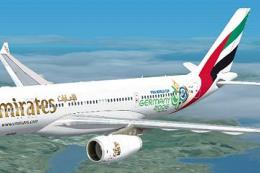 FSX Civil Aircraft
This repaint provides a customized Emirates Airbus A330-200 "World Cup 2006" …
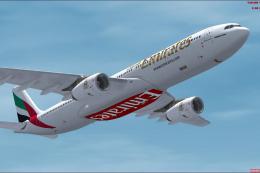 FSX Civil Aircraft
Emirates Airbus A330-300. Model by Thomas Ruth (TOMA333B-1.ZIP). Emirates Air…
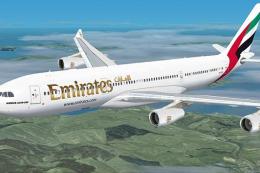 FSX Civil Aircraft
Emirates Airbus A340-200. Textures only for Thomas Ruth's A340-200 model; req…
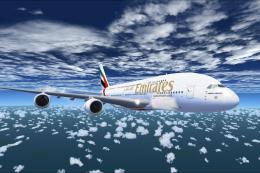 FSX Civil Aircraft
The Emirates A380-800 presented here offers a full freeware package that show…
 FSX Civil Aircraft
Experience a refined Emirates-liveried Airbus A350-1000 XWB for FSX, featurin…
 FSX Civil Aircraft
Emirates Airlines Airbus A340-451, registration number A6-ERI. Textures only …
 FSX Civil Aircraft
Emirates Airlines Airbus A340-313X, registration A6-ERS. A repaint for the Th…
Be the first to leave a comment on this download.
Be the first to share your thoughts on this download.