

 FSX Civil Aircraft
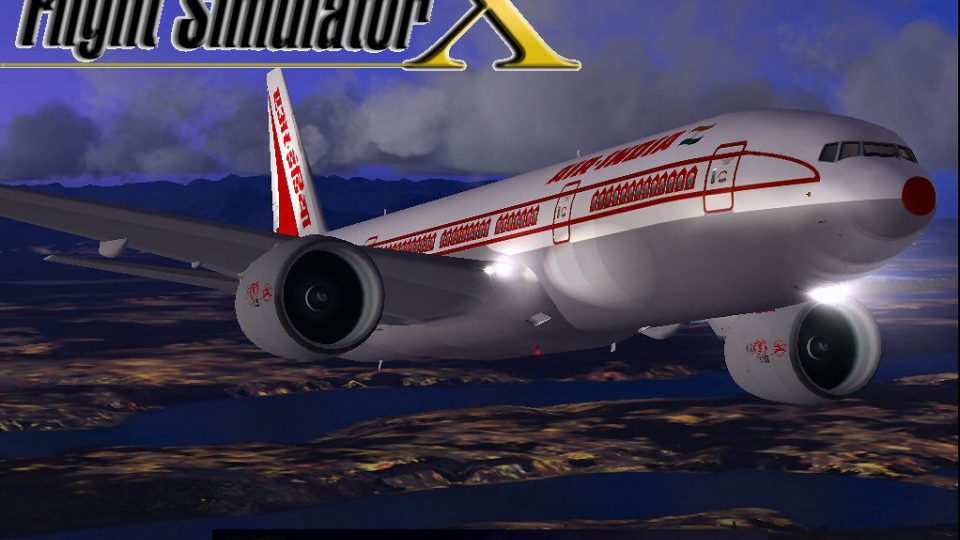
Air India Boeing 777-337ER
A repaint of the SkySpirit2012 B777-300ER aircraft. Features 32 bit textures,…
Air India’s Boeing 777-200LR arrives as a complete freeware aircraft for FSX, pairing the MELJET model with an updated conversion, tuned flight dynamics, and stable ground handling for long-haul operations. It includes detailed exterior and virtual cockpit visuals, opening engine cowlings, jetway alignment, and supports enhanced lighting for night flying (requires A2A 3D Lights & Redux).
 Rate
Rate
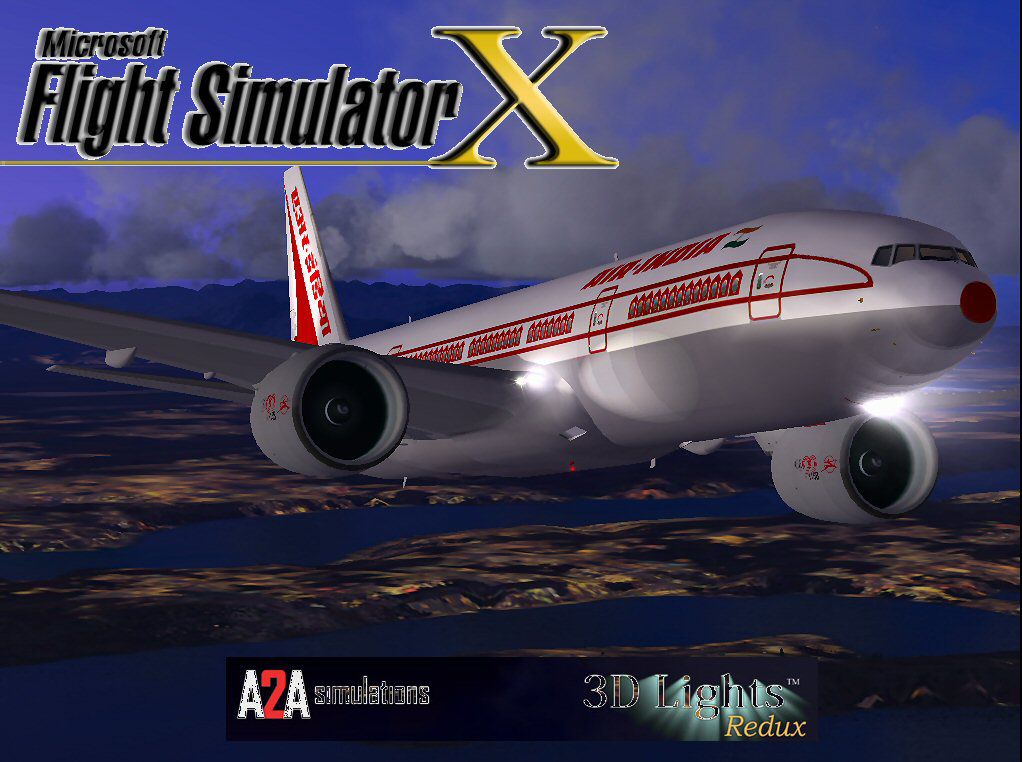
This updated freeware package features a complete Boeing 777-200LR in the Air India livery, incorporating refined flight dynamics and specialized visuals. The original model, crafted by Melvin Rafi (who is often referred to under the “MELJET” name), is included here in full, and it has been adapted for FSX by developer David Grindele. This release aims to preserve the high-quality look and feel of the aircraft while offering modern enhancements beneficial to flight simulation enthusiasts.
The Boeing 777-200LR (long-range) serves as a wide-body airliner capable of ambitious transcontinental routes. Air India, identified by its notable tail logo and international services, leverages the 777 platform for demanding operations. In this rendition, the model’s Flight Simulator compatibility has been carefully expanded to work seamlessly in FSX without sacrificing the detailed exterior and interior attributes.
This package has been confirmed to work on Windows Vista (32-bit) and Windows XP operating systems within FSX. Although results may vary on newer setups, the developers, namely Melvin Rafi and David Grindele, note these baseline configurations for consistency.
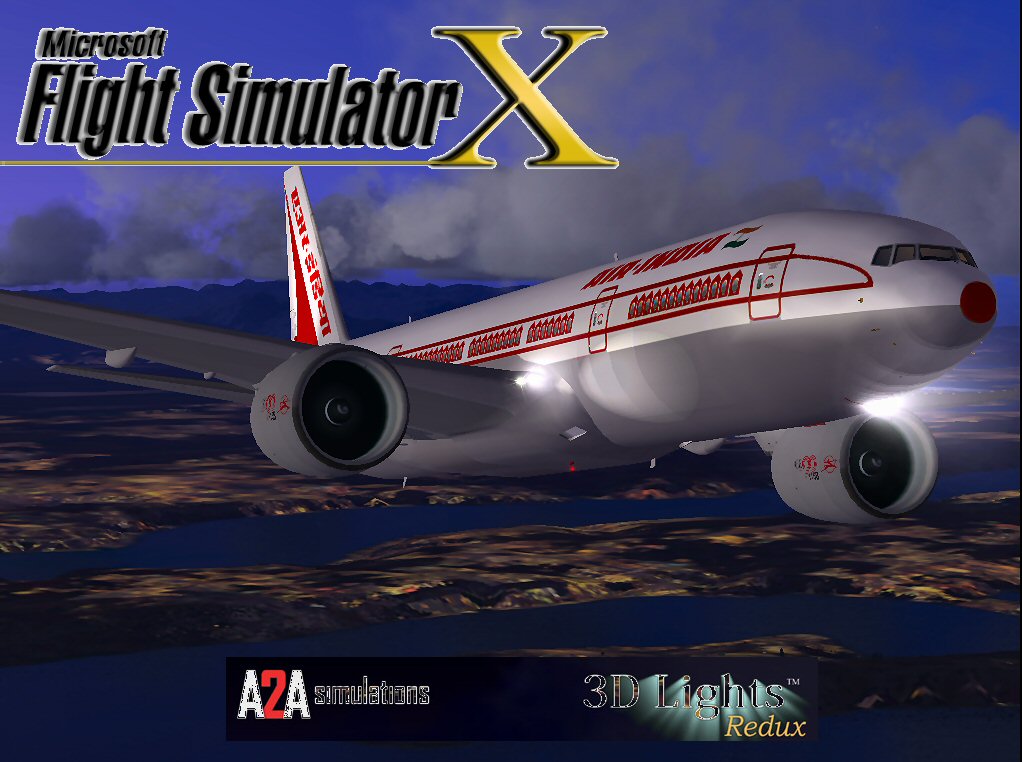
Air India Boeing 777-200LR.
The foundational model comes from the talents of Melvin Rafi, credited under the MELJET label. Technical and conversion tasks for FSX were handled by developer David Grindele, who also integrated additional improvements. Both creators aimed to ensure that this valuable aircraft, previously established for older simulators, remains a high-quality option in modern flight simulation.
This Boeing 777-200LR Air India freeware amendments package preserves the original MELJET characteristics while catering to the requirements of FSX pilots. Every feature, from realistic long-haul performance to enhanced external visuals, is intentionally balanced to keep the aircraft both authentic and enjoyable to operate. For those who want to explore an Air India route network or simply admire the technicalities of the 777 series, this release offers significant value and immersion in one complete bundle.
Free for all simmers · 54.74 MB · Scanned clean Oct 2026
Download speed: Free tier is capped at 0.5 Mbps (this file takes approximately 15 mins at the cap). PRO members download at full line speed.
FSX\SimObjects\Airplanes\. The folder must contain an aircraft.cfg file. Effects go into FSX\Effects\; gauges go into FSX\Gauges\.readme.txt or README file. It tells you exactly where files go, what dependencies are needed, and any quirks specific to this add-on.The archive ai77fsx.zip has 139 files and directories contained within it.
This list displays the first 500 files in the package. If the package has more, you will need to download it to view them.
| Filename/Directory | File Date | File Size |
|---|---|---|
| Air India B777.jpg | 12.08.09 | 124.53 kB |
| Boeing 777-200 Air India 0LR MJ | 12.08.09 | 0 B |
| aircraft.cfg | 12.08.09 | 22.48 kB |
| Boeing777-200LR-MR-MKIII.air | 07.08.03 | 8.66 kB |
| model | 12.08.09 | 0 B |
| Boeing777-200LR-MR-MKIII.mdl | 07.13.03 | 3.74 MB |
| Model.cfg | 07.05.03 | 43 B |
| panel | 12.08.09 | 0 B |
| 777KM.cab | 09.17.04 | 1.25 MB |
| FORWARD_LEFT.bmp | 08.05.00 | 335.36 kB |
| forward_right.bmp | 08.11.00 | 769.05 kB |
| LEFT.bmp | 08.11.00 | 140.55 kB |
| MAIN.bmp | 09.17.04 | 5.49 MB |
| OVERHEAD.bmp | 09.16.04 | 2.70 MB |
| panel.cfg | 11.17.09 | 8.12 kB |
| PEDESTAL.bmp | 09.16.04 | 1.09 MB |
| REAR.bmp | 07.25.00 | 733.47 kB |
| REAR_LEFT.bmp | 07.27.00 | 582.27 kB |
| REAR_RIGHT.bmp | 07.24.00 | 680.04 kB |
| right2.bmp | 08.10.00 | 606.57 kB |
| Thumbs.db | 12.04.09 | 21.50 kB |
| sound | 12.08.09 | 0 B |
| A_COMB_1.wav | 12.12.04 | 728.63 kB |
| A_COMB_2.wav | 12.12.04 | 728.63 kB |
| A_COMB_3.wav | 12.12.04 | 728.63 kB |
| A_COMB_4.wav | 05.07.05 | 691.51 kB |
| A_EFSC.wav | 09.27.05 | 325.45 kB |
| A_JT8D_0.wav | 06.04.04 | 209.46 kB |
| A_JT8D_1.wav | 05.01.05 | 1.69 MB |
| A_JT8D_2.wav | 01.19.06 | 605.39 kB |
| A_JT8D_3.wav | 02.11.06 | 418.02 kB |
| b_COMB_1.wav | 12.12.04 | 728.63 kB |
| B_COMB_2.wav | 12.12.04 | 728.63 kB |
| B_COMB_3.wav | 12.12.04 | 728.63 kB |
| B_COMB_4.wav | 05.07.05 | 691.51 kB |
| B_EFSC.wav | 09.27.05 | 325.45 kB |
| b_JT8D_0.wav | 06.04.04 | 209.46 kB |
| b_JT8D_1.wav | 05.01.05 | 1.69 MB |
| b_JT8D_2.wav | 01.19.06 | 605.39 kB |
| B_JT8D_3.wav | 02.11.06 | 418.02 kB |
| FLAPS.wav | 08.22.03 | 210.75 kB |
| GEARDOWN.wav | 02.17.06 | 1.96 MB |
| gearup.wav | 02.17.06 | 1.98 MB |
| NEWWIND.WAV | 03.29.04 | 858.65 kB |
| reverser,BBN2T.wav | 01.19.06 | 1.79 MB |
| reverser.wav | 12.27.05 | 1.81 MB |
| Sound.cfg | 02.17.06 | 14.99 kB |
| touchc.wav | 01.06.99 | 286.01 kB |
| touchl.wav | 09.10.98 | 14.22 kB |
| touchr.wav | 07.01.97 | 10.85 kB |
| T_COMB_SHUT.WAV | 04.01.04 | 2.32 MB |
| T_COMB_START.wav | 06.30.01 | 107.55 kB |
| T_JT8D_START.wav | 12.12.04 | 3.63 MB |
| wind.wav | 03.29.04 | 858.65 kB |
| XBAN2T.wav | 12.21.05 | 1.81 MB |
| XBBN2T.wav | 12.21.05 | 1.81 MB |
| X_A_COMB_1.wav | 05.07.05 | 693.93 kB |
| X_A_COMB_2.wav | 05.07.05 | 693.93 kB |
| X_A_COMB_3.wav | 05.07.05 | 693.93 kB |
| X_A_COMB_4.wav | 02.04.06 | 325.45 kB |
| X_a_EFSC.wav | 01.16.06 | 648.45 kB |
| X_A_JT8D_0.wav | 02.04.06 | 325.45 kB |
| X_a_JT8D_1.wav | 02.04.06 | 325.45 kB |
| X_A_JT8D_2.wav | 02.04.06 | 669.99 kB |
| X_a_JT8D_3.wav | 02.04.06 | 669.99 kB |
| X_A_REVRS.wav | 09.16.99 | 108.81 kB |
| X_b_COMB_1.wav | 05.07.05 | 693.93 kB |
| X_b_COMB_2.wav | 05.07.05 | 693.93 kB |
| X_b_COMB_3.wav | 05.07.05 | 693.93 kB |
| X_B_COMB_4.wav | 02.04.06 | 325.45 kB |
| X_B_EFSC.wav | 12.21.05 | 1.81 MB |
| X_b_JT8D_0.wav | 02.04.06 | 325.45 kB |
| X_b_JT8D_1.wav | 02.04.06 | 325.45 kB |
| X_b_JT8D_2.wav | 02.04.06 | 669.99 kB |
| X_b_JT8D_3.wav | 02.04.06 | 669.99 kB |
| X_B_REVRS.wav | 09.16.99 | 119.31 kB |
| X_T_COMB_START.wav | 03.17.05 | 693.93 kB |
| X_T_JT8D_SHUT.WAV | 09.19.04 | 3.98 MB |
| X_T_JT8D_START.wav | 03.31.04 | 3.58 MB |
| soundai | 12.08.09 | 0 B |
| soundai.cfg | 05.12.06 | 34 B |
| texture | 12.08.09 | 0 B |
| 777Cargohold_L.bmp | 12.29.02 | 256.07 kB |
| 777Cargohold_T.bmp | 12.29.02 | 256.07 kB |
| 777cockpitwindows.bmp | 12.29.02 | 257.05 kB |
| 777FuselagePort1_L.bmp | 12.30.02 | 1.00 MB |
| 777FuselagePort1_T.bmp | 10.02.05 | 1.00 MB |
| 777FuselagePort2_L.bmp | 01.11.03 | 256.07 kB |
| 777FuselagePort2_T.bmp | 02.19.03 | 256.07 kB |
| 777FuselageStar1_L.bmp | 12.30.02 | 1.00 MB |
| 777FuselageStar1_T.bmp | 10.02.05 | 1.00 MB |
| 777FuselageStar2_L.bmp | 01.11.03 | 256.07 kB |
| 777FuselageStar2_T.bmp | 02.19.03 | 256.07 kB |
| 777gear2_L.bmp | 12.29.02 | 16.07 kB |
| 777gear2_T.bmp | 10.02.05 | 1.00 MB |
| 777interior10_L.bmp | 07.11.03 | 256.07 kB |
| 777interior10_T.bmp | 07.11.03 | 256.07 kB |
| 777interior11_L.bmp | 07.11.03 | 256.07 kB |
| 777interior11_T.bmp | 07.11.03 | 256.07 kB |
| 777interior1_L.bmp | 12.30.02 | 256.07 kB |
| 777interior1_T.bmp | 12.30.02 | 256.07 kB |
| 777interior2_L.bmp | 01.07.03 | 1.00 MB |
| 777interior2_T.bmp | 01.07.03 | 1.00 MB |
| 777interior3.bmp | 01.07.03 | 65.07 kB |
| 777interior3_L.bmp | 07.11.03 | 1.00 MB |
| 777interior3_T.bmp | 07.11.03 | 1.00 MB |
| 777interior4_L.bmp | 01.07.03 | 4.00 MB |
| 777interior4_T.bmp | 01.07.03 | 1.00 MB |
| 777interior5_L.bmp | 07.11.03 | 1.00 MB |
| 777interior5_T.bmp | 07.13.03 | 1.00 MB |
| 777interior6_L.bmp | 07.11.03 | 1.00 MB |
| 777interior6_T.bmp | 07.13.03 | 1.00 MB |
| 777interior7_L.bmp | 07.11.03 | 1.00 MB |
| 777interior7_T.bmp | 07.12.03 | 1.00 MB |
| 777interior8_L.bmp | 07.11.03 | 256.07 kB |
| 777interior8_T.bmp | 07.11.03 | 256.07 kB |
| 777interior9_L.bmp | 07.11.03 | 256.07 kB |
| 777interior9_T.bmp | 07.11.03 | 256.07 kB |
| 777LandingGear01.bmp | 12.29.02 | 257.05 kB |
| 777Tail_L.bmp | 12.29.02 | 1.00 MB |
| 777Tail_T.bmp | 09.30.05 | 1.00 MB |
| 777Wing1_L.bmp | 12.30.02 | 16.07 kB |
| 777Wing1_T.bmp | 09.30.05 | 1.00 MB |
| 777Wing2_L.bmp | 12.30.02 | 16.07 kB |
| 777Wing2_T.bmp | 09.30.05 | 1.00 MB |
| Powerplant-GE90-Exterior_L.bmp | 12.30.02 | 16.07 kB |
| Powerplant-GE90-Exterior_T.bmp | 10.02.05 | 1.00 MB |
| Powerplant-GE90-Fan.bmp | 12.31.02 | 65.05 kB |
| Powerplant-GE90-FanShaft.bmp | 07.13.03 | 65.05 kB |
| Powerplant-GE90-FanShaftMotion.bmp | 07.13.03 | 65.05 kB |
| Powerplant-GE90-Interior_L.bmp | 12.30.02 | 16.07 kB |
| Powerplant-GE90-Interior_T.bmp | 07.13.03 | 1.00 MB |
| Thumbnail.jpg | 12.08.09 | 9.59 kB |
| Thumbs.db | 12.04.09 | 27.00 kB |
| file_id.diz | 12.08.09 | 1.83 kB |
| Install.txt | 12.08.09 | 1.37 kB |
| AI77FSX | 12.08.09 | 0 B |
| flyawaysimulation.txt | 10.29.13 | 959 B |
| Go to Fly Away Simulation.url | 01.22.16 | 52 B |
Only PRO members can place votes.
More FSX & P3D add-ons hand-picked based on this download.
FSX Civil Aircraft
A repaint of the SkySpirit2012 B777-300ER aircraft. Features 32 bit textures,…
 FSX Civil Aircraft
Air Canada Boeing 777-200LR. Model by Project Open Sky. Repaint by Yosuke. Ai…
 FSX Civil Aircraft
This comprehensive package blends Air Canada Boeing 777-200LR liveries with t…
 FSX Civil Aircraft
Air New Zealand Boeing 777-200LR (new livery). B777-200 model by SkySpirit201…
 FSX Civil Aircraft
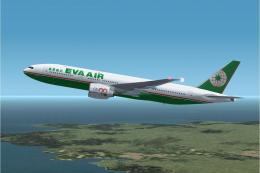
This freeware package features a fully functional Boeing 777-200LR in EVA Air…
 FSX Civil Aircraft
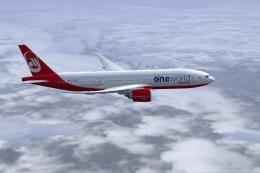
Texture only for the payware PMDG B777-200. This is a fictional repaint. By C…
 FSX Civil Aircraft
Immerse yourself in this specially-crafted fictional Air Seychelles repaint f…
 FSX Civil Aircraft
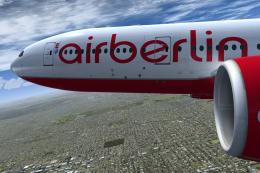
This freeware repaint brings Air Berlin’s colors to the Boeing 777-200LR in a…
Read what other simmers think, or add your own.

It Is In Old Colours Of The Air India 777-200LR. You Can Make New Colours Of Air India 777-200LR.