

 FSX Civil Aircraft
Air India Boeing 777-200LR
This updated freeware package features a complete Boeing 777-200LR in the Air…
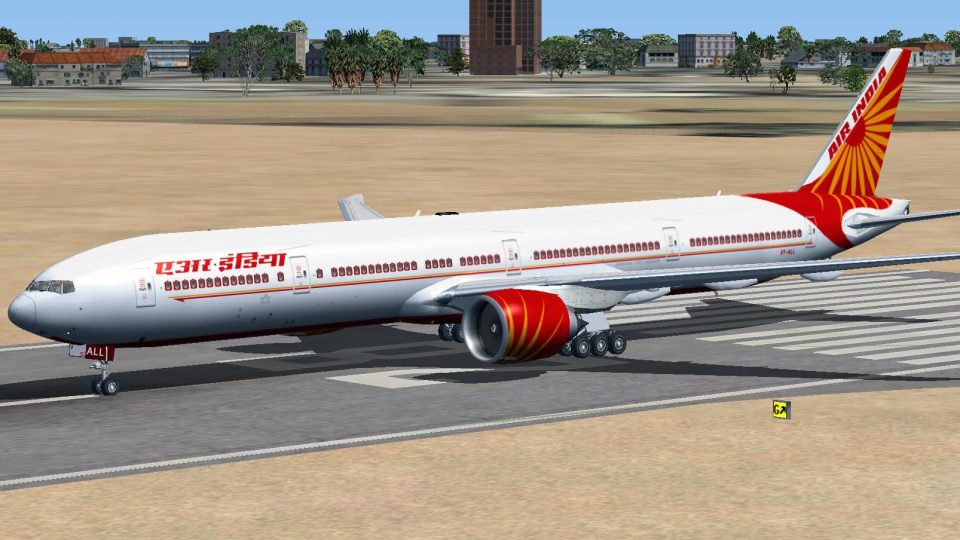
Air India’s Boeing 777-337ER livery brings the SkySpirit2012 777-300ER to life in FSX with crisp 32-bit textures, dynamic shine and effects, opening passenger and cargo doors, and flexing wings that react to turbulence. Accurate flight dynamics add trim animation, gear steering, and independent suspension; requires the SkySpirit2012 model.
 Rate
Rate
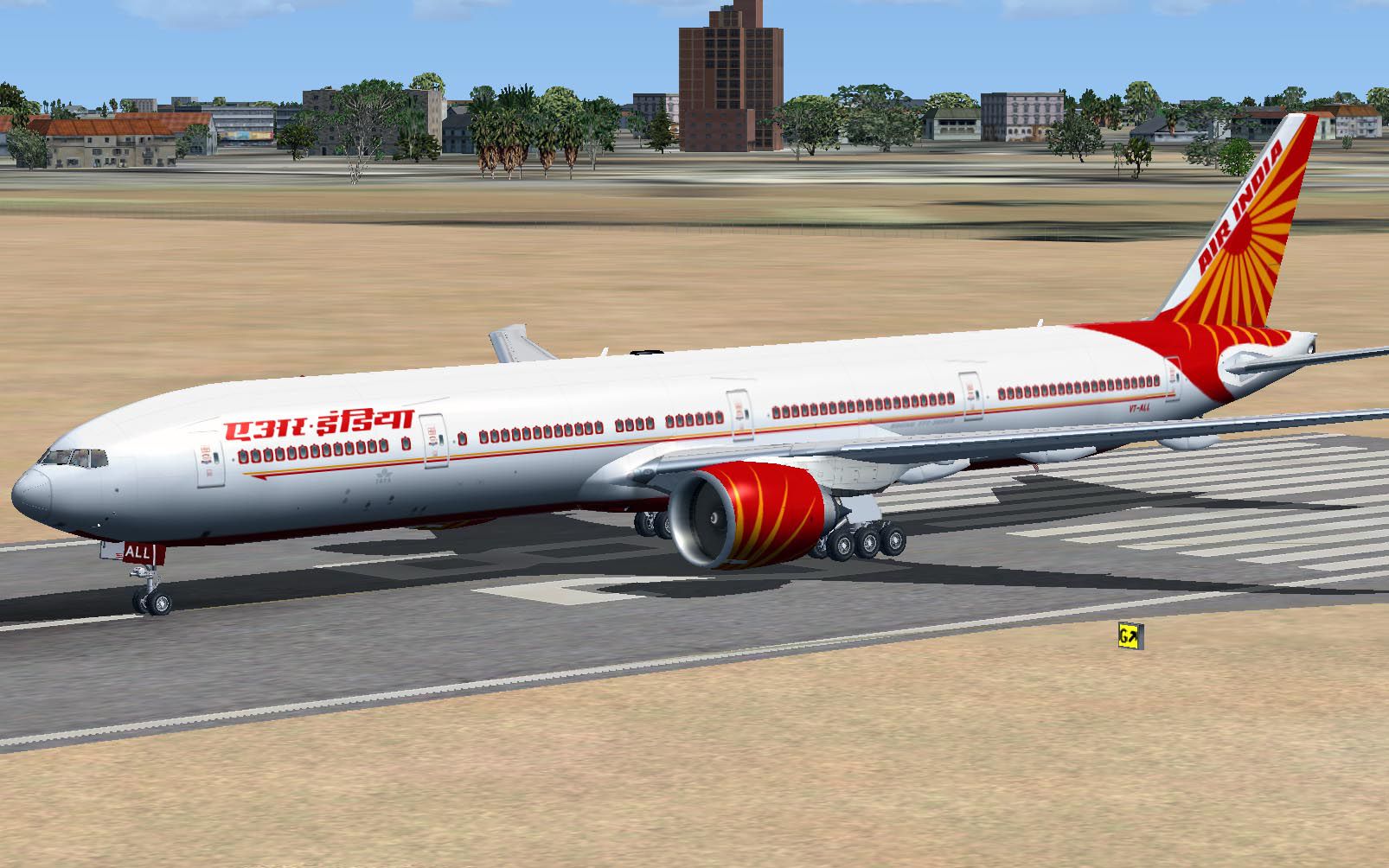
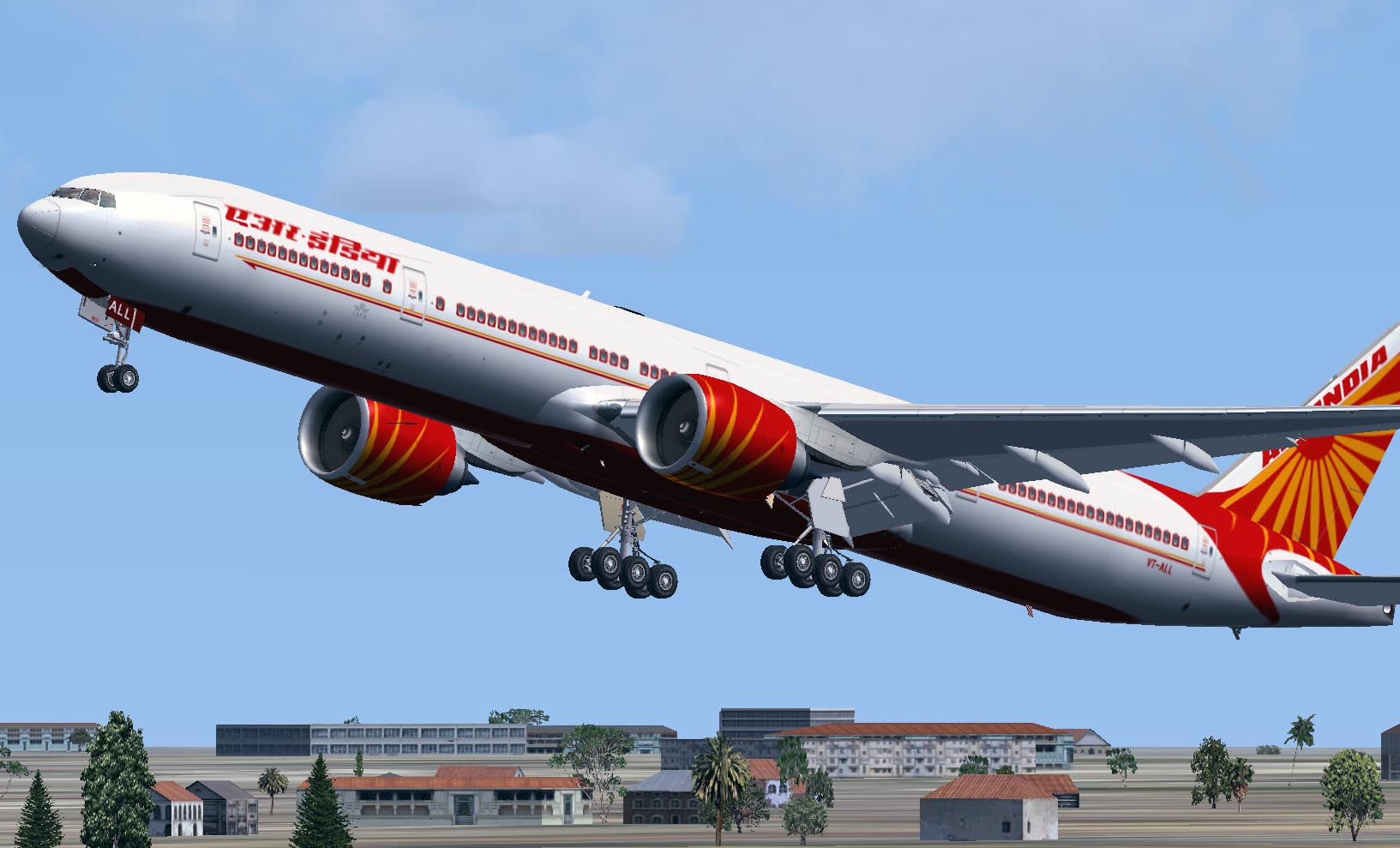
A repaint of the SkySpirit2012 B777-300ER aircraft. Features 32 bit textures, opening doors and cargo doors, dynamic shine and effects, dynamic flexing wings that respond to turbulence, fully independent suspension, trim animation, gear steering, accurate flight dynamics and more. Panel by Philippe Wallaert. Repainted by Mohammed Al-Khalifa.
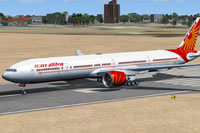
Screenshot of Air India Boeing 777-337ER on runway.
Installation:
That's it, enjoy flying!
Free for all simmers · 8.32 MB · Scanned clean Oct 2026
Download speed: Free tier is capped at 0.5 Mbps (this file takes approximately 2 mins at the cap). PRO members download at full line speed.
FSX\SimObjects\Airplanes\. The folder must contain an aircraft.cfg file. Effects go into FSX\Effects\; gauges go into FSX\Gauges\.readme.txt or README file. It tells you exactly where files go, what dependencies are needed, and any quirks specific to this add-on.The archive ssp_ai_b773.zip has 90 files and directories contained within it.
This list displays the first 500 files in the package. If the package has more, you will need to download it to view them.
| Filename/Directory | File Date | File Size |
|---|---|---|
| ssp_ai_b773 | 02.25.13 | 0 B |
| AI773.jpg | 02.24.13 | 221.00 kB |
| AI773b.jpg | 02.24.13 | 150.00 kB |
| FILE_ID.diz | 02.25.13 | 443 B |
| Readme.txt | 02.25.13 | 3.19 kB |
| SSP Boeing 777-333ER Air India FSX | 02.24.13 | 0 B |
| Aircraft.cfg | 02.24.13 | 21.87 kB |
| Boeing 777-300ER General Electric 90-115B1.air | 02.17.13 | 9.42 kB |
| Effects | 02.24.13 | 0 B |
| Opensky_747_vclight.fx | 02.17.13 | 1.31 kB |
| Opensky_767_Nose_Gear.fx | 02.17.13 | 1.31 kB |
| Opensky_beacon.fx | 02.17.13 | 3.04 kB |
| Opensky_conden.fx | 02.17.13 | 3.15 kB |
| Opensky_condens.fx | 02.17.13 | 2.71 kB |
| Opensky_logo_light.fx | 02.17.13 | 1.31 kB |
| Opensky_nacelle_refl.fx | 02.17.13 | 1.29 kB |
| Opensky_nav_yellow.fx | 02.17.13 | 3.07 kB |
| Opensky_sparks.fx | 02.17.13 | 7.05 kB |
| Opensky_vortex.fx | 02.17.13 | 1.23 kB |
| Opensky_wing_light.fx | 02.17.13 | 1.31 kB |
| model.L | 02.24.13 | 0 B |
| model.cfg | 02.17.13 | 31 B |
| SSPX773ERV2--L.MDL | 02.17.13 | 2.79 MB |
| panel | 02.24.13 | 0 B |
| B777.CAB | 02.18.13 | 1.07 MB |
| Main_777.bmp | 02.18.13 | 3.75 MB |
| panel.cfg | 02.25.13 | 6.90 kB |
| sound | 02.24.13 | 0 B |
| Sound.cfg | 02.17.13 | 30 B |
| Texture.AI | 02.24.13 | 0 B |
| Os772_COCKPIT_L.bmp | 12.26.08 | 256.07 kB |
| Os772_COCKPIT_T.bmp | 12.26.08 | 256.07 kB |
| os773ERv2_Parts_L.bmp | 03.25.07 | 1.07 kB |
| os773ERv2_Parts_T.bmp | 12.26.08 | 1.00 MB |
| os773ERv2_WINGL_L.bmp | 12.25.08 | 1.00 MB |
| os773ERv2_WINGL_T.bmp | 02.14.13 | 5.33 MB |
| os773ERv2_WINGR_L.bmp | 12.25.08 | 1.00 MB |
| os773ERv2_WINGR_T.bmp | 02.14.13 | 5.33 MB |
| OS773_LFuse_FRONT_L.bmp | 01.24.12 | 1.00 MB |
| OS773_LFuse_FRONT_T.BMP | 02.13.13 | 5.33 MB |
| OS773_LFuse_MID_L.bmp | 01.24.12 | 1.00 MB |
| OS773_LFuse_MID_T.bmp | 02.13.13 | 5.33 MB |
| OS773_LFuse_REAR_L.bmp | 01.24.12 | 1.00 MB |
| OS773_LFuse_REAR_T.bmp | 02.16.13 | 5.33 MB |
| OS773_RFuse_FRONT_L.bmp | 01.24.12 | 1.00 MB |
| OS773_RFuse_FRONT_T.BMP | 02.13.13 | 5.33 MB |
| OS773_RFuse_MID_L.bmp | 01.24.12 | 1.00 MB |
| OS773_RFuse_MID_T.BMP | 02.13.13 | 5.33 MB |
| OS773_RFuse_REAR_L.bmp | 01.24.12 | 1.00 MB |
| OS773_RFuse_REAR_T.BMP | 02.16.13 | 5.33 MB |
| Os777CONTAINER_FRONT_L.BMP | 03.25.07 | 1.07 kB |
| Os777CONTAINER_FRONT_T.BMP | 12.26.08 | 1.00 MB |
| Os777CONTAINER_REAR_L.bmp | 03.25.07 | 1.07 kB |
| Os777CONTAINER_REAR_T.bmp | 12.26.08 | 1.00 MB |
| OS777GSU1_L.BMP | 03.25.07 | 1.07 kB |
| OS777GSU1_T.BMP | 12.26.08 | 1.00 MB |
| OS777GSU2_L.BMP | 03.25.07 | 1.07 kB |
| OS777GSU2_T.BMP | 12.26.08 | 1.00 MB |
| OS777maintire_L.bmp | 03.25.07 | 1.07 kB |
| OS777maintire_T.bmp | 12.26.08 | 64.07 kB |
| OS777nosetire_L.bmp | 03.25.07 | 1.07 kB |
| OS777nosetire_T.bmp | 12.26.08 | 64.07 kB |
| OS777Option.bmp | 12.26.08 | 16.07 kB |
| Os777shaft_L.bmp | 03.25.07 | 1.07 kB |
| Os777shaft_t.bmp | 01.06.07 | 5.43 kB |
| OS777V2_LowerCargo_L.BMP | 03.25.07 | 1.07 kB |
| OS777V2_LowerCargo_T.BMP | 12.26.08 | 256.07 kB |
| os777v2_Parts2_L.bmp | 03.25.07 | 1.07 kB |
| os777v2_Parts2_T.bmp | 12.26.08 | 1.00 MB |
| os777v2_Parts_L.bmp | 03.25.07 | 1.07 kB |
| Os777_GE90-115B_Fan_blurred.bmp | 08.26.11 | 256.07 kB |
| Os777_GE90-115B_Fan_Slow.bmp | 08.26.11 | 256.07 kB |
| Os777_GE90-115B_L.bmp | 12.26.08 | 1.00 MB |
| Os777_GE90-115B_Parts_L.bmp | 12.25.08 | 1.00 MB |
| Os777_GE90-115B_Parts_T.bmp | 08.26.11 | 1.00 MB |
| Os777_GE90-115B_T.bmp | 02.16.13 | 5.33 MB |
| OS777_PAXDOORSIDE_L.bmp | 03.25.07 | 1.07 kB |
| OS777_PAXDOORSIDE_T.bmp | 12.26.08 | 1.00 MB |
| OS777_SPRING_L.BMP | 03.25.07 | 1.07 kB |
| OS777_SPRING_T.BMP | 12.26.08 | 4.07 kB |
| os777_WHEEL_L.bmp | 12.25.08 | 256.07 kB |
| os777_WHEEL_T.bmp | 12.26.08 | 256.07 kB |
| Os_wt500e_l.bmp | 03.25.07 | 1.07 kB |
| Os_wt500e_t.bmp | 12.26.08 | 256.07 kB |
| texture.cfg | 01.24.12 | 146 B |
| thumbnail.jpg | 02.24.13 | 27.76 kB |
| Thumbs.db | 12.26.08 | 178.50 kB |
| thumbnail.gif | 02.24.13 | 7.19 kB |
| flyawaysimulation.txt | 10.29.13 | 959 B |
| Go to Fly Away Simulation.url | 01.22.16 | 52 B |
Only PRO members can place votes.
More FSX & P3D add-ons hand-picked based on this download.
FSX Civil Aircraft
This updated freeware package features a complete Boeing 777-200LR in the Air…
 FSX Civil Aircraft
Air India Boeing 747-400. A repaint for the iFly Freeware 747-400 (FLY74711.Z…
 FSX Civil Aircraft
FSX Air India Express Boeing 737-800. Includes all 19 special liveries for Ai…
 FSX Civil Aircraft
or the default 737-800. Tex Connolly.
 FSX Civil Aircraft
FSX Air India Express Boeing 737-8Q8, registration VT-AXG. Photoreal repaint,…
 FSX Civil Aircraft
FSX Air India Boeing 737-800, registration VT-AXW. Model by Project Open Sky.…
 FSX Civil Aircraft
Repaint of Erez the Werber FAIB B737-800 in Air India Express color scheme (f…
 FSX Civil Aircraft
Textures only for the default B737-800. Screenshot of Air India Express Boein…
Read what other simmers think, or add your own.


An airplane without VC is worthless. Your work is fantastic, but when I download an airplane and find out that there is no VC, I feel disappointed and delete that airplane right away.
Please, if you post any project, mention if it has a VC or not to save downloading time.

Please add a virtual cockpit in this model. Otherwise, it is a nice creation.