

 FSX Civil Aircraft
China Southern Airbus A330 Series
China Southern Airbus A330 Series. Tom Airbus Series China Southern repaints …
Air China liveries for the Airbus A330-200 and A330-300 deliver accurate flag-carrier branding, refined shading, and clean logo placement across the wide-body airframe for realistic medium- and long-haul operations in Microsoft Flight Simulator X. Textures-only release requires Thomas Ruth’s freeware A330 base models.
 Rate
Rate
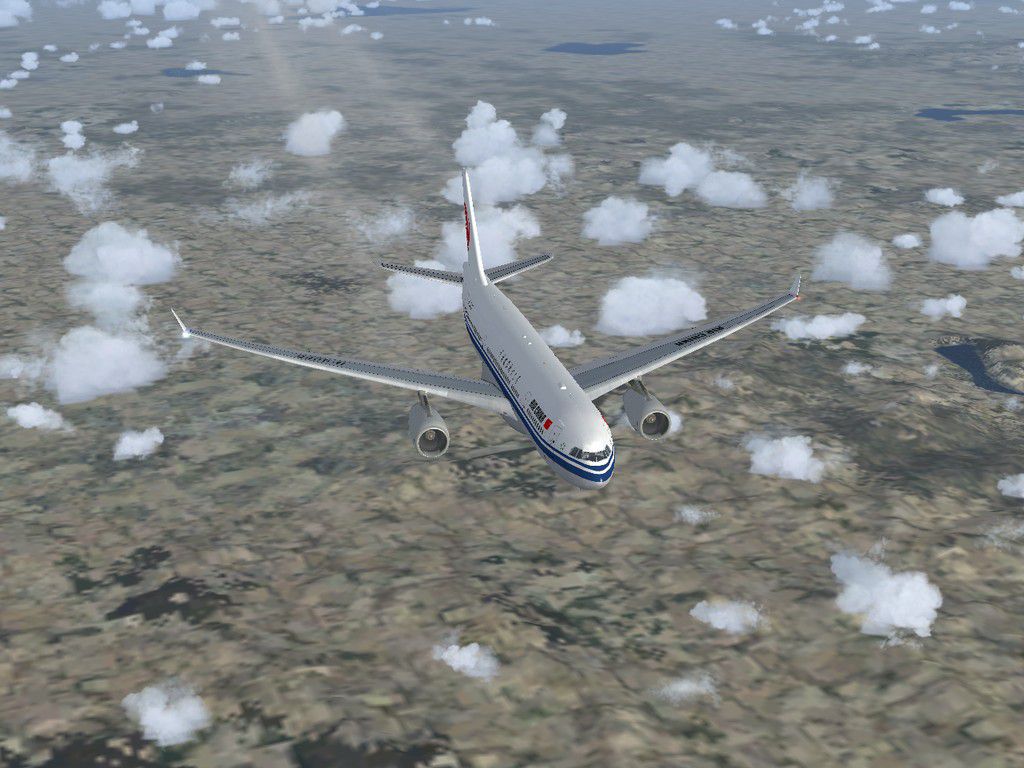
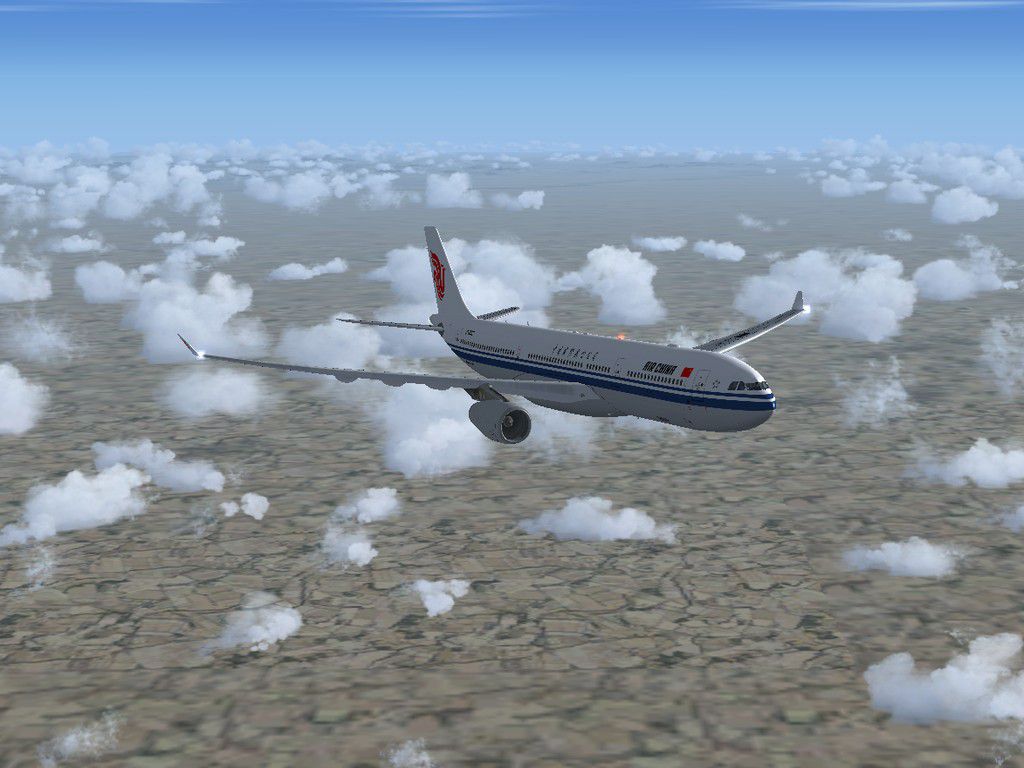
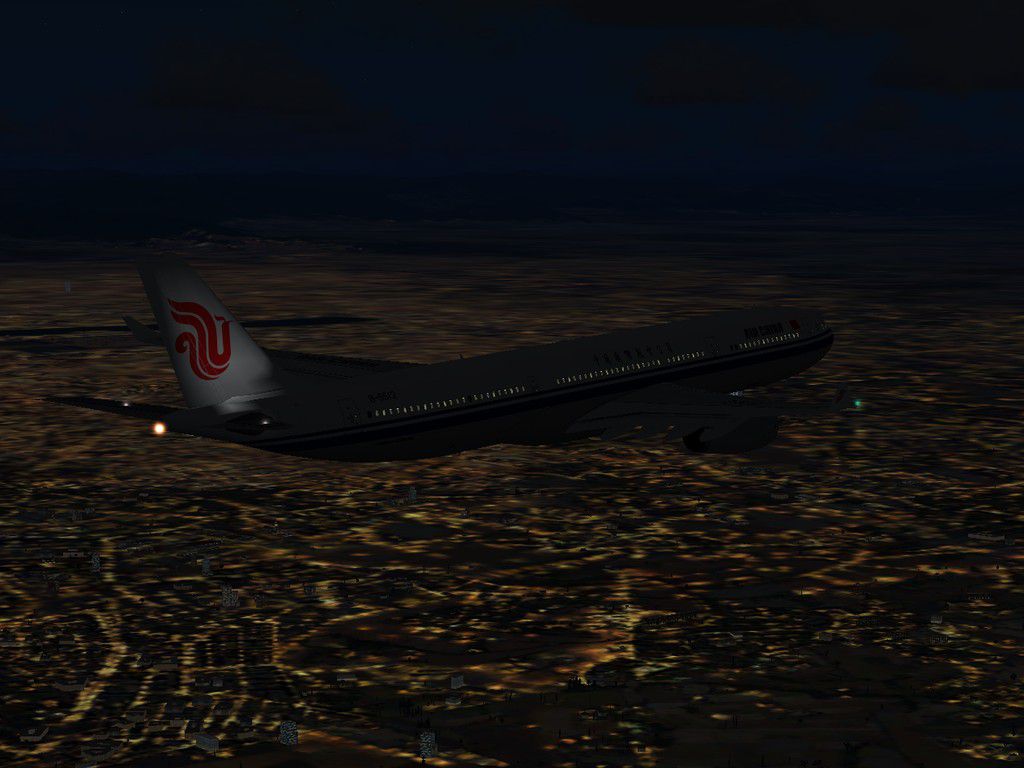
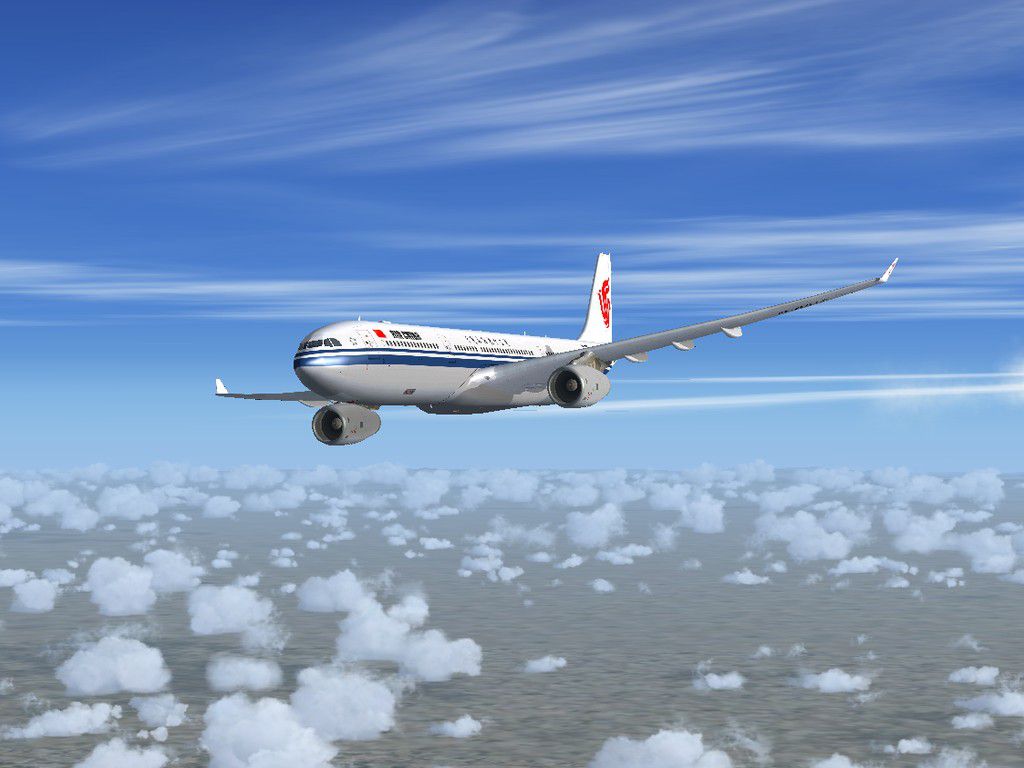
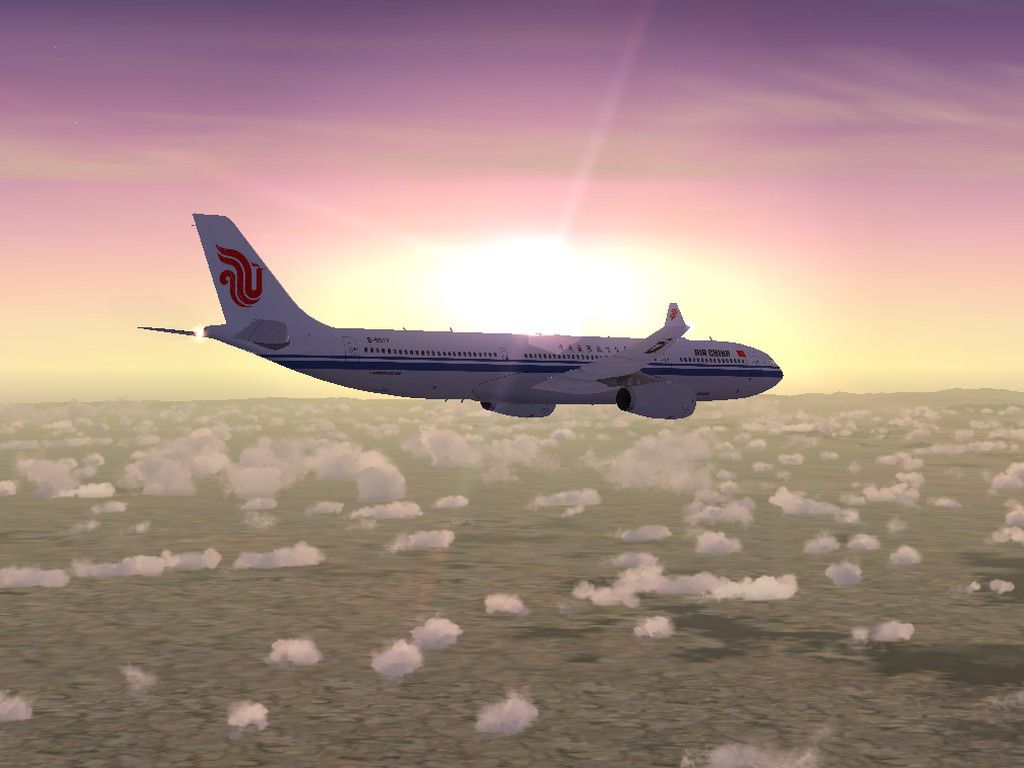
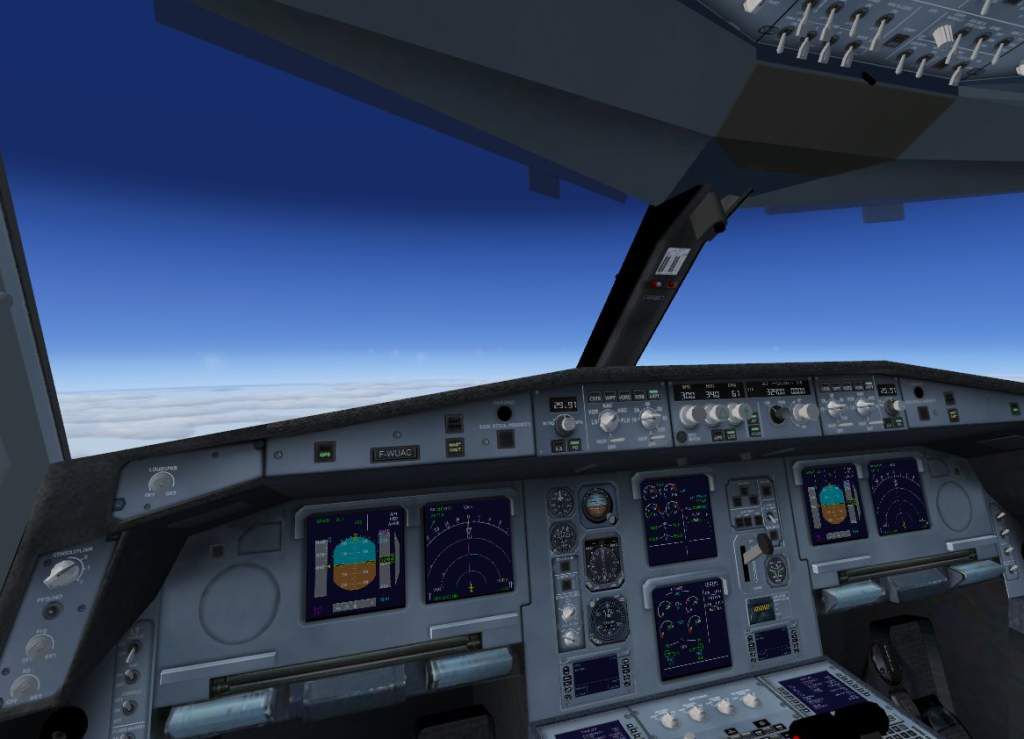
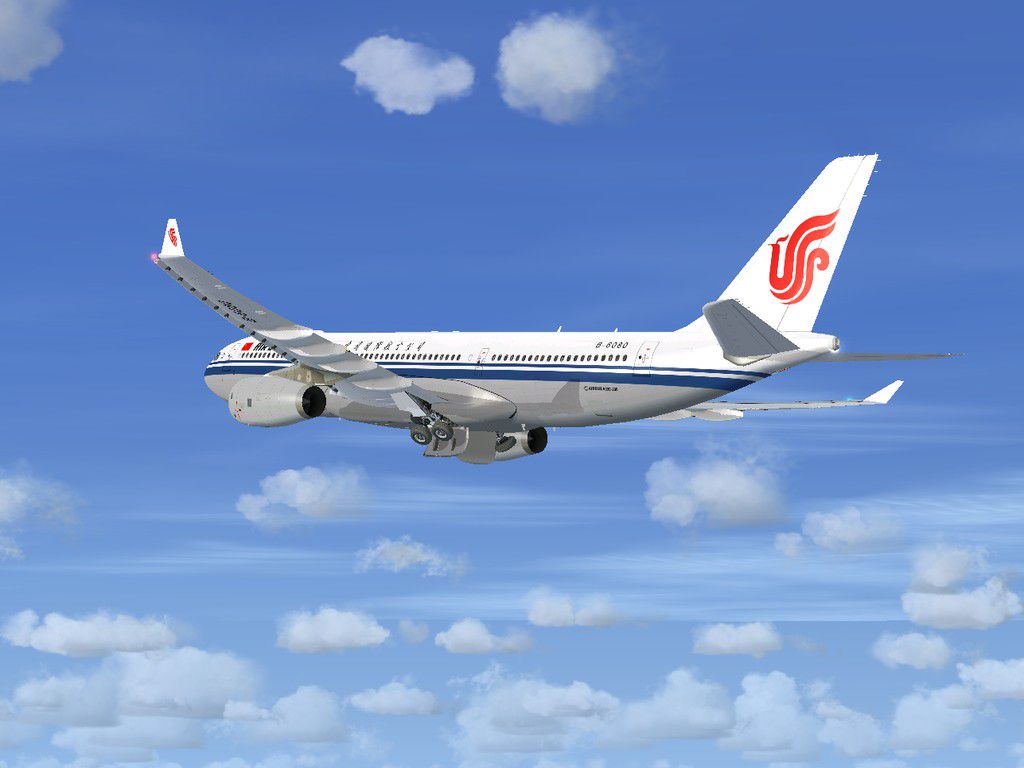
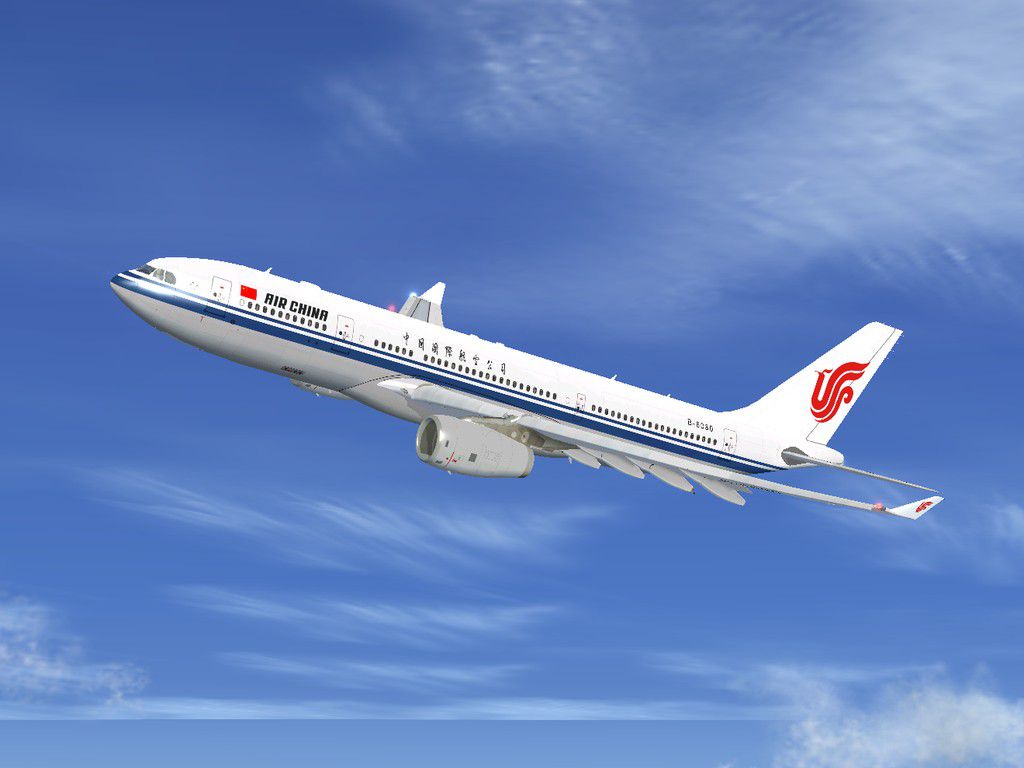
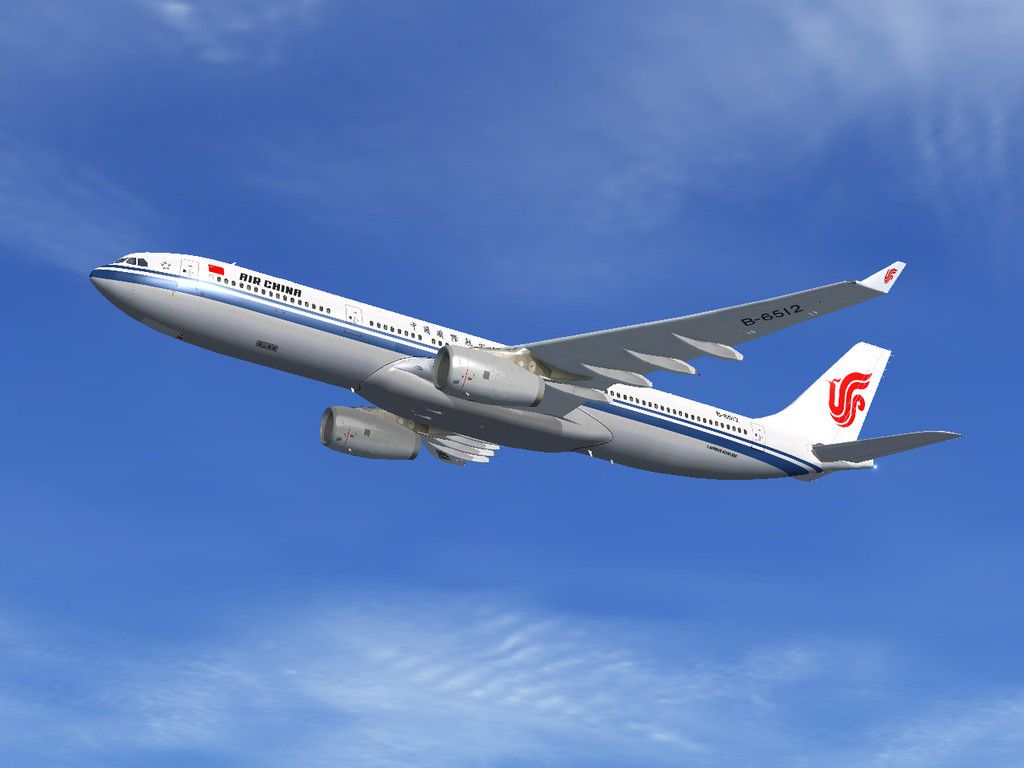
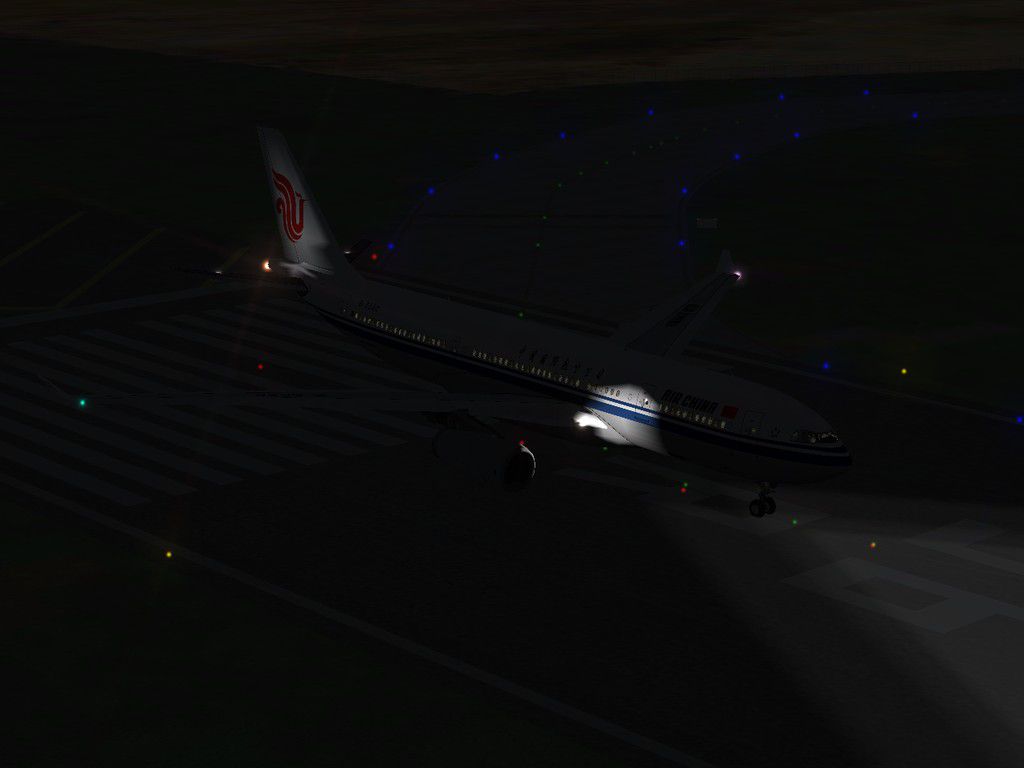
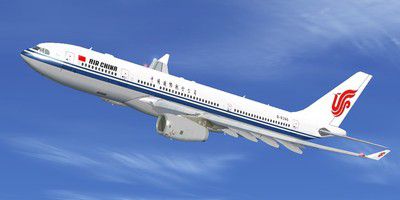
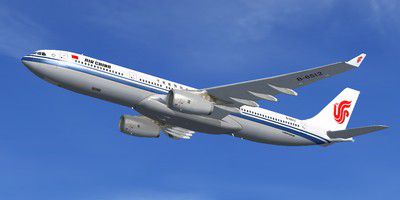
Access a meticulously detailed set of repaints that bring the Airbus A330 under Air China's livery into Microsoft Flight Simulator X, all credit to original developer Thomas Ruth and repaint artist He Lingyuan. This standalone texture pack covers both A330-200 and A330-300 models, reflecting the airline’s consistent branding and color schemes. Air China, recognized as a prominent flag carrier, regularly employs the twin-engine A330 for various medium- and long-haul routes, making this repaint set a realistic expansion for your virtual operations.
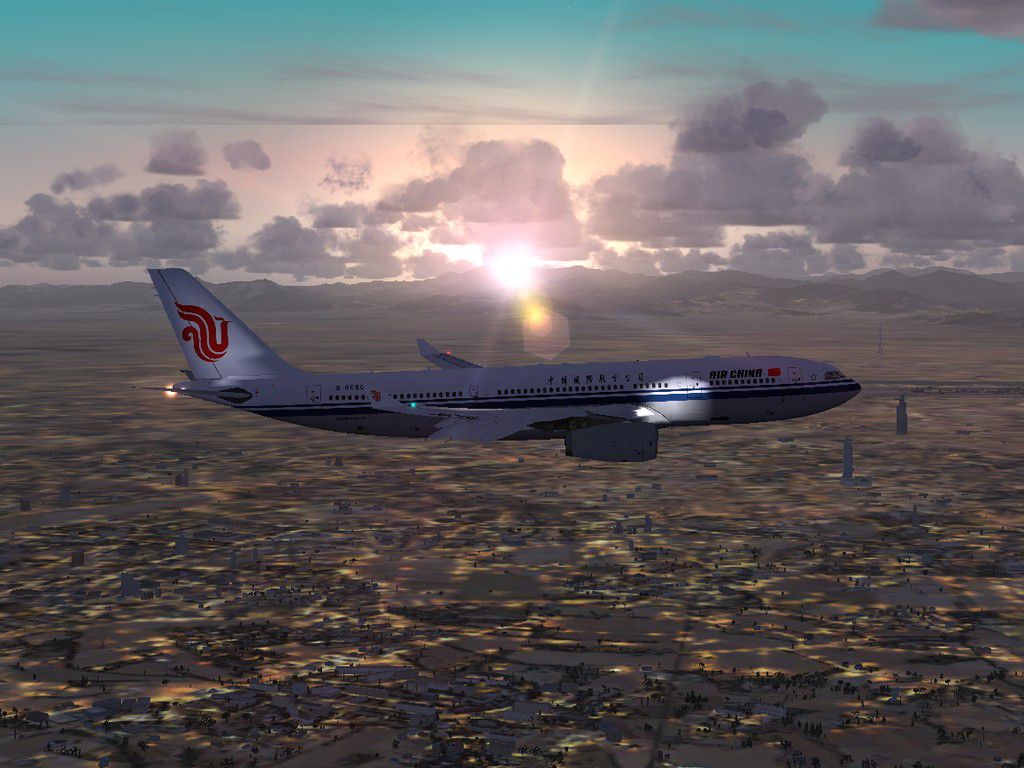
Designed around Thomas Ruth’s freeware A330 series, these repaints accurately reflect Air China’s corporate design, featuring subtle shading effects and precise logo placements. Each livery is crafted to ensure proper alignment around fuselage curvature and control surfaces. The advanced wide-body airframe—a hallmark of the Airbus A330—translates smoothly into these textures, preserving realism through correct engine detailing.
Air China’s wide-body Airbus A330 captured mid-flight.
In homage to the creators, it is important to note that all core visual and flight model elements remain the property of Thomas Ruth, while the new Air China paintwork was completed by He Lingyuan.
These steps presume you have already installed the relevant base models in your FSX folder structure (FSX\SimObjects\).
Download and install TomA332B.ZIP (A330-200) and TomA333B.ZIP (A330-300). Refer to the documentation provided in those archives for specific instructions on folder placement.
Texture.CCA from Tom_A330-200 into ...FSX\SimObjects\Tom_A330-200\.Texture.CCA from Tom_A330-300 into ...FSX\SimObjects\Tom_A330-300\.Next, open the Aircraft.CFG in each respective folder with a simple text editor. Follow the instructions below for inserting the new [fltsim.X+1] entries.
Find the latest [fltsim.X] number in Aircraft.CFG for A330-200 and add one. Then insert the following block above the [General] section:
-----Copy Below-----
[fltsim.X+1] //X is the biggest number already existed in Aircraft.CFG.
title=Air China A330-200
sim=TomA332
model=RR
panel=330
sound=
texture=CCA
kb_checklists=
kb_reference=
atc_id=B-6080
atc_airline=Air China
atc_flight_number=
atc_heavy=1
ui_manufacturer=Airbus
ui_type="A330-200"
ui_variation="Air China"
ui_typerole="Commercial Airliner"
ui_createdby="Thomas Ruth"
description=Tom Airbus A330-200 Air China B-6080\n\nAircraft by Thomas Ruth,Germany\nAir China Repaint by He Lingyuan,China
-----Copy Above-----
Perform the same operation in the Aircraft.CFG for A330-300 by assigning a new [fltsim.X+1] index above the [General] line:
-----Copy Below-----
[fltsim.X+1] //X is the biggest number already existed in Aircraft.CFG.
title=Air China A330-300
sim=TomA333
model=RR
panel=330
sound=
texture=CCA
kb_checklists=
kb_reference=
atc_id=B-6512
atc_airline=Air China
atc_flight_number=
atc_heavy=1
ui_manufacturer=Airbus
ui_type="A330-300"
ui_variation="Air China"
ui_typerole="Commercial Airliner"
ui_createdby="Thomas Ruth"
description=Tom Airbus A330-300 Air China B-6512\n\nAircraft by Thomas Ruth,Germany\nAir China Repaint by He Lingyuan,China
-----Copy Above-----
Finally, start up Microsoft Flight Simulator X and select the desired Air China variant from the aircraft menu. You should see the updated livery applied to the Airbus A330-200 or A330-300 model.
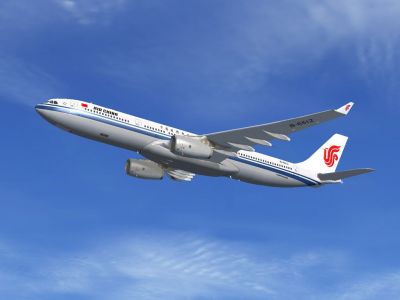
Additional angle showing the repainted fuselage in cruising flight.
With these comprehensive Air China textures in place, enjoy an immersive long-haul experience flown by one of the major airlines operating this popular wide-body jet. This repaint package, by He Lingyuan, stands as a testament to the dedication behind maintaining accurate liveries in the simulated skies. All thanks to Thomas Ruth for his detailed Airbus aircraft series, which serves as the foundation for this upgrade.
Free for all simmers · 7.41 MB · Scanned clean Oct 2026
Download speed: Free tier is capped at 0.5 Mbps (this file takes approximately 2 mins at the cap). PRO members download at full line speed.
This file is a repaint — the packages below are the base model it paints onto. Install them first, or the textures will have nothing to load onto.
texture.{airline}) inside FSX\SimObjects\Airplanes\{base-aircraft}\.aircraft.cfg in Notepad. Add a new [fltsim.X] section per the readme.readme.txt or README file. It tells you exactly where files go, what dependencies are needed, and any quirks specific to this add-on.The archive toma330cca.zip has 70 files and directories contained within it.
This list displays the first 500 files in the package. If the package has more, you will need to download it to view them.
| Filename/Directory | File Date | File Size |
|---|---|---|
| Air China Airbus A330 Series | 09.22.10 | 0 B |
| Readme.txt | 10.01.10 | 3.99 kB |
| Screenshots | 10.02.10 | 0 B |
| CCA_A332_01.jpg | 10.02.10 | 84.09 kB |
| CCA_A332_02.jpg | 10.02.10 | 87.16 kB |
| CCA_A332_03.jpg | 10.02.10 | 170.12 kB |
| CCA_A332_04.jpg | 10.02.10 | 161.81 kB |
| CCA_A332_05.jpg | 10.02.10 | 51.79 kB |
| CCA_A333_01.jpg | 10.02.10 | 77.95 kB |
| CCA_A333_02.jpg | 10.02.10 | 109.82 kB |
| CCA_A333_03.jpg | 10.02.10 | 140.14 kB |
| CCA_A333_04.jpg | 10.02.10 | 105.07 kB |
| CCA_A333_05.jpg | 10.02.10 | 127.47 kB |
| Virtual Cockpit.jpg | 03.25.09 | 53.27 kB |
| Tom_A330-200 | 09.22.10 | 0 B |
| Texture.CCA | 08.20.10 | 0 B |
| A321_1_L.dds | 02.21.09 | 1.00 MB |
| A321_2_L.dds | 02.21.09 | 256.12 kB |
| A330_VC01.dds | 02.05.09 | 1.00 MB |
| A330_VC01L.dds | 02.19.09 | 1.00 MB |
| Airbus_A321_1_C.dds | 09.04.06 | 682.79 kB |
| Airbus_A321_1_L.dds | 02.19.09 | 1.00 MB |
| Airbus_A321_2_C.dds | 09.04.06 | 682.79 kB |
| Airbus_A321_2_L.dds | 02.19.09 | 1.00 MB |
| Airbus_A321_3_C.dds | 09.04.06 | 682.79 kB |
| Airbus_A321_3_L.dds | 02.19.09 | 4.12 kB |
| Airbus_A321_4_C.dds | 09.04.06 | 682.79 kB |
| Airbus_A321_4_L.dds | 02.19.09 | 1.00 MB |
| Glass.dds | 03.02.09 | 64.12 kB |
| Glass_Spec.dds | 11.24.08 | 4.12 kB |
| Main.dds | 10.03.10 | 2.00 MB |
| Main_Bump.dds | 03.03.09 | 4.00 MB |
| Main_Light.dds | 06.02.09 | 1.00 MB |
| Main_Spec.dds | 12.03.08 | 64.12 kB |
| Texture.cfg | 08.13.09 | 141 B |
| Thumbnail.jpg | 10.02.10 | 19.14 kB |
| VCBlend.dds | 02.09.09 | 1.12 kB |
| Wing_Bump.dds | 03.17.09 | 1.00 MB |
| Wing_L.dds | 08.20.10 | 512.12 kB |
| Wing_R.dds | 08.20.10 | 512.12 kB |
| Wing_Spec.dds | 11.21.08 | 64.12 kB |
| Tom_A330-300 | 09.22.10 | 0 B |
| Texture.CCA | 09.22.10 | 0 B |
| A321_1_L.dds | 02.21.09 | 1.00 MB |
| A321_2_L.dds | 02.21.09 | 256.12 kB |
| A330_VC01.dds | 02.05.09 | 1.00 MB |
| A330_VC01L.dds | 02.19.09 | 1.00 MB |
| Airbus_A321_1_C.dds | 09.04.06 | 682.79 kB |
| Airbus_A321_1_L.dds | 02.19.09 | 1.00 MB |
| Airbus_A321_2_C.dds | 09.04.06 | 682.79 kB |
| Airbus_A321_2_L.dds | 02.19.09 | 1.00 MB |
| Airbus_A321_3_C.dds | 09.04.06 | 682.79 kB |
| Airbus_A321_3_L.dds | 02.19.09 | 4.12 kB |
| Airbus_A321_4_C.dds | 09.04.06 | 682.79 kB |
| Airbus_A321_4_L.dds | 02.19.09 | 1.00 MB |
| Glass.dds | 03.02.09 | 64.12 kB |
| Glass_Spec.dds | 11.24.08 | 4.12 kB |
| Main.dds | 10.03.10 | 2.00 MB |
| Main_Bump.dds | 04.12.09 | 4.00 MB |
| Main_Light.dds | 04.13.09 | 1.00 MB |
| Main_Spec.dds | 03.23.09 | 64.12 kB |
| Texture.cfg | 09.22.10 | 141 B |
| Thumbnail.jpg | 10.02.10 | 16.82 kB |
| VCBlend.dds | 02.09.09 | 1.12 kB |
| Wing_Bump.dds | 03.17.09 | 1.00 MB |
| Wing_L.dds | 09.22.10 | 512.12 kB |
| Wing_R.dds | 09.22.10 | 512.12 kB |
| Wing_Spec.dds | 11.21.08 | 64.12 kB |
| flyawaysimulation.txt | 10.29.13 | 959 B |
| Go to Fly Away Simulation.url | 01.22.16 | 52 B |
Only PRO members can place votes.
More FSX & P3D add-ons hand-picked based on this download.
FSX Civil Aircraft
China Southern Airbus A330 Series. Tom Airbus Series China Southern repaints …
 FSX Civil Aircraft
Aircraft models and texture of B-MAO "Rio Yaluzangbu" (A319), B-MAX "Developm…
 FSX Civil Aircraft
This add-on provides repaints of China Eastern Airlines’ Airbus A330 fleet fo…
 FSX Civil Aircraft
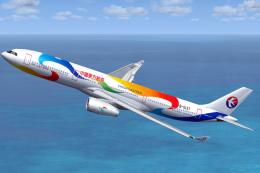
This is a repaint of China Eastern Airlinrs "Expo 2010 Colors" on the Commerc…
 FSX Civil Aircraft
This freeware release brings the classic BAC 1-11 400 Series to Microsoft Fli…
 FSX Civil Aircraft
This freeware package brings the iconic tri-jet experience of Boeing’s 727-20…
 FSX Civil Aircraft
The 2011 Shenzhen Summer Universiade Specials package for Flight Simulator X.…
 FSX Civil Aircraft
Tenkuu Developers Studio Boeing 787-8 Series FSX model replacement set versio…
Be the first to leave a comment on this download.
Be the first to share your thoughts on this download.