

 FSX Civil Aircraft
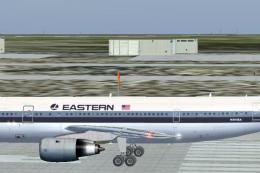
Eastern Airlines Airbus A300-B4
Eastern Airlines Airbus A300-B4. Thomas Ruth's A300-B4 Eastern Whisperliner l…
Eastern Airlines Airbus A300 flight dynamics fix improves stability and restores autothrottle reliability while preventing crashes when changing departure airports in FSX. It adjusts static pitch, adds missing electrical and flight_tuning entries, and includes a cockpit light effect; requires TOMS_A300_EASTERN.ZIP and can benefit other Tom Ruth A300 repaints.
 Rate
Rate
Eastern Airlines Airbus A300 Fix for change of airport flight crash and inop autothrottle problem. For use with TOMS_A300_EASTERN.ZIP. By Jim Waters.
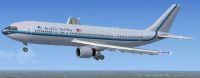
Eastern Airlines Airbus A300 in flight.
- Tom Ruth's A300 - FDE fix for Change of Airport flight crash and Inop Autothrottle
problem. Fix for file uploaded 11/2/10: toms_a300_eastern.zip.
The problem on the flight crash after changing cities was caused
by the "static_pitch" parameter set too low. When the aircraft
was changed to a different airport, the flight (*not the system) crashed with placing
the aircraft on the runway.
The Auto-Throttle problem seemed to be related to code
in the electrical system that was missing.
I have also coded in alternate flight tuning section of "Aircraft.cfg"
as follows:
[flight_tuning]

cruise_lift_scalar=1.0

parasite_drag_scalar=1.0

induced_drag_scalar=1.0

elevator_effectiveness=0.7

aileron_effectiveness=0.7

rudder_effectiveness=2.4

pitch_stability=1.4

roll_stability=1.4

yaw_stability=1.4

elevator_trim_effectiveness=1.4

aileron_trim_effectiveness=1.0

rudder_trim_effectiveness=1.0
Default is values of all 1.0. This code change should make the aircraft more handleable.
If you have another version or repaint of Tom Ruth's A300, this should
also help with problems described with this fix.
The "fx_vclight_yellow" was left out of the original upload. Might be
a bit too bright for night flying. Place this file in the root "Effects" file.
Jim Waters
Free for all simmers · 8.9 KB · Scanned clean Oct 2026
Download speed: Free tier is capped at 0.5 Mbps. PRO members download at full line speed.
This file is a repaint — the package below is the base model it paints onto. Install it first, or the textures will have nothing to load onto.
texture.{airline}) inside FSX\SimObjects\Airplanes\{base-aircraft}\.aircraft.cfg in Notepad. Add a new [fltsim.X] section per the readme.readme.txt or README file. It tells you exactly where files go, what dependencies are needed, and any quirks specific to this add-on.The archive toms_a300_fix.zip has 6 files and directories contained within it.
This list displays the first 500 files in the package. If the package has more, you will need to download it to view them.
| Filename/Directory | File Date | File Size |
|---|---|---|
| aircraft.cfg | 11.03.10 | 20.51 kB |
| file_id.diz | 11.03.10 | 155 B |
| fx_vclight_yellow.fx | 07.04.10 | 1.31 kB |
| readme.txt | 11.03.10 | 1.31 kB |
| flyawaysimulation.txt | 10.29.13 | 959 B |
| Go to Fly Away Simulation.url | 01.22.16 | 52 B |
Only PRO members can place votes.
More FSX & P3D add-ons hand-picked based on this download.
FSX Civil Aircraft
Eastern Airlines Airbus A300-B4. Thomas Ruth's A300-B4 Eastern Whisperliner l…
 FSX Civil Aircraft
Eastern Airlines Airbus A300. Model by Thomas Ruth. May work in FS2004. Inclu…
 FSX Civil Aircraft
FSX FedEx Airbus A300-600R. Textures only for the payware Overland A300-600 m…
 FSX Civil Aircraft
This is to fix a problem which you would see black dots under the engines. Th…
 FSX Civil Aircraft
Continental Airlines Airbus A300-B4 (old colors and new colors). Includes mod…
 FSX Civil Aircraft
This high-fidelity repaint replicates a Japan Airlines Airbus A300-622R for M…
 FSX Civil Aircraft
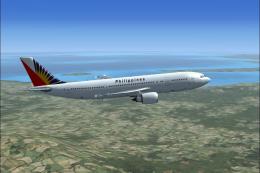
Philippine Airlines Airbus A300-600R. A Philippine Airlines repaint of Tom Ru…
 FSX Civil Aircraft
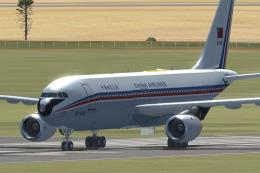
China Airlines Airbus A300, registration B-1816. Crashed near Nagoya 26 April…
Be the first to leave a comment on this download.
Be the first to share your thoughts on this download.