

 FSX Civil Aircraft
Etihad Crystal Cargo Airbus A310-304F
This add-on provides a detailed cargo-focused repaint for the Airbus A310-304…
Turkish Airlines Cargo markings transform the Airbus A310-304F into TC-JCY “Coruh” with accurately placed logos, colors, and registration details for believable freighter route flying in Microsoft Flight Simulator X. The repaint includes a cohesive exterior texture set and requires Thomas Ruth’s freeware A310 base model for proper aircraft and virtual cockpit integration.
 Rate
Rate

This repaint package brings Turkish Airlines Cargo markings to the Airbus A310-304F, providing a specialized livery for operators seeking authentic freight operations in Microsoft Flight Simulator X. Featuring the registration TC-JCY, also called “Coruh,” it retains faithful detailing throughout the airframe. The repaint has been meticulously assembled by Paul Craig, and it depends on the freeware base model created by Thomas Ruth. Those interested in replicating Turkish Cargo’s realism will need to acquire the base files, available in the Fly Away Simulation mod library.
The Airbus A310, introduced during the 1980s as a shorter-fuselage variant of the A300 series, quickly gained a reputation for its reliability. In cargo form, it often serves global shipping and logistics networks, and TC-JCY highlights Turkish Airlines Cargo’s commitment to delivering parcels around the world. This particular texture precisely locates logos, color accents, and registration data as seen on the actual aircraft. Aviation enthusiasts can replicate the correct proportions and markings for accurate cargo route simulations.
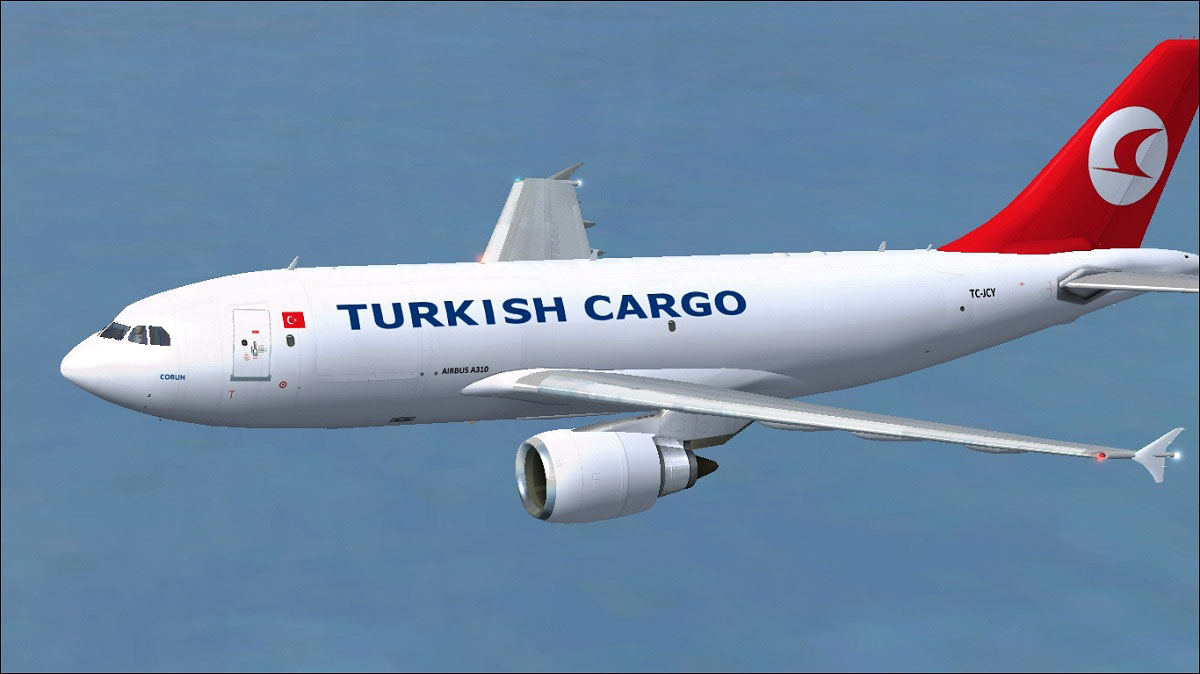
Turkish Cargo Airbus A310-304F cruising under high-load scenarios.
Before making any edits, create a backup of your aircraft.cfg in case an issue arises. Then, open the file with a text editor and find the latest [fltsim.x] entry. Duplicate and paste the following code, adjusting “x” to the next sequential number:
[fltsim.x]

title=Turkish Cargo A310

sim=TomA310

model=GEF

panel=310GE

sound=

texture=Turkish Cargo

kb_checklists=

kb_reference=

atc_id=TC-JCY

atc_airline=Turkish

atc_flight_number=1124

atc_heavy=1

ui_manufacturer=Airbus

ui_typerole=Commercial Airliner

ui_createdby=Thomas Ruth

ui_type=A310-304(F)

ui_variation=Turkish Cargo
Should you encounter difficulties saving the edits back into the original file, move the aircraft.cfg elsewhere, perform the modifications, and then overwrite the existing file in your SimObjects folder.
This repaint has been prepared by Paul Craig, showcasing the Turkish Airlines Cargo theme for the Airbus A310 freighter built by Thomas Ruth. Please remember that you assume all responsibility when integrating and using these files. Neither the author nor any related parties can be held liable for any unexpected errors or hardware/software conflicts arising within your simulator environment.
Free for all simmers · 1.38 MB · Scanned clean Oct 2026
Download speed: Free tier is capped at 0.5 Mbps. PRO members download at full line speed.
This file is a repaint — the package below is the base model it paints onto. Install it first, or the textures will have nothing to load onto.
texture.{airline}) inside FSX\SimObjects\Airplanes\{base-aircraft}\.aircraft.cfg in Notepad. Add a new [fltsim.X] section per the readme.readme.txt or README file. It tells you exactly where files go, what dependencies are needed, and any quirks specific to this add-on.The archive thya310-304f.zip has 16 files and directories contained within it.
This list displays the first 500 files in the package. If the package has more, you will need to download it to view them.
| Filename/Directory | File Date | File Size |
|---|---|---|
| FILE_ID.DIZ | 05.13.11 | 219 B |
| Readme.txt | 05.13.11 | 1.59 kB |
| texture.Turkish Cargo | 05.13.11 | 0 B |
| glass.dds | 03.13.10 | 64.12 kB |
| main.dds | 05.13.11 | 4.00 MB |
| main_bump.dds | 03.13.10 | 4.00 MB |
| main_light.dds | 03.13.10 | 1.00 MB |
| main_spec.dds | 03.13.10 | 256.12 kB |
| texture.cfg | 03.13.10 | 143 B |
| thumbnail.jpg | 05.13.11 | 10.42 kB |
| wing_l.dds | 03.12.10 | 1.00 MB |
| wing_r.dds | 03.12.10 | 1.00 MB |
| thumbnail.jpg | 05.13.11 | 10.42 kB |
| Turkish Cargo Airbus A310-304F.jpg | 05.13.11 | 128.73 kB |
| flyawaysimulation.txt | 10.29.13 | 959 B |
| Go to Fly Away Simulation.url | 01.22.16 | 52 B |
Only PRO members can place votes.
More FSX & P3D add-ons hand-picked based on this download.
FSX Civil Aircraft
This add-on provides a detailed cargo-focused repaint for the Airbus A310-304…
 FSX Civil Aircraft
Features hand painted textures only for use with the payware Commercial Level…
 FSX Civil Aircraft
This repaint showcases Turkish Airlines Cargo’s Airbus A330-243F in Microsoft…
 FSX Civil Aircraft
Turkish Cargo Airbus A330-200F. A repaint for Thomas Ruth's A330-200F v2 mode…
 FSX Civil Aircraft
Turkish Cargo Airbus A330-243F Fix. This fix is a replacement main_spec.dds f…
 FSX Civil Aircraft
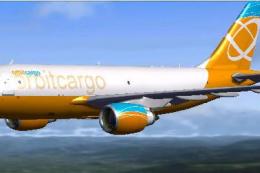
Orbit Cargo Airbus A310-300 based on the MS Orbit airlines colors. This is a …
 FSX Civil Aircraft
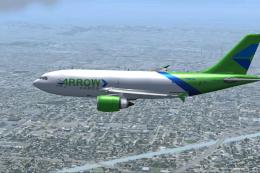
Arrow Cargo VA Airbus A310-300F, registration N883AC. Repaint by Mathieu Vos …
 FSX Civil Aircraft
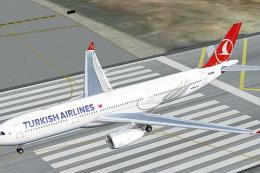
Turkish Airlines Airbus A330-200 GE (new colors). Model by CLS. Repaint by Se…
Be the first to leave a comment on this download.
Be the first to share your thoughts on this download.