

 FSX Civil Aircraft
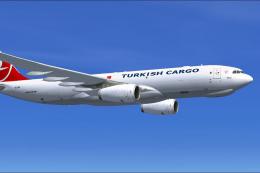
Turkish Cargo Airbus A330-243F
This repaint showcases Turkish Airlines Cargo’s Airbus A330-243F in Microsoft…
Turkish Cargo Airbus A330-243F receives a corrected main_spec.dds that cleans up the specular texture so unwanted legacy reflections no longer show on the livery. Designed for FSX, the replacement file updates the TKY texture set for a more accurate exterior finish while keeping the original aircraft package intact.
 Rate
Rate

Turkish Cargo Airbus A330-243F Fix. This fix is a replacement main_spec.dds file for Turkish Cargo Airbus A330-243F (THYA330-243F.ZIP). By Paul Craig.
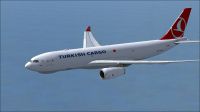
Turkish Cargo Airbus A330-243F in flight.
This fix is a replacement main_spec.dds file for Turkish Cargo Airbus A330-243F (thya330-243f.zip). Sorry for this oversight.
Thank you for downloading this fix.
Installation:
Unzip the file to a temporary folder.
Copy & Paste the file "main_spec.dds" into your "texture.TKY" and confirm overwrite of current file.
Start FSX and select your Turkish Cargo Airbus A330 and you will see that the old main_spec textures are not visible.
Paul Craig
Free for all simmers · 178.75 KB · Scanned clean Oct 2026
Download speed: Free tier is capped at 0.5 Mbps. PRO members download at full line speed.
This add-on may require the following files to function properly. If this is a repaint, the dependency below is likely the base aircraft package.
FSX\SimObjects\Airplanes\. The folder must contain an aircraft.cfg file. Effects go into FSX\Effects\; gauges go into FSX\Gauges\.readme.txt or README file. It tells you exactly where files go, what dependencies are needed, and any quirks specific to this add-on.The archive thya330-243f-fix.zip has 6 files and directories contained within it.
This list displays the first 500 files in the package. If the package has more, you will need to download it to view them.
| Filename/Directory | File Date | File Size |
|---|---|---|
| FILE_ID.DIZ | 05.15.11 | 182 B |
| main_spec.dds | 05.15.11 | 1.00 MB |
| Readme.txt | 05.15.11 | 546 B |
| thumbnail.jpg | 05.14.11 | 9.19 kB |
| flyawaysimulation.txt | 10.29.13 | 959 B |
| Go to Fly Away Simulation.url | 01.22.16 | 52 B |
Only PRO members can place votes.
More FSX & P3D add-ons hand-picked based on this download.
FSX Civil Aircraft
This repaint showcases Turkish Airlines Cargo’s Airbus A330-243F in Microsoft…
 FSX Civil Aircraft
Enhance your cargo operations in Microsoft Flight Simulator X by adding this …
 FSX Civil Aircraft
This repaint offers a dedicated cargo rendition of a Hong Kong Airlines Airbu…
 FSX Civil Aircraft
Turkish Cargo Airbus A330-200F. A repaint for Thomas Ruth's A330-200F v2 mode…
 FSX Civil Aircraft
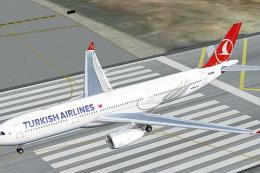
Turkish Airlines Airbus A330-200 GE (new colors). Model by CLS. Repaint by Se…
 FSX Civil Aircraft
Textures only for the Thomas Ruth model (TOMA332B.ZIP). Repaint by Muharrem S…
 FSX Civil Aircraft
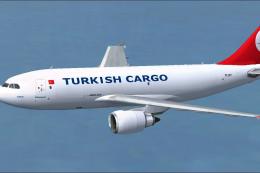
This repaint package brings Turkish Airlines Cargo markings to the Airbus A31…
 FSX Civil Aircraft
Turkish Airlines Logo Fix. Wilco's Turkish Airlines logo fix by Tolga Ozanalp…
Be the first to leave a comment on this download.
Be the first to share your thoughts on this download.