

 FSX Military Aircraft
US Navy Douglas A-1H Skyrider VA-35
The Douglas A-1H Skyrider was a cornerstone of US naval close air support ope…
Douglas A-1J Skyraider VA-152 textures recreate a USS Oriskany-era U.S. Navy attack aircraft with authentic squadron markings, period tail numbers, and subtle operational weathering, matched to the model’s lines and virtual cockpit. Built for Microsoft Flight Simulator X, it requires Tim Conrad’s A-1J base package and includes texture files only.
 Rate
Rate
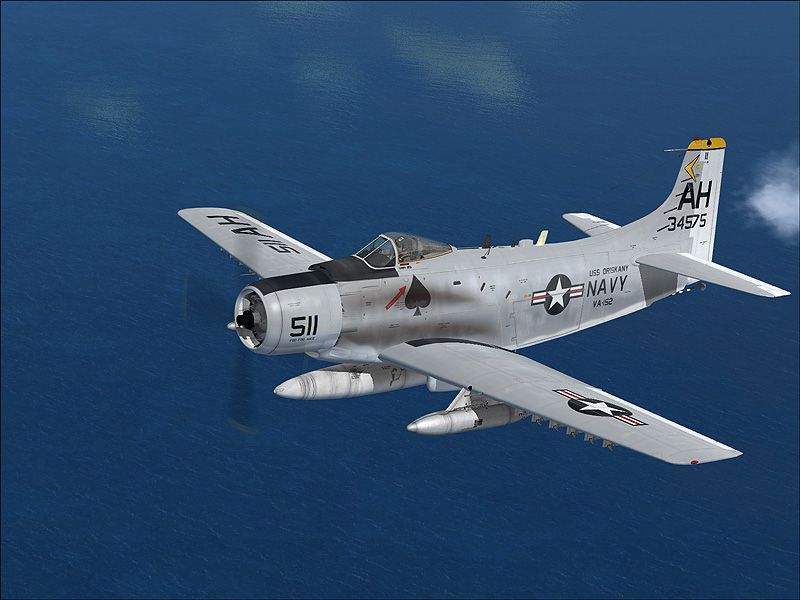
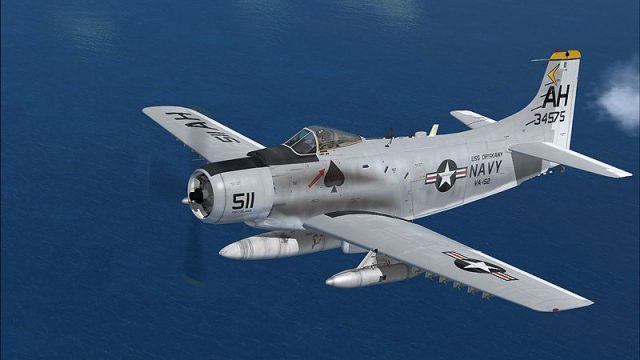
This freeware repaint for Microsoft Flight Simulator X provides a rich US Navy VA-152 USS Oriskany theme for Tim Conrad’s A-1J Skyrider model, capturing the iconic Douglas single-seat attack configuration in an authentic livery. Developed by Henry William, it showcases the distinct naval markings used during carrier-based missions. This download includes the texture files only; you will need Tim Conrad’s base package (A-1J_SKYRAIDER.ZIP) from the Fly Away Simulation library to fly this design.
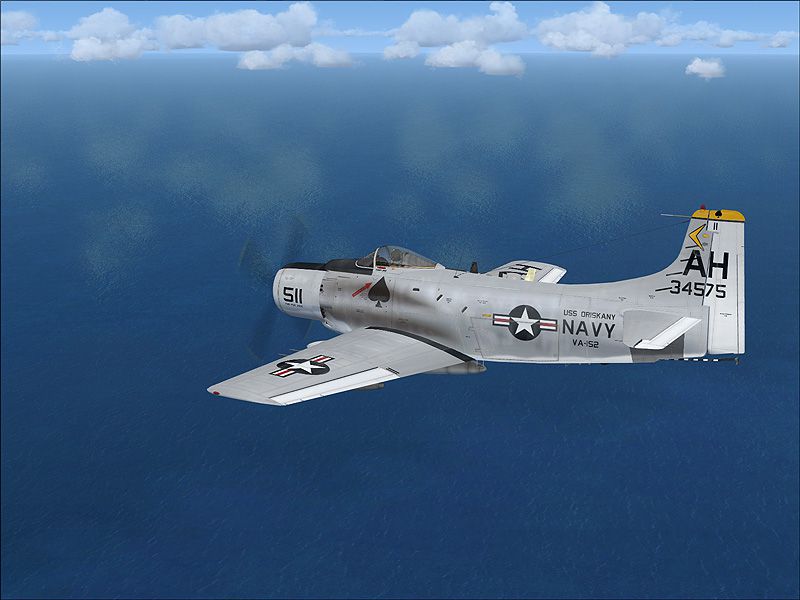
The A-1 Skyrider, sometimes referred to as the Skyraider, was a piston-powered, single-engine strike aircraft known for its ability to perform close air support. The VA-152 squadron markings found here replicate the style sported aboard USS Oriskany (a revered Essex-class carrier). Henry William ensured the naval emblem placement and numbers reflect period-authentic finishes. The final aesthetic evokes the aircraft’s operational history during the late propeller-driven era of US Navy aviation.
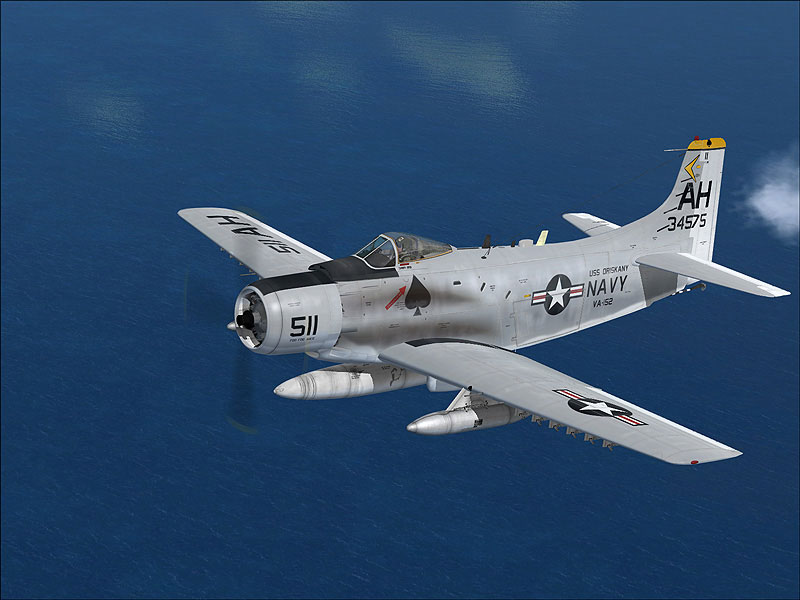
US Navy Douglas A-1 Skyrider VA-152 in flight.
This repaint borrows design elements that trace back to the robust close air support missions carried out by the Douglas A-1 series. The artwork includes:
Created by Henry William, the repaint references the real aircraft’s sturdy build and service role in the mid-20th century, ensuring it aligns with Tim Conrad’s meticulously modeled A-1J, part of his “Piglet's Peculiar Planes” collection.
texture.oriskany folder into your existing A-1J directories. A typical path on many setups is:aircraft.cfg file located in the A-1J folder. Scroll down to the last [fltsim.x] entry. Paste the following block underneath, then replace xx with the next consecutive number:[fltsim.xx]
title=A-1J_703-511
sim=A-1J
model=
panel=
sound=
texture=oriskany
panel_alias=
sound_alias=
kb_checklists=
kb_reference=
atc_id=39703
atc_id_color=
atc_parking_types=
atc_parking_code=
atc_airline=
atc_flight_number=
ui_manufacturer=Douglas
ui_createdby="Piglet's Peculiar Planes"
ui_type=A-1J
ui_variation=U.S Navy 511 USS Oriskany
description=Prop Driven CSAR and Close Support Aircraft
visual_damage=1
These textures have been specifically tailored for Tim Conrad’s base model. To experience the complete visual fidelity, you must acquire and install the original A-1J Skyrider package from the Fly Away Simulation library. Once installed, the newly added VA-152 USS Oriskany scheme will appear in your aircraft selection menu, providing a historically-inspired representation of this late-era prop attack aircraft.
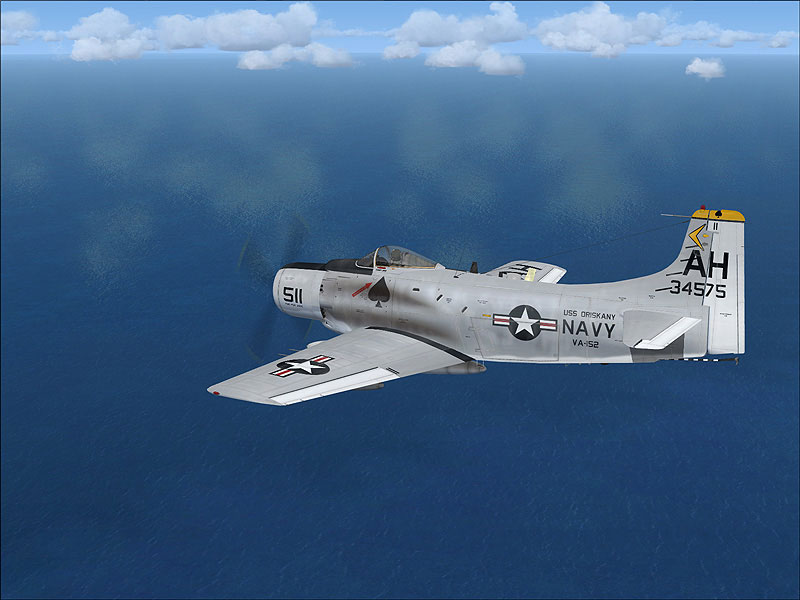
US Navy Douglas A-1 Skyrider VA-152 in flight.
All credits go to Henry William for the repaint and livery design, and to Tim Conrad (Piglet’s Peculiar Planes) for crafting the original A-1J Skyrider model. Their collective work offers a detailed depiction of an aircraft that once played a pivotal role in US naval aviation history.
Free for all simmers · 8.18 MB · Scanned clean Oct 2026
Download speed: Free tier is capped at 0.5 Mbps (this file takes approximately 2 mins at the cap). PRO members download at full line speed.
This file is a repaint — the package below is the base model it paints onto. Install it first, or the textures will have nothing to load onto.
texture.{airline}) inside FSX\SimObjects\Airplanes\{base-aircraft}\.aircraft.cfg in Notepad. Add a new [fltsim.X] section per the readme.readme.txt or README file. It tells you exactly where files go, what dependencies are needed, and any quirks specific to this add-on.The archive a-1nav3.zip has 25 files and directories contained within it.
This list displays the first 500 files in the package. If the package has more, you will need to download it to view them.
| Filename/Directory | File Date | File Size |
|---|---|---|
| 1.jpg | 03.11.10 | 151.37 kB |
| 2.jpg | 03.11.10 | 158.14 kB |
| readme.txt | 03.11.10 | 1.12 kB |
| small.gif | 03.11.10 | 11.84 kB |
| texture.oriskany | 03.11.10 | 0 B |
| a1_01.dds | 03.11.10 | 16.00 MB |
| a1_01_spec.dds | 02.27.10 | 4.00 MB |
| a1_02.dds | 03.11.10 | 4.00 MB |
| a1_02_spec.dds | 02.28.10 | 1.00 MB |
| a1_03.dds | 03.02.10 | 4.00 MB |
| a1_03_lm.dds | 02.24.10 | 4.00 MB |
| a1_03_spec.dds | 02.24.10 | 4.00 MB |
| a1_aircrew.dds | 01.27.10 | 256.12 kB |
| a1_glass.dds | 03.01.10 | 256.12 kB |
| a1_glass_lm.dds | 02.17.10 | 256.12 kB |
| a1_panels.dds | 02.27.10 | 4.00 MB |
| a1_panels_lm.dds | 02.24.10 | 4.00 MB |
| a1_panels_spec.dds | 02.24.10 | 4.00 MB |
| a1_prop.dds | 01.28.10 | 64.12 kB |
| a1_reflect.dds | 02.16.10 | 256.12 kB |
| thumbnail.jpg | 03.11.10 | 34.45 kB |
| Thumbs.db | 03.11.10 | 5.50 kB |
| a-1nav3 | 03.11.10 | 0 B |
| flyawaysimulation.txt | 10.29.13 | 959 B |
| Go to Fly Away Simulation.url | 01.22.16 | 52 B |
Only PRO members can place votes.
More FSX & P3D add-ons hand-picked based on this download.
FSX Military Aircraft
The Douglas A-1H Skyrider was a cornerstone of US naval close air support ope…
 FSX Military Aircraft
The Douglas A-1 Skyraider, sometimes informally nicknamed “Spad,” was a robus…
 FSX Military Aircraft
This repaint package brings the Douglas A-1 Skyrider, adorned with authentic …
 FSX Military Aircraft
This free add-on provides a detailed repaint of Tim Conrad’s A-1J Skyrider, f…
 FSX Military Aircraft
A4 model by Virtavia. Repaint by Zsolt Beleznay. Screenshot of US Navy Dougla…
 FSX Military Aircraft
Experience a meticulously crafted repaint replicating the classic US Navy sch…
 FSX Military Aircraft
This freeware repaint introduces a detailed US Navy (VA-176) paint scheme for…
 FSX Military Aircraft
This repaint offers a distinctive United States Marine Corps livery on Tim Co…
Be the first to leave a comment on this download.
Be the first to share your thoughts on this download.