

 FSX Helicopters
US Navy Bell 206 FX Helicopter 'BURNO 162037'
This repaint showcases a distinguished US Navy training helicopter livery app…
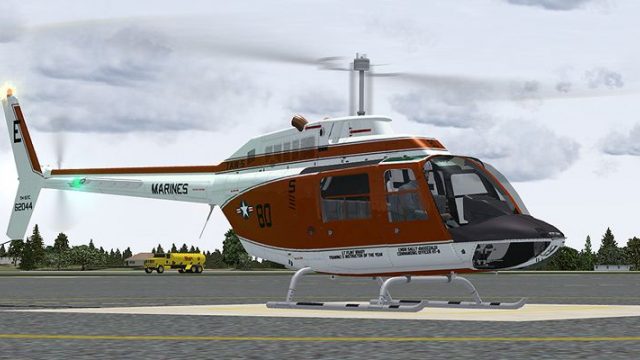
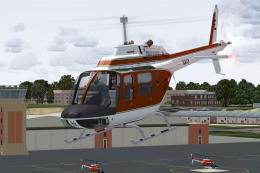
US Navy TH-57C training livery for the Bell 206 FX recreates HT-8 modex 80, Bureau Number 162044, flown at NAS Whiting Field, honoring Cmdr Sally deGozzaldi and Lt. Flint Brady. Built for Microsoft Flight Simulator X, it requires the Dodosim 206 FSX payware model to retain its advanced flight and engine realism.
 Rate
Rate
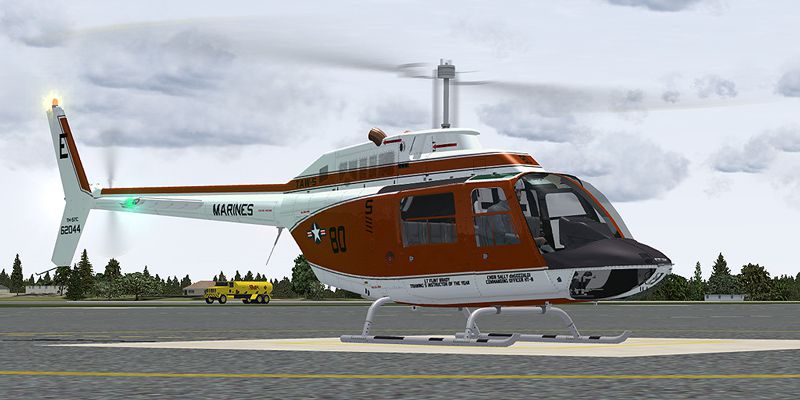
This livery provides a detailed United States Navy training scheme for the Bell 206 FX helicopter in Microsoft Flight Simulator X. It depicts a TH-57C, modex 80 (Bureau Number 162044), once flown by Cmdr Sally deGozzaldi, commanding officer of HT-8 in 2004, and also highlighting Lt. Flint Brady (TRAWING 5 Instructor of the Year). Created by developer Russel R. Smith, these textures bring an authentic Naval flight training environment to your simulator while preserving all of the advanced realism features that Dodosim’s payware model incorporates.
This repaint adds a faithful rendition of the US Navy TH-57C markings, which are commonly seen at Naval Air Station Whiting Field for primary helicopter training. The TH-57 Sea Ranger is the Navy’s take on the widely recognized Bell 206, incorporating essential modifications for training. The included markings stand out with the distinct Bureau Number 162044 and recognizable modex 80.

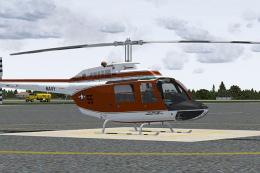
US Navy Bell 206 FX Helicopter on the ground in Microsoft Flight Simulator X.
Please be aware that the Dodosim 206 FSX package is required for these textures to function correctly. This repaint only includes the graphics files; the Dodosim rendition of the Bell 206 is essential to make full use of the advanced helicopter flight modeling and realistic engine operations it provides. You can acquire that payware model from a suitable retailer, such as our dedicated payware store.
Download and extract the provided files directly into your DodoSim_206_FSX_LowSkid folder. Ensure the "Use Folder Names" option is selected during extraction so that a texture.62044 folder is automatically generated. Within the aircraft configuration file (aircraft.cfg), append the following entry, replacing [fltsim.x] with the next available sequence number:
[fltsim.x]

title=Dodosim 206 FSX TH57C_RRS4

sim=DodoSim206FSX_lowskid

model=

panel=

sound=

texture=62044

kb_checklists=..\DodoSim_206_FSX_LowSkid\DodoSim206FSX_check

kb_reference=..\DodoSim_206_FSX_LowSkid\DodoSim206FSX_ref

atc_id=62044

ui_manufacturer="Bell"

ui_type="US Marines TAW-5 TH-57C, 80,"

ui_variation="62044"

ui_typerole="Rotorcraft"

ui_createdby="Dodosim"

description=80 Textures by Russel R. Smith. "The DodoSim 206 FSX is the culmination of over two man-years of work, bringing you unparalleled realism and features never before seen in MS Flight Simulator helicopters. This version is fitted with a CECO fuel control system for fully manual fuel control during engine starts."
With these TH-57C textures, you can immerse yourself in the operational environment of Naval helicopter training, famed for its exacting standards and rigorous procedures. The Bell 206 airframe has long been praised for its robust reliability, and the TH-57 variant enables pilots to hone fundamental rotary-wing proficiencies.
Provided by Russel R. Smith, this repaint honors not only the aircraft’s role in forging future naval aviators but also recognizes key individuals who contributed to its storied history. Incorporate this texture set to elevate your next simulated training sortie and explore the refined rotorcraft capabilities of the Dodosim 206 FSX while remembering to “Fly Navy!”
Free for all simmers · 3.53 MB · Scanned clean Oct 2026
Download speed: Free tier is capped at 0.5 Mbps. PRO members download at full line speed.
texture.{airline}) inside FSX\SimObjects\Airplanes\{base-aircraft}\.aircraft.cfg in Notepad. Add a new [fltsim.X] section per the readme.readme.txt or README file. It tells you exactly where files go, what dependencies are needed, and any quirks specific to this add-on.The archive th57c_80.zip has 15 files and directories contained within it.
This list displays the first 500 files in the package. If the package has more, you will need to download it to view them.
| Filename/Directory | File Date | File Size |
|---|---|---|
| 62044_Repaint.txt | 07.02.09 | 2.30 kB |
| brotor.dds | 07.01.09 | 1.00 MB |
| texture.cfg | 03.28.09 | 188 B |
| thumbnail.jpg | 06.30.09 | 28.21 kB |
| x2061_C.bmp | 06.09.09 | 4.00 MB |
| x2061_C_night.bmp | 06.10.09 | 4.00 MB |
| x2062_T.dds | 07.02.09 | 4.00 MB |
| x206_C.bmp | 06.09.09 | 4.00 MB |
| x206_C_night.bmp | 06.10.09 | 4.00 MB |
| x206_T.dds | 07.02.09 | 4.00 MB |
| x206_T_spec.bmp | 05.20.09 | 1.00 MB |
| texture.62044 | 07.02.09 | 0 B |
| 80.jpg | 07.01.09 | 153.60 kB |
| flyawaysimulation.txt | 10.29.13 | 959 B |
| Go to Fly Away Simulation.url | 01.22.16 | 52 B |
Only PRO members can place votes.
More FSX & P3D add-ons hand-picked based on this download.
FSX Helicopters
This repaint showcases a distinguished US Navy training helicopter livery app…
 FSX Helicopters
This freeware repaint for Microsoft Flight Simulator X depicts a United State…
 FSX Helicopters
This repaint showcases a dedicated US Navy Bell 206 FX helicopter, faithfully…
 FSX Helicopters
This repaint package features a historically significant TH-57C, identified b…
 FSX Helicopters
This freeware repaint brings the US Marines TH-57B trainer markings to the Be…
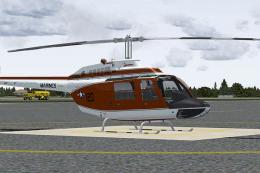 FSX Helicopters
This repaint offers a detailed representation of a US Marine Corps TH-57C, be…
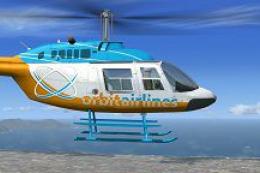 FSX Helicopters
Orbit Airlines Bell 206 Helicopter. Textures only for the default helicopter.…
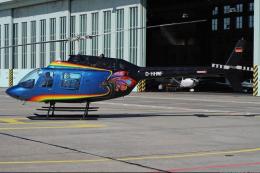 FSX Helicopters
FSX Bell 206 JetRanger Helicopter with dragon butterfly livery. A real paint …
Be the first to leave a comment on this download.
Be the first to share your thoughts on this download.