

 FSX Helicopters
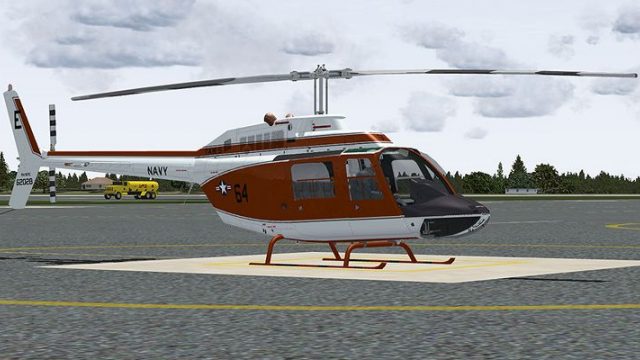
US Navy Bell 206 FX Helicopter 'BURNO 162037'
This repaint showcases a distinguished US Navy training helicopter livery app…
US Navy TH-57C Bell 206 trainer livery “BURNO 162028” recreates modex 64 with museum-faithful markings inspired by the airframe displayed at the National Museum of Naval Aviation in Pensacola. Designed for Microsoft Flight Simulator X, it brings authentic Navy training heritage to the DodoSim Bell 206 FX and requires the DodoSim 206 FSX package.
 Rate
Rate
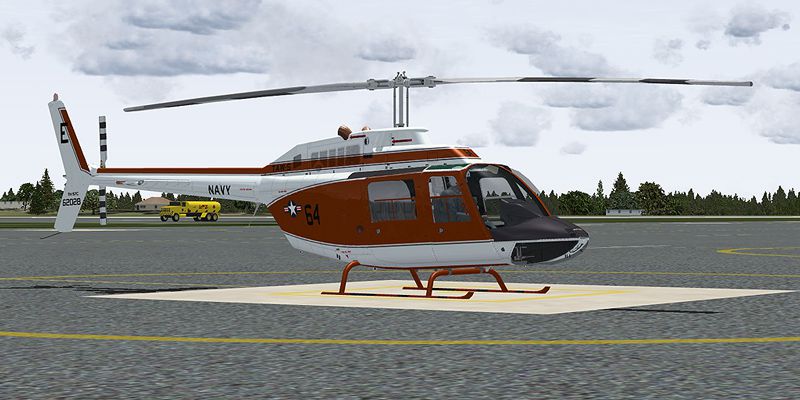
This repaint package features a historically significant TH-57C, identified by modex 64 and Bureau Number (BURNO) 162028, replicated for DodoSim’s Bell 206 FX within Microsoft Flight Simulator X. It pays tribute to the real airframe on display at the National Museum of Naval Aviation in Pensacola. These liveries are made by Russel R. Smith and require the DodoSim 206 FSX payware package.
The Bell 206 has a long lineage in both civil and military service. Within the United States Navy, the TH-57 series is often employed for training purposes, preparing future pilots with rotorcraft fundamentals. This particular example—serial 162028—reflects a real-world helicopter displayed at NAS Pensacola’s museum, offering insight into the proud tradition of Navy aviation. Such helicopters typically served under Training Air Wing (TAW) 5, delivering reliable and consistent handling characteristics that helped aviators master core flight skills.
This repaint focuses on capturing authentic detailing, from the exterior markings to the color palette that matches the real TH-57C. The “64” modex, along with the Bureau Number, has been carefully placed to mirror its museum counterpart. By Russel R. Smith, the texture set includes .dds and .bmp files for seamless integration into your existing DodoSim 206 FX installation. Once installed, you will see a faithful reproduction of the trainer’s bold Navy graphics prominently displayed on the fuselage.
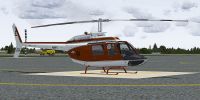
US Navy Bell 206 FX Helicopter on the ground.
Before proceeding, note that this is a textures-only add-on and does not include the underlying payware model. You must already own the DodoSim 206 FSX payware package. To install:
texture.62028 directory is created automatically.aircraft.cfg in the same folder. Open it with any text editor and copy the configuration snippet below to the end of the current list of [fltsim.*] entries.[fltsim.x] with the next sequential number for your setup.[fltsim.x]
title=Dodosim 206 FSX TH57C_RRS5
sim=DodoSim206FSX_lowskid
model=
panel=
sound=
texture=62028
kb_checklists=..\DodoSim_206_FSX_LowSkid\DodoSim206FSX_check
kb_reference=..\DodoSim_206_FSX_LowSkid\DodoSim206FSX_ref
atc_id=62028
ui_manufacturer="Bell"
ui_type="US Navy,TAW-5 TH-57C, 64, Displayed at the NMNA
ui_variation="62028"
ui_typerole="Rotorcraft"
ui_createdby="Dodosim"
description=This aircraft is on display at the National Museum of Naval Aviation at NAS Pensacola. 64 textures by Russel R. Smith. "The DodoSim 206 FSX is the culmination of over two man-years of work, bringing you unparalleled realism and features never before seen in MS Flight Simulator helicopters. This version is fitted with a CECO fuel control system for fully manual fuel control during engine starts."
The depicted TH-57C scheme exemplifies a dedicated training helicopter used by Navy aviators. For sim enthusiasts, this repaint delivers a faithful representation of that operational history and gives an opportunity to familiarize oneself with the aircraft’s visual identity. In aligning with the real rotorcraft’s performance profile, the Dodosim model in Microsoft Flight Simulator X offers a level of immersion that highlights start-up procedures, manual fuel control, and refined flight dynamics.
Remember, this repaint honors those who have earned the “Wings of Gold” and continue to protect the skies. Enjoy flying this homage to naval heritage, and as the developer suggests—fly Navy.
Free for all simmers · 3.54 MB · Scanned clean Oct 2026
Download speed: Free tier is capped at 0.5 Mbps. PRO members download at full line speed.
texture.{airline}) inside FSX\SimObjects\Airplanes\{base-aircraft}\.aircraft.cfg in Notepad. Add a new [fltsim.X] section per the readme.readme.txt or README file. It tells you exactly where files go, what dependencies are needed, and any quirks specific to this add-on.The archive th57c_64.zip has 15 files and directories contained within it.
This list displays the first 500 files in the package. If the package has more, you will need to download it to view them.
| Filename/Directory | File Date | File Size |
|---|---|---|
| brotor.dds | 07.01.09 | 1.00 MB |
| texture.cfg | 03.28.09 | 188 B |
| thumbnail.jpg | 06.30.09 | 30.30 kB |
| x2061_C.bmp | 06.09.09 | 4.00 MB |
| x2061_C_night.bmp | 06.10.09 | 4.00 MB |
| x2062_T.dds | 07.02.09 | 4.00 MB |
| x206_C.bmp | 06.09.09 | 4.00 MB |
| x206_C_night.bmp | 06.10.09 | 4.00 MB |
| x206_T.dds | 07.02.09 | 4.00 MB |
| x206_T_spec.bmp | 05.20.09 | 1.00 MB |
| texture.62028 | 07.01.09 | 0 B |
| 62028_Repaint.txt | 07.02.09 | 2.33 kB |
| 64.jpg | 07.01.09 | 173.62 kB |
| flyawaysimulation.txt | 10.29.13 | 959 B |
| Go to Fly Away Simulation.url | 01.22.16 | 52 B |
Only PRO members can place votes.
More FSX & P3D add-ons hand-picked based on this download.
FSX Helicopters
This repaint showcases a distinguished US Navy training helicopter livery app…
 FSX Helicopters
This freeware repaint for Microsoft Flight Simulator X depicts a United State…
 FSX Helicopters
This repaint showcases a dedicated US Navy Bell 206 FX helicopter, faithfully…
 FSX Helicopters
This freeware repaint brings the US Marines TH-57B trainer markings to the Be…
 FSX Helicopters
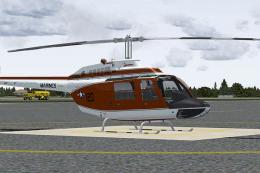
This repaint offers a detailed representation of a US Marine Corps TH-57C, be…
 FSX Helicopters
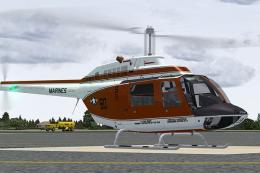
This livery provides a detailed United States Navy training scheme for the Be…
 FSX Helicopters
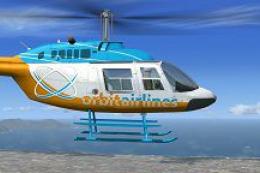
Orbit Airlines Bell 206 Helicopter. Textures only for the default helicopter.…
 FSX Helicopters
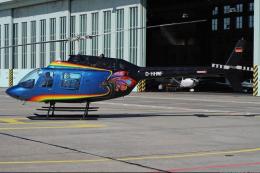
FSX Bell 206 JetRanger Helicopter with dragon butterfly livery. A real paint …
Be the first to leave a comment on this download.
Be the first to share your thoughts on this download.