

 FSX Helicopters
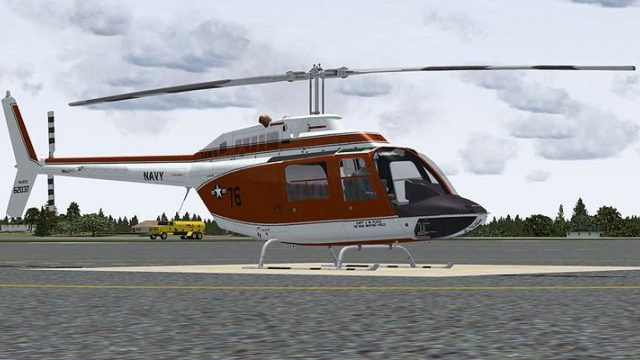
US Navy Bell 206 FX Helicopter 'BURNO 162031'
This freeware repaint for Microsoft Flight Simulator X depicts a United State…
US Navy TH-57C “BURNO 162037” repaint brings Modex 76 markings to Dodosim’s Bell 206 FX, recreating the 2004 CO NAS Whiting Field training helicopter flown by Capt. Joan Platz with era-correct lettering and shading. Designed for FSX, it requires the Dodosim 206 FSX package and adds authentic naval trainer character to rotary-wing sorties.
 Rate
Rate
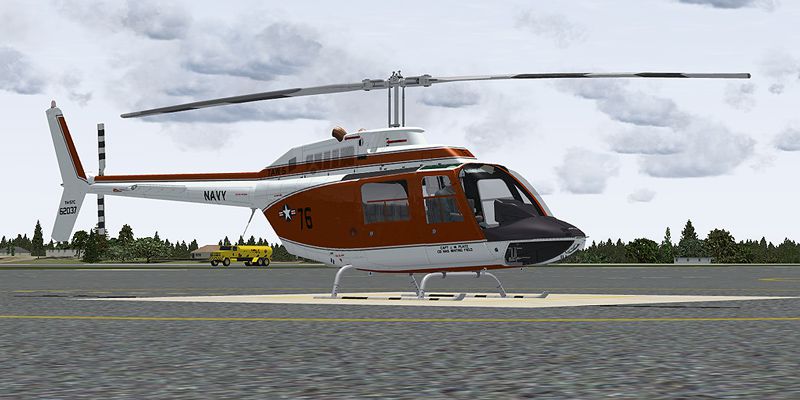
This repaint showcases a distinguished US Navy training helicopter livery applied to Dodosim’s Bell 206 FX model, specifically depicting the TH-57C registered as BURNO 162037. Originally flown in 2004 as the personal aircraft of NAS Whiting Field’s Commanding Officer, Capt. Joan Platz, it highlights the military heritage of rotary-wing instruction and offers a unique tribute to naval aviation.
The actual TH-57C, designated as a trainer within the US Navy, stems from the Bell 206 lineage. It is widely recognized for its role in preparing prospective pilots for multi-faceted missions, including overwater operations. This variant includes advanced navigation aids, specialized avionics, and robust rotor systems that reinforce reliability in primary and advanced flight instruction.
These texture files reflect the specific markings and color scheme seen on helicopter modex 76 in 2004. When installed, they render the correct shading, lettering, and branding of that era’s “CO NAS Whiting Field” helicopter. The included texture folder is labeled texture.62037 and places the TH-57C’s unique paint job accurately on your payware Dodosim 206 FSX installation for Microsoft Flight Simulator X.
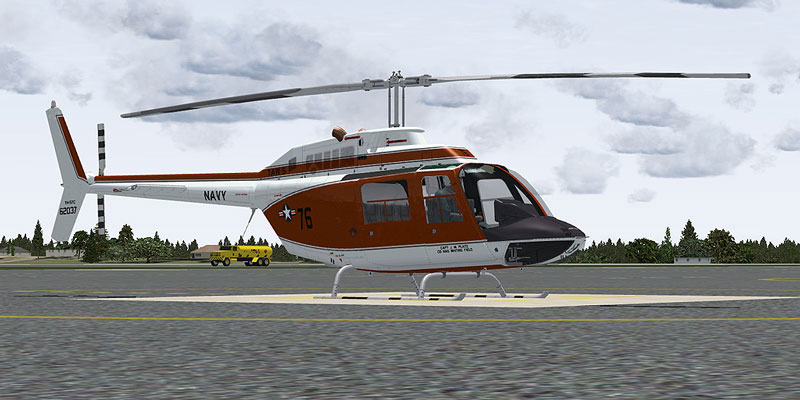
US Navy Bell 206 FX Helicopter on the ground.
To activate this livery, insert the following entry at the bottom of your aircraft.cfg file within the DodoSim LowSkid variant. Replace the “X” with the correct sequential number and adjust other parameters if needed.
[fltsim.x]
title=Dodosim 206 FSX TH57C_RRS7
sim=DodoSim206FSX_lowskid
model=
panel=
sound=
texture=62037
kb_checklists=..\DodoSim_206_FSX_LowSkid\DodoSim206FSX_check
kb_reference=..\DodoSim_206_FSX_LowSkid\DodoSim206FSX_ref
atc_id=62037
ui_manufacturer="Bell"
ui_type="US NAVY TAW-5 TH-57C, 76, CO NAS WHITING FIELD
ui_variation="62037"
ui_typerole="Rotorcraft"
ui_createdby="Dodosim"
description=Modex 76 was the TH-57C that was the personal aircraft
of the CO NAS Whiting Field in 2004, She was Captain J. M. Platz.
76 textures by Russel R. Smith. "The DodoSim 206 FSX is the culmination
of over two man-years of work, bringing you unparalleled realism and
features never before seen in MS Flight Simulator helicopters. This
version is fitted with a CECO fuel control system for fully manual
fuel control during engine starts."
This livery set has been meticulously prepared by Russel R. Smith, with design inspiration from the memorable BURNO 162037 paint scheme. Please remember that these files provide textures only and do not include any models or additional gauges. The official Dodosim 206 FSX payware is required to experience the advanced flight dynamics and CECO fuel control functionality.
In the spirit of naval aviation, as they say: "Fly Navy!"
“Many may fly and some are rewarded handsomely, but the wings of gold of a United States Naval Aviator mean more than flying. It is dearly bought, requires sacrifice to keep and represents a way of life.”
Free for all simmers · 3.52 MB · Scanned clean Oct 2026
Download speed: Free tier is capped at 0.5 Mbps. PRO members download at full line speed.
texture.{airline}) inside FSX\SimObjects\Airplanes\{base-aircraft}\.aircraft.cfg in Notepad. Add a new [fltsim.X] section per the readme.readme.txt or README file. It tells you exactly where files go, what dependencies are needed, and any quirks specific to this add-on.The archive th57c_76.zip has 15 files and directories contained within it.
This list displays the first 500 files in the package. If the package has more, you will need to download it to view them.
| Filename/Directory | File Date | File Size |
|---|---|---|
| brotor.dds | 07.01.09 | 1.00 MB |
| texture.cfg | 03.28.09 | 188 B |
| thumbnail.jpg | 07.01.09 | 20.57 kB |
| x2061_C.bmp | 06.09.09 | 4.00 MB |
| x2061_C_night.bmp | 06.10.09 | 4.00 MB |
| x2062_T.dds | 07.02.09 | 4.00 MB |
| x206_C_night.bmp | 06.10.09 | 4.00 MB |
| x206_T.dds | 07.02.09 | 4.00 MB |
| x206_T_spec.bmp | 05.20.09 | 1.00 MB |
| texture.62037 | 07.02.09 | 0 B |
| 62037_Repaint.txt | 07.02.09 | 2.41 kB |
| 76.jpg | 07.01.09 | 158.16 kB |
| x206_C.bmp | 06.09.09 | 4.00 MB |
| flyawaysimulation.txt | 10.29.13 | 959 B |
| Go to Fly Away Simulation.url | 01.22.16 | 52 B |
Only PRO members can place votes.
More FSX & P3D add-ons hand-picked based on this download.
FSX Helicopters
This freeware repaint for Microsoft Flight Simulator X depicts a United State…
 FSX Helicopters
This repaint showcases a dedicated US Navy Bell 206 FX helicopter, faithfully…
 FSX Helicopters
This repaint package features a historically significant TH-57C, identified b…
 FSX Helicopters
This freeware repaint brings the US Marines TH-57B trainer markings to the Be…
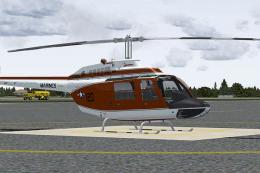 FSX Helicopters
This repaint offers a detailed representation of a US Marine Corps TH-57C, be…
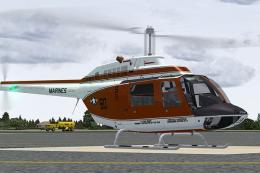 FSX Helicopters
This livery provides a detailed United States Navy training scheme for the Be…
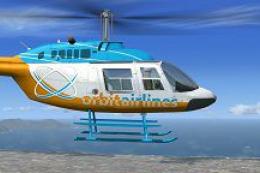 FSX Helicopters
Orbit Airlines Bell 206 Helicopter. Textures only for the default helicopter.…
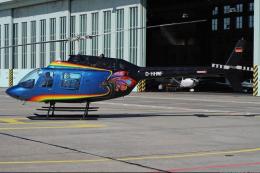 FSX Helicopters
FSX Bell 206 JetRanger Helicopter with dragon butterfly livery. A real paint …
Be the first to leave a comment on this download.
Be the first to share your thoughts on this download.