

 FSX Helicopters
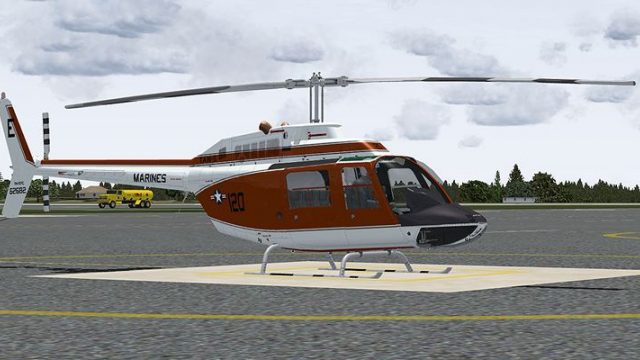
Marines Bell 206 FX Helicopter 'BURNO 163328'
This freeware repaint brings the US Marines TH-57B trainer markings to the Be…
US Marine Corps TH-57C training livery “120” with Bureau Number 162682 brings crisp panel lines, accurate color tones, and authentic squadron markings to the DodoSim Bell 206 FX, reflecting fleet rotorcraft used for advanced instruction. Built for Microsoft Flight Simulator X, it requires the payware DodoSim 206 FSX low-skid variant.
 Rate
Rate
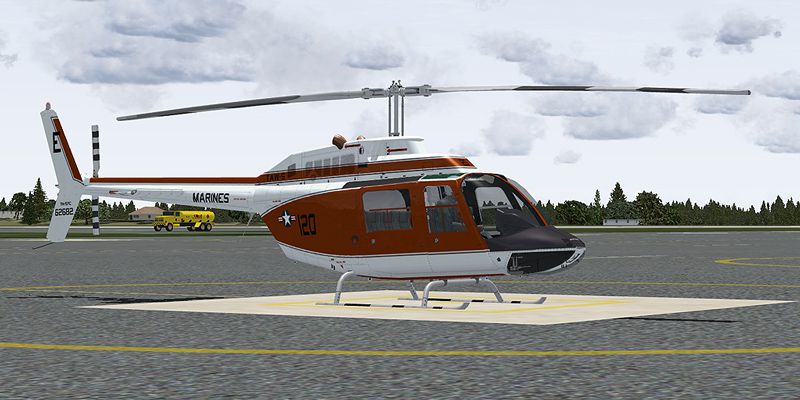
This repaint offers a detailed representation of a US Marine Corps TH-57C, bearing the marking “120” and Bureau Number 162682, specifically adapted for the DodoSim Bell 206 FX package in Microsoft Flight Simulator X. Meticulously crafted by Russel R. Smith, it captures the distinctive training livery of a fleet helicopter employed in advanced pilot instruction. Enthusiasts who appreciate rotorcraft operations will notice the fidelity of panel lines, color details, and squadron markings integrated into this texture set.
The Bell 206 platform is widely recognized for its single-turbine configuration and efficient flight characteristics. Employed by both civilian outfits and military branches, it serves as a versatile workhorse. In Marine and Navy training environments, the TH-57C variant helps new pilots develop fundamentals ranging from hovering to instrument procedures. This repaint focuses on accuracy in protocol-specific markings, including the “BURNO 162682” emblem and the squadron’s modex “120,” reflecting its training heritage.
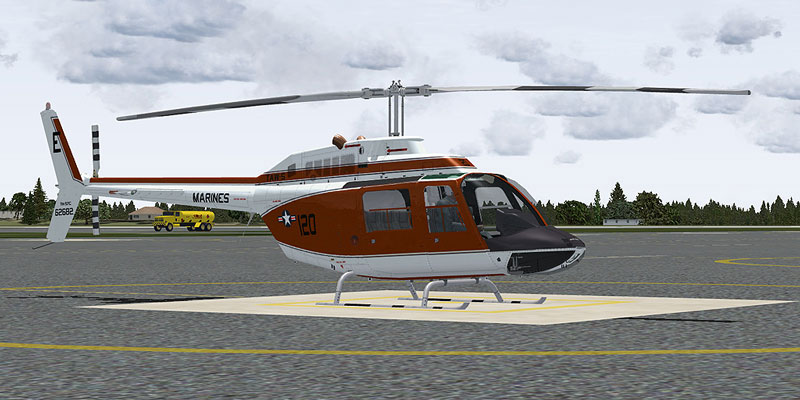
Marines Bell 206 FX Helicopter on the ground.
Before installation, ensure you own the necessary payware DodoSim 206 FSX module from DodoSim. This add-on contains only the repaint files; it does not include the actual aircraft model. To incorporate the texture files correctly:
In order to activate the repaint, edit the aircraft.cfg file by appending the following snippet to the existing list of [fltsim.X] entries. Replace the “X” with the next available numerical value in your configuration:
[fltsim.x]

title=Dodosim 206 FSX TH57C_RRS2

sim=DodoSim206FSX_lowskid

model=

panel=

sound=

texture=62682

kb_checklists=..\DodoSim_206_FSX_LowSkid\DodoSim206FSX_check

kb_reference=..\DodoSim_206_FSX_LowSkid\DodoSim206FSX_ref

atc_id=62682

ui_manufacturer="Bell"

ui_type="US Marines TAW-5 TH-57C, 120"

ui_variation="62682"

ui_typerole="Rotorcraft"

ui_createdby="Dodosim"

description="120 Textures by Russel R. Smith. The DodoSim 206 FSX is the culmination of over two man-years of work, bringing you unparalleled realism and features never before seen in MS Flight Simulator helicopters. This version is fitted with a CECO fuel control system for fully manual fuel control during engine starts."
Pilots transitioning to the TH-57C often observe refined handling, making this version ideal for multi-stage training. In the cockpit, the CECO fuel control system offers a nuanced start-up procedure, requiring precise input to manage turbine power and temperature. As a result, users will gain a more immersive flight simulation experience. For historical context, the Bell 206 lineage holds a storied position in US Naval Aviation, representing dedication, discipline, and skill.
Flyers should remember this texture set emphasizes accurate US Marine Corps styling, reflecting the proud tradition of Naval training wings. The included coloration and labeling maintain a distinct presence on the ramp, ensuring authenticity for those aiming to fly missions under naval protocols. Be mindful to confirm that your repaint entry in aircraft.cfg references the correct “texture.62682” folder.
REMEMBER. FLY NAVY!
Credits: This repaint is produced by Russel R. Smith. Original model by DodoSim.
“Many may fly and some are rewarded handsomely, but the wings of gold of a United States Naval Aviator mean more than flying. It is dearly bought, requires sacrifice to keep, and represents a way of life.”
Free for all simmers · 3.54 MB · Scanned clean Oct 2026
Download speed: Free tier is capped at 0.5 Mbps. PRO members download at full line speed.
texture.{airline}) inside FSX\SimObjects\Airplanes\{base-aircraft}\.aircraft.cfg in Notepad. Add a new [fltsim.X] section per the readme.readme.txt or README file. It tells you exactly where files go, what dependencies are needed, and any quirks specific to this add-on.The archive th57c_120.zip has 15 files and directories contained within it.
This list displays the first 500 files in the package. If the package has more, you will need to download it to view them.
| Filename/Directory | File Date | File Size |
|---|---|---|
| brotor.dds | 07.01.09 | 1.00 MB |
| texture.cfg | 03.28.09 | 188 B |
| thumbnail.jpg | 06.30.09 | 29.61 kB |
| x2061_C.bmp | 06.09.09 | 4.00 MB |
| x2061_C_night.bmp | 06.10.09 | 4.00 MB |
| x2062_T.dds | 07.02.09 | 4.00 MB |
| x206_C.bmp | 06.09.09 | 4.00 MB |
| x206_C_night.bmp | 06.10.09 | 4.00 MB |
| x206_T.dds | 07.02.09 | 4.00 MB |
| x206_T_spec.bmp | 05.20.09 | 1.00 MB |
| texture.62682 | 07.01.09 | 0 B |
| 62682_Repaint.txt | 07.02.09 | 2.15 kB |
| 120.jpg | 07.01.09 | 169.69 kB |
| flyawaysimulation.txt | 10.29.13 | 959 B |
| Go to Fly Away Simulation.url | 01.22.16 | 52 B |
Only PRO members can place votes.
More FSX & P3D add-ons hand-picked based on this download.
FSX Helicopters
This freeware repaint brings the US Marines TH-57B trainer markings to the Be…
 FSX Helicopters
This repaint showcases a distinguished US Navy training helicopter livery app…
 FSX Helicopters
This freeware repaint for Microsoft Flight Simulator X depicts a United State…
 FSX Helicopters
This repaint showcases a dedicated US Navy Bell 206 FX helicopter, faithfully…
 FSX Helicopters
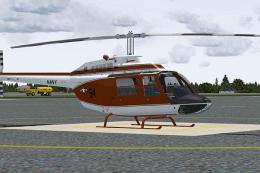
This repaint package features a historically significant TH-57C, identified b…
 FSX Helicopters
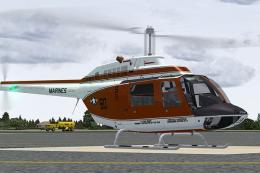
This livery provides a detailed United States Navy training scheme for the Be…
 FSX Helicopters
Orbit Airlines Bell 206 Helicopter. Textures only for the default helicopter.…
 FSX Helicopters
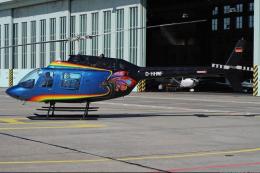
FSX Bell 206 JetRanger Helicopter with dragon butterfly livery. A real paint …
Be the first to leave a comment on this download.
Be the first to share your thoughts on this download.