

 FSX Missions
Day On The Farm (Sounds Update) Mission
A Day On The Farm Sounds Update, for use with ADOTF.ZIP. To add even more rea…
Clitheroe Cement Works gets a fresh, photo-informed redraw for the A Day on the Farm mission in FSX, sharpening the industrial landmark and improving scene authenticity around the plant. The update integrates new scenery and textures for a cleaner look and more convincing farm-to-factory route, and requires the original ADOTF.ZIP package.
 Rate
Rate
A Day On The Farm Update; Clitheroe Cement Works update. You need to have downloaded "A Day on the Farm FSX" (ADOTF.ZIP) to use these files. After driving near there and taking some photos, the cement works as been redrawn. By Neil Birch.

A Day On The Farm Mission.
INSTALLATION
Unzip the cp.zip file to an empty folder, you will now have a folder call Clitheroe-Plant, inside are two sub folders, Scenery and texture these files need copying into your copy of `A Day on the Farm' you downloaded earlier, simply copy all the files in the scenery folder into your ADOTF folder (overwite, if you are not prompted to overwrite you have copied them into the wrong directory) then copy the texture files into the ADOTF texture folder you will now have a new plant at the cement works.
Thats it enjoy your flying. Neil Birch.
Free for all simmers · 740.92 KB · Scanned clean Oct 2026
Download speed: Free tier is capped at 0.5 Mbps. PRO members download at full line speed.
This add-on may require the following files to function properly. If this is a repaint, the dependency below is likely the base aircraft package.
FSX\Missions\ as a sub-folder. The folder must contain an XML file describing the mission.readme.txt or README file. It tells you exactly where files go, what dependencies are needed, and any quirks specific to this add-on.The archive cp.zip has 14 files and directories contained within it.
This list displays the first 500 files in the package. If the package has more, you will need to download it to view them.
| Filename/Directory | File Date | File Size |
|---|---|---|
| FILE ID.DIZ | 02.11.08 | 242 B |
| README.txt | 02.11.08 | 621 B |
| scenery | 02.11.08 | 0 B |
| is-chipping.bgl | 02.10.08 | 3.67 kB |
| neils library-2.bgl | 02.11.08 | 905.37 kB |
| neils library-2.txt | 02.11.08 | 1021 B |
| screen-shot.bmp | 02.11.08 | 65.05 kB |
| texture | 02.11.08 | 0 B |
| clitheroe-plant.dds | 02.10.08 | 170.80 kB |
| clitheroe-plant_lm.dds | 02.10.08 | 170.80 kB |
| clitheroe-plant-2.dds | 02.10.08 | 682.80 kB |
| clitheroe-plant-2_lm.dds | 02.10.08 | 682.80 kB |
| flyawaysimulation.txt | 10.29.13 | 959 B |
| Go to Fly Away Simulation.url | 01.22.16 | 52 B |
Only PRO members can place votes.
More FSX & P3D add-ons hand-picked based on this download.
FSX Missions
A Day On The Farm Sounds Update, for use with ADOTF.ZIP. To add even more rea…
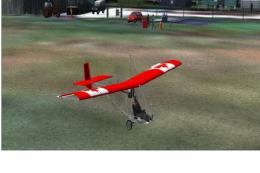 FSX Missions
A Day At The Farm, v2. Requires Horizon VFR Sceneries 1 and 3 or Just Flight'…
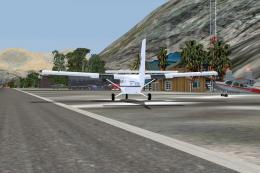 FSX Missions
A Normal Day Over Nepal (?). Captain Jackson Kungfu-Larz has been flying the …
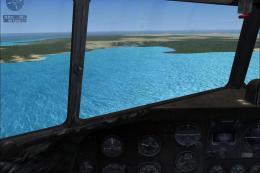 FSX Missions
Madagascar Mission. The Madagascarian Military pays you for a transport fligh…
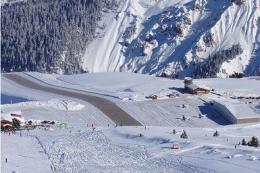 FSX Missions
Experience a daring alpine approach with this immersive mission set amid the …
 FSX Missions
Discover a daring and immersive freeware add-on that challenges your landing …
 FSX Missions
Race To France-Uruguay Soccer World Cup 2010. This is a mission of an histori…
 FSX Missions
Atlanta Crash Update. This is a simple mission about a bus accident that take…
Be the first to leave a comment on this download.
Be the first to share your thoughts on this download.