

 FSX Missions
Mission--Deer Valley Grand Canyon Flight
Deer Valley Grand Canyon Flight. This is an intermediate level flight with a …
Grand Canyon Race mission challenges pilots to skim the canyon floor in the Extra 300 Red Bull, starting from Marble Canyon Airport, Arizona, and aiming to win a timed run through three clear goals in about 30 minutes. Built for intermediate racers in FSX, it requires SP2 and the Acceleration Pack.
 Rate
Rate
Grand Canyon Race. Race along the Grand Canyon floor. Aircraft: Extra 300 (Red Bull). Estimated time: 30 minutes. Includes: Three goals to complete. Requires: Acceleration Pack. By Ed Neuhauser.
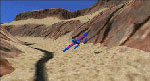
Grand Canyon Race Mission.
Aircraft: Extra 300
Location: Marble Canyon Airport, Arizona
Goals: Fly and win a timed race down on the Grand Canyon floor
Estimated Completion Time: 30 minutes
Category: Racing
Skill Level: Intermediate
Turn on captions in the FSX general settings for best results.
Enjoy!
This mission requires flying the Extra 300 at full throttle down the floor of the Grand Canyon.
This mission is only compatible with FSX installations that have SP2 and the Acceleration pack installed.
To install the mission, double click on the MSIicon in the zip file and follow the on screen prompts.
To uninstall the mission, don’t just delete the mission folder but rather uninstall it from your control panel.
Mission created by Ed Neuhauser using the FSX Mission Editor by Jim Keir.
This mission is freeware and is distributed in xml format and can be loaded into an FSX Mission Editor and/or Microsoft's Object Placement tool by anyone who wishes to embellish or revise it.
Free for all simmers · 5.31 MB · Scanned clean Oct 2026
Download speed: Free tier is capped at 0.5 Mbps (this file takes approximately 1 min at the cap). PRO members download at full line speed.
FSX\Missions\ as a sub-folder. The folder must contain an XML file describing the mission.readme.txt or README file. It tells you exactly where files go, what dependencies are needed, and any quirks specific to this add-on.The archive gcrace10.zip has 6 files and directories contained within it.
This list displays the first 500 files in the package. If the package has more, you will need to download it to view them.
| Filename/Directory | File Date | File Size |
|---|---|---|
| FILE_ID.DIZ | 10.22.09 | 312 B |
| GCRace10.gif | 10.22.09 | 9.44 kB |
| Grand Canyon Race.msi | 10.22.09 | 5.45 MB |
| Readme.txt | 10.22.09 | 1.40 kB |
| flyawaysimulation.txt | 10.29.13 | 959 B |
| Go to Fly Away Simulation.url | 01.22.16 | 52 B |
Only PRO members can place votes.
More FSX & P3D add-ons hand-picked based on this download.
FSX Missions
Deer Valley Grand Canyon Flight. This is an intermediate level flight with a …
 FSX Missions
Acceleration Canyon Rescue Mission. Use the default Bell 206B JetRanger and r…
 FSX Missions
Hoover Dam Air Race. Includes two missions for two different skill levels. By…
 FSX Missions
Race To France-Uruguay Soccer World Cup 2010. This is a mission of an histori…
 FSX Missions
Jackson Hole Glider Race Challenge, Take off from private airstrip by tow fro…
 FSX Missions
Roussillon Aero Simulation Air Race. RAS air race - Male / Maldives. Medium d…
 FSX Missions
Race to France-Uruguay Soccer World Cup 2010. This is a mission of an histori…
 FSX Missions
RAS Air Race - Tahiti / French Polynesia. An advanced level mission flying a …
Be the first to leave a comment on this download.
Be the first to share your thoughts on this download.