

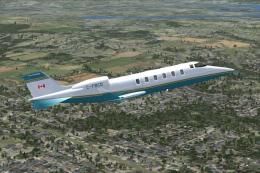
 FSX Business Jet Aircraft
Bombardier Learjet 60 Package
A twin fanjet, 8 place business aircraft. This release contains five complete…
Learjet 35 update for FSX Acceleration refines Mike Stone’s classic business jet with refreshed flight dynamics and an updated panel for smoother compatibility and handling. It requires the original aircraft and includes adjusted viewpoints plus essential gauges and effects, delivering a more polished cockpit experience for day-to-day flying.
 Rate
Rate
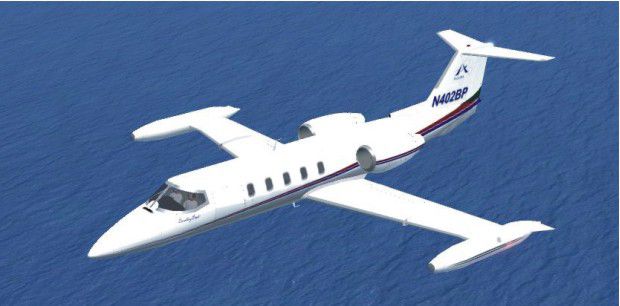
Learjet 35 Update. This is an update for FSX Acceleration of the Lear 35 by Mike Stone. The author has updated the flight dynamics and the panel so the aircraft works in FS X. No virtual cockpit. You need the original aircraft for this to work. By Bob Chicilo.
Learjet 35 in flight.
This is an update for FS X acceleration of the Lear 35 by Mike Stone. I have updated the flight dynamics and the panel so the aircraft works in FS X. No virtual cockpit. You need the original aircraft for this to work.
Unzip to a folder of your choic. After backing up your air, aircraft.cfg and panel.cfg files, replace them with the ones in this update. Copy the picture to the aircraft folder. Copy the gauge and the effect to the main FS gauges and effects folders. No need to overwrite anything already there.
If you have not already done so, copy the .cab files from the default aircraft panel folders that have them to the main FS gauges folder. For some the .cab flies will be .zip files, as .cab files are a type of zip file.
I have changed the view angle so it is a bit easier to see over the nose, but the raised center section of the panel with the warning lights makes this a bad panel to land the aircraft from inside it.
See [reference speeds] section of the aircraft.cfg file for operating speeds.
Anyone: You have my permission to use any of my updates with the following conditions: One, you don't try to make money with them. Two, you don't try to hurt, or take something from anyone by using them.
Bob Chicilo.
Free for all simmers · 154.5 KB · Scanned clean Oct 2026
Download speed: Free tier is capped at 0.5 Mbps. PRO members download at full line speed.
SimObjects\Airplanes\, Addon Scenery\, Effects\, or Gauges\.readme.txt or README file. It tells you exactly where files go, what dependencies are needed, and any quirks specific to this add-on.The archive lear35xa.zip has 10 files and directories contained within it.
This list displays the first 500 files in the package. If the package has more, you will need to download it to view them.
| Filename/Directory | File Date | File Size |
|---|---|---|
| Lear35.air | 10.04.08 | 9.19 kB |
| Learjet 35 (Stone).jpg | 10.03.08 | 41.32 kB |
| panel.cfg | 10.04.08 | 4.47 kB |
| file_id.diz | 10.04.08 | 266 B |
| fx_154.fx | 01.08.02 | 4.54 kB |
| RKG_fuelstat.gau | 08.11.05 | 601.50 kB |
| Aircraft.cfg | 10.04.08 | 11.23 kB |
| read me.txt | 10.04.08 | 1.25 kB |
| flyawaysimulation.txt | 10.29.13 | 959 B |
| Go to Fly Away Simulation.url | 01.22.16 | 52 B |
Only PRO members can place votes.
More FSX & P3D add-ons hand-picked based on this download.
FSX Business Jet Aircraft
A twin fanjet, 8 place business aircraft. This release contains five complete…
 FSX Business Jet Aircraft
A selection of repaints/liveries for the default Microsoft Flight Simulator X…
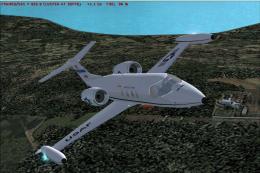 FSX Business Jet Aircraft
Learjet 25D. Original FS2004 model created by Y Koun with virtual cockpit ada…
 FSX Business Jet Aircraft
Comes with default Lear 45 sounds, panel, virtual cockpit, and everything els…
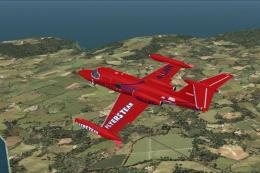 FSX Business Jet Aircraft
Flyable AI model for Capi Roger Lear Jet 23 Flyers Mexico. Original model by …
 FSX Business Jet Aircraft
These textures are for the default FSX Lear 45. This file contains eleven new…
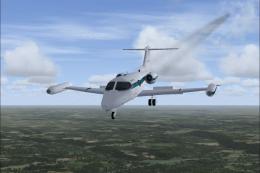 FSX Business Jet Aircraft
AI Gates Learjet 23 by Henry Tomkiewicz, made flyable in FSX with pre-install…
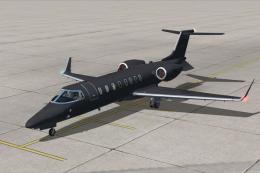 FSX Business Jet Aircraft
Black Operations Learjet 45. Textures only for the default Lear 45. "Black Op…
Be the first to leave a comment on this download.
Be the first to share your thoughts on this download.