

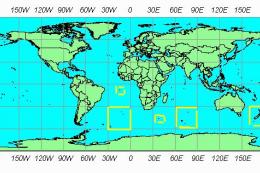
 FSX Scenery
Mesh Of New Zealand And Islands
FSX World Wide Coverage SRTM 3 Version 2 Mesh of New Zealand and Islands. Inc…
Peru and Ecuador terrain mesh adjustments sharpen elevation data and smooth airport gradients, with targeted altitude fixes for SEMC and SESC to prevent bumps and mismatched runway levels. Designed specifically for Microsoft Flight Simulator X, it updates core scenery BGLs so approaches, taxiing, and surrounding terrain sit correctly in the Andes region.
 Rate
Rate
 Global (World)
Peru And Equator Mesh. Correction SEMC and SESC airports. By Cesar Marinho.
These files correct altitude at SEMC and SESC airport in Equator. This correction just work on FSX.
FILES:
CVX0304.BGL
APX27320.BGL
Before install make sure backup the original APX27320.BGL present at:
C:\Program Files\Microsoft Games\Microsoft Flight Simulator X\Scenery\0304\scenery
INSTALL:
Copy CVX0304.BGL to C:\Program Files\Microsoft Games\Microsoft Flight Simulator X\Addon Scenery\scenery or to the folder where the mesh was installed.
Copy APX27320.BGL to C:\Program Files\Microsoft Games\Microsoft Flight Simulator X\Scenery\0304\scenery and again don't forget to make a backup for the original file.
IMPORTANT:
These corretions just run on FSX.
Cesar Marinho.
Free for all simmers · 11.19 KB · Scanned clean Oct 2026
Download speed: Free tier is capped at 0.5 Mbps. PRO members download at full line speed.
FSX\Addon Scenery\ containing scenery and texture sub-folders.readme.txt or README file. It tells you exactly where files go, what dependencies are needed, and any quirks specific to this add-on.The archive perumshc.zip has 6 files and directories contained within it.
This list displays the first 500 files in the package. If the package has more, you will need to download it to view them.
| Filename/Directory | File Date | File Size |
|---|---|---|
| APX27320.bgl | 04.25.07 | 23.37 kB |
| cvx0304.BGL | 04.25.07 | 701 B |
| Readme.txt | 04.25.07 | 777 B |
| File_ID.diz | 04.25.07 | 104 B |
| flyawaysimulation.txt | 10.29.13 | 959 B |
| Go to Fly Away Simulation.url | 01.22.16 | 52 B |
Only PRO members can place votes.
More FSX & P3D add-ons hand-picked based on this download.
FSX Scenery
FSX World Wide Coverage SRTM 3 Version 2 Mesh of New Zealand and Islands. Inc…
 FSX Scenery
For users of Flight Simulator X (and FSX: Steam Edition) and/or Prepar3D, ter…
 FSX Scenery
FSX World Wide Coverage SRTM 3, version 2, mesh of Europe. Includes the compl…
 FSX Scenery
Alaska 38 Terrain Mesh Part 1 & 2. FSX Alaska 38 Terrain Mesh Replacement ter…
 FSX Scenery
FSX World Wide Coverage SRTM 3, version 2, mesh of Africa. Includes the compl…
 FSX Scenery
FSX SRTM 76 m South America, Central America and the Caribbean. Designed with…
 FSX Scenery
STRM Mesh For Australia, New Zealand and PNG. This SRTM mesh will update your…
 FSX Scenery
Madagascar Multi-LOD Mesh for SP1. To improve performance, FSX updated with S…
Be the first to leave a comment on this download.
Be the first to share your thoughts on this download.