


 Czechia
  FSX Scenery
LKSTX 1.0
LKSTX 1.0, Czech Republic. Includes Strakonice Airport (LKST), Prachatice Air…
LKST Strakonice scenery update sharpens the Czech Republic airfield and surrounding towns with better object scaling, placement, and smoother performance in Microsoft Flight Simulator X. It also adds LKSR plus elements of Volyně and Písek, using efficient default objects, and requires the original LKSTX v1.0 package and the referenced object libraries.
LKSTX 1.1 Update for FSX SP1/SP2. An update for LKSTX v1.0 (LKSTX.ZIP) scenery of the Czech Republic - use original pack and replace with new bgl. Update improves FPS, object scaling and placement. By Pavel Krejci.
Coverage of this work is focused on the airport LKST and city Strakonice in the E.U. Secondary are added backup airport LKSR and parts of city Volyne and Pisek. This scenery is designed as a high-performance. For that reason is using FSX objects with minimal detail settings. Please turn-off ‘autogen’ for the best results. Recommended is to purchase Ultimate Terrain X - Europe.
Install Notes:
1.Place enclosed directory to the folder: Microsoft Flight Simulator X.
2.Copy textures: sco_noaa_smokestack1; sco_noaa_smokestack2b from Microsoft Flight Simulator X\texture to Microsoft Flight Simulator X\Addon Scenery\texture (must be converted if used with FSX SP2, the same for all glidertextures).
3. Download Object Library Teil 1 (5.4 MB) and Object Library Teil 2 (5.25 MB).
Free for all simmers · 45.4 KB · Scanned clean Oct 2026
Download speed: Free tier is capped at 0.5 Mbps. PRO members download at full line speed.
This add-on may require the following files to function properly. If this is a repaint, the dependency below is likely the base aircraft package.
FSX\Addon Scenery\ containing scenery and texture sub-folders.readme.txt or README file. It tells you exactly where files go, what dependencies are needed, and any quirks specific to this add-on.Use these coordinates to fly directly to this location once the mod is installed.
49.26110000,13.90280000
Launch FSX or Prepar3D and use Flights → Load to open the downloaded .pln file. Your aircraft will be positioned at this location.
The archive lkstx11.zip has 10 files and directories contained within it.
This list displays the first 500 files in the package. If the package has more, you will need to download it to view them.
| Filename/Directory | File Date | File Size |
|---|---|---|
| Addon Scenery | 03.09.08 | 0 B |
| scenery | 03.09.08 | 0 B |
| AFX_LKSR.bgl | 02.06.08 | 1.34 kB |
| AFX_LKST.bgl | 02.06.08 | 2.09 kB |
| komin.bgl | 10.16.07 | 26.75 kB |
| lkstx.bgl | 03.02.08 | 49.59 kB |
| readme.txt | 03.09.08 | 1.06 kB |
| lkstx.bgl | 07.25.08 | 45.98 kB |
| flyawaysimulation.txt | 10.29.13 | 959 B |
| Go to Fly Away Simulation.url | 01.22.16 | 52 B |
Only PRO members can place votes.
More FSX & P3D add-ons hand-picked based on this download.
FSX Scenery
LKSTX 1.0, Czech Republic. Includes Strakonice Airport (LKST), Prachatice Air…
 FSX Scenery
Iwo Jima Scenery 1945 Update. This is a complete scenery with added effects a…
 FSX Scenery
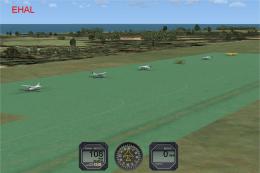
FSX Update For Dutch Airports (The Netherlands). Dutch airports EHAL, EHBD, E…
 FSX Scenery
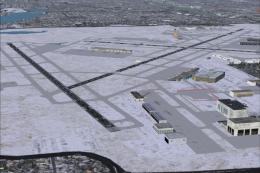
FSX Minneapolis/St. Paul (KMSP) Update. An updated Minneapolis/St. Paul, Minn…
 FSX Scenery
This is a major remodeling of Newark Airport in New Jersey (NJ). It is modele…
 FSX Scenery
London City Airport Update (EGLC), UK. Version 2 with accurate touchdown zone…
 FSX Scenery
Scenery Doha Qatar Update, for use with QATAR_2011.ZIP. Adds shorelines to th…
 FSX Scenery
Panama. This improves default scenery for Panama Canal and adds MPMG airport.…
Be the first to leave a comment on this download.
Be the first to share your thoughts on this download.