

 FSX Scenery
St-Barthelemy Island Sloped Runway
St Barthelemy island (TFFJ) is situated in the Caribbean Sea. It's small slop…
Block Island, Rhode Island comes to life with custom scenery that places landmarks and island details for more immersive coastal VFR flying in Microsoft Flight Simulator X. Designed with carefully positioned objects, it integrates cleanly into the sim’s world and requires Flight1 Ultimate Terrain USA for proper object placement and terrain alignment.
 Rate
Rate
 United States of America
Block Island, RI. Block Island in the state of Rhode Island, small island in Long Island Sound. By Dick Kittredge.
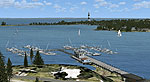
Block Island Scenery.
I created this scenery using Flight1, Instant Scenery program which is not require to be installed on your system to view the scenery.
In order for the objects to be placed properly you should have the program from Flight1 called UT-FSX_Usa. This program greatly enhances the terrain in FSX.
Installation: Simply place the Block IslandRI.bgl file in your Addon scenery/scenery folder.
Free for all simmers · 6.96 MB · Scanned clean Oct 2026
Download speed: Free tier is capped at 0.5 Mbps (this file takes approximately 2 mins at the cap). PRO members download at full line speed.
FSX\Addon Scenery\ containing scenery and texture sub-folders.readme.txt or README file. It tells you exactly where files go, what dependencies are needed, and any quirks specific to this add-on.Use these coordinates to fly directly to this location once the mod is installed.
41.16860000,-71.57800000
Launch FSX or Prepar3D and use Flights → Load to open the downloaded .pln file. Your aircraft will be positioned at this location.
The archive kbid2.zip has 8 files and directories contained within it.
This list displays the first 500 files in the package. If the package has more, you will need to download it to view them.
| Filename/Directory | File Date | File Size |
|---|---|---|
| Block Island.bmp | 08.03.08 | 5.05 MB |
| Block Island--Readme.txt | 08.09.08 | 424 B |
| Block IslandRI.bgl | 05.24.08 | 4.40 kB |
| Block IslandRI.bmp | 08.03.08 | 5.05 MB |
| File_ID_Block Island_FSX.diz.txt | 08.09.08 | 70 B |
| KBID.bmp | 08.03.08 | 5.05 MB |
| flyawaysimulation.txt | 10.29.13 | 959 B |
| Go to Fly Away Simulation.url | 01.22.16 | 52 B |
Only PRO members can place votes.
More FSX & P3D add-ons hand-picked based on this download.
FSX Scenery
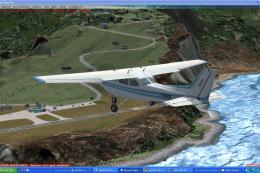
St Barthelemy island (TFFJ) is situated in the Caribbean Sea. It's small slop…
 FSX Scenery
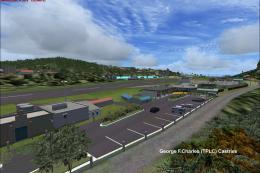
Island Of Saba. Includes redesign of all coasts and land class; SABA airport;…
 FSX Scenery
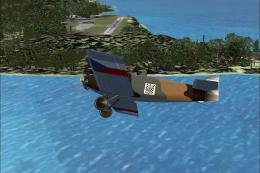
(Caraibes). Saint Lucia Island scenery including the correct redefinition of …
 FSX Scenery
Saba Island (TNCS). Saba island in FSX is much improved over the flat island …
 FSX Scenery
Grande Case Island, St Marteen (TFFG). This scenery is fully compatible with …
 FSX Scenery
NAS North Island (KNZY), v1.01. After a hard day of trapping it's nice to hav…
 FSX Scenery
FSX Corse Island Scenery version I. Know as Corse to the French, Corsica to t…
 FSX Scenery
Scenery Mahon/Menorca Island, Islas Baleares (Balearic Islands), Spain (LEMH)…
Be the first to leave a comment on this download.
Be the first to share your thoughts on this download.